English | 中文
One MCP
One MCP - A centralized proxy for Model Context Protocol (MCP) services
✨ Manage, monitor, and configure your MCP services from a single interface ✨





Features • Quick Start • Installation • Configuration • Development • Contributing
Overview
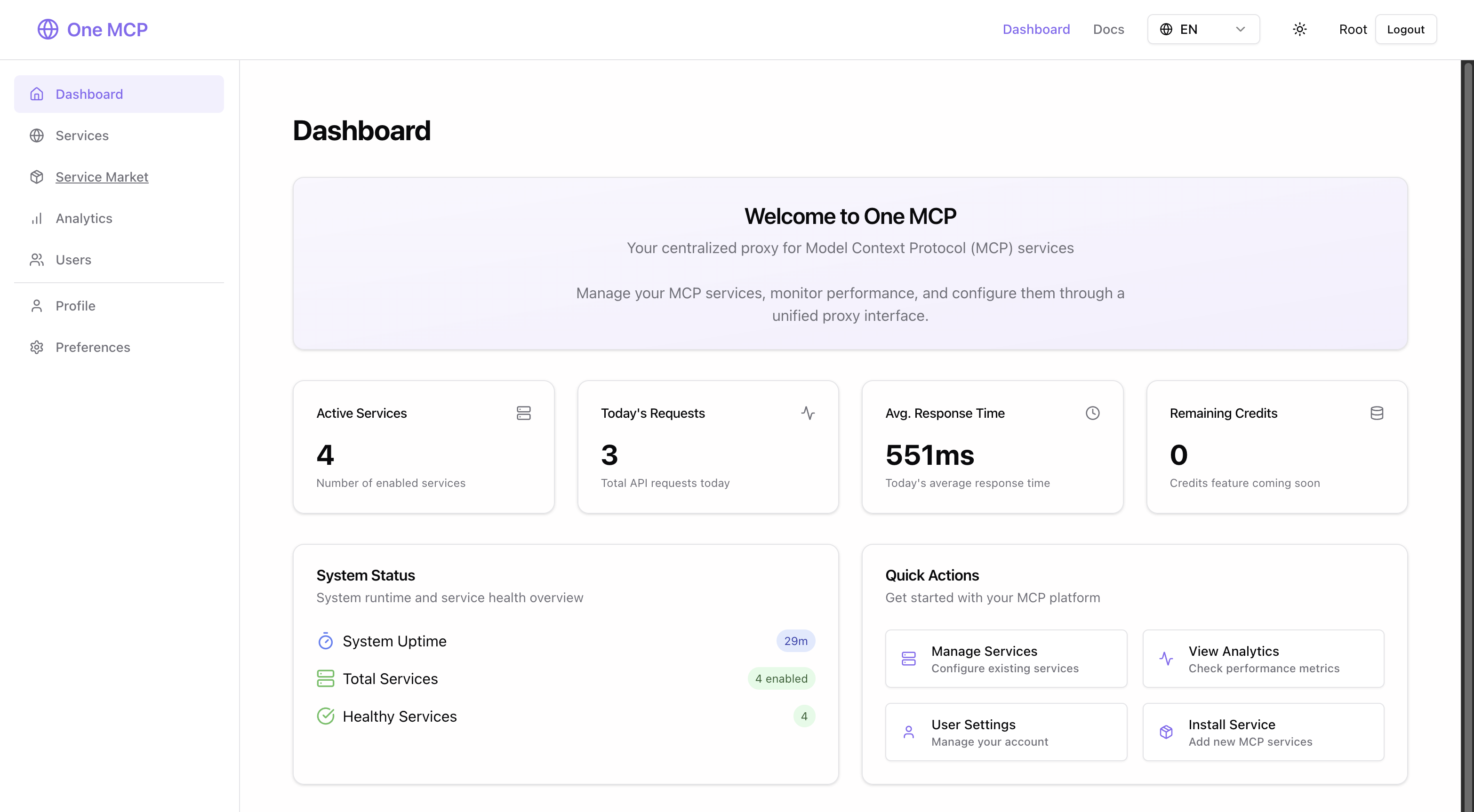
One MCP is a comprehensive management platform for Model Context Protocol (MCP) services. Acting as a centralized proxy, it lets you discover, install, configure, and monitor MCP services from various providers. Built with Go and React, it offers both powerful backend capabilities and an intuitive web interface.
Features
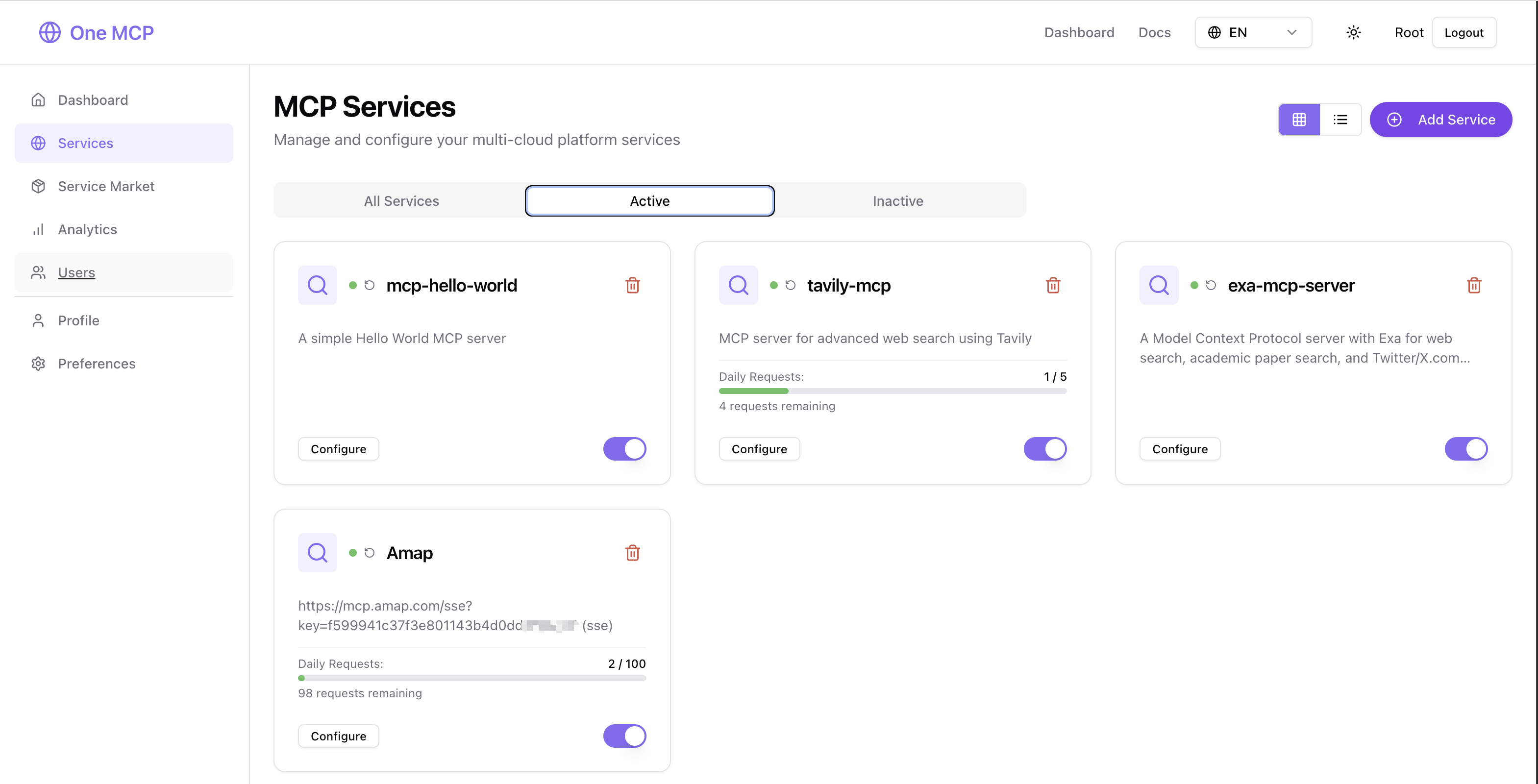
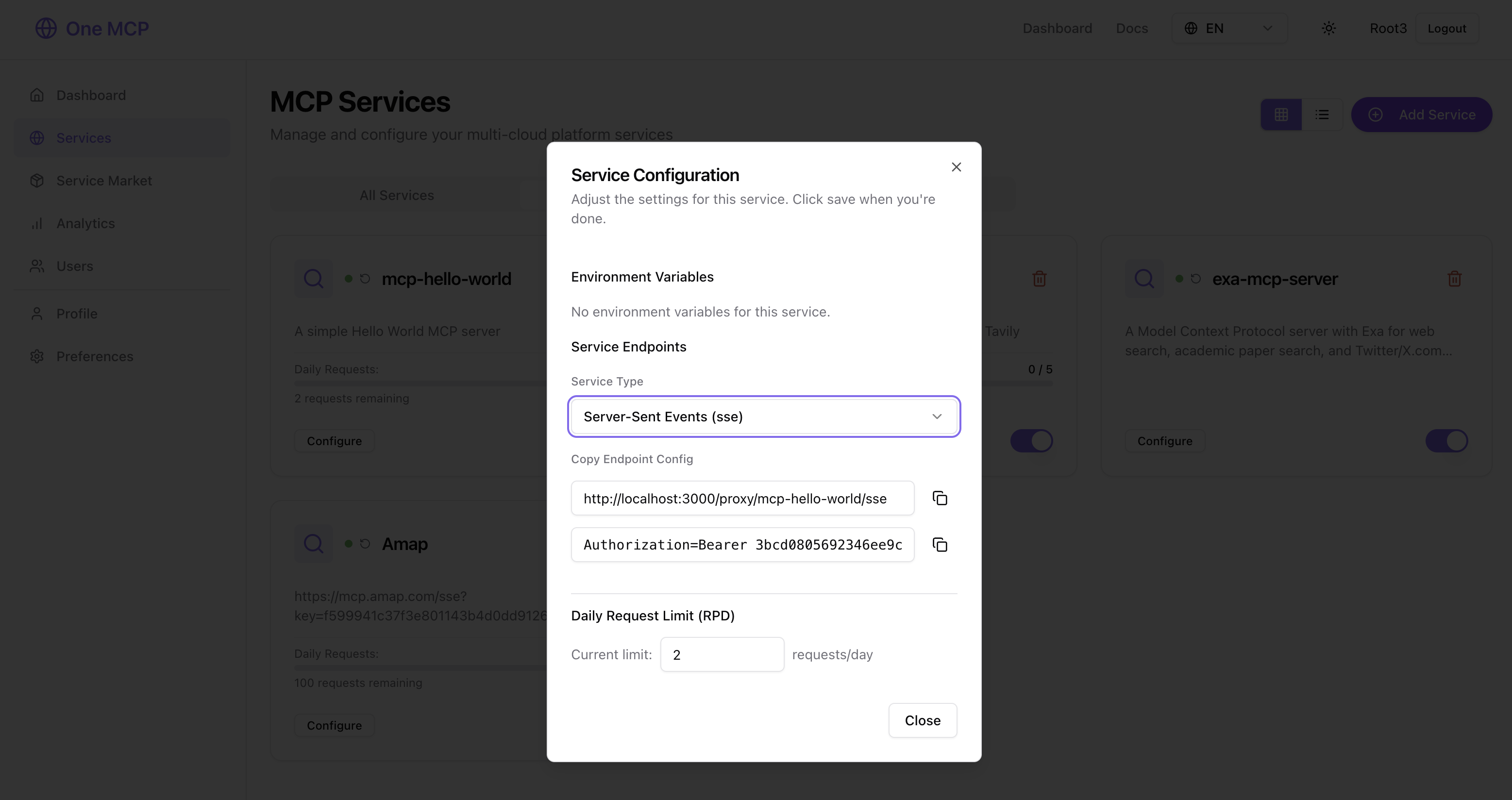
- Service Management — Install, configure, and monitor MCP services (stdio / SSE / streamable HTTP) from a marketplace or custom sources
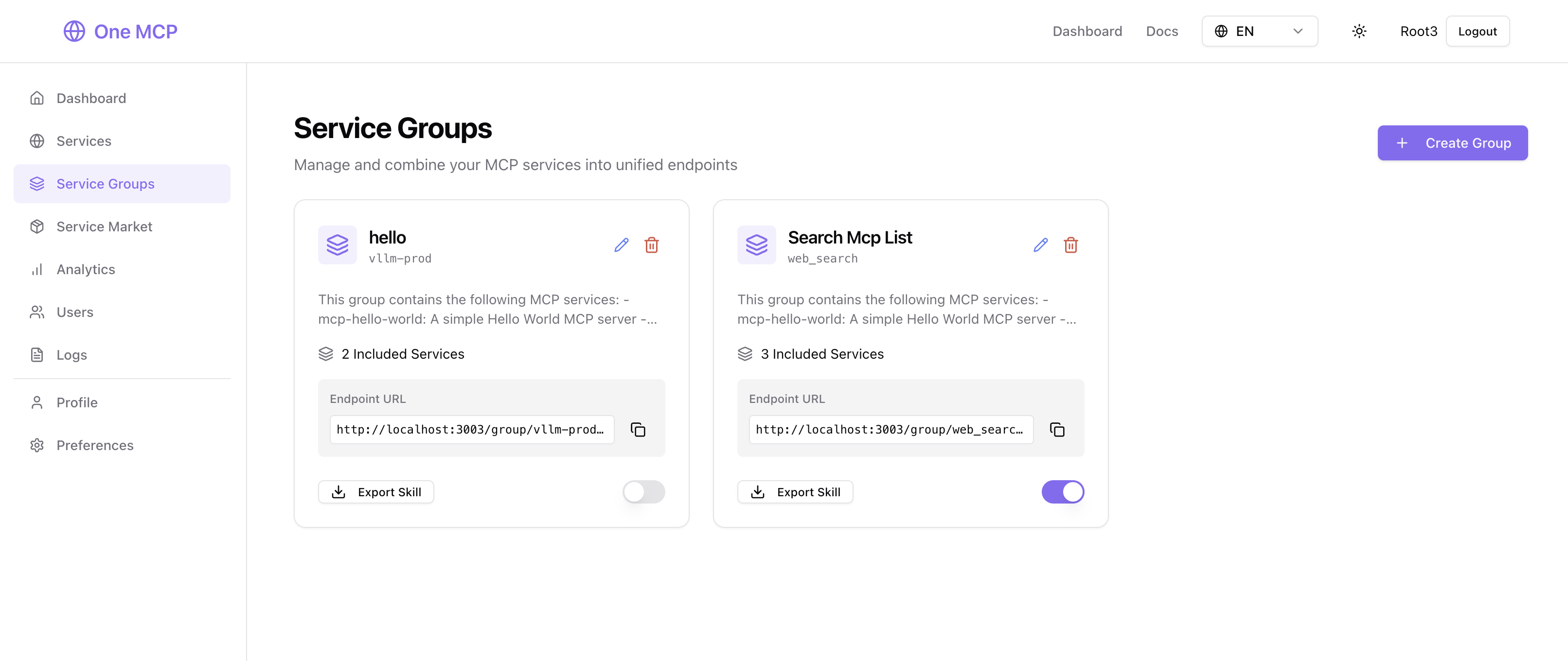
- Service Groups — Combine multiple MCP services into a single endpoint; export as Anthropic Skills for Claude Code & Droid
- Analytics — Track usage, request rates, response times, and system health in real time
- Multi-User & OAuth — Role-based access control with GitHub / Google login
- Flexible Deployment — SQLite (default) / MySQL / PostgreSQL, optional Redis, Docker ready, i18n (EN / ZH)
Service Groups
Create service groups to combine multiple MCP services and export as Skills:
Quick Start
Using Homebrew (macOS & Linux)
# Add tap
brew tap burugo/tap

# Install one-mcp
brew install one-mcp

# Start as background service (default port: 3000)
brew services start one-mcp

# Stop service
brew services stop one-mcp
If port 3000 is already in use, restart with a custom port:
ONE_MCP_PORT=3001 brew services restart one-mcp
Access the application at http://localhost:3000 (or your custom port).
Using Docker (Recommended)
# Run with Docker
docker run --name one-mcp -d \
  --restart always \
  -p 3000:3000 \
  -v $(pwd)/data:/data \
  buru2020/one-mcp:latest

# Access the application
open http://localhost:3000
Manual Installation
# Clone the repository
git clone https://github.com/burugo/one-mcp.git
cd one-mcp

# Set up environment
cp .env_example .env

bash ./run.sh
Default Login: Username root, Password 123456
Installation
Prerequisites
Homebrew Installation (macOS & Linux)
- Homebrew installed
Manual Installation
- Go: Version 1.19 or later
- Node.js: Version 16 or later
- Database: SQLite (default), MySQL, or PostgreSQL
- Redis: Optional
Environment Configuration
Create a .env file from the template:
cp .env_example .env
Key configuration options:
# Server Configuration
PORT=3000

# Database (SQLite is default, MySQL and PostgreSQL are supported)
# SQLite(default)
# SQLITE_PATH=/data/one-mcp.db
# MySQL:
# SQL_DSN=root:password@tcp(localhost:3306)/one_mcp
# PostgreSQL:
# SQL_DSN=postgres://username:password@localhost/database_name?sslmode=disable

# Redis (optional, replace local cache for production environment)
REDIS_CONN_STRING=redis://localhost:6379

# GitHub API (optional, for querying npm's github homepage star count, without this, there will be rate limit issues)
GITHUB_TOKEN=your-github-token
Homebrew Installation (macOS & Linux)
# Add tap
brew tap burugo/tap

# Install one-mcp
brew install one-mcp

# Run in foreground
one-mcp --port 3000

# Or run as system service (default port: 3000)
brew services start one-mcp

# Use a custom service port when 3000 is occupied
ONE_MCP_PORT=3001 brew services restart one-mcp
Docker Deployment
# Build the Docker image
docker build -t one-mcp .

# Run with docker-compose (recommended)
docker-compose up -d

# Or run directly
docker run -d \
  --name one-mcp \
  -p 3000:3000 \
  -v ./data:/data \
  -e PORT=3000 \
  one-mcp
Manual Deployment
-
Build the application:
./deploy/build.sh -
Run the server:
./one-mcp --port 3000 -
Access the application: Open http://localhost:3000 in your browser
Configuration
Runtime Configuration (~/.config/one-mcp/config.ini)
One MCP supports runtime configuration from an INI file at:
~/.config/one-mcp/config.ini
The runtime priority is:
defaults < config file < environment variables < flags
defaults: built-in defaults (for example port3000)config file: values from~/.config/one-mcp/config.inienvironment variables: values likePORT,SQLITE_PATH,ENABLE_GZIPflags: command-line flags like--port(highest priority)
On first startup, One MCP automatically creates a minimal default config.ini.
Example config.ini:
PORT=3000
SQLITE_PATH=one-mcp.db
ENABLE_GZIP=true
Notes:
- One MCP only reads
~/.config/one-mcp/config.inifor runtime file-based config. - Homebrew service values (
ONE_MCP_PORT,--port) still overrideconfig.ini.
OAuth Setup
GitHub OAuth
- Create a GitHub OAuth App at https://github.com/settings/applications/new
- Set Homepage URL:
http://your-domain.com - Set Authorization callback URL:
http://your-domain.com/oauth/github - Configure in the application preferences
Google OAuth
- Create credentials at https://console.developers.google.com/
- Set Authorized JavaScript origins:
http://your-domain.com - Set Authorized redirect URIs:
http://your-domain.com/oauth/google - Configure in the application preferences
Database Configuration
SQLite (Default)
No additional configuration required. Database file is created at ./data/one-mcp.db.
MySQL
SQL_DSN=username:password@tcp(localhost:3306)/database_name
PostgreSQL
SQL_DSN=postgres://username:password@localhost/database_name?sslmode=disable
API Documentation
The application provides RESTful APIs for all functionality:
- Base URL:
http://localhost:3000/api - Authentication: Bearer token (obtained via login)
- Content-Type:
application/json
Key Endpoints
POST /api/auth/login- User authenticationGET /api/services- List installed servicesPOST /api/services- Install new serviceGET /api/market/search- Search marketplaceGET /api/analytics/usage- Usage statistics
Development
Development Environment
# Start development servers
./run.sh

# This will start:
# - Backend server on :3000
# - Frontend dev server on :5173 (with hot reload)
Project Structure
one-mcp/
├── backend/         # Go backend code
├── frontend/        # React frontend code
├── data/           # Database and uploads
├── main.go         # Application entry point
├── build.sh        # Production build script
└── run.sh          # Development script
Testing
# Frontend tests
cd frontend && npm test

# Backend tests
go test ./...
For detailed development instructions, see DEVELOPMENT.md.
Contributing
We welcome contributions! Please see our contributing guidelines:
- Fork the repository
- Create a feature branch (
git checkout -b feature/amazing-feature) - Commit your changes (
git commit -m 'Add amazing feature') - Push to the branch (
git push origin feature/amazing-feature) - Open a Pull Request
Development Guidelines
- Follow Go and TypeScript best practices
- Add tests for new functionality
- Update documentation as needed
- Ensure all tests pass before submitting
Roadmap
Support
- Documentation: Wiki
- Issues: GitHub Issues
License
This project is licensed under the MIT License - see the LICENSE file for details.
⭐ Star this project if you find it helpful!
Made with ❤️ by the One MCP team