LucidShark



Ship AI-generated code without the fear
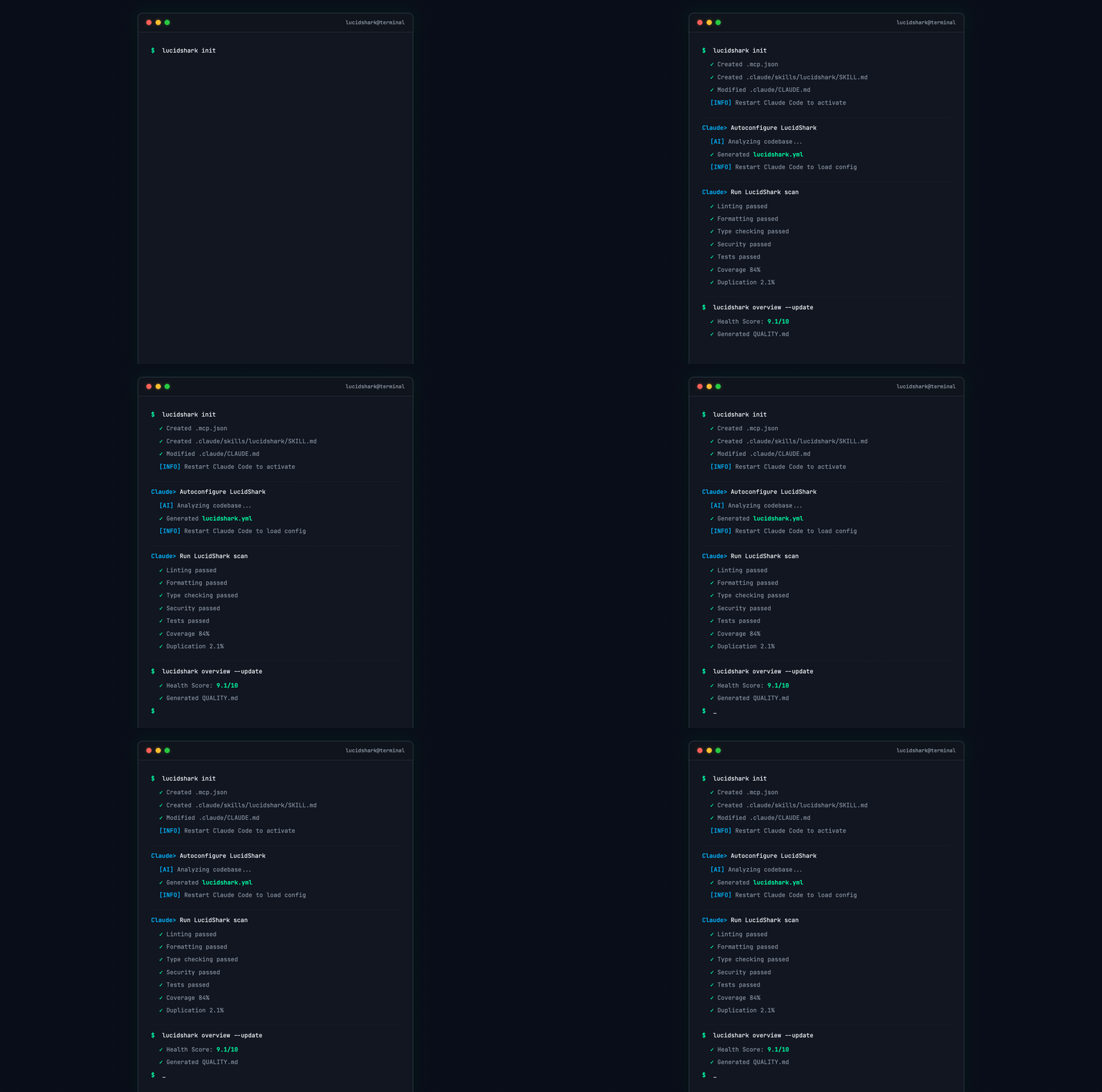
AI writes code → LucidShark checks → AI fixes → repeat
The quality gate for agentic engineering. As AI agents increasingly write production code, LucidShark ensures high standards through automated, comprehensive quality checks - no manual code review bottlenecks.
Why LucidShark
-
Local-first - No server, no SaaS account. Runs on your machine and in CI with the same results.
-
Configuration-as-code -
lucidshark.ymllives in your repo. Same rules for everyone, changes go through code review. -
AI-native - MCP integration with Claude Code. Structured feedback that AI agents can act on directly.
-
Unified pipeline - Linting, type checking, formatting, security (SAST/SCA/IaC), tests, coverage, and duplication detection in one tool. Stop configuring 5+ separate tools.
-
Open source & extensible - Apache 2.0 licensed. Add your own tools via the plugin system.
Quick Start
# 1. Install LucidShark
curl -fsSL https://raw.githubusercontent.com/toniantunovi/lucidshark/main/install.sh | bash

# 2. Configure Claude Code integration
./lucidshark init

# 3. Restart your AI tool, then ask it:
#    "Autoconfigure LucidShark for this project"
That's it! Your AI assistant will analyze your codebase, ask you a few questions, and generate the lucidshark.yml configuration.
Installation Options
| Method | Command | Usage | Notes |
|---|---|---|---|
| Install Script (Linux/macOS) | curl -fsSL .../install.sh | bash | ./lucidshark | Recommended, installs to current directory |
| Manual | Download from Releases | ./lucidshark | Pre-built binaries for Linux and macOS |
Important: LucidShark is distributed as a standalone binary. The installation creates a project-local ./lucidshark file. Always use ./lucidshark to ensure you're running the project-specific version.
Running Scans
./lucidshark scan --all             # Run all quality checks
./lucidshark scan --linting         # Run specific domains
./lucidshark scan --linting --fix   # Auto-fix linting issues
./lucidshark scan --all --dry-run   # Preview what would be scanned
Scan domains: --linting, --type-checking, --formatting, --sast, --sca, --iac, --container, --testing, --coverage, --duplication
Incremental Scanning
By default, LucidShark scans only uncommitted changes (staged, unstaged, untracked files):
# Default: scan only changed files (no extra flags needed)
./lucidshark scan --linting --type-checking

# Full project scan
./lucidshark scan --all --all-files

# PR/CI: filter results to files changed since a branch
./lucidshark scan --all --base-branch origin/main
See Incremental Scanning for threshold scopes, CI integration, and advanced usage.
Note: LucidShark runs in strict mode by default - all configured tools must run successfully. If a tool is missing, not applicable, or fails to execute, the scan fails with a HIGH severity issue and fix suggestions. Security tools (trivy, opengrep, gosec, checkov), duplo, PMD, Checkstyle, SpotBugs, ktlint, and detekt are downloaded automatically.
Example Output
When issues are found:
$ ./lucidshark scan --linting --type-checking --sast
Total issues: 4

By severity:
  HIGH: 1
  MEDIUM: 2
  LOW: 1

By scanner domain:
  LINTING: 2
  TYPE_CHECKING: 1
  SAST: 1

Scan duration: 1243ms
When everything passes:
$ ./lucidshark scan --all
No issues found.
Use --format table for a detailed per-issue breakdown, or --format json for machine-readable output.
Diagnostics
Check your LucidShark setup with the doctor command:
./lucidshark doctor
This checks:
- Configuration file presence and validity
- Tool availability (security scanners, linters, type checkers)
- Python environment compatibility
- Git repository status
- MCP integration (Claude Code)
AI Tool Setup
./lucidshark init
This configures .mcp.json and .claude/CLAUDE.md for Claude Code integration.
Restart your AI tool after running init to activate.
Supported Languages
LucidShark supports 14 programming languages with full tool coverage:
| Languages | What's Included |
|---|---|
| Python, TypeScript, JavaScript, Java, Kotlin, Rust, Go, C#, C, C++, Scala, Swift, Ruby, PHP | Linting, type checking, formatting, testing, coverage, security, duplication |
For detailed per-language tool coverage, configuration examples, and detection info, see the Language Reference.
What It Checks
| Domain | Tools | What It Catches |
|---|---|---|
| Linting | Ruff, ESLint, Biome, Clippy, Checkstyle, PMD, ktlint, golangci-lint, dotnet format, clang-tidy, Scalafix, SwiftLint, RuboCop, phpcs | Style issues, code smells, bug detection |
| Formatting | Ruff Format, Prettier, ktlint, rustfmt, gofmt, dotnet format, clang-format, Scalafmt, SwiftFormat, RuboCop Format, PHP-CS-Fixer | Code formatting, whitespace style |
| Type Checking | mypy, Pyright, TypeScript (tsc), SpotBugs (managed), detekt, cargo check, go vet, dotnet build, cppcheck, scalac, Swift compiler, Sorbet, PHPStan | Type errors, static analysis bugs |
| Security (SAST) | OpenGrep, gosec (Go) | Code vulnerabilities |
| Security (SCA) | Trivy | Dependency vulnerabilities |
| Security (IaC) | Checkov | Infrastructure misconfigurations |
| Security (Container) | Trivy | Container image vulnerabilities |
| Testing | pytest, Jest, Vitest, Mocha, Karma (Angular), Playwright (E2E), Maven/Gradle (JUnit), cargo test, go test, dotnet test, CTest, sbt test, swift test, RSpec, PHPUnit | Test failures |
| Coverage | coverage.py, Istanbul, Vitest, JaCoCo, Tarpaulin, go cover, dotnet coverage, gcov/lcov, Scoverage, llvm-cov, SimpleCov, PHPUnit Clover | Coverage gaps |
| Duplication | Duplo | Code clones, duplicate blocks |
All results are normalized to a common format.
Quality Overview
Track quality trends over time with a git-committed quality dashboard - no server or SaaS required.
./lucidshark scan --all --all-files && ./lucidshark overview --update
This creates QUALITY.md at your repo root showing:
- Health score (0-10) with visual bar
- Domain status table with trends
- Issues breakdown by severity
- Top files by issue count
- Test coverage and duplication metrics
- Historical trend chart
Add to your CI pipeline to auto-update on merge to main. See docs/help.md for configuration options.
Configuration
LucidShark auto-detects your project. For custom settings, create lucidshark.yml:
version: 1
pipeline:
  linting:
    enabled: true
    tools: [{ name: ruff }]
  type_checking:
    enabled: true
    tools: [{ name: mypy, strict: true }]
  formatting:
    enabled: true
    tools: [{ name: ruff_format }]
  security:
    enabled: true
    tools:
      - { name: trivy, domains: [sca, container] }
      - { name: opengrep, domains: [sast] }
      - { name: gosec, domains: [sast] }   # Go-specific SAST (auto-detected)
  testing:
    enabled: true
    command: "make test"            # Optional: custom command overrides plugin-based runner
    post_command: "make clean"      # Optional: runs after tests complete
    tools: [{ name: pytest }]
  coverage:
    enabled: true
    threshold: 80
    tools: [{ name: coverage_py }]
  duplication:
    enabled: true
    threshold: 10.0
fail_on:
  linting: error
  security: high
  testing: any
ignore_issues:
  - rule_id: CVE-2021-3807
    reason: "Not exploitable in our context"
    expires: 2026-06-01
exclude: ["**/node_modules/**", "**/.venv/**"]
See docs/help.md for the full configuration reference.
CLI Reference
| Command | Description |
|---|---|
./lucidshark scan --all | Run all quality checks |
./lucidshark scan --linting --fix | Lint and auto-fix |
./lucidshark scan --formatting --fix | Format and auto-fix |
./lucidshark overview --update | Generate/update QUALITY.md |
./lucidshark init | Configure Claude Code integration |
./lucidshark doctor | Check setup and environment health |
./lucidshark validate | Validate lucidshark.yml |
For the full CLI reference, all scan flags, output formats, and exit codes, see docs/help.md.
Development
To build LucidShark from source:
git clone https://github.com/toniantunovi/lucidshark.git
cd lucidshark

# Install Python dependencies
pip install -r requirements.txt -r requirements-dev.txt

# Build the binary
pyinstaller lucidshark.spec

# The binary will be in the dist/ directory
./dist/lucidshark --version
Documentation
- Supported Languages - Per-language tool coverage, detection, and configuration
- Incremental Scanning - PR-based filtering, threshold scopes, CI integration
- Quality Overview - Git-committed quality dashboard, trends, and CI integration
- LLM Reference Documentation - For AI agents and detailed reference
- Exclude Patterns & Issue Ignoring - File exclusions, per-domain excludes, and ignoring specific issues
- Full Specification
License
Apache 2.0