ian-handdrawn-ppt

作者 helloianneo已验证

中文手绘技术 PPT 整页图像生成 Skill | 21:9 封面 + 16:9 正文配图 | PNG 输出

1,348
Stars
131
Forks
2026/8/23
添加时间

⚠️ 第三方软件声明

本 Skill 为第三方开源软件,独立托管于 GitHub。SkillTip 仅为信息目录,不控制或维护底层仓库。所显示的安全检查为自动化且范围有限,安装前请自行审查源码。

阅读服务条款

安装

添加到你的 Claude Code skills 目录:

# Add to your Claude Code skills
git clone https://github.com/helloianneo/ian-handdrawn-ppt

快速入门

使用 ian-handdrawn-ppt 等 Skills 的指南。

安全报告

已验证

上次扫描:—

{
  "status": "PASSED",
  "issues": []
}

README.md

Ian Handdrawn PPT

把文章、课程笔记、提纲或已有材料,变成一套中文手绘技术解释风格的 PPT-style 页面图。

21:9 封面 | 16:9 正文配图 | PNG 输出 | 适合文章配图、课程课件、知识卡片和技术概念解释


这个仓库是什么

Ian Handdrawn PPT 是一个 Codex Skill,用来指导 AI Agent 把内容整理成中文手绘技术解释图

它不是传统 PPT 模板,也不是可编辑 PPTX 生成器。它的目标是产出可以直接用于文章、课程、分享稿里的整页 PNG 视觉图

  • 先理解材料,提炼叙事结构
  • 再把每一页映射到合适的语义版式
  • 统一锁定手绘视觉 DNA
  • 每页生成一张完整 raster image
  • 多页时生成 contact sheet 方便快速检查

一句话:让 AI 不只是“做几页 PPT”,而是先想清楚内容,再生成一组有统一风格的中文技术解释图。

推荐生图模型:最好使用 ChatGPT Image 2.0。如果当前环境没有这个模型,就使用可用的最高质量图像模型,并尽量让整套图保持同一个模型、同一套 style lock。


适合谁用

特别适合:

  • 写中文技术文章,需要封面图和正文配图的人
  • 做课程、训练营、工作坊,需要解释复杂概念的人
  • 想把长文、提纲、讲稿变成视觉化页面的人
  • 用 Codex 做内容生产,希望减少“模板 PPT 味”的人
  • 想让 AI 先规划页面叙事,再生成图像的人

不适合:

  • 想要可编辑 PPTX 源文件的人
  • 想要自动导出 PDF / PPTX 文件的人
  • 想要复杂动效、交互式网页或矢量图的人
  • 想把大量正文塞进一张图里的人

它会产出什么

默认输出:

  • 21:9 文章封面图
  • 16:9 正文插图 / 标准页面图
  • 多页 contact sheet
  • 简短 slide blueprint summary

默认不输出:

  • 可编辑 PPTX
  • image-based PPTX
  • PDF
  • Keynote 文件
  • HTML / SVG / canvas 版本

视觉风格

这个 skill 默认使用 Ian 的中文手绘技术解释风格:

  • 近白纸底,不发黄
  • 无整页边框
  • 细手绘线条和轻微铅笔排线
  • 淡蓝、鼠尾草绿、浅桃、淡紫标记
  • 中央图小而精,保留大量空白
  • 标题克制,不做大字海报
  • 中文文字短、少、可检查
  • 人物很少,最多一个小读者/工程师角色

参考图在:

ian-handdrawn-ppt/assets/reference-handdrawn-article-illustration-style.png

示例效果

下面是一组用 Ian Handdrawn PPT 生成的示例图:1 张超宽封面 + 3 张正文解释页。

能自动化不等于该自动化
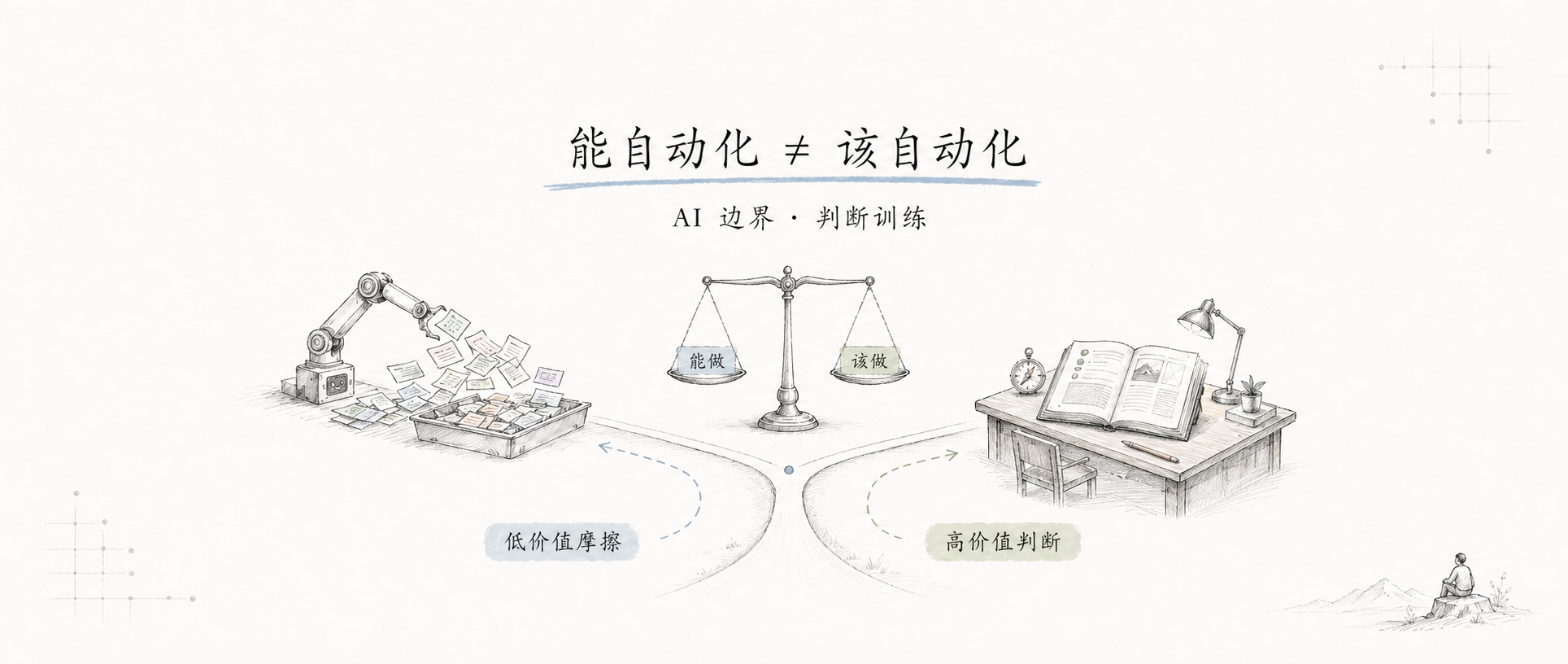
能自动化不等于该自动化

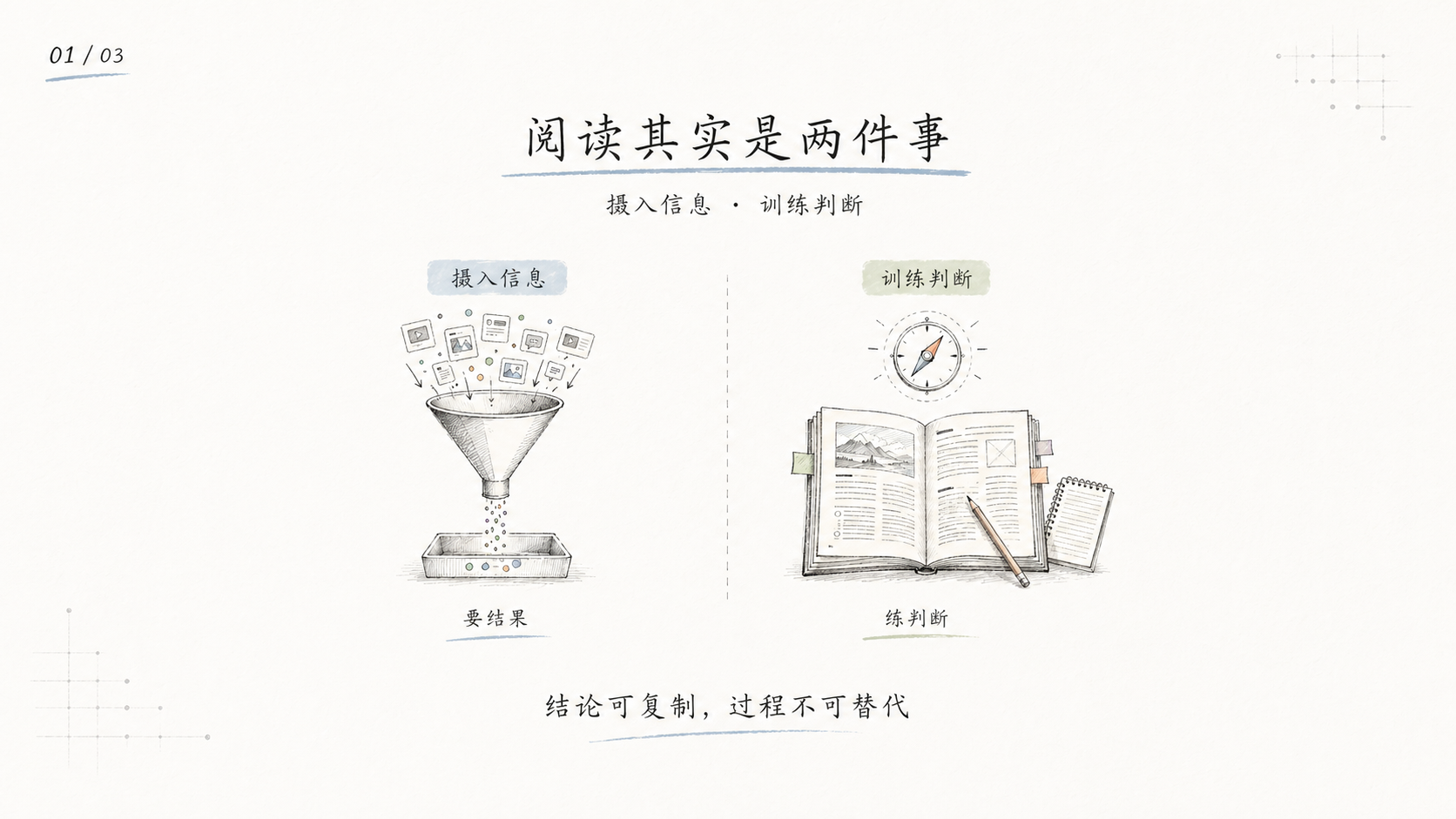
阅读其实是两件事

阅读其实是两件事

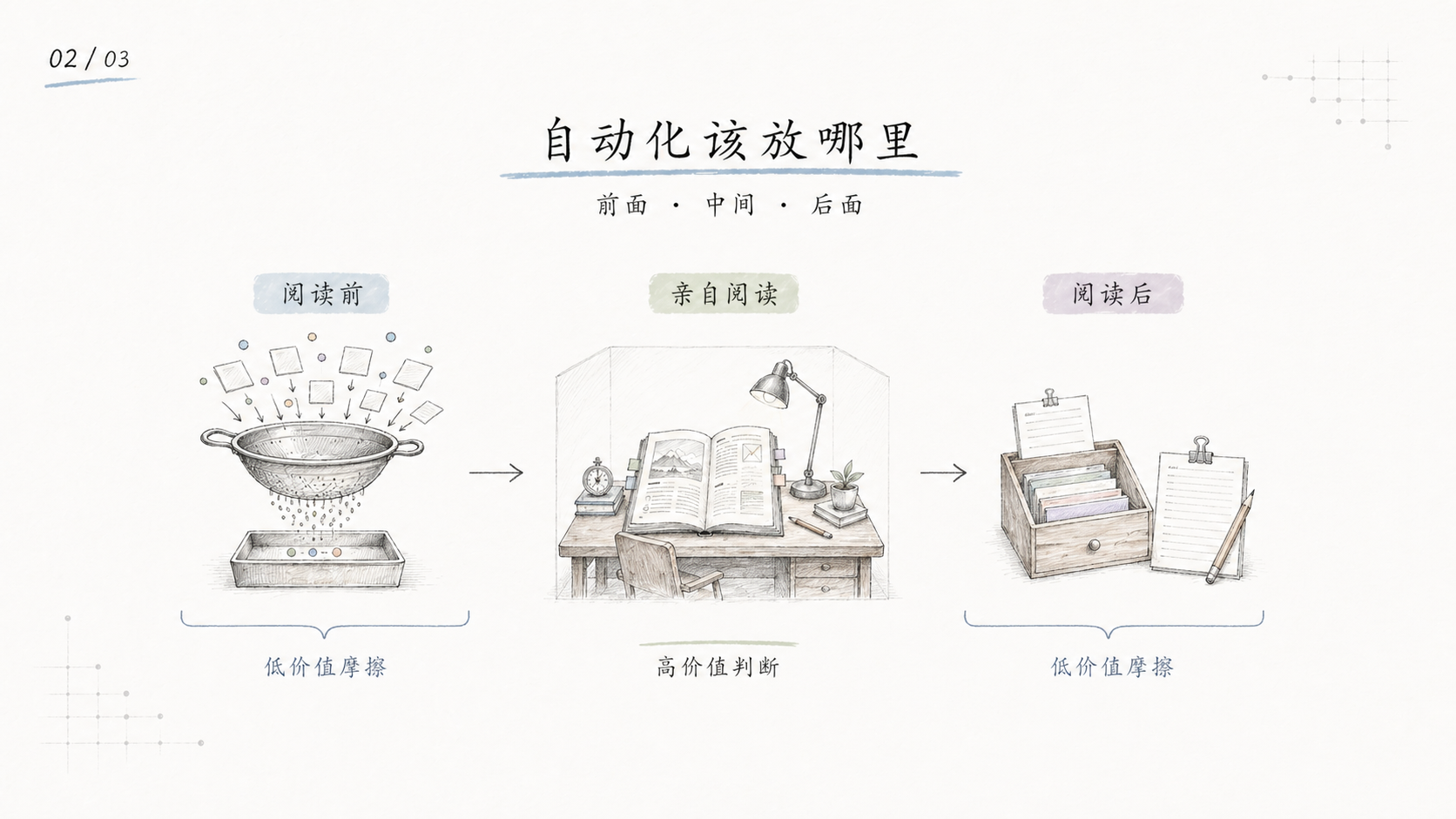
自动化该放哪里

自动化该放哪里

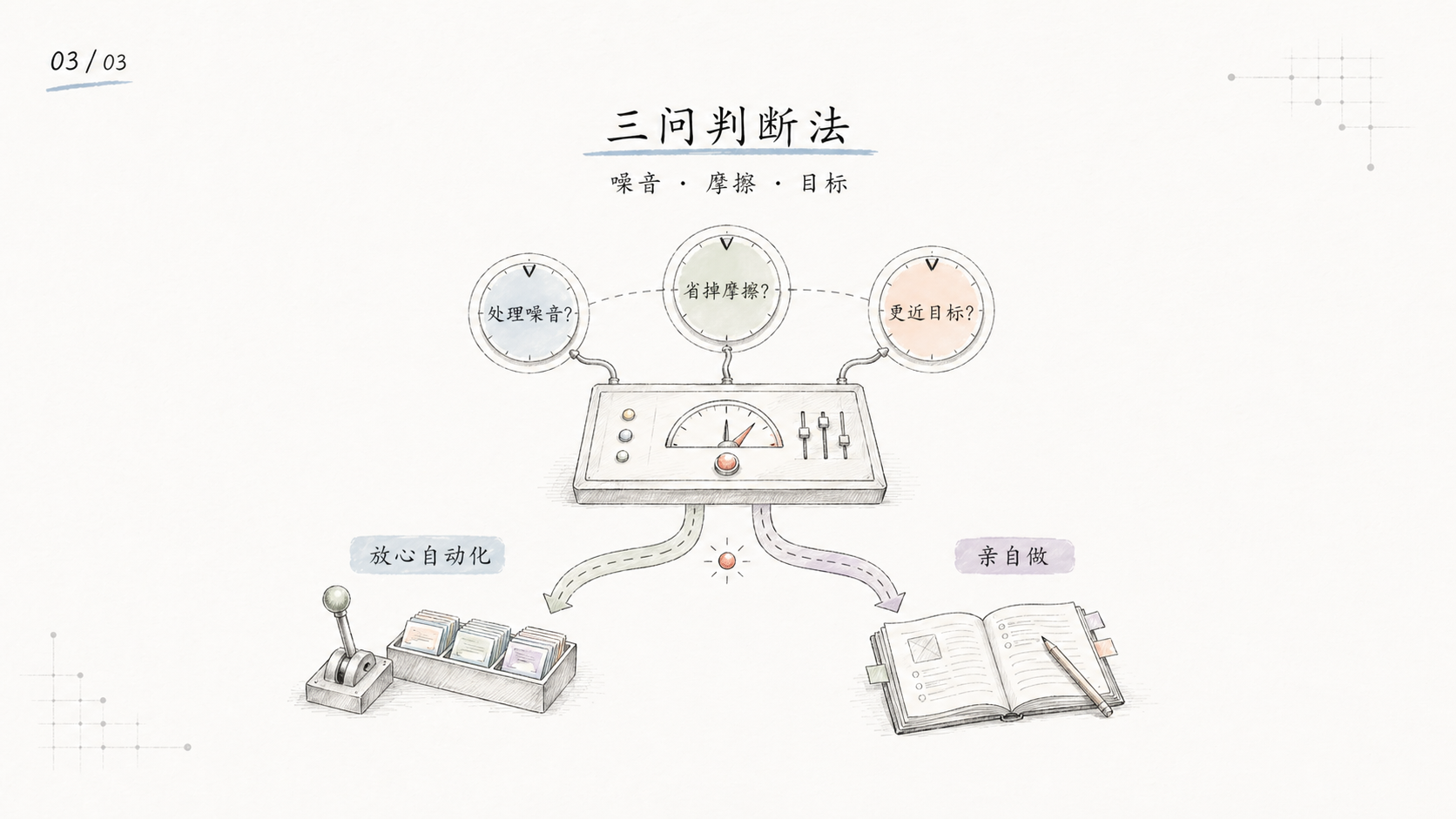
三问判断法

三问判断法


安装

克隆仓库:

git clone https://github.com/helloianneo/ian-handdrawn-ppt.git
cd ian-handdrawn-ppt

复制 skill 到 Codex skills 目录:

mkdir -p "${CODEX_HOME:-$HOME/.codex}/skills"
cp -R ./ian-handdrawn-ppt "${CODEX_HOME:-$HOME/.codex}/skills/"

安装后,在 Codex 里使用:

Use $ian-handdrawn-ppt 把这篇文章做成 1 张封面图 + 3 张正文配图。

怎么用

文章封面 + 正文配图

Use $ian-handdrawn-ppt 把下面这篇文章做成 1 张 21:9 中文封面图 + 3 张 16:9 正文配图。
风格保持中文手绘技术解释图,文字尽量短,每张图只表达一个观点。

<粘贴文章>

课程课件页

Use $ian-handdrawn-ppt 把这份课程大纲整理成 8 页中文手绘技术课件图。
面向有基础的新手,每页一个核心概念,输出 slide-by-slide blueprint,然后生成最终 PNG 页面图。

<粘贴课程大纲>

只规划,不生图

Use $ian-handdrawn-ppt 先不要生图。
请把这篇内容规划成一套 10 页左右的中文手绘技术 PPT-style image deck。
每页给出标题、主旨、版式 archetype、可见文字和图像 brief。

<粘贴素材>

更多示例见 examples/prompts.md


工作流程

这个 skill 的流程是:

  1. 读取材料:文章、Markdown、PDF、DOCX、PPTX、课程大纲、讲稿或粗略想法
  2. 做 intake:判断主题、受众、场景、目标、核心论点和素材充分度
  3. 规划叙事:选择教学、说服、报告、产品解释或知识卡片结构
  4. 选择页面 archetype:封面隐喻、左右对比、流程、循环、分类、矩阵、总结等
  5. 锁定视觉 DNA:统一纸底、标题、页码、线条、色彩、图形尺度
  6. 每页单独写图像 prompt:包含页面角色、主旨、构图和 Required text only
  7. 生图并检查:中文文字、画幅、风格一致性、是否漂黄、是否过度模板化
  8. 多页生成 contact sheet,最后交付 PNG 页面图

目录结构

.
├── README.md
├── LICENSE
├── NOTICE.md
├── examples/
│   ├── images/
│   │   ├── cover-automation-boundary.png
│   │   ├── page-01-reading-two-things.png
│   │   ├── page-02-where-to-automate.png
│   │   └── page-03-three-question-method.png
│   └── prompts.md
└── ian-handdrawn-ppt/
    ├── SKILL.md
    ├── assets/
    │   ├── reference-handdrawn-article-illustration-style.png
    │   └── theme-tokens.json
    └── references/
        ├── intake.md
        ├── narrative-planning.md
        ├── output-quality.md
        ├── prompt-patterns.md
        ├── slide-archetypes.md
        └── visual-dna-v6.md

真正需要安装到 Codex 的是子目录:

ian-handdrawn-ppt/

根目录的 README、LICENSE、NOTICE 和 examples 是 GitHub 分享文档。


注意事项

  • 图片里的中文文字越短越稳定。
  • 最好每个页面多生成几次,再从中挑选中文字、构图、语义关系都最稳的一张。
  • AI 图像模型可能出现错字、幻觉标签、物体关系错误、风格漂移,不要默认第一张就是最终稿。
  • 如果中文渲染失败,应先减少字数并重生。
  • 如果画面方向已经正确但文字仍错,可以保留图像方向,再用确定性后处理叠准确中文。
  • PPTX/PDF 可以作为输入素材读取,但不是这个 skill 的输出格式。
  • 这个 skill 的重点是“内容语义 → 页面叙事 → 手绘解释图”,不是模板套版。

相关资料

如果你对 AI 工作流、内容创作和个人知识库感兴趣,也可以看这些:


关于作者

Ian (伊恩) — 产品设计师 / 一人公司实践者 / AI Builder

用 AI 团队打造一人公司。

🚀 正在开启:内容创作丨AI 工作流围观营,欢迎来玩! 加微信了解详情。


License

MIT License. See LICENSE.

常见问题

What is ian-handdrawn-ppt?

ian-handdrawn-ppt is an open-source ai agents skill for AI coding assistants such as Claude Code, Codex CLI, and ChatGPT, built by helloianneo. 中文手绘技术 PPT 整页图像生成 Skill | 21:9 封面 + 16:9 正文配图 | PNG 输出. It has 1,348 GitHub stars.

Is ian-handdrawn-ppt safe to use?

Yes. ian-handdrawn-ppt passed SkillsLLM's automated security scan — a dependency vulnerability audit plus prompt-injection heuristics — with no high-severity issues. You can read the full report in the Security Report section on this page.

How do I install ian-handdrawn-ppt?

Clone the repository with "git clone https://github.com/helloianneo/ian-handdrawn-ppt" and add it to your Claude Code skills directory (see the Installation section above).

Are there alternatives to ian-handdrawn-ppt?

Yes. SkillsLLM lists many other AI Agents skills you can browse and compare side by side. Open the AI Agents category from the badge at the top of this page, or use the Related Skills and comparison links further down to weigh ian-handdrawn-ppt against similar tools.

评论 (0)

暂无评论,成为第一个分享想法的人!

ECC

by affaan-m

10

The agent harness performance optimization system. Skills, instincts, memory, security, and research-first development for Claude Code, Codex, Opencode, Cursor and beyond.

242,21936,702JavaScript
AI 智能体ai-agentsanthropicclaude-code
查看详情
15

An agentic skills framework & software development methodology that works.

234,96620,863Shell
AI 智能体ai-agentsbrainstorming
查看详情

hermes-agent

by NousResearch

10

The agent that grows with you

234,43747,175Python
AI 智能体ai-agentsagent-orchestration
查看详情

The agent harness performance optimization system. Skills, instincts, memory, security, and research-first development for Claude Code, Codex, Opencode, Cursor and beyond.

185,94028,768JavaScript
AI 智能体ai-agentsanthropicclaude-code
查看详情

cc-switch

by farion1231

3

A cross-platform desktop All-in-One assistant for Claude Code, Codex, OpenCode, OpenClaw, Grok Build & Hermes Agent. Only official website: ccswitch.io

128,8688,826Rust
AI 智能体claude-codeai-tools
查看详情

claude-code

by anthropics

Claude Code is an agentic coding tool that lives in your terminal, understands your codebase, and helps you code faster by executing routine tasks, explaining complex code, and handling git workflows - all through natural language commands.

120,03119,897Shell
AI 智能体
查看详情

开发者还喜欢

基于喜欢此 Skill 的开发者投票和收藏

ECC

by affaan-m

10

The agent harness performance optimization system. Skills, instincts, memory, security, and research-first development for Claude Code, Codex, Opencode, Cursor and beyond.

242,21936,702JavaScript
AI 智能体ai-agentsanthropicclaude-code
查看详情
15

An agentic skills framework & software development methodology that works.

234,96620,863Shell
AI 智能体ai-agentsbrainstorming
查看详情

hermes-agent

by NousResearch

10

The agent that grows with you

234,43747,175Python
AI 智能体ai-agentsagent-orchestration
查看详情

n8n

by n8n-io

12

Fair-code workflow automation platform with native AI capabilities. Combine visual building with custom code, self-host or cloud, 400+ integrations.

201,88160,308TypeScript
MCP 服务器apisai-tools
查看详情

The agent harness performance optimization system. Skills, instincts, memory, security, and research-first development for Claude Code, Codex, Opencode, Cursor and beyond.

185,94028,768JavaScript
AI 智能体ai-agentsanthropicclaude-code
查看详情

cc-switch

by farion1231

3

A cross-platform desktop All-in-One assistant for Claude Code, Codex, OpenCode, OpenClaw, Grok Build & Hermes Agent. Only official website: ccswitch.io

128,8688,826Rust
AI 智能体claude-codeai-tools
查看详情