Film Studio Skills
The working pipeline behind multi-million dollar AI film production, condensed into 7 installable skills.
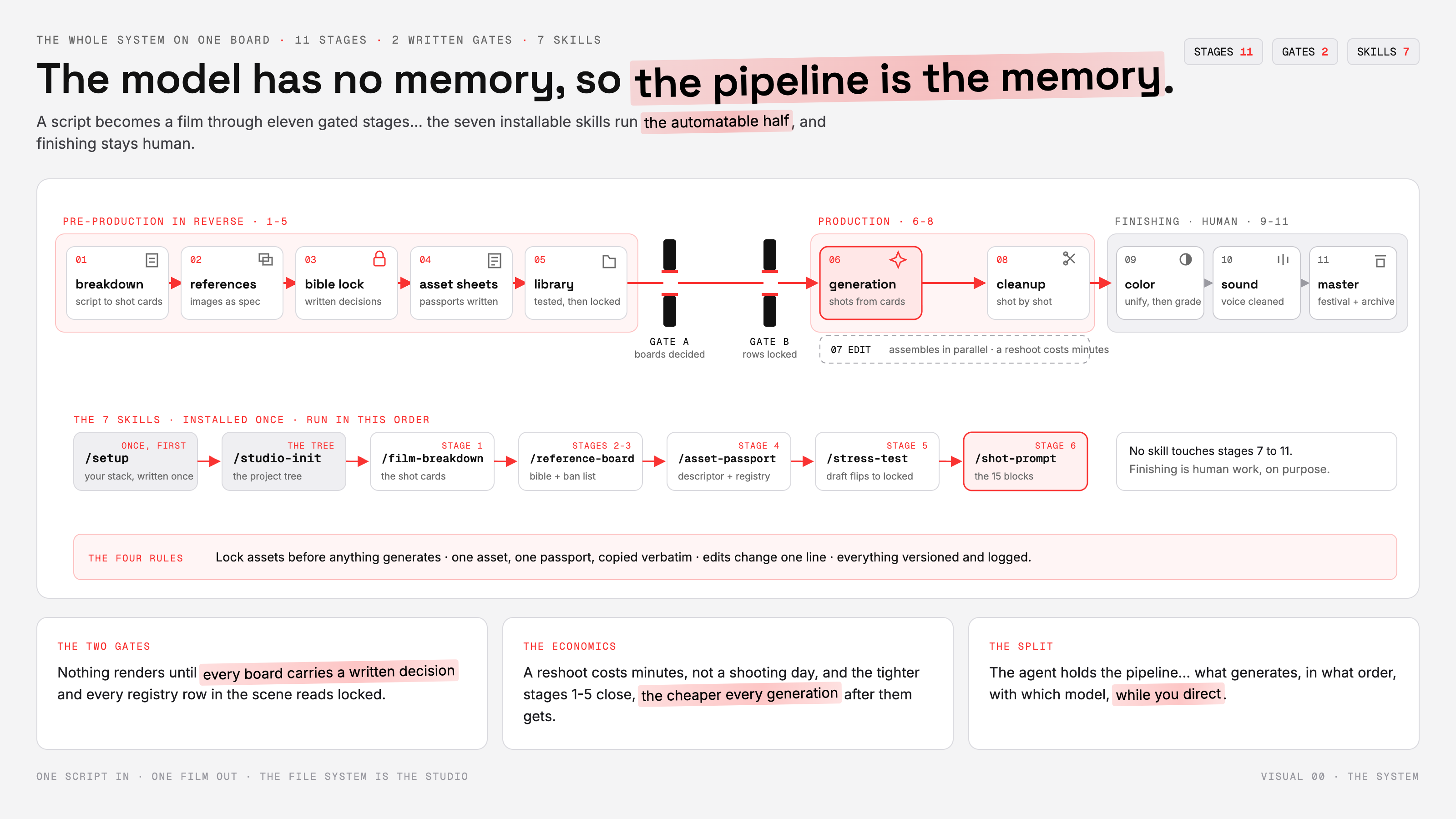
A video model has no memory between generations. Left undescribed, a character's face, jacket and age drift between neighbouring shots — invisible on a 10-second clip, fatal across 90 minutes. Real AI film productions solve this with discipline, not luck: locked references, asset passports copied verbatim into every prompt, written gates in front of generation, and a file system that does the remembering.
These 7 skills turn that discipline into tools your agent runs. Together they take a script (or a one-paragraph idea) to generation-ready shot prompts, with every consistency gate enforced along the way.
Install
Copy the seven folders from skills/ into your harness's skills directory, or install from this repo:
| Harness | Install |
|---|---|
| Claude Code | npx skills add <this-repo> — or copy the folders into ~/.claude/skills/ (user) or .claude/skills/ (project) |
| Codex | npx skills add <this-repo> and select all seven |
| Hermes | hermes skills tap add <this-repo>, or the one-paste installer with this repo's URL |
| OpenCode | npx skills add <this-repo> and select all seven |
Verify after installing — installers can fail silently. List your skills and confirm all seven names below appear, then run setup.
The chain
The skills run in one order. Each stage's output is the next stage's input, and two of them are gates that refuse to let inconsistent work through.
setup → studio-init → film-breakdown → reference-board → asset-passport → stress-test → shot-prompt
1 · /setup — your stack, written once
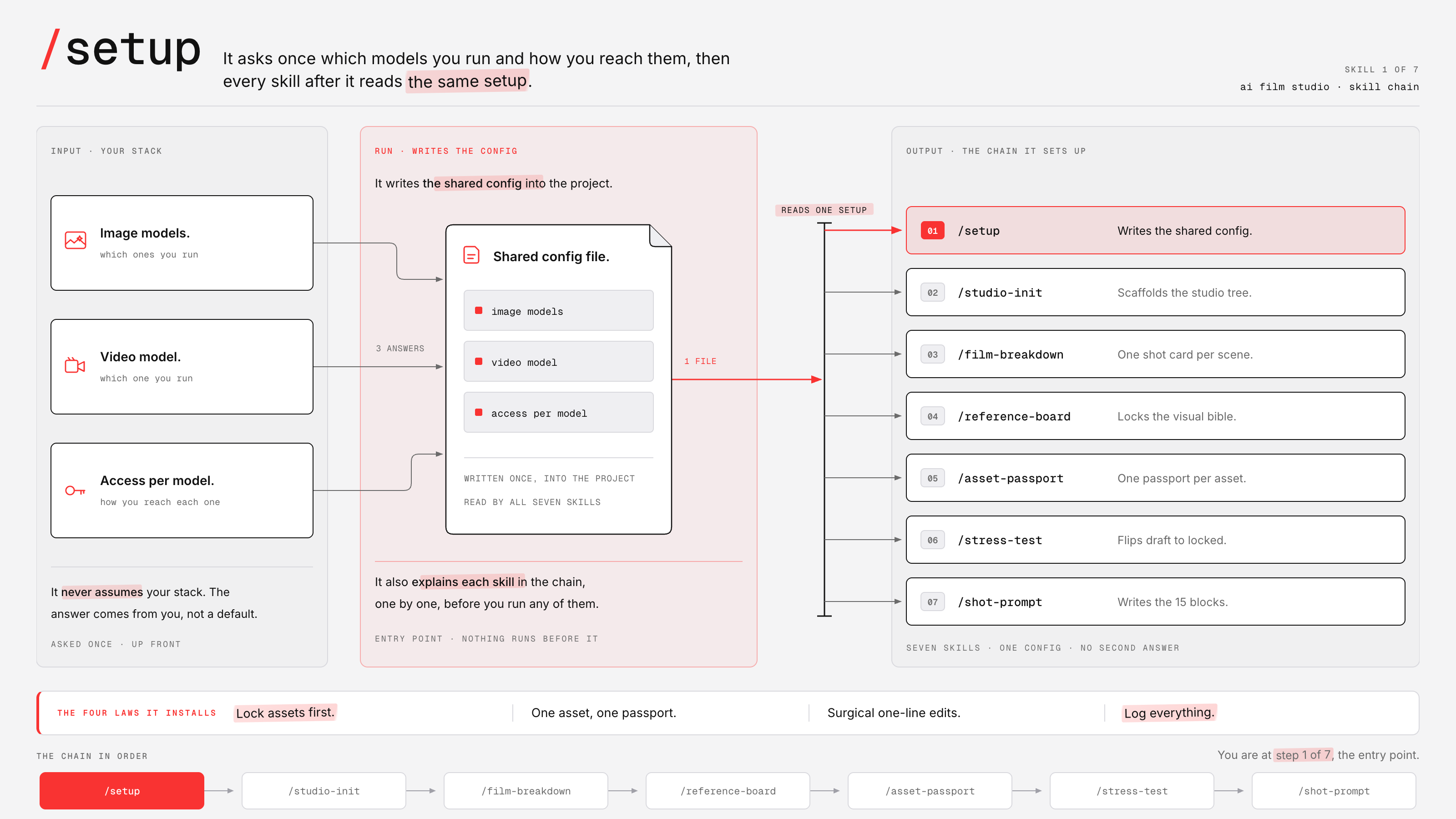
The front door. It interviews you about the image models and video model you actually work with — one question at a time, never assuming or recommending a stack — and writes the shared configuration into your project's instruction files so every other skill reads the same setup. API keys never touch the config: it records only the environment variable that holds them. It ends by teaching you the chain, in order, with the four rules the whole pipeline runs on.
Lock assets first · one asset, one passport · surgical one-line edits · log everything.
2 · /studio-init — the project tree
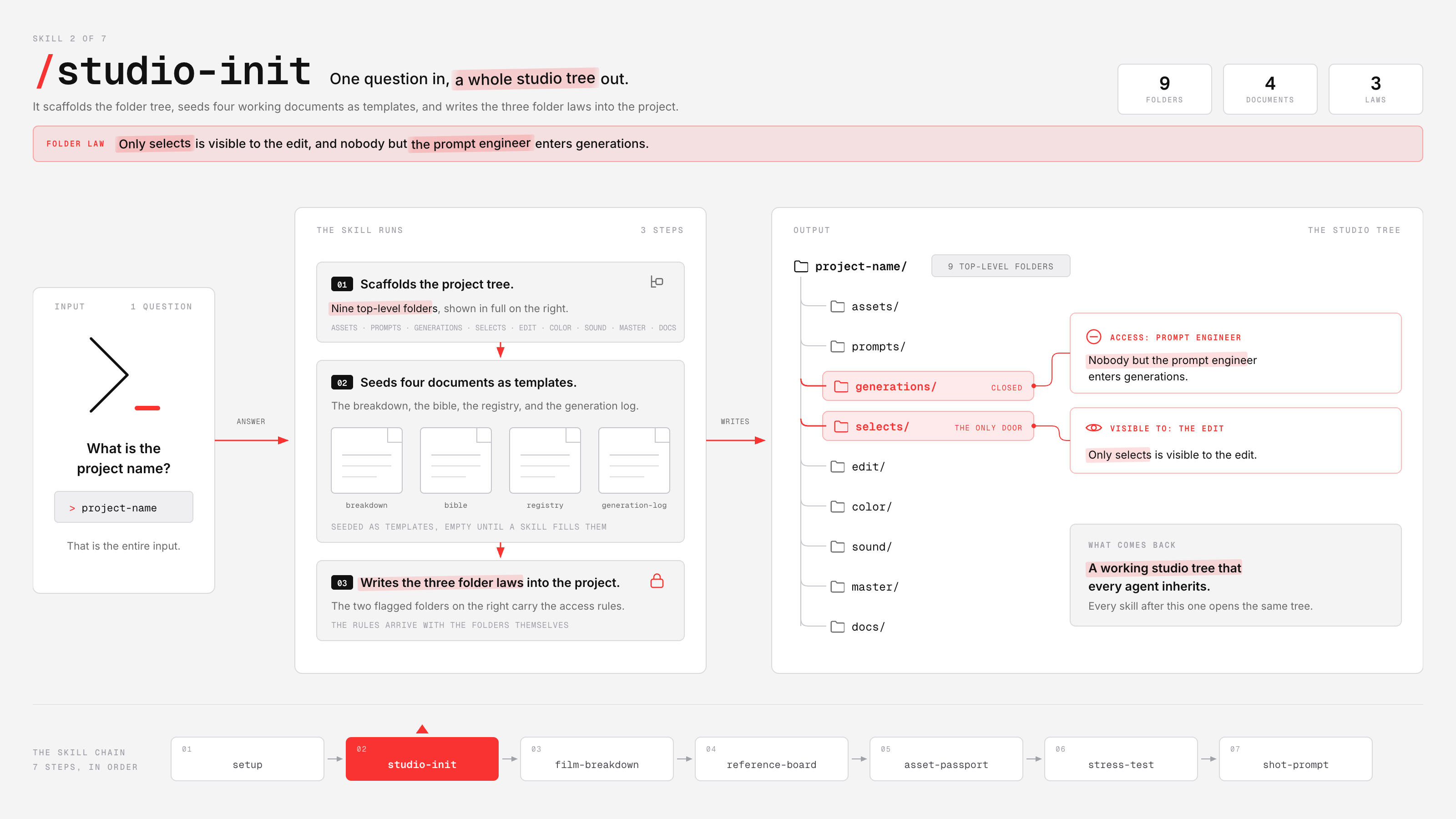
Asks one question — the project name — then scaffolds the studio: assets/ for passports, prompts/ for shot cards, generations/ for raw attempts, selects/ for accepted takes, plus the finishing chain and docs/ with the breakdown, visual bible, registry and generation log seeded as ready templates. The file system is the studio, and it arrives with its three laws written in:
Only
selects/is visible to the edit · nobody but the prompt engineer entersgenerations/· a reference file is never renamed — a new version is a new file.
3 · /film-breakdown — the shot cards
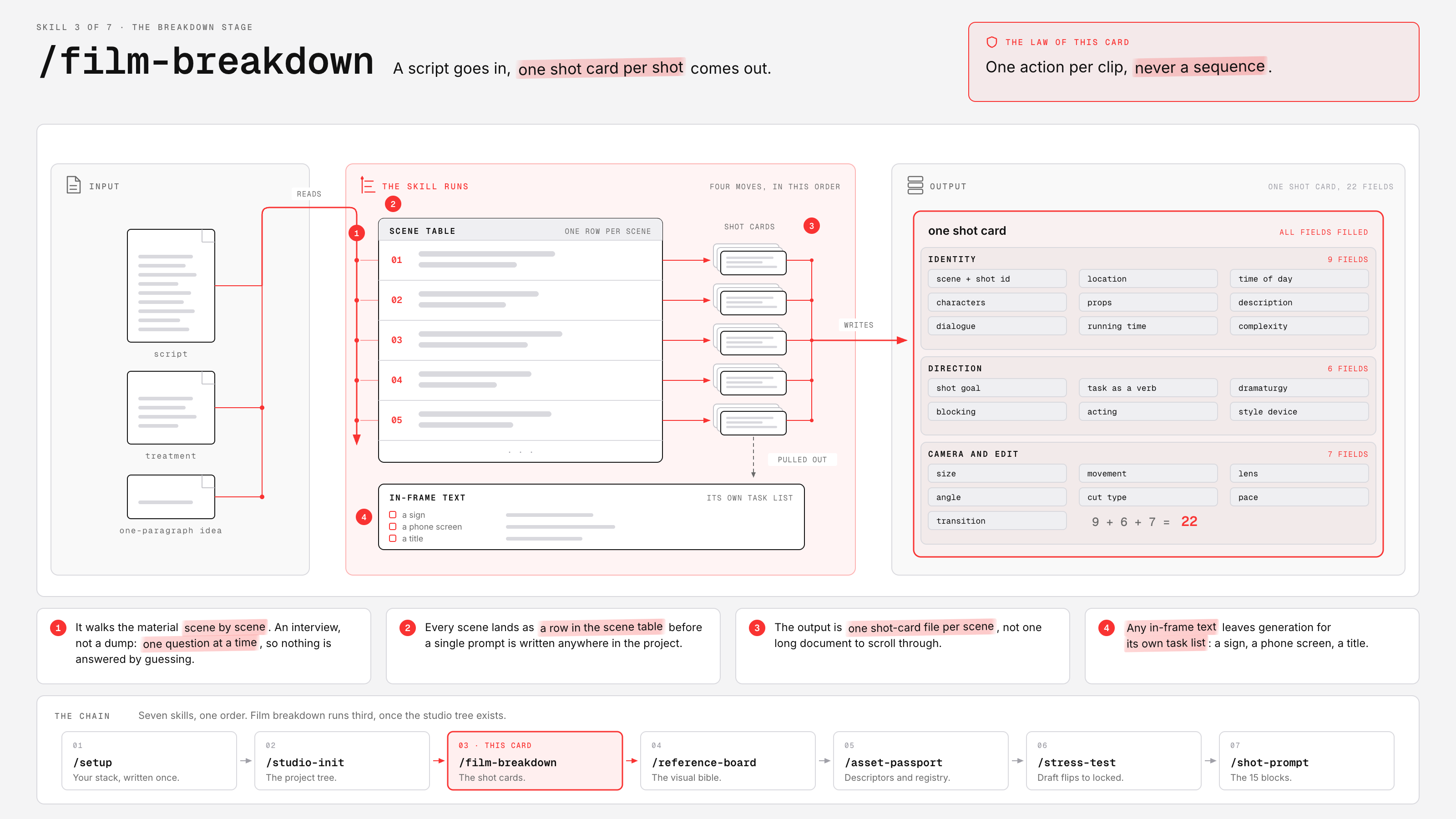
Takes a script, a treatment, or a one-paragraph idea and walks it scene by scene, one question at a time — writing the scene table and one shot-card file per scene as it goes. Every shot leaves with all 22 fields filled across three lanes (identity, direction, camera + edit), and any in-frame text is pulled onto its own task list before you ever prompt, because video models write text badly and titles belong to the edit.
One action per clip, never a sequence.
4 · /reference-board — the visual bible
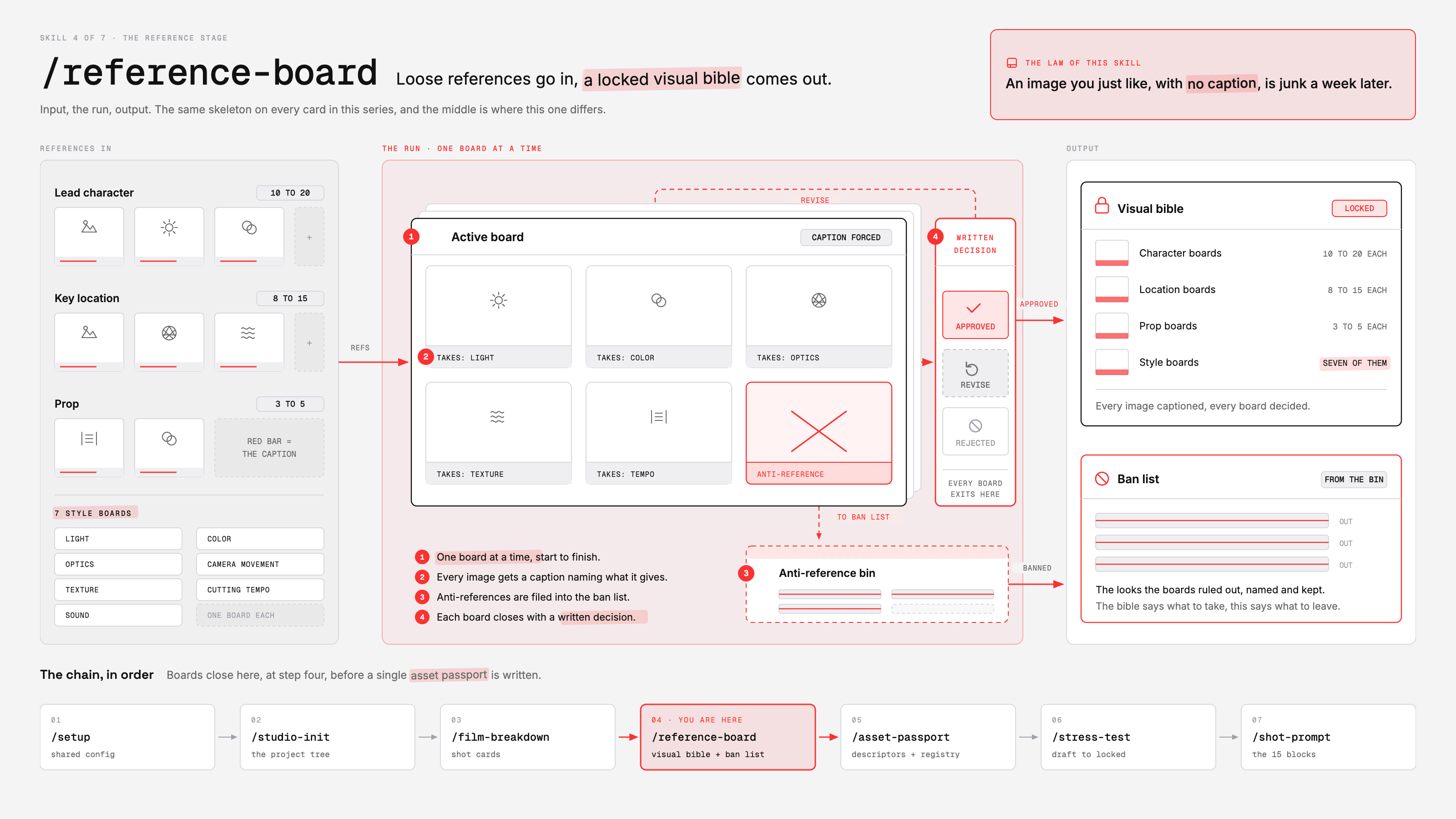
References are a specification, not inspiration: find the existing image first, then describe it. The skill runs the interview one board at a time — you supply the references, it forces a caption on every image naming exactly what is taken from it, files every anti-reference into the ban list, and closes each board with a written decision: approved, revise, or rejected. Nothing gets called locked without that decision on the board.
An image you just like, with no caption, is junk a week later.
5 · /asset-passport — one asset, one truth
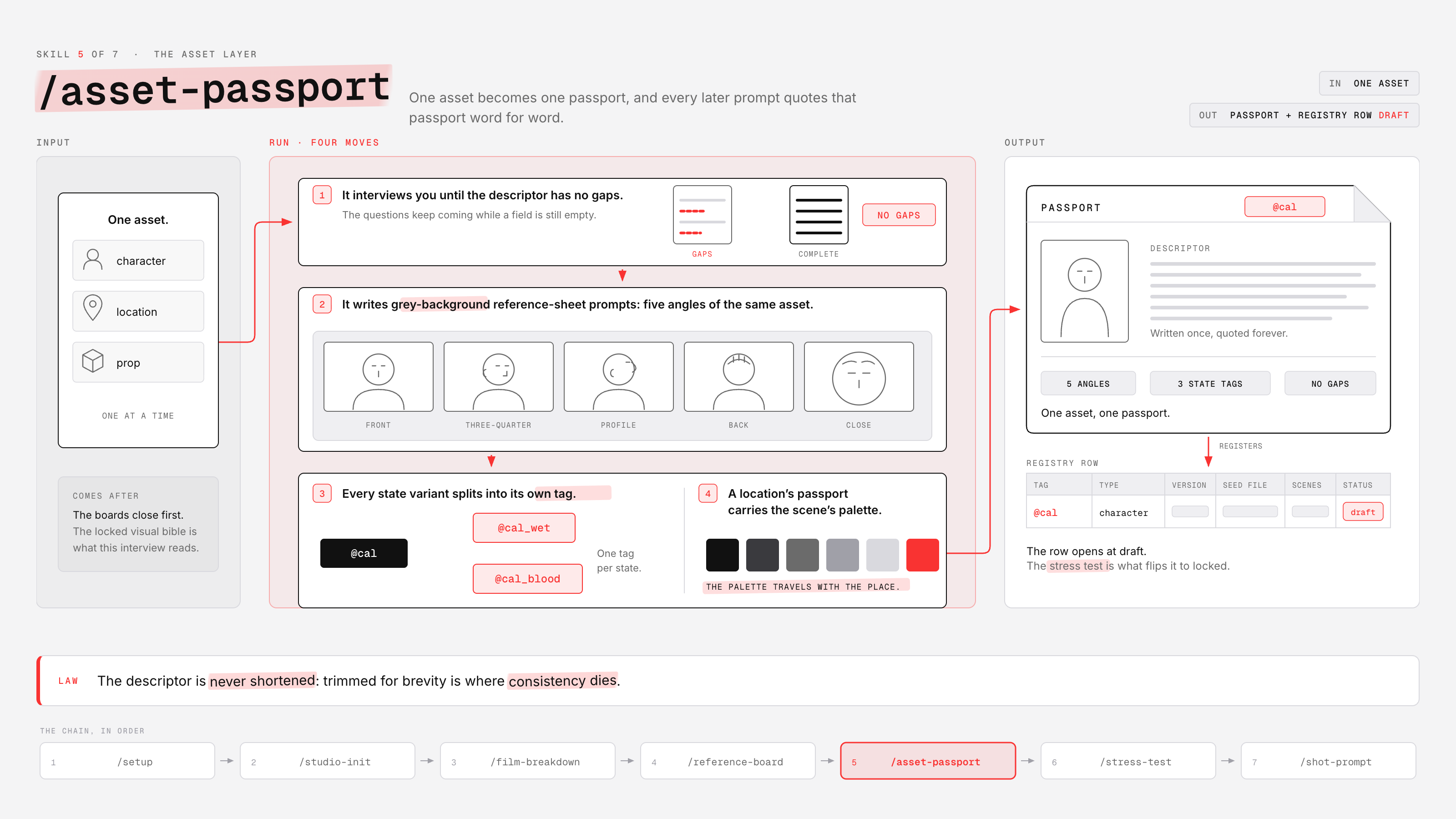
Builds one asset at a time: it interviews you until the descriptor has no gaps, writes the grey-background reference-sheet prompts for your image model (front, three-quarter, profile, back, close), splits every state variant into its own tagged asset — @cal, @cal_wet, @cal_blood — and files the registry row at draft. That descriptor is later copied word for word into every prompt the asset appears in.
The descriptor is never shortened: trimmed for brevity is where consistency dies.
6 · /stress-test — draft flips to locked
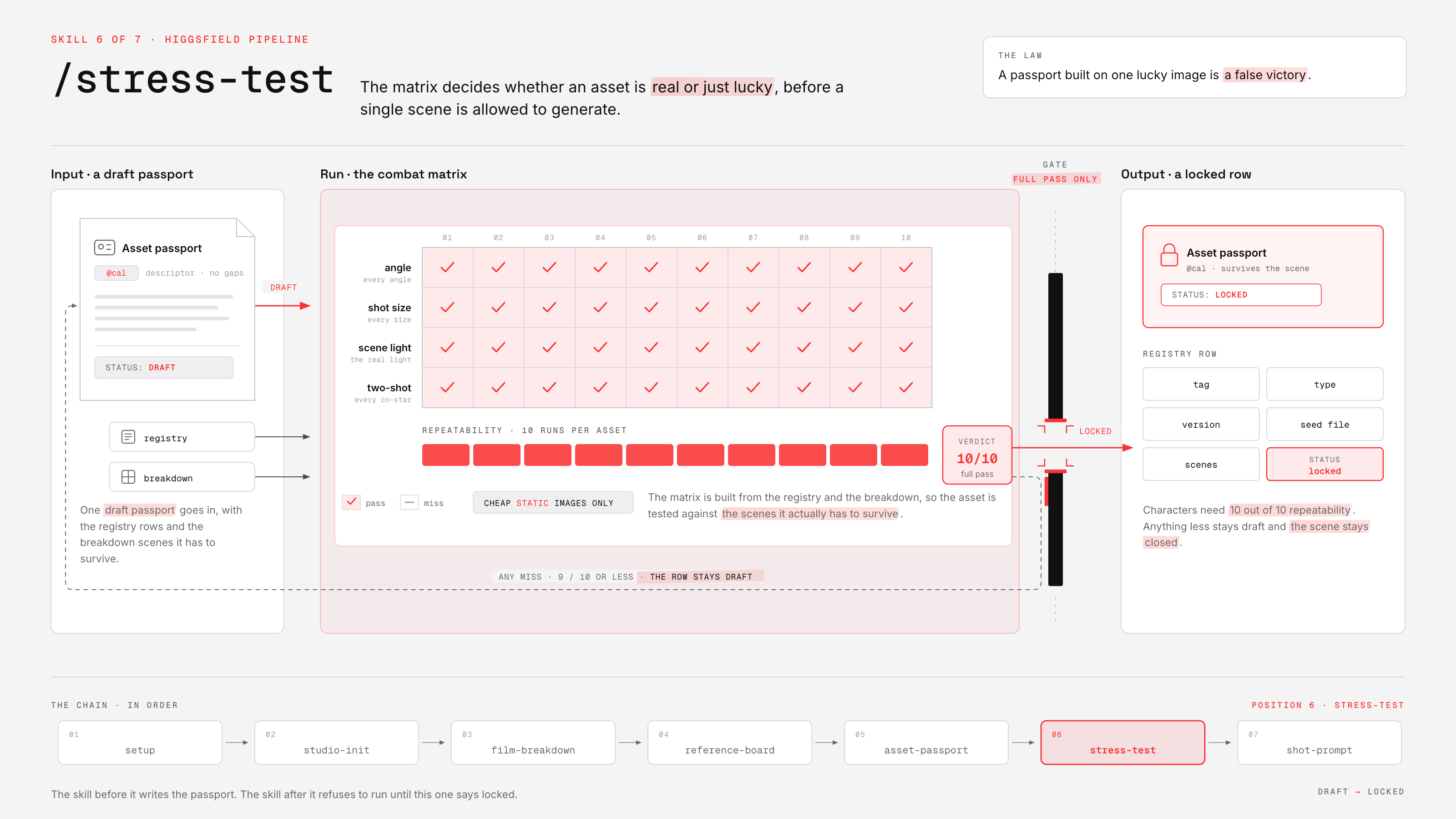
A passport built on one lucky image is a false victory. This skill reads your registry and breakdown, builds the combat matrix — different angles and shot sizes, the real light of the asset's actual scenes, a two-shot beside every co-star — and hands you the test prompts, all cheap static images. Characters need 10 out of 10 repeatability. On a full pass the registry row flips to locked; anything less stays draft and the scene stays closed.
Generation for a scene starts only when every registry row it touches reads locked.
7 · /shot-prompt — the 15 blocks
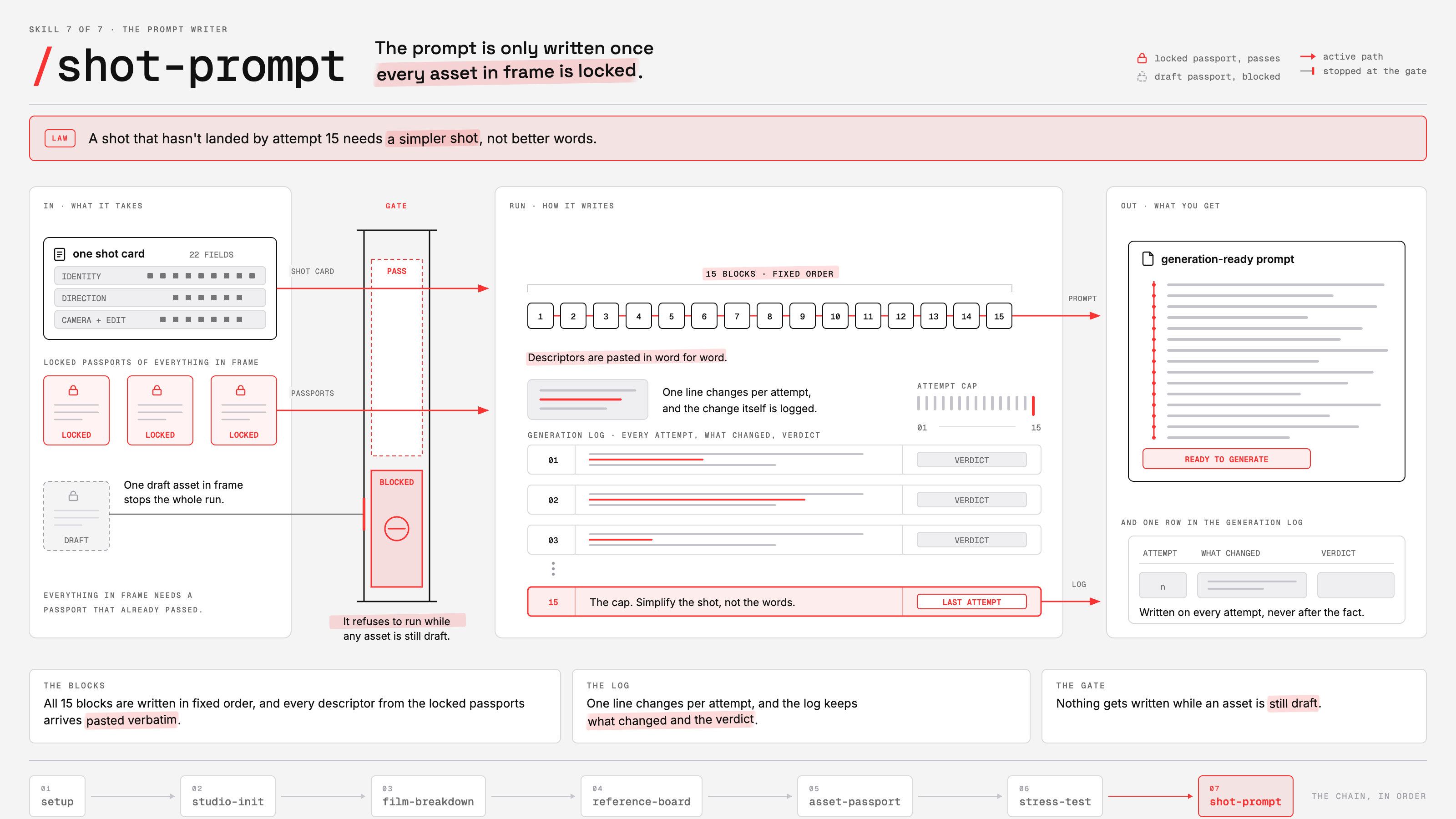
Takes one shot card plus the locked passports of everything in frame — and refuses to write a generation-ready prompt while any of those assets is still draft. Then it writes the same 15 blocks in the same fixed order (no negative prompt: every prohibition rewritten as what IS in frame), with every descriptor pasted verbatim, and keeps the generation log with you: one line changed per attempt, every attempt logged with its verdict.
A shot that hasn't landed by attempt 15 needs a simpler shot, not better words.
The law the whole system rests on
Models will swap out from under this pipeline — treat any model table as a snapshot. The sequence and the gates are the part you keep.
The model has no memory, so the pipeline is the memory.
Credit
Built by Machina.