Clicky for Windows 🔵
An AI teaching companion that lives next to your cursor. Ask it anything about your screen — it points, explains, and guides you step-by-step, like a real tutor sitting beside you.
Clicky is a Windows port of farzaa/clicky (originally macOS/SwiftUI). Built with Python 3.11+ and PyQt6, runs fully in the background, and works with every major AI provider.
Hi, this is Clicky 👋
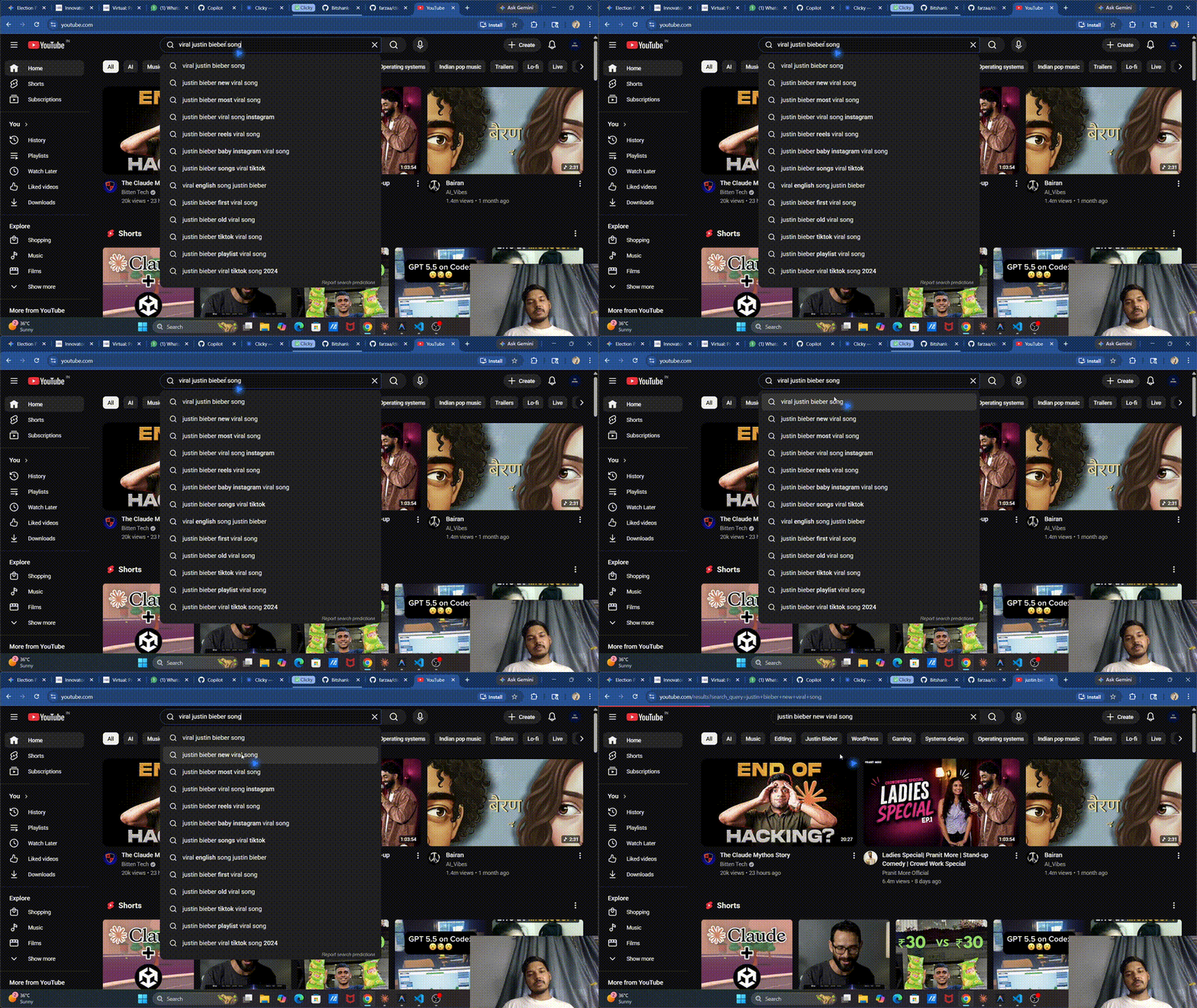
Clicky is a little AI buddy that lives next to your cursor. Hold a hotkey, ask it something about your screen, and it talks back — pointing at buttons, walking you through steps, drawing arrows on your screen. Think of it as a patient tutor sitting beside you while you learn anything: video editing, coding, a new app, whatever.
No more Alt-Tab to ChatGPT. No more typing out descriptions of what's on your screen. Just hold Ctrl + Win, speak, and Clicky handles the rest.
Works 100% offline with Ollama or LM Studio, or plug in your Claude / OpenAI / Gemini / GitHub Copilot key for the full experience.
What it looks like
┌─────────────────────────────────────────────┐
│  Your screen (browser, IDE, Premiere, etc.) │
│                                             │
│          🔵◂ ← Clicky, your blue buddy      │
│          (floats beside your real cursor)   │
│                                             │
│  ┌───────────────────────────┐              │
│  │  Clicky  [Claude]     —   │  ← panel     │
│  │  ● Thinking…              │              │
│  │  "The search bar is       │              │
│  │   right here ↗"           │              │
│  │  Model: claude-sonnet-4…  │              │
│  └───────────────────────────┘              │
└─────────────────────────────────────────────┘
The blue triangle sits 35 px right / 25 px below your real cursor. When you ask it to point at something, it flies there along a smooth bezier arc (teacher pace), dwells with a pulsing highlight ring, then flies back.
Feature List
🎙️ Voice Activation
- Hold Ctrl + Win to push-to-talk
- Say "Clicky" for hands-free wake word
- Press Esc to stop any response or TTS mid-stream
👁️ Screen Aware
- Full multi-monitor screenshot on every query
- Describes only what it sees — never hallucinates
- Detects active window title for per-app memory
🎯 Pixel-Perfect Pointing
- Two-stage grid locator works with any vision LLM — Claude, Copilot, OpenAI, Gemini, Ollama, LM Studio
- Stage 1: draws a numbered 12×8 grid on the screenshot, the LLM picks a cell
- Stage 2: zooms into that cell and runs a 6×6 fine-grid pass for sub-cell precision
- Bezier arc flight with configurable teacher pace
- Pulsing highlight ring + speech bubble label on the target
- Works on any DPI scale (4K, HiDPI, multi-monitor setups)
🧑🏫 Real Tutor Behaviour
- Locate queries → points + 1-sentence explanation (no generic text directions)
- Multi-step tasks → breaks into steps, says "Say 'next' when ready"
- "Next" / "Continue" → advances the lesson without a new LLM call
- "Repeat" → replays the last answer via TTS without re-querying
- "Stop" / "Cancel" → cancels generation instantly
🌐 Web Search (Real-Time Data)
- DuckDuckGo HTML scrape + concurrent page fetch — no API key needed
- Optional Tavily upgrade for deeper results
- Responses grounded in today's data with
[1],[2]citations - Always knows today's date — never gives stale answers
🔄 Multi-Provider LLM (Runtime Switching)
| Provider | How to unlock |
|---|---|
| Claude (Anthropic) | ANTHROPIC_API_KEY in .env |
| OpenAI GPT-4o | OPENAI_API_KEY in .env |
| GitHub Copilot | Free for students — device-flow login via tray |
| Gemini | GOOGLE_API_KEY in .env |
| Ollama (local) | Run ollama serve — free, always available |
| LM Studio (local) | Start the local server in LM Studio's Developer tab — free, no key |
Priority chain (auto-detected): Claude → OpenAI → Copilot → Gemini → Ollama / LM Studio
Switch mid-session from the system tray — takes about a second, no restart needed.
📋 Live Model Lists (Auto-Refreshed)
- Claude, OpenAI, Gemini: live model list fetched from vendor APIs, 30-day cache
- GitHub Copilot: live
/modelsendpoint with billing multiplier, 6-hour cache - Free Copilot models auto-prioritised (no premium quota burned by default)
- Panel model dropdown always reflects the actual models available to your account
🔊 Multi-Provider TTS
| Provider | Quality | Key needed |
|---|---|---|
| ElevenLabs | Premium voice clone | ELEVENLABS_API_KEY |
| OpenAI TTS | High quality | OPENAI_API_KEY |
| Edge TTS | Free, 400+ voices | None |
🗣️ Multi-Provider STT
| Provider | Speed | Key needed |
|---|---|---|
| Deepgram | Fast, accurate | DEEPGRAM_API_KEY |
| OpenAI Whisper | Very accurate | OPENAI_API_KEY |
| whisper.cpp | 3–5× faster, local | None (pip install pywhispercpp) |
| Faster-Whisper | Local, free fallback | None |
🧠 Per-App Memory
- Separate conversation history per active application
- Context never bleeds between Premiere, VS Code, Chrome, etc.
- History cap: last 20 messages per app
📝 Knowledge Journal + Spaced Repetition
- Every Q&A automatically logged to a local SQLite database
- Ask "what did we cover today?" → summary of today's session
- Ask "what did we cover this week?" → weekly digest
- SM-2 spaced repetition — Clicky reminds you to review topics at optimal intervals (1 → 3 → 7 → 14 → 30 → 60 → 120 days)
- Say "quiz me on what I should review" → flashcard session from your journal
- Journal stored at
%LOCALAPPDATA%\Clicky\journal.db
📄 Document Context (Drag & Drop)
- Drag a PDF, DOCX, TXT, MD, CSV, or code file onto the Clicky panel
- Clicky reads it and uses it as context for your next questions
- Or use Tray → Journal → Attach document… for a file picker
- Supports multi-file: attach several docs and ask cross-document questions
🔍 OCR Fallback (Fine Print)
- When your query mentions "fine print", "small text", "read that", etc., Clicky runs Tesseract OCR on the screenshot
- Extracts text too small or low-contrast for the LLM's vision to read
- Requires the Tesseract binary from UB-Mannheim/tesseract
- Gracefully skipped if Tesseract isn't installed
💻 Code Mode (Auto-Detect)
- Detects VS Code, Cursor, IntelliJ, PyCharm, Vim, Neovim, Sublime, etc. by window title
- Automatically injects a code-specialist system prompt addendum: prefers code blocks, includes language tags, explains algorithms step by step
- Toggle: Tray → Tutor Mode → Code Mode (auto)
🎓 Tutor Modes (Tray → Tutor Mode)
| Toggle | What it does |
|---|---|
| Slow Mode | 1.7× slower bezier flight + longer dwell — easier to follow |
| Quiz Mode | Clicky asks you questions instead of answering; evaluates in one sentence |
| Privacy Guard | Skips the screenshot when a password manager / banking window is detected |
| Code Mode (auto) | Code-specialist prompt when an IDE is active |
| Multilingual | Auto-detects language, replies in kind, switches TTS voice |
| OCR Fallback | Runs Tesseract on screenshots when fine text is mentioned |
🌍 Multilingual Auto-Detect
- Detects query language via
langdetect+ Unicode script heuristics - Responds in the same language automatically
- Switches the Edge TTS voice to match (Hindi → HiRA-Neha, French → fr-FR-DeniseNeural, etc.)
- 15+ languages supported: EN, HI, FR, DE, ES, PT, AR, ZH, JA, KO, RU, IT, NL, PL, TR
- Toggle: Tray → Tutor Mode → Multilingual
🎬 Lesson Recording (MP4 + Transcript)
- Records the screen at 8 fps as an MP4 alongside a Markdown transcript of all Q&A
- Start: Tray → Lesson Recording → Start recording
- Stop: tray menu → produces
lesson_YYYY-MM-DD_HH-MM.mp4+lesson_YYYY-MM-DD_HH-MM_transcript.md - Saved to
%LOCALAPPDATA%\Clicky\recordings\
🖊️ Whiteboard Annotations
Clicky can draw directly on your screen as it explains:
[ARROW:x1,y1->x2,y2]— animated arrow between two points[CIRCLE:x,y,r:label]— pulsing circle with optional label[UNDERLINE:x,y,w]— underline beneath text[LABEL:x,y:text]— floating text label
Annotations fade out after ~4 seconds and clear automatically on the next query.
🖱️ Workflow Capture
- Records your mouse clicks and keystrokes while you work
- Start: Tray → Workflow Capture → Start capturing my clicks
- Stop: Tray → Workflow Capture → Stop + send to Clicky
- Ask "What did I just do?" → Clicky narrates your workflow step-by-step
- Requires
pynput(included inrequirements.txt)
🎤 Voice Picker
- Switch TTS voice mid-session: say "change voice to [voice name]"
- Edge TTS voices:
AvaNeural,JennyNeural,GuyNeural,AriaNeural, etc. - List all 400+ voices:
python -c "from audio.tts.edge_tts_provider import EdgeTTSProvider; print(EdgeTTSProvider.list_voices_sync())"
🔒 Privacy Guard (on by default)
Detects sensitive windows and skips the screenshot entirely:
- Password managers: KeePass, Bitwarden, 1Password, LastPass, Authenticator
- Sensitive pages:
login,sign in,banking,.envfiles,credit card
🛠️ Skills System (User-Extensible)
Create your own voice triggers — no pull request needed:
# ~/.clicky/skills/my_skill.py
import asyncio

SKILL = {
    "name": "open_calculator",
    "trigger": r"(open|launch|start) calculator",
    "description": "Opens Windows Calculator",
    "handler": open_calc,
}

async def open_calc(transcript: str, manager) -> str:
    import subprocess
    subprocess.Popen("calc.exe")
    return "Opening calculator for you."
Place skill files in ~/.clicky/skills/ — Clicky auto-loads them on startup.
Installation
Prerequisites
- Windows 10 / 11 (64-bit)
- Python 3.11, 3.12, or 3.14
- A working microphone
1. Clone
git clone https://github.com/Bitshank-2338/clicky-windows.git
cd clicky-windows
2. Install dependencies
pip install -r requirements.txt
3. Configure API keys
Create .env in the project root (copy from .env.example):
# ── LLM (add whichever you have — at least one required) ──
ANTHROPIC_API_KEY=sk-ant-...
OPENAI_API_KEY=sk-...
GOOGLE_API_KEY=AIza...

# ── STT (all optional — falls back to Faster-Whisper) ──
DEEPGRAM_API_KEY=...

# ── TTS (all optional — falls back to Edge TTS) ──
ELEVENLABS_API_KEY=...
ELEVENLABS_VOICE_ID=...

# ── Web Search (optional — falls back to DuckDuckGo) ──
TAVILY_API_KEY=...

# ── Ollama (local AI) ──
OLLAMA_HOST=http://localhost:11434
OLLAMA_MODEL=llama3.2-vision

# ── LM Studio (local AI, OpenAI-compatible server) ──
LMSTUDIO_HOST=http://localhost:1234/v1
LMSTUDIO_MODEL=

# ── Customise ──
CLICKY_HOTKEY=ctrl+win
WHISPERCPP_MODEL=base
4. GitHub Copilot (free for students)
Tray → Model → Sign in to GitHub Copilot…
→ visit github.com/login/device → enter the code shown in the terminal
Token cached at %LOCALAPPDATA%\Clicky\github_token.json. Default model: gpt-4o-mini (free tier).
5. Run
python main.py
A blue dot appears in your system tray. Clicky is now running.
Zero-Cost Setup (100% Free)
No API keys at all — uses local AI, local STT, free TTS:
OLLAMA_VISION_MODEL=qwen2-vl:7b
OLLAMA_TEXT_MODEL=qwen2.5-coder:7b
- Install Ollama → run
ollama serve(or install LM Studio and start its local server instead) - Pull models:
ollama pull qwen2-vl:7b && ollama pull qwen2.5-coder:7b pip install -r requirements.txtpython main.py
Clicky uses two Ollama model slots: a vision model for screen-aware questions (pointing, "what's on screen?") and a text model for Code Mode / journal Q&A. Switch between them anytime from the tray: Tray → Ollama → Vision model / Text model.
Recommended free models (Tray → Ollama → Pull recommended…):
| Slot | Model | Size | Good for |
|---|---|---|---|
| Vision | qwen2-vl:7b | 5 GB | Screen reading, pointing — best quality |
| Vision | llama3.2-vision:11b | 8 GB | Alternative vision model |
| Vision | llava:7b | 4 GB | Fastest option |
| Text | qwen2.5-coder:7b | 4 GB | Code questions — excellent |
| Text | llama3.2:3b | 2 GB | Tiny, fits any GPU |
| Text | mistral:7b | 4 GB | General Q&A |
Limitations vs. paid providers: slower responses, web search uses DuckDuckGo only.
Distribution — Single .exe Installer
For sharing with friends without Python:
# 1. Generate icon
python assets/make_icon.py

# 2. Build
pip install pyinstaller
pyinstaller clicky.spec --clean --noconfirm

# 3. Distribute
# → dist/Clicky/  (entire folder)
# → or build Setup.exe with Inno Setup using installer.iss
dist/Clicky/Clicky.exe runs on any Windows machine without Python installed. Include a .env file next to the exe with your API keys, or set them as system environment variables.
See BUILD.md for full packaging instructions, including the Inno Setup installer.
Usage
Voice Commands
| Say | Action |
|---|---|
| "Where is the search bar?" | Points at it + 1-sentence explanation |
| "How do I export this video?" | Step-by-step lesson mode |
| "What's on screen?" | Screen description |
| "Search for [topic]" | Web search + cited answer |
| "next" / "continue" | Advance to next lesson step |
| "repeat" | Replay last answer via TTS |
| "stop" / "cancel" | End current lesson |
| "quiz me" | Quiz mode on current screen |
| "what did we cover today?" | Today's journal summary |
| "what should I review?" | Spaced repetition flashcards |
| "what did I just do?" | Workflow capture narration |
| "change voice to Jenny" | Switch TTS voice |
Keyboard
| Key | Action |
|---|---|
Ctrl + Win (hold) | Push-to-talk |
Esc | Stop response / TTS immediately |
Tray Menu
Right-click the tray icon → full menu including:
- Provider switcher (Claude / OpenAI / Copilot / Gemini / Ollama / LM Studio)
- Tutor Mode submenus
- Lesson Recording controls
- Workflow Capture controls
- Journal (view folder, attach doc)
- Show/Hide Panel
Architecture
main.py
  ├── CompanionManager          # async state machine + orchestrator
  │     ├── AmbientListener     # always-on mic + wake-word
  │     ├── STT provider        # Deepgram / OpenAI Whisper / whisper.cpp / Faster-Whisper
  │     ├── screen.capture      # multi-monitor JPEG (physical px + DPI metadata)
  │     ├── tutor.py            # classifiers, privacy guard, window detection
  │     ├── tutor_features/
  │     │     ├── journal.py          # SQLite Q&A log + SM-2 spaced repetition
  │     │     ├── pdf_context.py      # PDF/DOCX/TXT text extraction
  │     │     ├── ocr.py              # Tesseract OCR fallback
  │     │     ├── code_mode.py        # IDE detection + code prompt addendum
  │     │     ├── lesson_recorder.py  # MP4 + transcript recording
  │     │     ├── multilang.py        # langdetect + Edge TTS voice switching
  │     │     ├── workflow_capture.py # pynput click/key recorder
  │     │     └── collab.py           # live session skeleton (WebRTC)
  │     ├── skills/             # user-extensible voice triggers
  │     ├── ai.web_search       # DuckDuckGo + Tavily + citation builder
  │     ├── ai.element_locator  # Claude Computer Use → exact (x, y) pixel
  │     ├── ai.model_registry   # live model lists with 30-day cache
  │     ├── LLM provider        # Claude / OpenAI / Copilot / Gemini / Ollama / LM Studio
  │     └── TTS provider        # ElevenLabs / OpenAI / Edge TTS
  ├── CursorOverlay             # transparent click-through Qt window
  │     ├── Blue triangle buddy (spring-follows cursor)
  │     ├── Bezier arc flight   (teacher-pace pointing)
  │     ├── Highlight ring      (pulsing circle on detected element)
  │     ├── Speech bubble       (label while dwelling)
  │     ├── Whiteboard annotations (arrows, circles, underlines, labels)
  │     ├── Waveform bars       (listening state)
  │     └── Spinner arc         (thinking state)
  ├── CompanionPanel            # optional chat panel with model dropdown
  └── TrayManager               # system tray + full context menu
Coordinate Pipeline (Pixel-Perfect Pointing)
Screenshot → JPEG (1280px max, for LLM tokens)
                │
                ▼
Claude Computer Use analyses the screenshot
→ returns (x, y) in Computer-Use space (1280px wide)
                │
                ▼
element_locator.py converts:
  CU space → physical monitor pixels
           → + monitor origin (multi-monitor offset)
           → ÷ DPI scale (HiDPI correction)
           = logical screen pixels
                │
                ▼
overlay.point_at(logical_x, logical_y)  ← correct position on any screen
File Structure
clicky-windows/
├── main.py                      # entry point — boots Qt, wires all signals
├── companion_manager.py         # async orchestrator + state machine
├── config.py                    # env loading, provider detection, priority chain
├── tutor.py                     # classifiers, privacy guard, prompt builder
├── hotkey.py                    # global hotkey + Esc stop
│
├── ai/
│   ├── base_provider.py         # BaseLLMProvider ABC
│   ├── claude_provider.py       # Anthropic Claude
│   ├── openai_provider.py       # OpenAI GPT-4o
│   ├── gemini_provider.py       # Google Gemini (via httpx)
│   ├── ollama_provider.py       # Local Ollama
│   ├── lmstudio_provider.py     # Local LM Studio (OpenAI-compatible server)
│   ├── github_copilot_provider.py  # Copilot OAuth + live /models
│   ├── element_locator.py       # Computer Use → pixel coords
│   ├── model_registry.py        # live model lists, 30-day cache
│   └── web_search.py            # DuckDuckGo + Tavily + citations
│
├── audio/
│   ├── ambient_listener.py      # always-on mic + wake-word
│   ├── capture.py               # PCM capture, noise-gate, auto-gain, trim
│   ├── playback.py              # cancellable audio (threading.Event)
│   ├── stt/
│   │   ├── faster_whisper_stt.py
│   │   ├── whisper_cpp_stt.py   # pywhispercpp (optional, 3–5× faster)
│   │   ├── openai_stt.py
│   │   └── deepgram_stt.py
│   └── tts/
│       ├── edge_tts_provider.py
│       ├── openai_tts_provider.py
│       └── elevenlabs_provider.py
│
├── screen/
│   └── capture.py               # multi-monitor JPEG + DPI metadata
│
├── tutor_features/
│   ├── journal.py               # SQLite Q&A log + SM-2 spaced repetition
│   ├── pdf_context.py           # PDF/DOCX/TXT extraction
│   ├── ocr.py                   # Tesseract OCR fallback
│   ├── code_mode.py             # IDE detection + code prompt addendum
│   ├── lesson_recorder.py       # MP4 + transcript
│   ├── multilang.py             # language detection + voice switching
│   ├── workflow_capture.py      # click/keystroke recorder
│   └── collab.py                # live session skeleton
│
├── skills/
│   ├── __init__.py              # skill loader + trigger matcher
│   └── example_self_mode.py     # example skill
│
├── ui/
│   ├── overlay.py               # CursorOverlay — all drawing + annotations
│   ├── panel.py                 # CompanionPanel — chat + model dropdown
│   ├── tray.py                  # TrayManager — tray icon + full menu
│   └── design.py                # shared colours, fonts, constants
│
├── assets/
│   ├── make_icon.py             # generates icon.ico
│   └── icon.ico                 # (generated)
│
├── .env                         # your API keys (not committed)
├── requirements.txt             # all Python dependencies
├── clicky.spec                  # PyInstaller build spec
├── installer.iss                # Inno Setup installer script
├── build.bat                    # one-click build script
├── BUILD.md                     # full build + packaging guide
└── LICENSE                      # MIT
Configuration Reference
| Variable | Default | Description |
|---|---|---|
ANTHROPIC_API_KEY | — | Claude LLM + Computer Use pointing |
OPENAI_API_KEY | — | GPT-4o LLM + Whisper STT + OpenAI TTS |
GOOGLE_API_KEY | — | Gemini LLM |
DEEPGRAM_API_KEY | — | Deepgram STT |
ELEVENLABS_API_KEY | — | ElevenLabs TTS |
ELEVENLABS_VOICE_ID | — | Your ElevenLabs voice clone ID |
TAVILY_API_KEY | — | Tavily search (upgrades DuckDuckGo) |
OLLAMA_HOST | http://localhost:11434 | Ollama server URL |
OLLAMA_MODEL | llama3.2-vision | Legacy single-model fallback |
OLLAMA_VISION_MODEL | (empty) | Ollama model for screen-aware tasks (pointing, describe screen) |
OLLAMA_TEXT_MODEL | (empty) | Ollama model for Code Mode + journal Q&A |
LMSTUDIO_HOST | http://localhost:1234/v1 | LM Studio local server URL |
LMSTUDIO_MODEL | (empty) | Force a specific model; empty = whatever's loaded |
CLICKY_HOTKEY | ctrl+win | Global push-to-talk combo |
CLICKY_STT | (auto) | Force STT: deepgram / openai / whisper_cpp / faster_whisper |
CLICKY_ACTIVE_LLM | (auto) | Force LLM: claude / openai / copilot / gemini / ollama / lmstudio |
WHISPER_MODEL | base | Faster-Whisper model (tiny / base / small / medium) |
WHISPERCPP_MODEL | base | whisper.cpp model size (avoid .en variants for non-English use) |
WHISPER_LANGUAGE | (empty) | Force transcription language (ISO code, e.g. de); empty = auto-detect |
RESPONSE_LANGUAGE | (empty) | Force Clicky's reply language regardless of input; empty = auto-detect |
MIC_DEVICE_INDEX | (empty) | Force a specific input device; empty = system default |
CUSTOM_INSTRUCTIONS | (built-in prompt) | Full override of Clicky's system prompt — also editable live via Tray |
Troubleshooting
Clicky doesn't hear me → Check the default microphone in Windows Sound settings → Pick a different mic under Tray → Setup & Diagnostics → Microphone → Upgrade to Deepgram for better accuracy in noisy rooms
Clicky mixes languages in its replies
→ Set a fixed reply language: Tray → Reply language
→ Make sure WHISPERCPP_MODEL / WHISPER_MODEL isn't set to an English-only (.en) variant
"Thinking…" forever with Ollama
→ Run ollama serve in a terminal first
→ Run ollama pull llama3.2-vision to download the model
→ Press Esc to cancel
"Thinking…" forever with LM Studio
→ Open LM Studio → Developer tab → Start Server
→ Make sure a model is loaded and LMSTUDIO_HOST includes /v1
→ If you see a context-length error, raise the context length when loading the model
Pointing at wrong location → Make sure your active LLM supports vision (Copilot gpt-4o, Claude, Gemini 1.5+, or a vision Ollama/LM Studio model) → For Ollama: set a vision model via Tray → Ollama → Vision model → The universal two-stage grid locator works with every vision provider — no Anthropic key required
GitHub Copilot auth fails
→ Re-run: Tray → Model → Sign in to GitHub Copilot…
→ Check that %LOCALAPPDATA%\Clicky\github_token.json exists
Esc doesn't stop audio
→ Make sure sounddevice is installed (pip install sounddevice)
→ Check that no other app has exclusive access to the audio device
OCR returns nothing
→ Install the Tesseract binary from https://github.com/UB-Mannheim/tesseract/wiki
→ Add C:\Program Files\Tesseract-OCR\ to your system PATH
Lesson recording fails
→ pip install imageio imageio-ffmpeg
→ ffmpeg is bundled with imageio-ffmpeg — no separate install needed
Panel doesn't appear → Right-click the tray icon → Show Panel → Or double-click the tray icon
Contributing
Clicky is open to contributors from anywhere in the world. Whether you're a student who uses it every day, a developer who wants to add a feature, or someone who speaks a language we haven't supported yet — you're welcome here.
Ways to contribute
- 🐛 Bug reports — open an Issue with steps to reproduce
- 💡 Feature ideas — open an Issue tagged
enhancement - 🌐 Translations — add your language to
tutor_features/multilang.py - 🔌 New LLM / STT / TTS providers — follow the pattern in
ai/base_provider.py - 🛠️ Skills — share your custom voice-trigger skills in a PR
- 📚 Docs — better explanations, screenshots, GIFs
How to send a pull request
# 1. Fork on GitHub, then clone your fork
git clone https://github.com/YOUR_USERNAME/clicky-windows.git
cd clicky-windows

# 2. Create a branch
git checkout -b feat/your-feature-name

# 3. Make your changes, then commit
git add .
git commit -m "feat: describe what you added"

# 4. Push + open a PR against main
git push origin feat/your-feature-name
Code style
- Python 3.11+ — type hints encouraged,
async/awaitfor I/O - Keep providers self-contained in
ai/,audio/stt/,audio/tts/ - New features belong in
tutor_features/— one file per feature - All cross-thread UI updates go through
pyqtSignal— no direct widget calls from threads - Test locally with
python main.pybefore opening a PR
First-time contributor?
Look for Issues tagged good first issue — small, well-scoped tasks that don't require deep knowledge of the codebase. Just comment "I'll take this" and we'll help you get started.
Credits
- Original concept & macOS app: farzaa/clicky
- Windows port: Shashank Singh
- Pointing engine: Anthropic Computer Use API
- Local STT: whisper.cpp via pywhispercpp (same engine as Handy)
- Free web search: DuckDuckGo HTML + Tavily
- Local AI: Ollama · LM Studio
License
MIT — see LICENSE