Claude Code Monitor



Monitor multiple Claude Code sessions in real-time from your terminal or smartphone.
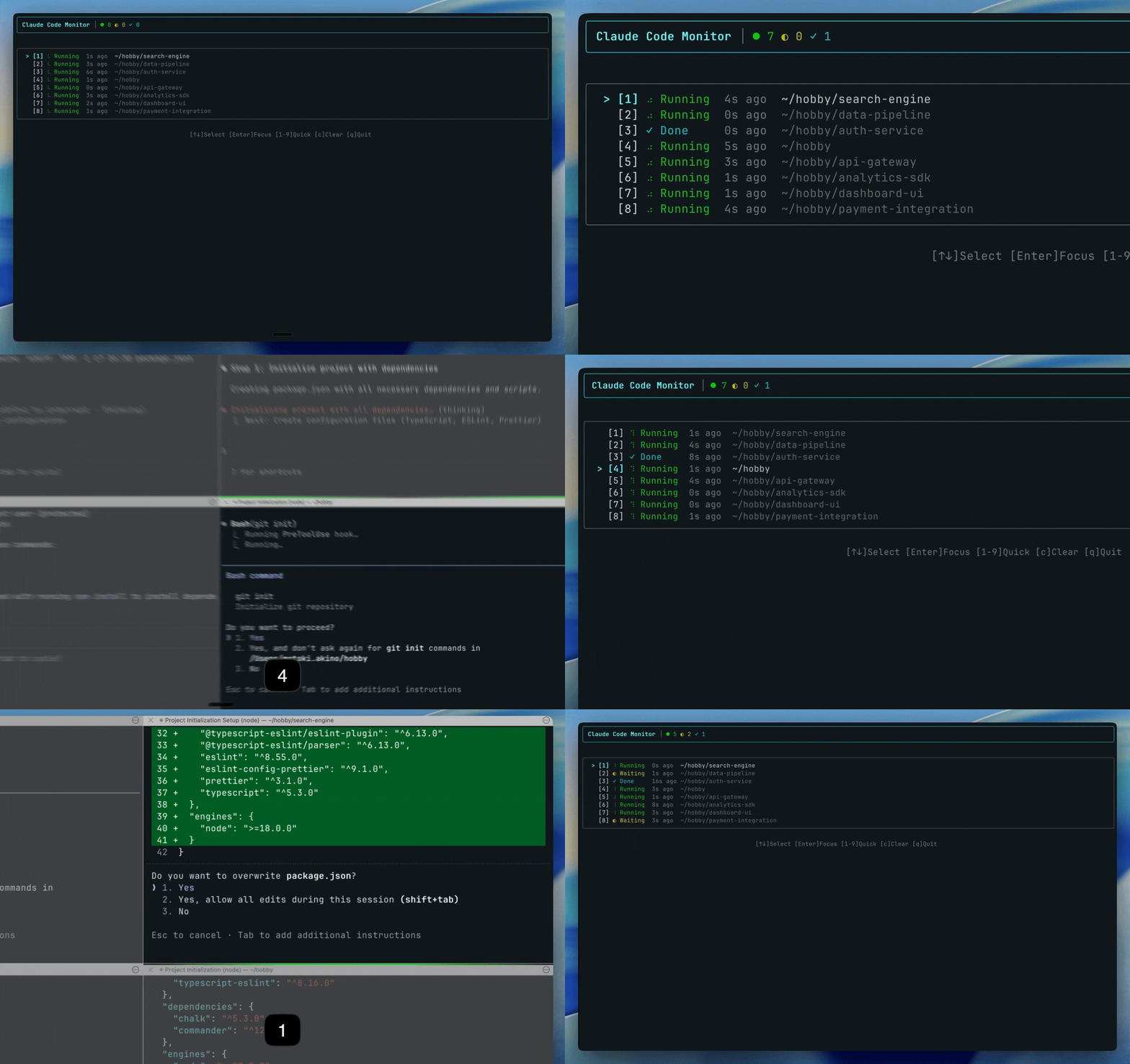
Terminal UI
Monitor sessions with keyboard navigation
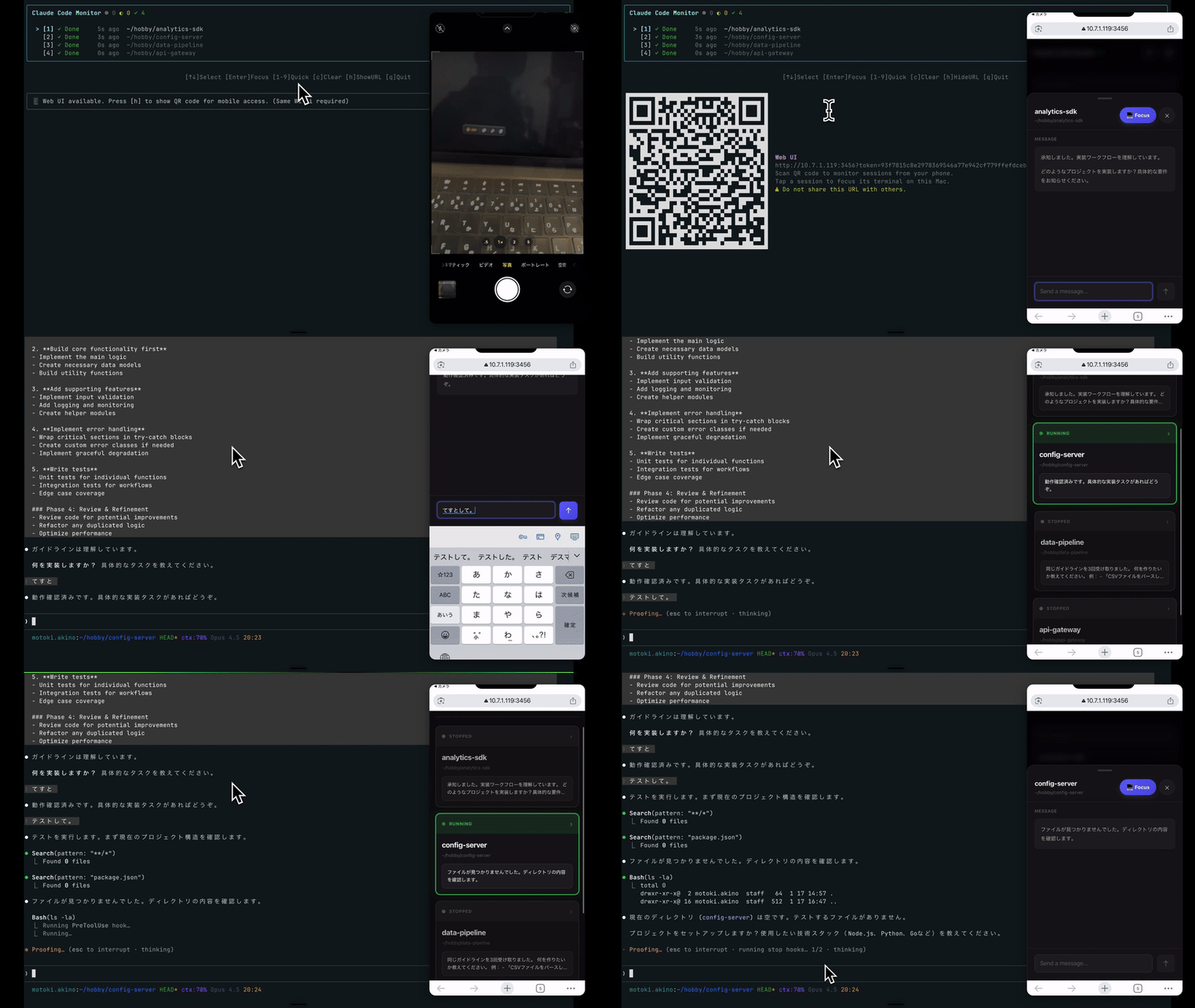
Mobile Web
Control from your phone (same Wi-Fi or Tailscale)
✨ Features
| Terminal (TUI) | Mobile Web |
|---|---|
| Real-time session monitoring | Monitor from your smartphone |
| Quick tab focus with keyboard | Remote terminal focus |
| Vim-style navigation | Send messages to terminal |
| Simple status display | Permission prompt navigation |
| Screen capture with pinch zoom |
- 🔌 Serverless - File-based state management, no API server required
- ⚡ Easy Setup - One command
ccmfor automatic setup and launch - 🔒 Secure - No external data transmission, token-based mobile auth
📋 Requirements
Note: This tool is macOS only due to its use of AppleScript for terminal control.
- macOS
- Node.js >= 18.0.0
- Claude Code installed
🚀 Quick Start
Run with npx (no install required)
npx claude-code-monitor
Or install globally
npm install -g claude-code-monitor
ccm
On first run, it automatically sets up hooks and launches the monitor.
Mobile Access
- Press
hto show QR code (default port: 3456) - Scan with your smartphone (same Wi-Fi required)
If port 3456 is in use, an available port is automatically selected.
Remote Access with Tailscale
Access from anywhere using Tailscale (secure VPN).
Prerequisites:
- Install Tailscale on your Mac and smartphone
- Sign in with the same Tailscale account on both devices
- Ensure Tailscale is connected (check menu bar icon)
# Start with Tailscale IP
npx claude-code-monitor -t

# Or if installed globally
ccm -t
With -t option, the QR code URL uses your Tailscale IP (100.x.x.x), allowing access from any device in your Tailnet - even outside your local network.
Security: Tailscale uses WireGuard encryption. Communication is secure even over public networks.
📖 Usage
Commands
| Command | Alias | Description |
|---|---|---|
ccm | - | Launch monitor (auto-setup if needed) |
ccm watch | ccm w | Launch monitor |
ccm serve | ccm s | Start mobile web server only |
ccm setup | - | Configure Claude Code hooks |
ccm list | ccm ls | List sessions |
ccm clear | - | Clear all sessions |
Options
| Option | Description |
|---|---|
--qr | Show QR code on startup |
-t, --tailscale | Prefer Tailscale IP for mobile access |
-p, --port <port> | Specify port (serve command only) |
Keybindings
| Key | Action |
|---|---|
↑ / k | Move up |
↓ / j | Move down |
Enter / f | Focus selected session |
1-9 | Quick select & focus |
h | Show/Hide QR code |
c | Clear all sessions |
q / Esc | Quit |
Status Icons
| Icon | Status | Description |
|---|---|---|
● | Running | Claude Code is processing |
◐ | Waiting | Waiting for user input |
✓ | Done | Session ended |
📱 Mobile Web Interface
Monitor and control Claude Code sessions from your smartphone.
Features
- Real-time session status via WebSocket
- View latest Claude messages
- Focus terminal sessions remotely
- Send text messages to terminal (multi-line supported)
- Permission prompt navigation - Respond to permission dialogs remotely
- Direction pad for arrow keys (up/down/left/right) and Enter
- Screen capture to view terminal state
- Pinch zoom (1x-5x) for captured screenshots
- Swipe-to-close gesture on modal
- Warning display for dangerous commands
Security
Important: Your smartphone and Mac must be on the same Wi-Fi network (or use Tailscale with
-toption for remote access).
- Token Authentication - A unique token is generated for authentication
- Local Network Only - Not accessible from the internet
- Do not share the URL - Treat it like a password
Recommended networks:
- Home Wi-Fi
- Office/Work Wi-Fi
Warning: Avoid using on public Wi-Fi networks (cafes, airports, etc.). Other users on the same network could potentially access your monitor.
🖥️ Supported Terminals
| Terminal | Focus Support | Notes |
|---|---|---|
| iTerm2 | ✅ Full | TTY-based window/tab targeting |
| Terminal.app | ✅ Full | TTY-based window/tab targeting |
| Ghostty | ✅ Full | Title-based window targeting via Window menu |
Other terminals can use monitoring, but focus feature is not supported.
Ghostty Users
For reliable focus functionality with multiple tabs, ccm or ccm setup will prompt you to add the following setting:
// ~/.claude/settings.json
{
  "env": {
    "CLAUDE_CODE_DISABLE_TERMINAL_TITLE": "1"
  }
}
This prevents Claude Code from overwriting terminal titles, which is necessary for tab identification in Ghostty.
If you skipped this during setup and want to enable it later, add the setting manually or delete CLAUDE_CODE_MONITOR_GHOSTTY_ASKED from your settings and run ccm again.
🔧 Troubleshooting
Sessions not showing
- Run
ccm setupto verify hook configuration - Check
~/.claude/settings.jsonfor hook settings - Restart Claude Code
Focus not working
- Verify you're using a supported terminal
- Check System Preferences > Privacy & Security > Accessibility
- Ensure your terminal app has Accessibility permission
Reset data
ccm clear
🔒 Security
Warning: Without Tailscale, this tool is designed for use on trusted private networks only.
Never use on public Wi-Fi (cafes, airports, hotels, co-working spaces, etc.) without Tailscale. Other users on the same network could potentially intercept the authentication token and gain control of your terminal sessions, including the ability to execute arbitrary commands.
- No data sent to external servers - All data stays on your machine
- Hook registration modifies
~/.claude/settings.json - Focus feature uses AppleScript for terminal control
- Mobile Web uses token authentication on local network only
- Server-side validation blocks dangerous shell commands
Secure Remote Access
For secure access from outside your local network, use the -t (Tailscale) option:
| Mode | Network | Security |
|---|---|---|
| Default | Same Wi-Fi only | Home/Office Wi-Fi recommended |
-t (Tailscale) | Anywhere in Tailnet | WireGuard encrypted, safe on any network |
With Tailscale, communication is encrypted end-to-end, making it safe to use even on public Wi-Fi (cafes, airports, etc.).
📦 Programmatic Usage
import { getSessions, focusSession } from 'claude-code-monitor';

const sessions = getSessions();
if (sessions[0]?.tty) {
  focusSession(sessions[0].tty);
}
⚠️ Disclaimer
This is an unofficial community tool and is not affiliated with Anthropic. "Claude" and "Claude Code" are trademarks of Anthropic.
🐛 Issues
Found a bug? Open an issue
🤝 Contributing
Contributions are welcome! Please open an issue or submit a PR.
📝 Changelog
See CHANGELOG.md for details.
📄 License
MIT
Made with ❤️ for the Claude Code community