Apple Flow
Your Apple-Native AI Assistant
Control AI from iMessage, Mail, Reminders, Notes, and Calendar on macOS.




Translated READMEs:
- 日本語 (Japanese)
- Español (Spanish)
- Français (French)
- Deutsch (German)
- 简体中文 (Simplified Chinese)
- العربية (Arabic)
- Русский (Russian)
- Kiswahili (Swahili)
- Yorùbá (Yoruba)
- Hausa (Hausa)
- አማርኛ (Amharic)
Apple Flow is a local-first macOS daemon that bridges Apple apps to AI CLIs (Codex, Claude, Gemini, Cline, and Kilo). It enforces sender allowlists, approval gates for mutating work, and workspace restrictions by default.
Video Demo
Watch the walkthrough on YouTube:
Screenshots
| Dashboard | Task Management |
|---|---|
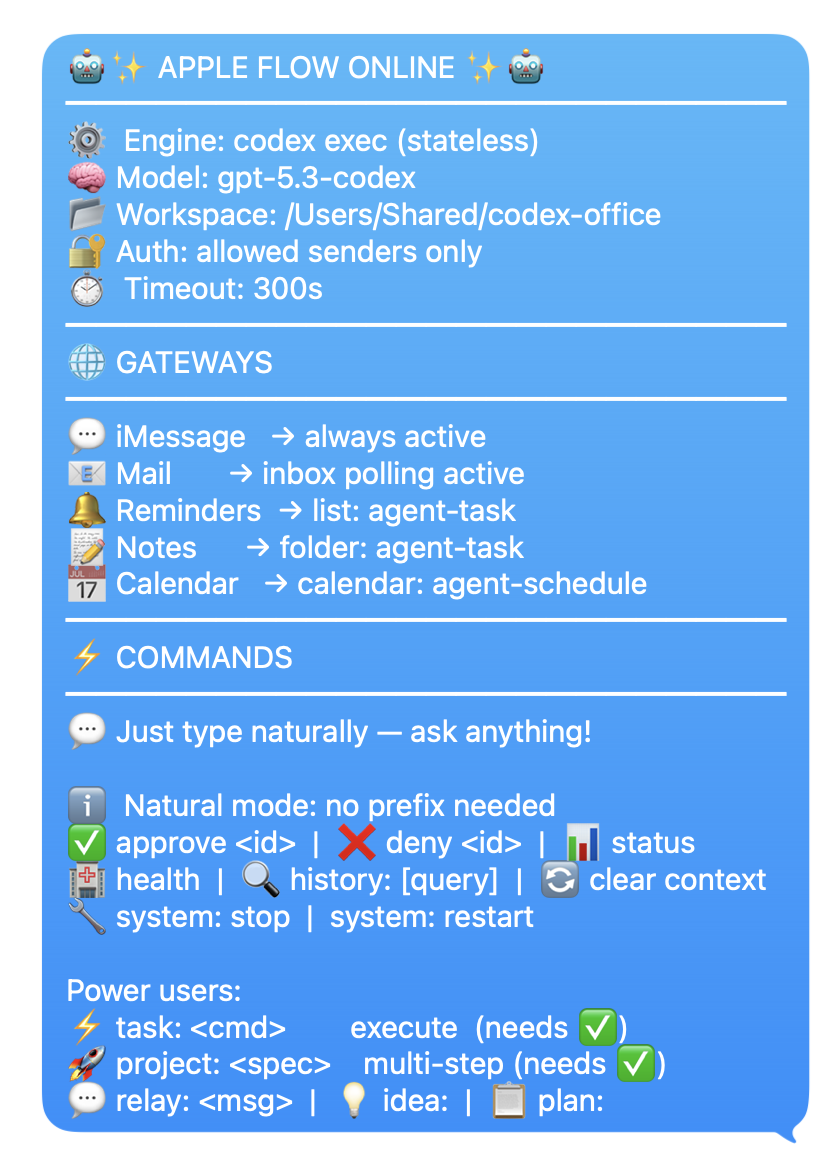 | 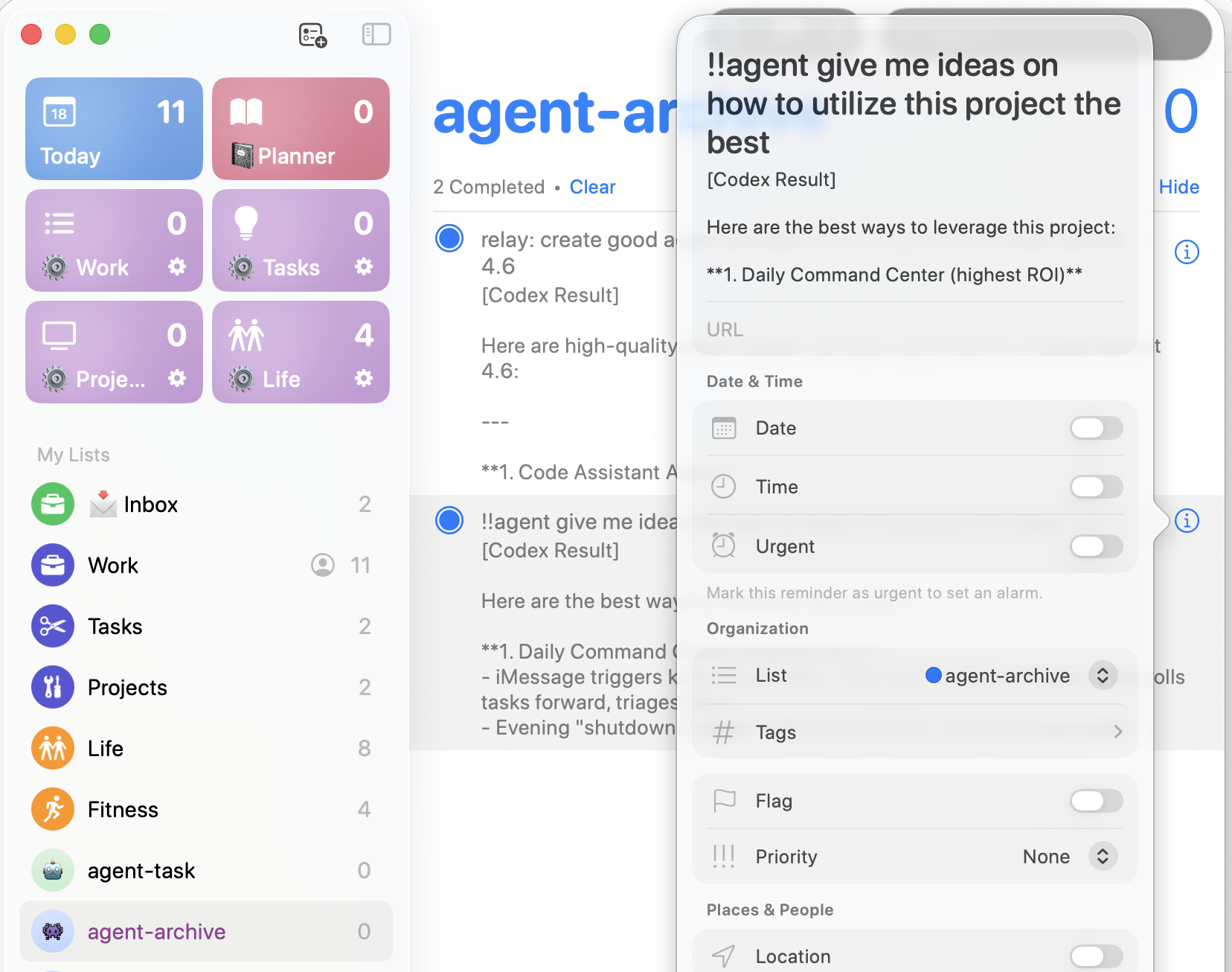 |
| AI Policy Log | Calendar Event |
|---|---|
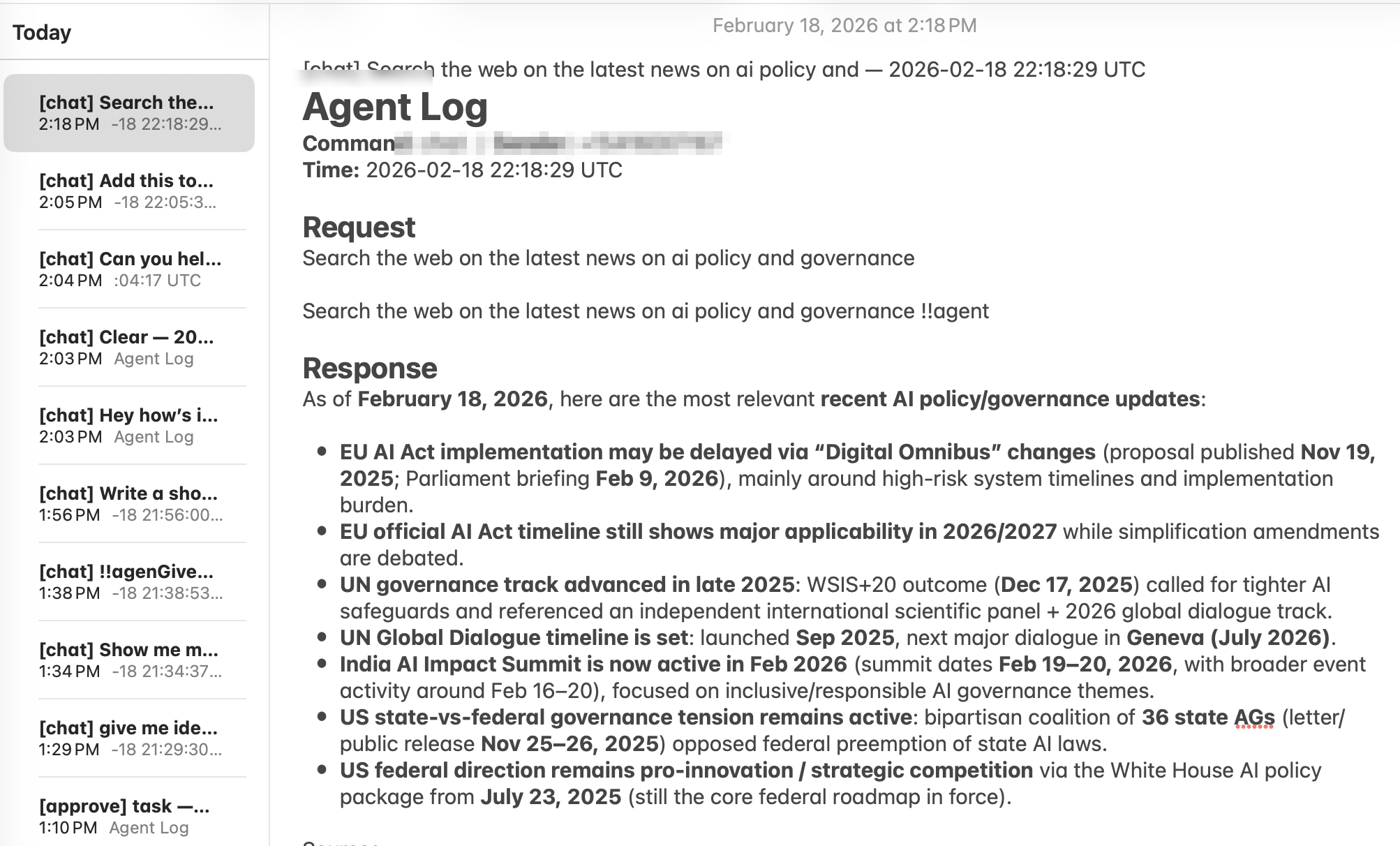 | 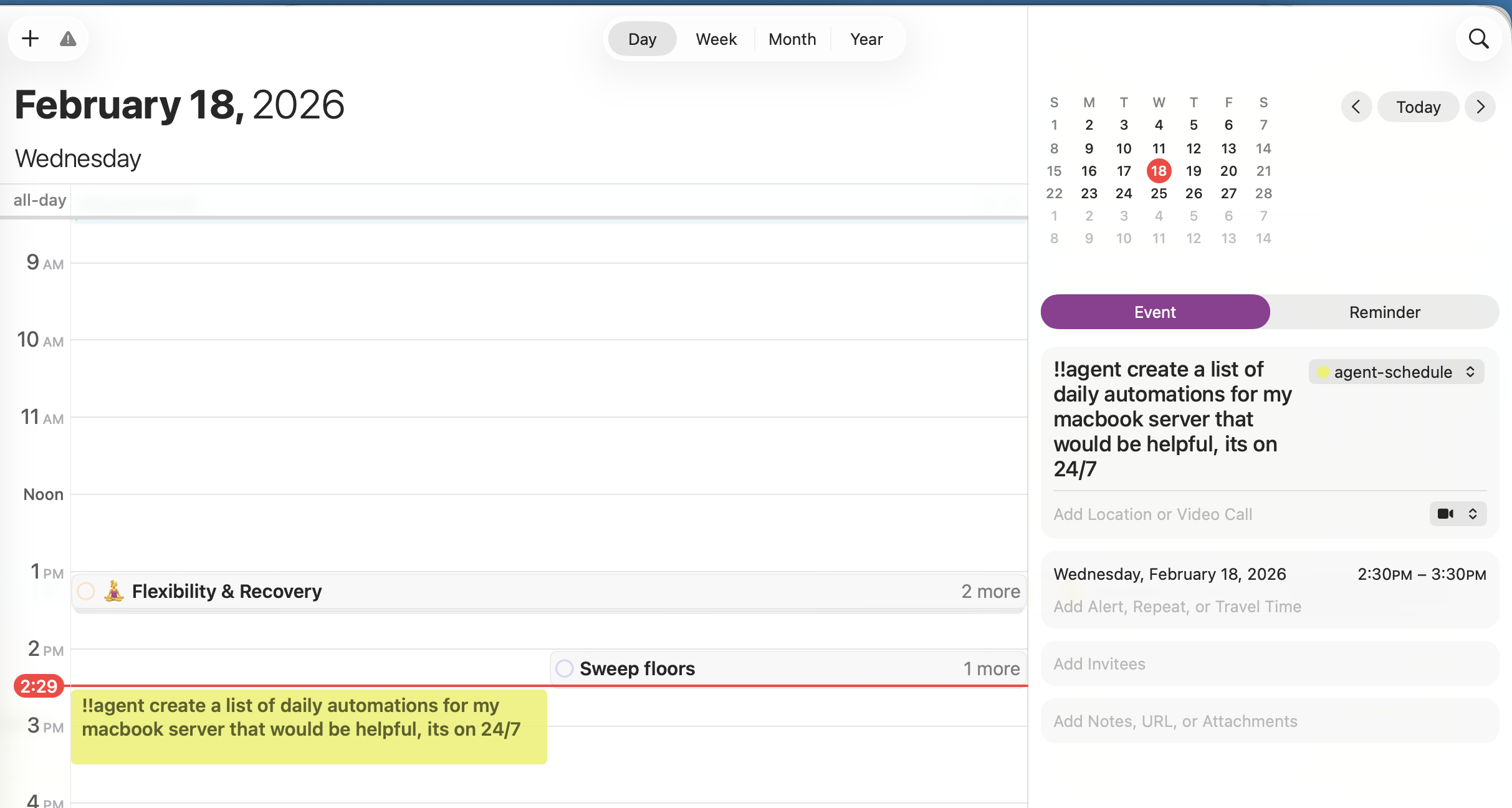 |
| Office Brainstorm |
|---|
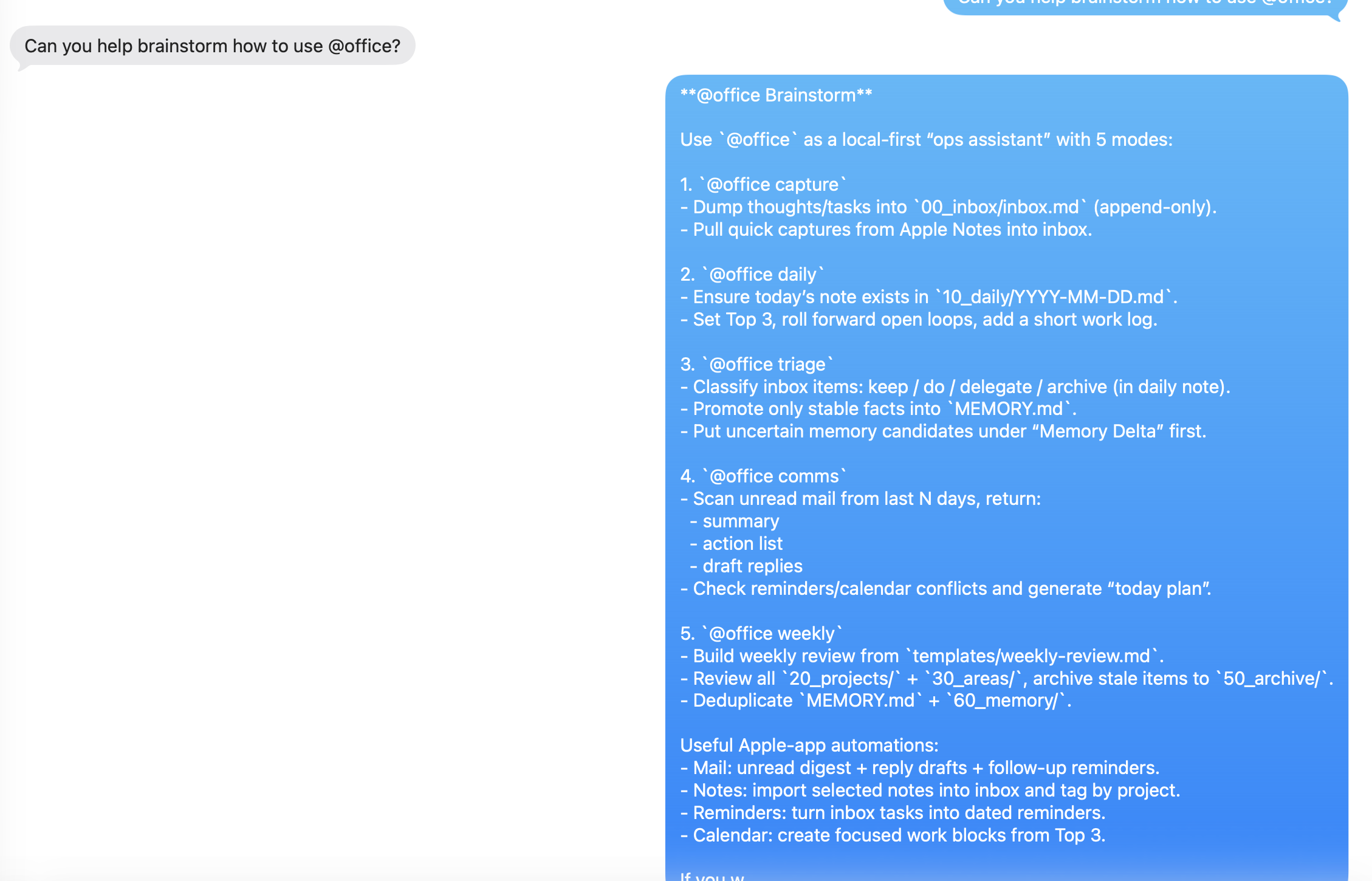 |
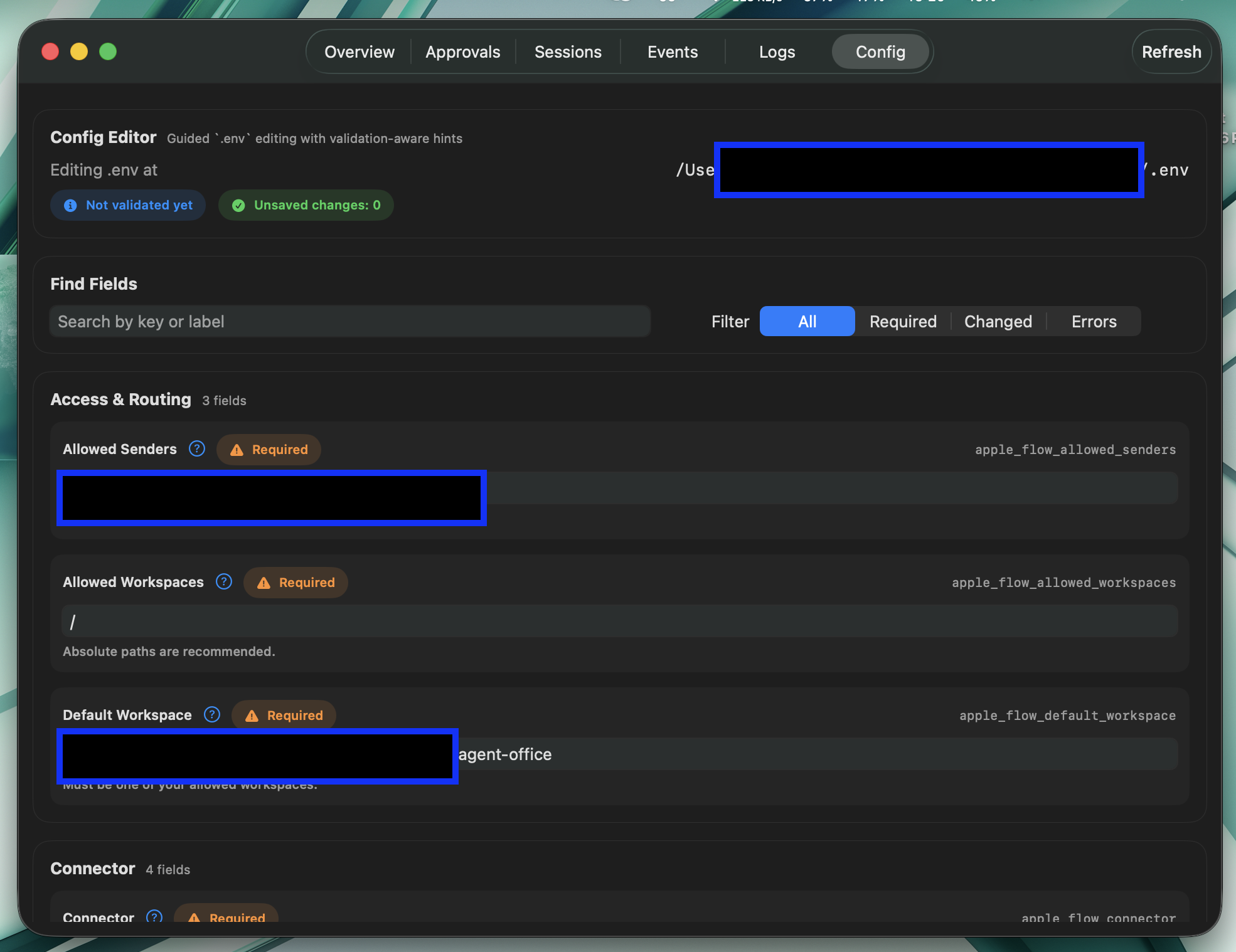
Dashboard App
| Onboarding 1 | Onboarding 2 |
|---|---|
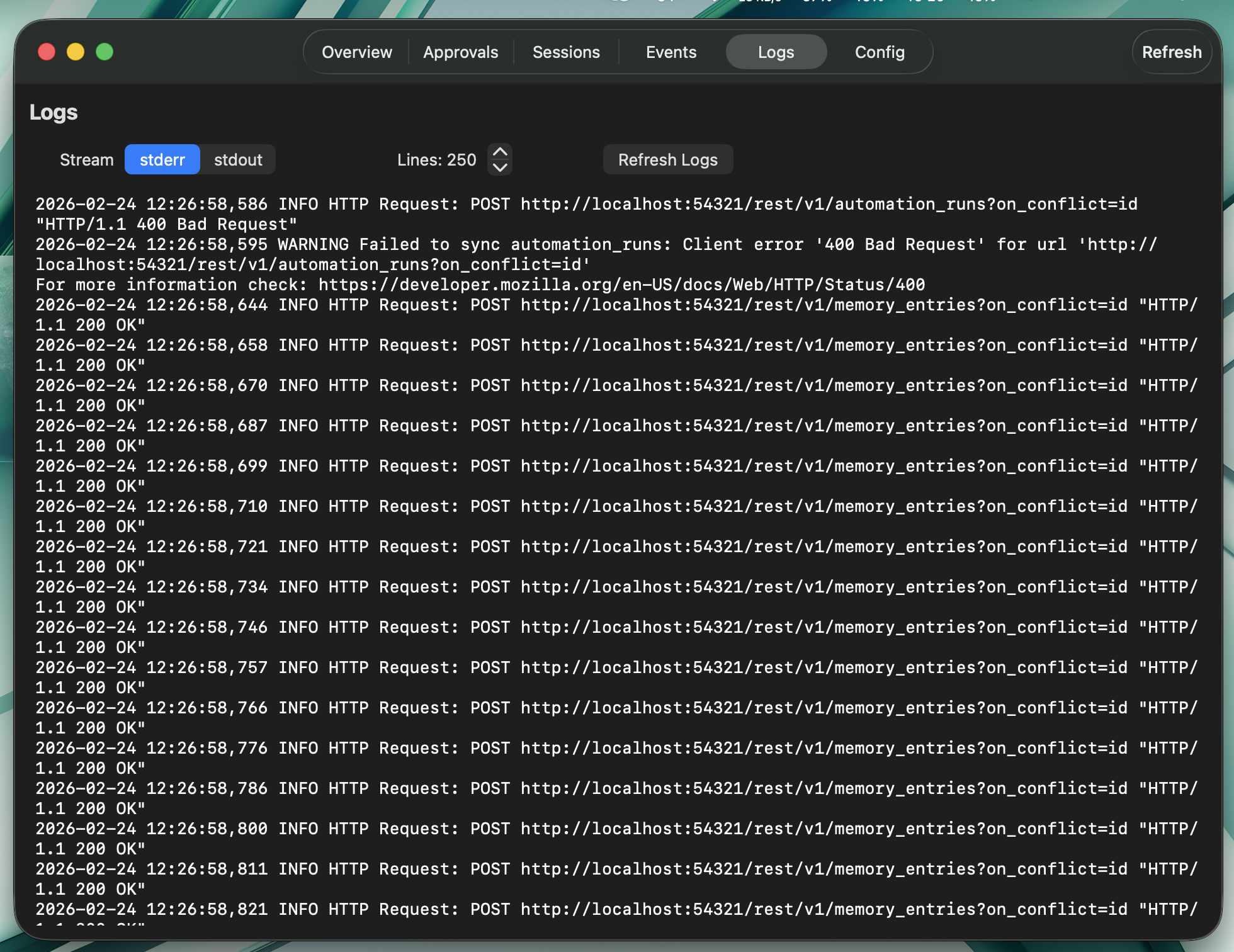 | 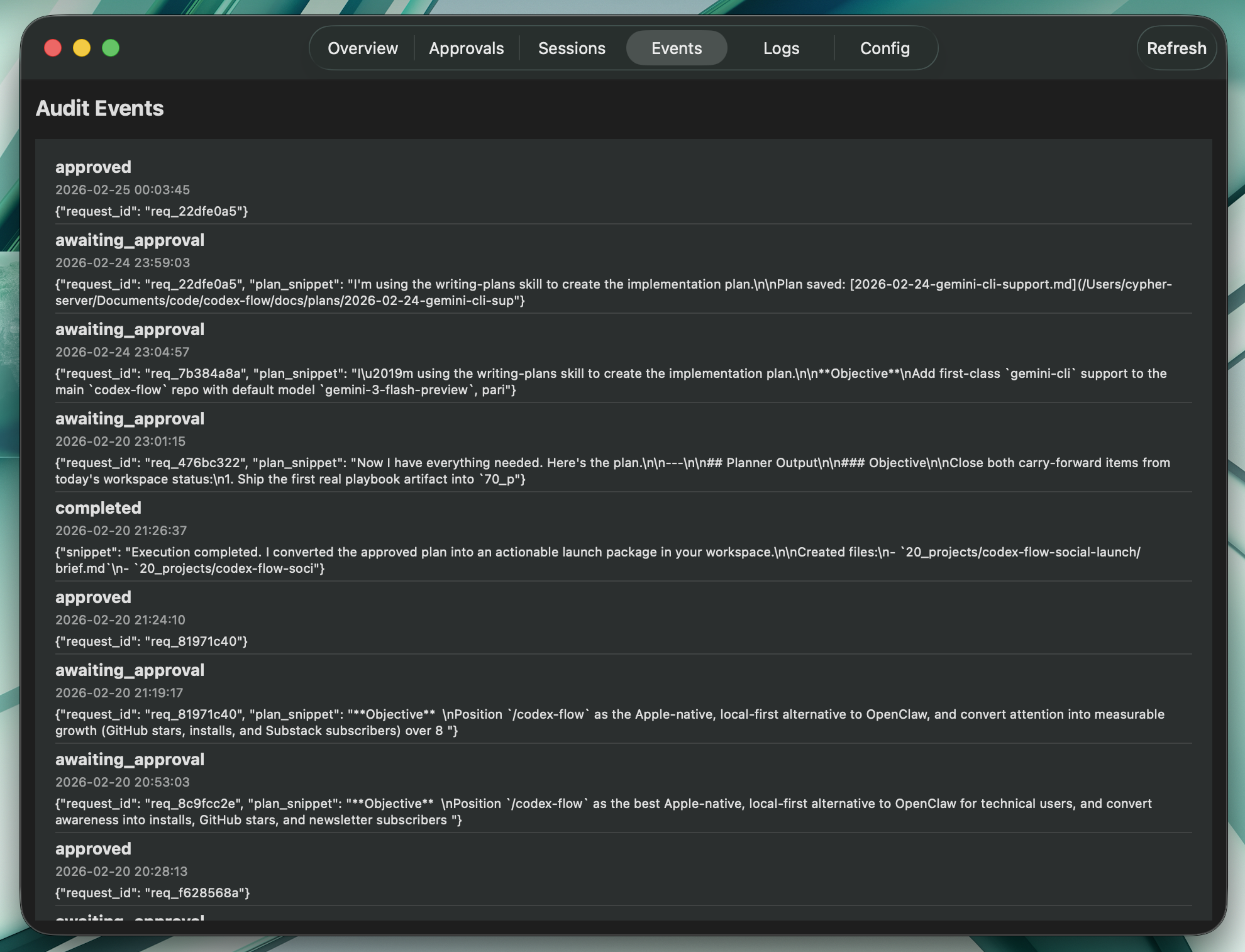 |
| Onboarding 3 | Onboarding 4 |
|---|---|
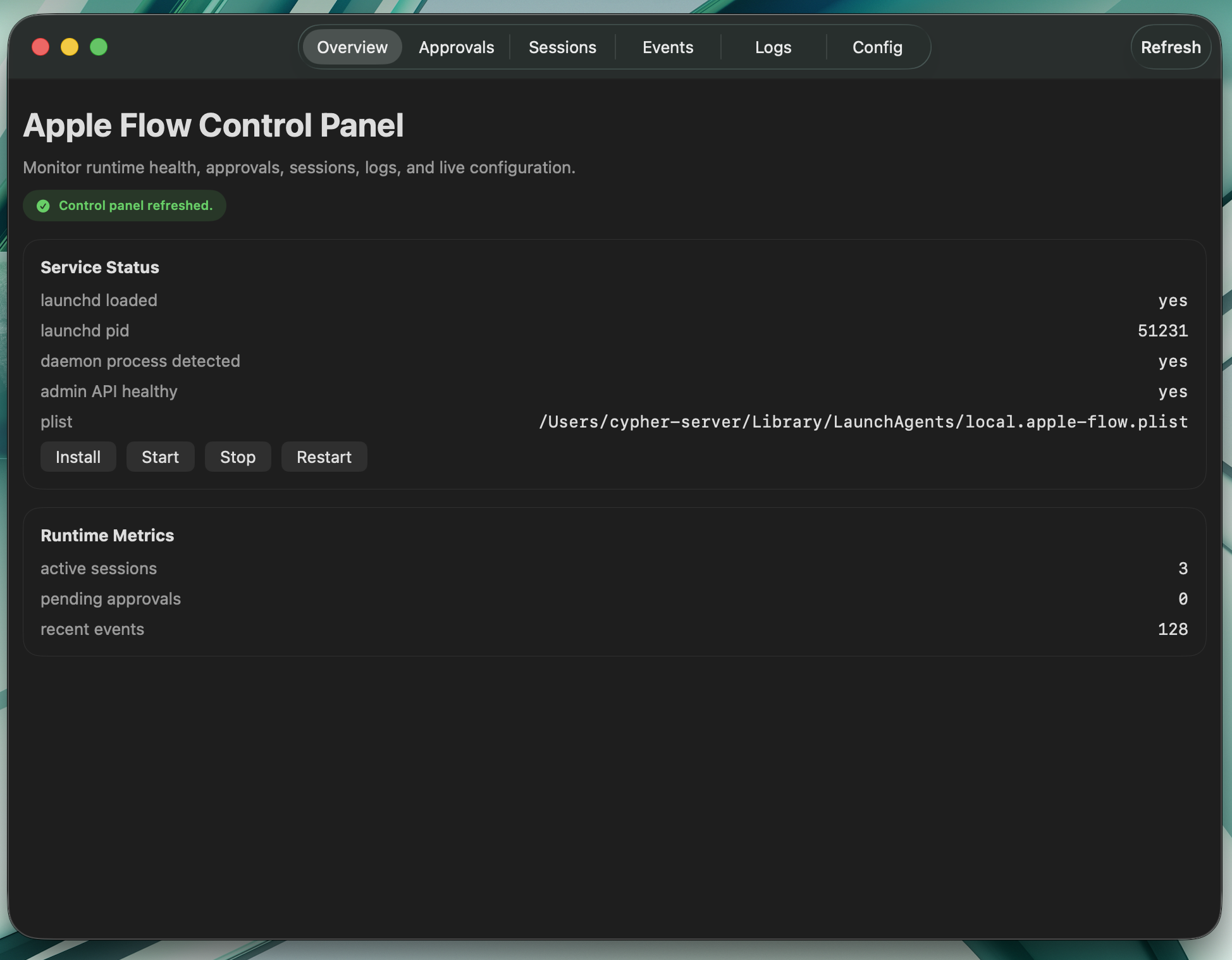 |  |
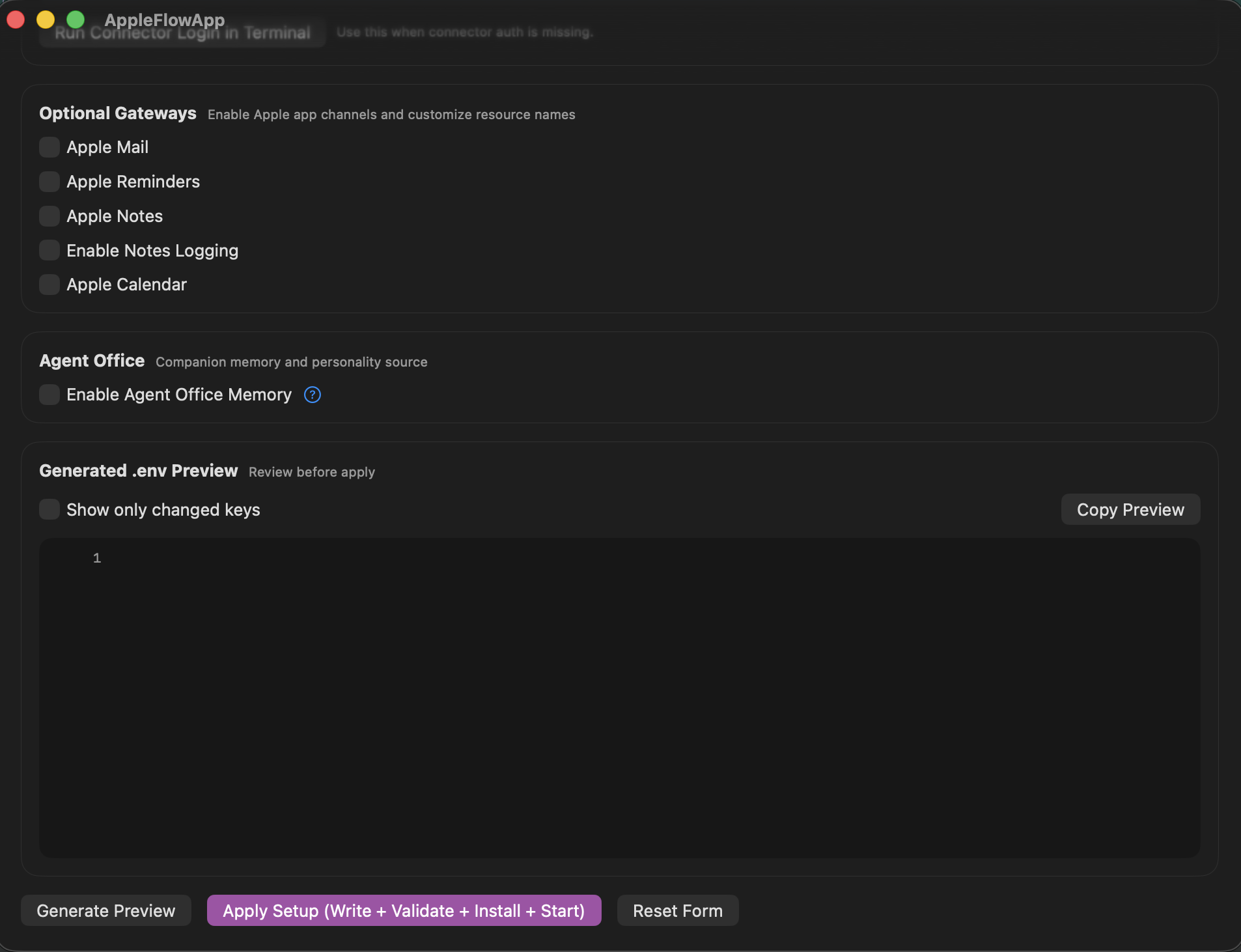
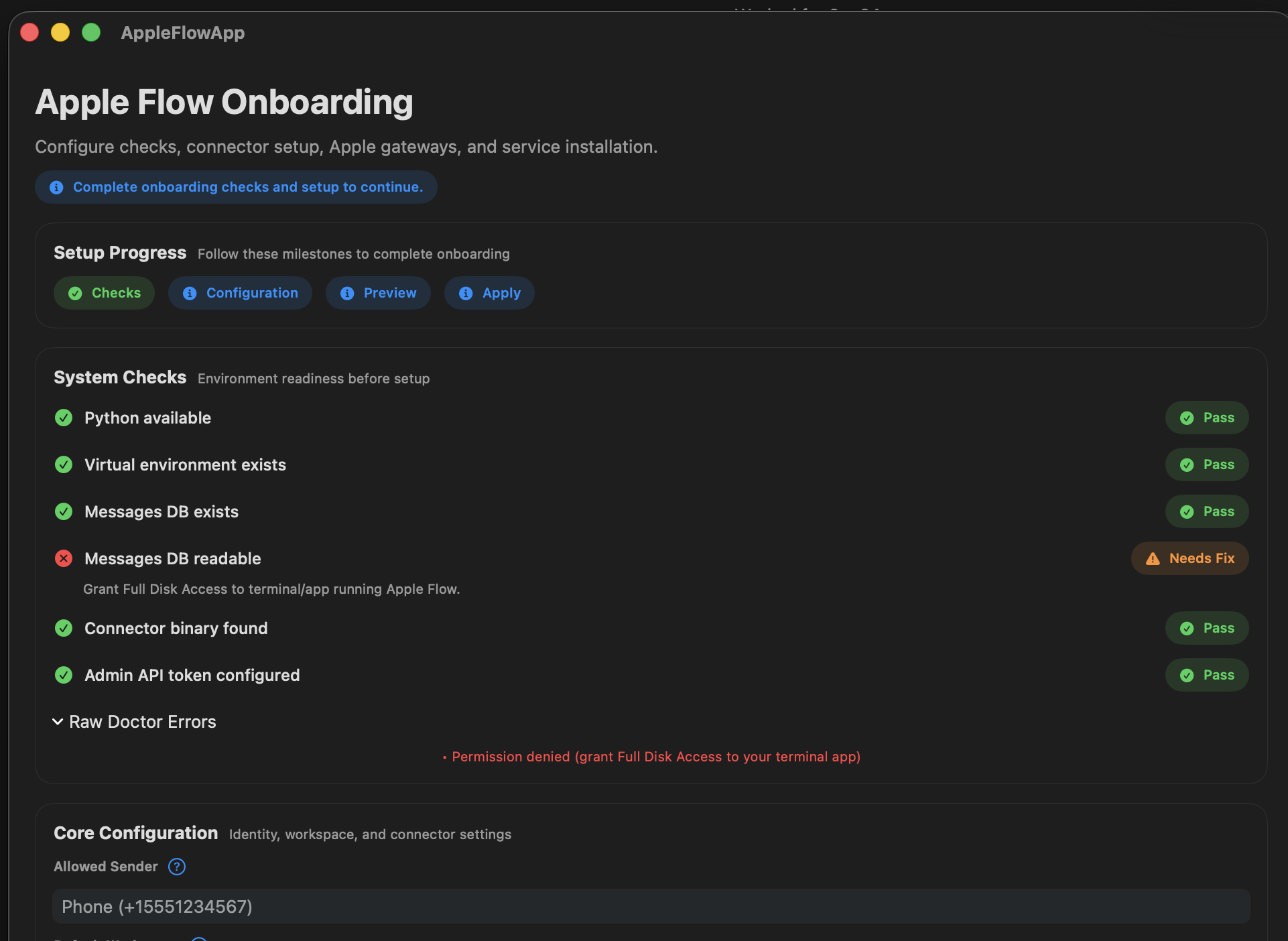
| Setup Configuration | Onboarding Error |
|---|---|
 |  |
Highlights (Quick Read)
- Local-first Apple-native AI automation with strong safety defaults (allowlist + approval gates + workspace boundaries).
- Multi-gateway operations across iMessage, Mail, Reminders, Notes, and Calendar with deterministic tool flows.
- New Apple Pages support for high-quality document generation from Markdown, including themes, TOC, citations, exports, and section updates.
- New Apple Numbers support for workbook creation, sheet management, row insertion semantics, and styling automation.
- Global skill packs for Codex/Claude-style workflows, including dedicated
apple-flow-pages,apple-flow-numbers,apple-flow-mail, andapple-flow-gatewaysskills. - Production-friendly operations with service controls, health/status tooling, and comprehensive test coverage.
Start Here
Choose one setup path:
| Path | Best for | Time | Entry point |
|---|---|---|---|
| AI-guided setup (recommended) | Most users, safest onboarding | ~10 min | docs/AI_INSTALL_MASTER_PROMPT.md |
| One-command script | Fast local install/autostart | ~5-10 min | ./scripts/setup_autostart.sh |
| Manual setup | Advanced/custom environments | ~15+ min | docs/AUTO_START_SETUP.md, docs/ENV_SETUP.md |
Quick Start (AI-Guided)
1) Prerequisites
- macOS with iMessage signed in
- 10 minutes
- Homebrew + Python 3.11 + Node
# Install Homebrew (if needed)
/bin/bash -c "$(curl -fsSL https://raw.githubusercontent.com/Homebrew/install/HEAD/install.sh)"

# Install Python + Node
brew install python@3.11 node
2) Install One AI CLI Connector
Pick one:
- Claude CLI
curl -fsSL https://claude.ai/install.sh | bash
claude auth login
- Codex CLI
npm install -g @openai/codex
codex login
- Gemini CLI
npm install -g @google/gemini-cli
gemini auth login
- Cline CLI
npm install -g cline
cline auth
- Kilo CLI (optional advanced connector)
npm install -g @kilocode/cli
kilo auth login
3) Clone + Bootstrap
git clone https://github.com/dkyazzentwatwa/apple-flow.git
cd apple-flow
./scripts/setup_autostart.sh
4) Finalize Config with the Master Prompt
Open your AI CLI and paste:
That flow handles:
- health checks (
wizard doctor --json) - full
.envgeneration from.env.example - explicit confirmation gates before writes/restarts
- gateway resource setup (Reminders/Notes/Calendar)
- validation + service status verification
5) Grant Full Disk Access
- Open
System Settings -> Privacy & Security -> Full Disk Access - Add the Python binary used by Apple Flow (the setup output shows the path)
- Enable the toggle
6) Smoke Test
Text yourself in iMessage:
what files are in my home directory?
You should receive a reply within seconds.
Setup Paths (Detailed)
A) One-command script only
If you do not want AI-guided setup:
./scripts/setup_autostart.sh
If .env is missing, it launches python -m apple_flow setup to generate one.
B) Manual setup
Edit .env directly:
nano .env
Minimum keys:
apple_flow_allowed_senders=+15551234567
apple_flow_allowed_workspaces=/Users/you/code
apple_flow_default_workspace=/Users/you/code
apple_flow_connector=claude-cli
apple_flow_admin_api_token=<long-random-secret>
For Reminders-backed workflows, apple_flow_reminders_list_name and apple_flow_reminders_archive_list_name must be plain top-level list names such as agent-task and agent-archive. Sectioned lists, grouped lists, nested paths, and Accessibility-backed fallbacks are not supported.
Then validate and restart:
python -m apple_flow config validate --json --env-file .env
python -m apple_flow service restart --json
python -m apple_flow service status --json
Browser Dashboard
The admin service also serves a lightweight Agent Office dashboard for phone and browser access.
Open:
http://localhost:8787/dashboard
If apple_flow_admin_api_token is set, the first visit shows a small dashboard login form. Enter the same admin token there once and the browser receives a dashboard-only HttpOnly cookie scoped to /dashboard.
Practical notes:
- The dashboard is read-heavy and focused on
agent-office, companion state, inbox, memory, and logs. Mute/Unmutecompanion are the only built-in dashboard actions in v1.- The dashboard cookie is scoped to
/dashboard, so it does not unlock the broader admin API surface. - Over Tailscale, use your Mac's Tailscale IP or MagicDNS hostname with port
8787, for examplehttp://your-mac-name.tailnet.ts.net:8787/dashboard.
Core Commands
| Command | What it does |
|---|---|
<anything> | Natural chat |
idea: <prompt> | Brainstorming |
plan: <goal> | Plan only (no changes) |
task: <instruction> | Mutating task (approval required) |
project: <spec> | Multi-step task (approval required) |
approve <id> / deny <id> / deny all | Approval controls |
status / status <run_or_request_id> | Run/request status |
health | Daemon health |
history: [query] | Message history |
usage | Usage stats |
help | Help + practical tips |
system: mute / system: unmute | Companion controls |
system: stop / system: restart / system: recycle helpers / system: maintenance / system: kill provider | Runtime controls |
system: cancel run <run_id> | Cancel one run |
system: killswitch | Kill all active provider processes |
Multi-workspace routing
Prefix with @alias:
task: @healer run the test suite
task: @web-app deploy to staging
@api show recent errors
File references with aliases
Define file aliases in .env via apple_flow_file_aliases and reference them in prompts with @f:<alias>.
plan: summarize @f:context-bank
task: review @f:runbook and propose updates
Optional Integrations
All optional gateways are off by default.
Trigger behavior:
- Default trigger tag is
!!agent - For Mail/Reminders/Notes/Calendar, only items containing that tag are processed
- Tag is stripped before prompt execution
- Configure via
apple_flow_trigger_tag
Enable examples:
apple_flow_enable_mail_polling=true
apple_flow_enable_reminders_polling=true
apple_flow_enable_notes_polling=true
apple_flow_enable_calendar_polling=true
Voice message examples:
apple_flow_phone_owner_number=+15551234567
apple_flow_imessage_auto_send_image_results=owner-only
apple_flow_phone_tts_voice=
apple_flow_phone_tts_rate=180
apple_flow_phone_tts_engine=auto
apple_flow_phone_piper_model_path=/Users/you/models/en_US-amy-medium.onnx
Then trigger with:
voice: standup starts in 10 minutes
voice-task: analyze my workspace
voice: speaks the exact text you send. voice-task: runs the task first, then sends both the text result and a synthesized audio copy over iMessage to the configured owner number. apple_flow_imessage_auto_send_image_results=owner-only also makes outbound replies auto-attach intentional local image results for the owner instead of echoing bare file paths.
Companion + memory examples:
apple_flow_enable_companion=true
apple_flow_enable_memory=true

# Canonical memory v2
apple_flow_enable_memory_v2=false
apple_flow_memory_v2_migrate_on_start=true
Attachment processing example:
apple_flow_enable_attachments=true
apple_flow_max_attachment_size_mb=10
apple_flow_attachment_max_files_per_message=6
apple_flow_attachment_max_text_chars_per_file=6000
apple_flow_attachment_max_total_text_chars=24000
apple_flow_attachment_enable_image_ocr=true
apple_flow_attachment_enable_audio_transcription=true
apple_flow_attachment_audio_transcription_command=whisper
apple_flow_attachment_audio_transcription_model=turbo
When enabled, Apple Flow extracts prompt context from iMessage attachments (text/code files, PDFs, images via OCR when available, Office files like .docx/.pptx/.xlsx, and audio voice notes via local Whisper CLI transcription) and includes that context in chat, planning, and approval execution flows.
If an inbound iMessage is just a voice note, Apple Flow now transcribes it, turns it into a synthetic voice-task: request, and replies with both text plus a spoken TTS follow-up. Install a local whisper CLI for STT, similar to how pdftotext and tesseract are used for other attachment types.
Helper maintenance example:
apple_flow_enable_helper_maintenance=true
apple_flow_helper_maintenance_interval_seconds=900
apple_flow_helper_recycle_idle_seconds=600
apple_flow_helper_recycle_max_age_seconds=3600
apple_flow_watchdog_poll_stall_seconds=60
apple_flow_watchdog_inflight_stall_seconds=300
apple_flow_watchdog_event_loop_lag_seconds=5
apple_flow_watchdog_event_loop_lag_failures=3
When enabled, Apple Flow runs a lightweight maintenance check on a timer, soft-recycles stale helpers when the daemon is idle, and exposes forward-progress watchdog telemetry through health and the admin API. You can also trigger the same path manually with system: recycle helpers or system: maintenance.
See full settings in docs/ENV_SETUP.md.
AI Backends
| Connector | Key |
|---|---|
| Claude CLI | apple_flow_connector=claude-cli |
| Codex CLI | apple_flow_connector=codex-cli |
| Gemini CLI | apple_flow_connector=gemini-cli |
| Cline CLI | apple_flow_connector=cline |
| Kilo CLI | apple_flow_connector=kilo-cli |
| Ollama (native) | apple_flow_connector=ollama |
Notes:
codex-cli,claude-cli, andgemini-clirun stateless commands.clineis agentic and supports multiple providers.kilo-cliis supported as a connector, but setup wizardgenerate-envcurrently validatesclaude-cli,codex-cli,gemini-cli,cline, andollama. Forkilo-cli, set connector fields via manual config write after generation.ollamauses a native HTTP connector (/api/chat) with default modelqwen3.5:4b.
Recommended Bring-Up
Keep initial setup narrow so polling is easy to verify:
- Start with iMessage only and confirm
apple-flow service status --jsonreports the daemon, Messages DB access, and active polling. - Enable one Apple gateway at a time after polling is stable.
- Turn on Companion, memory, follow-ups, and ambient scanning last.
Optional macOS App
A local Swift onboarding/dashboard app is bundled:
- app bundle:
dashboard-app/AppleFlowApp.app - distributable zip:
dashboard-app/AppleFlowApp-macOS.zip
Or build/export from source docs: docs/MACOS_GUI_APP_EXPORT.md
Security Defaults
- Sender allowlist enforcement
- Workspace restrictions
- Approval workflow for mutating tasks
- Approval sender verification
- Rate limiting
- Read-only iMessage DB access
- Duplicate outbound suppression
Details: SECURITY.md
Audit Logging
Apple Flow now supports a CSV-first analytics log while keeping SQLite as the canonical audit store.
- Canonical audit source: SQLite
eventstable (/audit/eventsendpoint). - Analytics mirror:
agent-office/90_logs/events.csv(append-only, one row per event). - Human-readable markdown mirror: disabled by default.
Relevant .env settings:
apple_flow_enable_csv_audit_log=trueapple_flow_csv_audit_log_path=agent-office/90_logs/events.csvapple_flow_csv_audit_include_headers_if_missing=trueapple_flow_enable_markdown_automation_log=false
Service Management
launchctl start local.apple-flow
launchctl stop local.apple-flow
launchctl list local.apple-flow
tail -f logs/apple-flow.err.log
./scripts/uninstall_autostart.sh
Documentation
- docs/README.md
- docs/PROJECT_REFERENCE.md
- docs/AI_INSTALL_MASTER_PROMPT.md
- docs/AUTO_START_SETUP.md
- docs/QUICKSTART.md
- docs/ENV_SETUP.md
- docs/SKILLS_AND_MCP.md
- docs/MACOS_GUI_APP_EXPORT.md
- CHANGELOG.md
- CONTRIBUTING.md
Contributing
See CONTRIBUTING.md.
License
MIT — see LICENSE.