CTX
The context layer for AI coding agents
Reduce token waste in OpenCode and AI coding workflows with graph memory, compact task packs, read-cache compression, command pruning, and a live right-sidebar dashboard.
OpenCode-first runtime · Local MCP tools · Read cache + delta-aware indexing · Single Rust binary


Install · OpenCode Usage · Dashboard · Benchmarks · Docs · Security
CTX is a local context runtime for OpenCode and AI coding agents. It keeps repository knowledge, reusable rules, shell output, diffs, and file rereads compact before they ever bloat the model context.
See It In Action
| Install + Bootstrap | Planning + Packing | Read Cache + Dashboard |
|---|---|---|
 | 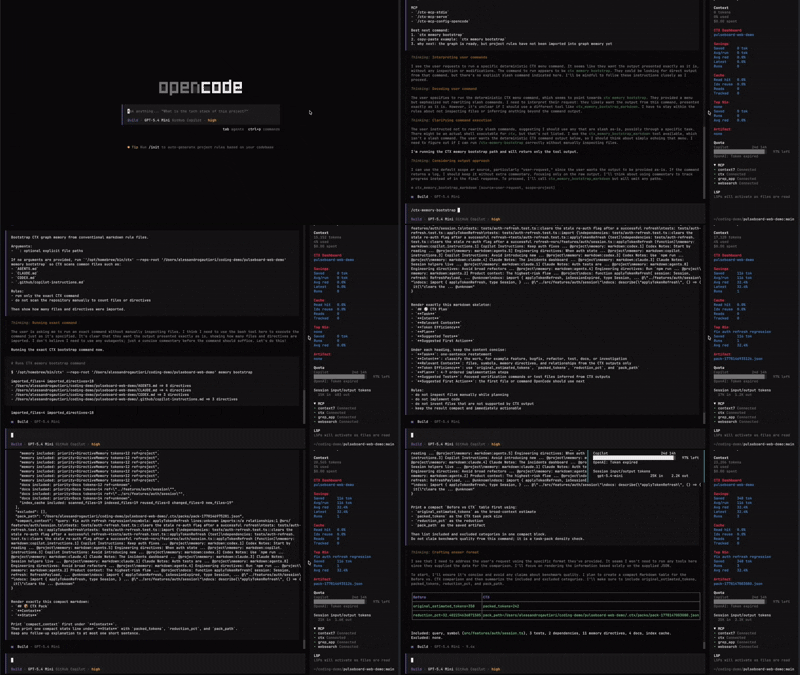 | 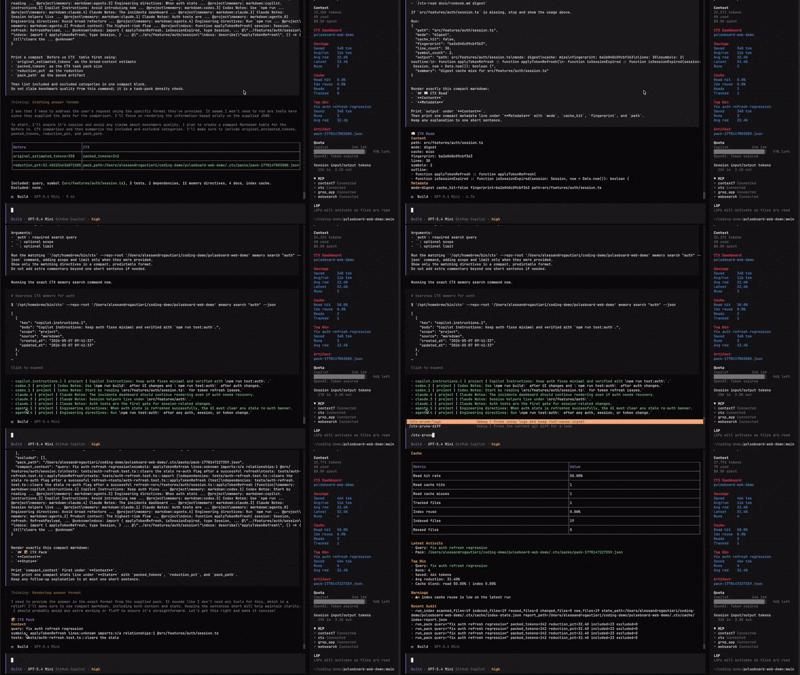 |
Install ctx, run ctx init, ctx index, ctx opencode install, then open OpenCode. | Build a plan, pack the smallest useful context, and compare broad vs packed token cost. | Re-read files through digest mode and watch live savings in the right sidebar. |
Contents
- What CTX Is
- Why It Exists
- Install CTX
- OpenCode-First Usage
- What Works Today
- Graph Memory
- CTX Dashboard
- Proof From The Demo Fixture
- Demo And Screenshots
- Security
- Documentation
- Repository Layout
What CTX Is
CTX is a local runtime layer for OpenCode. It indexes the repository, stores reusable guidance as graph memory, exposes local MCP tools, generates OpenCode slash commands, and keeps local telemetry about token savings, cache reuse, and compact context packs.
CTX is not another agent launcher.
- OpenCode keeps the selected model, provider, and normal workflow.
- CTX sits underneath as the context layer.
- The product surface is the OpenCode-native
/ctx-*experience, not wrapper-first shell workflows.
Why It Exists
Coding agents usually waste tokens on things that are useful once but expensive forever.
| Problem | Traditional flow | CTX flow |
|---|---|---|
| Project rules | Reload a full AGENTS.md every turn | Import rules into graph memory and retrieve only the relevant directives |
| File rereads | Pay full price for the same file again | Re-read unchanged files through digest / outline modes with local read-cache compression |
| Noisy logs | Paste thousands of repeated lines | Run /ctx-run or prune logs into root-cause signal |
| Broad diffs | Feed huge patches | Keep only task-relevant hunks and changed symbols |
| Repo navigation | Manual file spelunking | Query local graph, snippets, symbols, and semantic ranking |
| Host integration | Wrapper commands outside the agent | OpenCode-native /ctx-* commands plus local MCP tools |
Install CTX
Install CTX with the channel that fits your workflow best:
cargo install ctx-cli- one-line installer script
- GitHub Release archives
npm i -g @alegau/ctx-binbrew tap Alegau03/ctx && brew install ctx
Update paths:
ctx updatectx update --checkcargo install ctx-cli --force- rerun the installer script
npm update -g @alegau/ctx-binbrew upgrade ctx
Cargo
cargo install ctx-cli
One-Line Installer
curl -fsSL https://raw.githubusercontent.com/Alegau03/CTX/main/scripts/install.sh | sh
npm
npm i -g @alegau/ctx-bin
Homebrew
brew tap Alegau03/ctx
brew install ctx
Source Install
git clone https://github.com/Alegau03/CTX.git
cd CTX
cargo install --locked --path crates/ctx-cli
Verify:
ctx help
ctx doctor
ctx update --check
Native update command:
ctx update
How ctx update behaves:
- installer-based installs: reruns the official installer path
- Cargo installs: prints
cargo install ctx-cli --force - npm installs: prints
npm update -g @alegau/ctx-bin - Homebrew installs: prints
brew upgrade ctx - ambiguous installs: prints all supported update commands without guessing
GitHub Release Archive
Download the latest assets from GitHub Releases, then run:
shasum -a 256 -c SHA256SUMS
tar -xzf ctx-0.2.5-aarch64-apple-darwin.tar.gz
mkdir -p "$HOME/.local/bin"
install -m 0755 ctx-0.2.5-aarch64-apple-darwin/ctx "$HOME/.local/bin/ctx"
export PATH="$HOME/.local/bin:$PATH"
If you prefer a system-wide install:
sudo install -m 0755 ctx-0.2.5-aarch64-apple-darwin/ctx /usr/local/bin/ctx
For the full install matrix, release verification notes, native update behavior, and distribution details, see docs/install.md.
OpenCode-First Usage
Once ctx is installed, enable it in any project:
cd /path/to/your/project
ctx init
ctx index
ctx opencode install
opencode
If you want the leanest possible OpenCode surface first:
ctx opencode install --profile core
Profile summary:
full(default): full CTX slash-command surface plus the live right-sidebarCTX Dashboardcore: lean daily workflow with/ctx,/ctx-doctor,/ctx-plan,/ctx-retrieve,/ctx-pack,/ctx-run,/ctx-prune-logs,/ctx-stats, and/ctx-gain
Inside OpenCode, start with:
/ctx
From there, the main workflow is:
/ctx-doctor
/ctx-memory-bootstrap
/ctx-plan <task>
/ctx-retrieve <query>
/ctx-read <file> [mode]
/ctx-pack <task>
/ctx-compare <task>
/ctx-run <shell command>
/ctx-gain
/ctx-dashboard
Toolbooks and reusable lessons are also first-class:
/ctx-toolbook-import <name> <file>
/ctx-toolbook-search <name> "<query>"
/ctx-toolbook-pack <name> "<task>"
/ctx-learn <key> "<body>"
For full usage, expected outputs, and CLI equivalents, see guide.md and docs/commands.md.
What Works Today
| Area | Current state |
|---|---|
| OpenCode integration | ctx opencode install writes opencode.json, .opencode/commands/*.md, .opencode/instructions/ctx-host-first.md, and in full profile also provisions .opencode/tui.json plus a live sidebar plugin |
| Install profiles | `ctx opencode install --profile full |
| Command center | /ctx shows a categorized CTX menu and best next command |
| Planning | /ctx-plan <task> combines retrieval, graph, memory, and pack signals into an implementation plan |
| Context packing | /ctx-pack <task> builds compact task packs with graph, memory, failure, diff, and attachment signals |
| Density check | /ctx-compare <task> shows before-vs-CTX token density for one task |
| Read cache | /ctx-read <file> [mode] supports full, outline, and digest with session re-read compression |
| Delta-aware indexing | repeated ctx index runs reuse unchanged files and write index-cache summaries |
| Command compression | /ctx-run <shell command> keeps the root cause and stores the raw log |
| Gain reporting | /ctx-gain summarizes recent token savings and top repeated queries |
| Dashboard | the full profile adds a live right-sidebar CTX Dashboard, while /ctx-dashboard prints a local snapshot in-thread |
| Graph memory | bootstrap/import/search/list/get/set/delete/export project directives seeded from AGENTS.md, CLAUDE.md, CODEX.md, and Copilot instructions |
| Toolbooks | OpenCode-only /ctx-toolbook-* commands keep large CLI manuals out of AGENTS.md |
| Learning | /ctx-learn <key> "<body>" stores reusable project lessons in graph memory |
| Retrieval | hybrid graph, snippets, FTS, symbols, and semantic ranking with local fallback |
| Pruning | deterministic log and diff pruning with parser-aware diagnostics |
| MCP | local stdio MCP plus localhost HTTP JSON-RPC runtime |
| File coverage | Rust, Python, TypeScript, JavaScript, Markdown runbooks, and common config/script files |
| Privacy | local-only defaults, sensitive attachment blocking, local audit log |
Graph Memory
Graph Memory is CTX's structured replacement for repeatedly loading whole instruction markdown files. It keeps directives local, queryable, editable, and exportable when markdown compatibility is still needed.
Instead of this:
- one giant
AGENTS.md - every host turn re-reading it
- unclear relevance to the active task
CTX lets you do this:
- import rules once with
/ctx-memory-bootstrap - retrieve only task-relevant directives with
/ctx-memory-search - fold those directives into
/ctx-planand/ctx-pack - store new lessons with
/ctx-learn
CTX Dashboard
When CTX is installed with the default full profile, OpenCode gets a live CTX Dashboard in the right sidebar.
The sidebar is meant to be a lightweight control tower for the current repo, not another verbose chat response. It auto-refreshes local runtime metrics such as:
- total estimated tokens saved
- average tokens saved per run
- average and latest reduction percentages
- read-cache hit rate
- index-cache reuse rate
- top current win
- latest pack artifact
The right-sidebar view is intentionally compact. It focuses on the live metrics that matter most instead of repeating verbose activity logs or warning blocks that are already available in the main CTX outputs.
Use the core profile when you want the smallest possible slash-command surface and do not need the sidebar yet.
Proof From The Demo Fixture
The committed demo benchmark compares a traditional markdown-rule flow against CTX graph memory on demo/fixtures/opencode-auth-lab.
| Metric | Result |
|---|---|
| Markdown rule tokens | 744 |
| Graph memory tokens | 322 |
| Token reduction | 56.72% |
| Query coverage | markdown=1.00, graph=1.00 |
| Markdown answer success | 33.33% |
| Graph memory answer success | 100.00% |
| Quality wins | markdown=0, graph=1, ties=0 |
Reproduce it with:
scripts/demo/opencode-auth-lab-benchmark.sh ./target/debug/ctx
Evidence files:
External validation is also committed in docs/external-benchmark-agentsmd.md, including a public-repo snapshot with:
- token reduction
72.62% - query coverage
markdown=1.00,graph=0.89 - success rate
markdown=0.50,graph=1.00 - quality wins
markdown=0,graph=1,ties=0
Demo And Screenshots
| Media Slot | Suggested Asset |
|---|---|
| Hero GIF | full install -> ctx init -> ctx index -> ctx opencode install -> /ctx |
| Sidebar GIF | live right-sidebar CTX Dashboard refreshing after /ctx-pack and /ctx-read |
| Command GIF | /ctx-plan, /ctx-pack, /ctx-compare, /ctx-run |
| Static Screenshot | CTX Dashboard in OpenCode right sidebar |
| Asset | Status |
|---|---|
| Fixture project | demo/fixtures/opencode-auth-lab is committed |
| Automated smoke | scripts/demo/opencode-auth-lab-smoke.sh |
| MCP smoke | scripts/demo/opencode-auth-lab-mcp-smoke.sh |
| Benchmark smoke | scripts/demo/opencode-auth-lab-benchmark.sh |
| Demo walkthrough | docs/demo-walkthrough.md |
| Recording script | docs/demo-script.md |
| Demo video | Watch the OpenCode demo video |
Security
CTX is local-first by default:
local_only = trueremote_upload_enabled = false- no mandatory network calls
.ctx/graph.db,.ctx/packs/,.ctx/stats/, and.ctx/audit.logstay local- sensitive-looking attachments such as
.env, private keys, credentials, and secret files are blocked by default
See docs/security.md.
Documentation
| File | Purpose |
|---|---|
| guide.md | Operational OpenCode workflow, examples, expected outputs |
| docs/commands.md | Complete CTX command syntax and explanations |
| docs/install.md | Install paths, PATH notes, release archive verification |
| docs/opencode-integration.md | OpenCode integration architecture and install profiles |
| docs/demo-script.md | Recording sequence for demos and walkthroughs |
| docs/demo-walkthrough.md | End-to-end fixture validation |
| docs/architecture.md | Runtime architecture |
| docs/security.md | Privacy and trust model |
| docs/release-playbook.md | Release messaging and checklist |
| docs/final-qa.md | Final QA gate |
| docs/external-benchmark-agentsmd.md | Public external benchmark evidence |
Repository Layout
| Path | Purpose |
|---|---|
crates/ctx-cli | ctx binary, OpenCode bootstrap, user-facing CLI commands |
crates/ctx-core | Runtime orchestration for indexing, packing, memory, retrieval, benchmarks |
crates/ctx-graph | SQLite graph, FTS, memory directives, run metadata |
crates/ctx-mcp | Local MCP runtime over stdio and localhost HTTP JSON-RPC |
crates/ctx-pack | Budget-aware context packing and rewriting |
crates/ctx-prune | Log and diff pruning |
crates/ctx-ast | Symbol extraction and code slicing |
crates/ctx-semantic | Semantic ranking and local fallback embedding backend |
crates/ctx-telemetry | Local stats, audit lines, benchmark summaries |
demo/fixtures/opencode-auth-lab | Realistic fixture project for smoke tests and benchmark proof |
scripts/demo | Demo smoke, MCP smoke, and benchmark scripts |
scripts/install.sh | Official user-local installer script |
scripts/release | Build, package, verify, and final QA scripts |
packages/ctx-bin | npm binary package that downloads prebuilt release assets |
Formula/ctx.rb | Homebrew formula source used for local tap preparation |