tmux-claude-session-manager
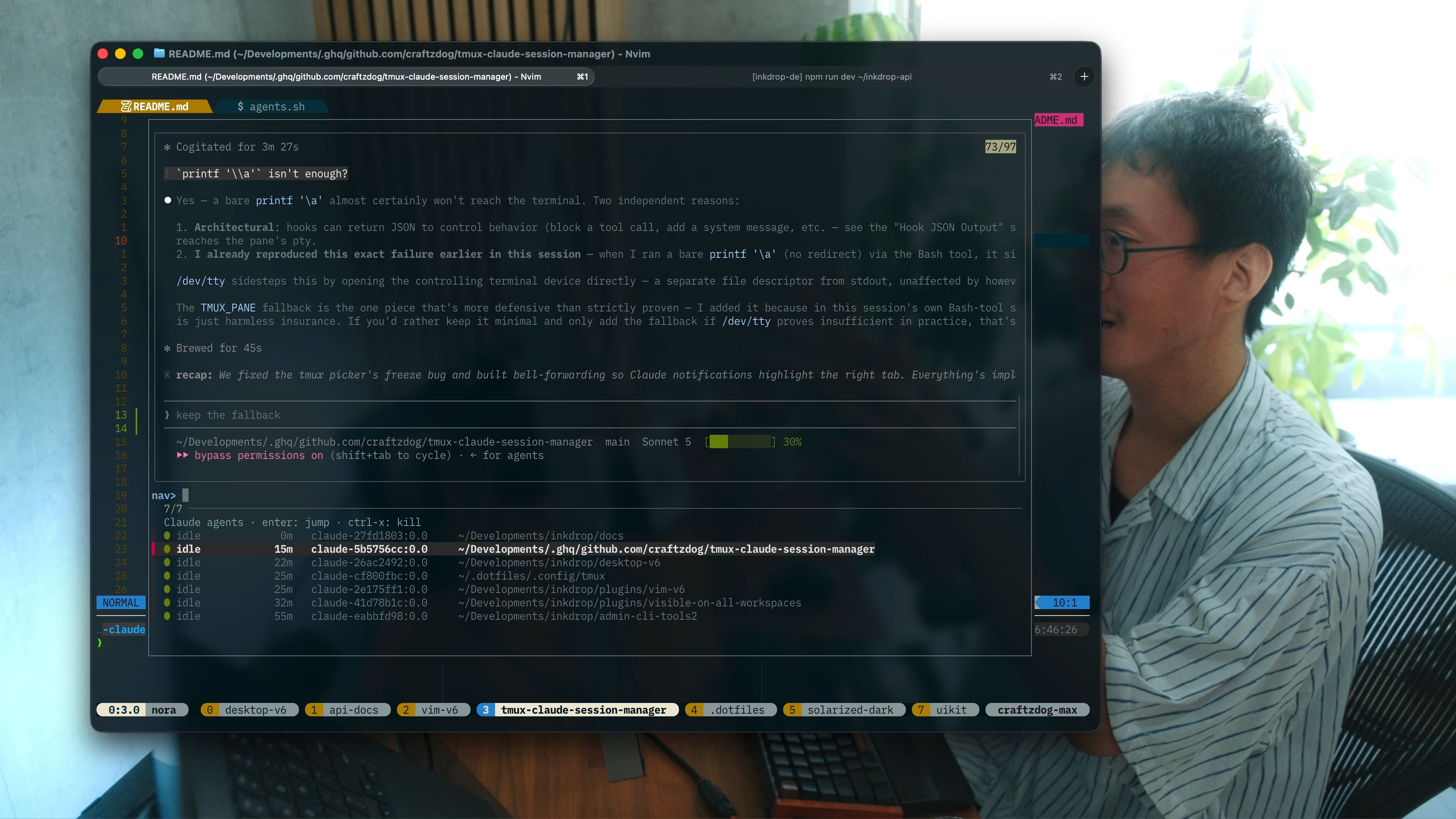
Run many Claude Code sessions across your projects, each in its own tmux session — then list them, see which are done vs. still working, and jump to one from a single popup.
If you launch Claude per-directory (one nested session per project), you quickly end up with a dozen of them and no way to tell which are finished without opening each one. This plugin gives you:
- 🔢 A central picker (
prefix+u) listing every running Claude agent — several in one project, and any running loose in an ordinary pane. - 🟢 Live status per agent —
working/waiting/idle— read straight fromclaude agents --json, so you instantly see which need you. No setup. - 👁️ A live preview of each agent's screen right in the picker.
- 🎯 Smart jump — selecting an agent switches your client to the window it was launched from, then resumes it in a popup over it.
- 🚀 A launcher (
prefix+y) that opens/attaches a Claude session for the current directory. - ❌ Quick kill (
ctrl-x) of a finished agent from the picker. - 🔔 Bell forwarding — a bell in a dedicated session highlights the window you launched it from, so you notice even without opening the picker (one-time Claude Code setup).
Status needs no configuration. Claude Code publishes each agent's own state and the picker reads it — there are no hooks to install.
Prerequisites
- tmux ≥ 3.2 (for
display-popup) - fzf — the picker UI
- jq — parses
claude agents --json - Claude Code ≥ 2.1.139 — for the
claude agentscommand (claude --versionto check) - bash; macOS or Linux
Install (tpm)
Add to ~/.tmux.conf (or ~/.config/tmux/tmux.conf):
set -g @plugin 'craftzdog/tmux-claude-session-manager'
Then hit prefix + I to install.
Keybinding note: by default the plugin binds
prefix+y(launch) andprefix+u(list). If your config binds those elsewhere, either change the options below, or make sure the plugin loads after your own bindings (putrun '~/.tmux/plugins/tpm/tpm'after them) so the one you want wins.
Manual install
git clone https://github.com/craftzdog/tmux-claude-session-manager ~/clone/path
Add to ~/.tmux.conf, then reload (prefix + r or tmux source ~/.tmux.conf):
run-shell ~/clone/path/claude_session_manager.tmux
Usage
| Key | Action |
|---|---|
prefix + y | Launch (or re-attach to) a Claude session for the current directory, in a popup |
prefix + d | Close the popup and go back to your window, Claude session keeps running |
prefix + u | Open the agent picker |
Inside the picker:
| Key | Action |
|---|---|
enter | Jump to the agent (see How it works) |
ctrl-x | Kill the highlighted agent |
↑ / ↓, type to filter | fzf navigation |
Agents needing your attention (waiting, idle) sort to the top.
Every running Claude gets its own row — the picker identifies each by its process, not by its tmux session. So several agents in one project all show up separately, as does a Claude you started by hand in an ordinary pane.
Options
Set any of these before the plugin loads (defaults shown):
set -g @claude_launch_key     'y'        # prefix key: launch/open for current dir
set -g @claude_list_key       'u'        # prefix key: open the picker
set -g @claude_command        'claude'   # command run in new sessions
set -g @claude_args           ''         # extra args appended to the command
set -g @claude_session_prefix 'claude-'  # tmux session name prefix
set -g @claude_popup_width     '90%'     # popup width
set -g @claude_popup_height    '90%'     # popup height
set -g @claude_fzf_options    ''         # extra options passed to the fzf picker
set -g @claude_forward_bell   'on'       # highlight the origin window on a bell
For example, to skip permission prompts in launched sessions:
set -g @claude_args '--dangerously-skip-permissions'
Making Claude ring the bell
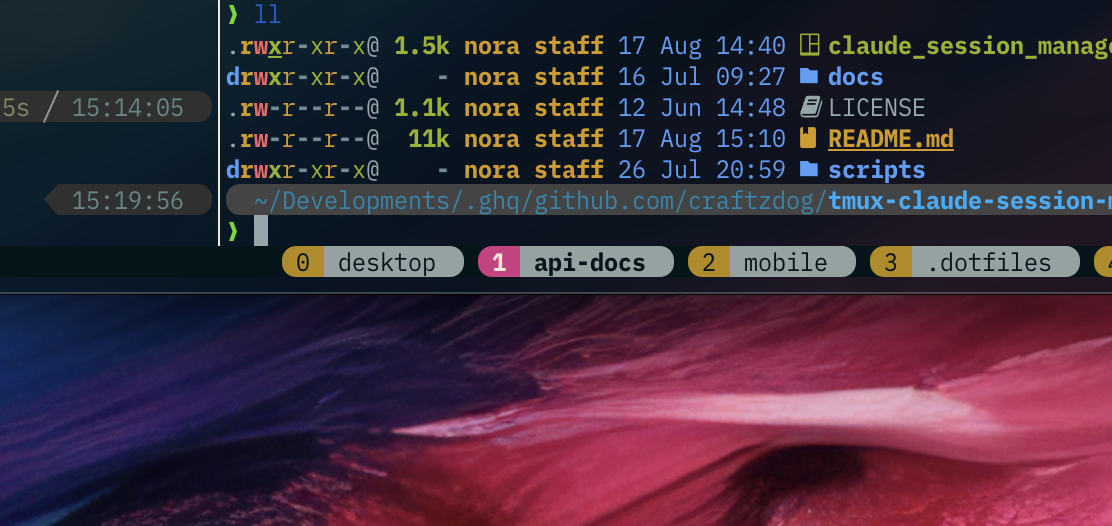
Forwarding relays a bell; it cannot create one. Claude Code has to emit it, and two settings decide that — they live in different files.
How it notifies — ~/.claude/settings.json:
{
  "preferredNotifChannel": "terminal_bell"
}
Only terminal_bell and iterm2_with_bell write a real \a. iterm2, kitty
and ghostty send escape sequences that tmux does not count as a bell,
notifications_disabled sends nothing, and the default auto picks by terminal —
so pin it.
When it notifies — ~/.claude.json, the global config (settings.json
ignores this key and drops it silently):
{
  "messageIdleNotifThresholdMs": 0
}
Claude rings once it has sat idle this long. The default is 60000, long enough
that you'd normally have gone back to look before it fires; 0 rings the moment a
turn ends.
Or ring it from a hook
A hook does the same job, and is the way to keep the bell while pointing
preferredNotifChannel at an OS-notification channel instead. In
~/.claude/settings.json:
{
  "hooks": {
    "Stop": [
      {
        "matcher": "",
        "hooks": [
          {
            "type": "command",
            "command": "printf '\\a' > /dev/tty 2>/dev/null || { [ -n \"$TMUX_PANE\" ] && printf '\\a' > \"$(tmux display-message -p -t \"$TMUX_PANE\" '#{pane_tty}' 2>/dev/null)\" 2>/dev/null; } || true"
          }
        ]
      }
    ]
  }
}
Stop fires the moment a turn ends, with no idle timer involved. The bell goes to
/dev/tty — the hook's controlling terminal, which inside tmux is the pane's own
pty, exactly where Claude's built-in bell would land. The $TMUX_PANE branch
covers a hook running without a controlling terminal, resolving the pane's tty
through tmux instead; the trailing || true keeps a failed bell from failing the
hook.
Use the same command under Notification with the permission_prompt matcher to
ring when Claude asks for permission, or under PreToolUse matching
AskUserQuestion to ring when it asks you a question.
Customizing the fzf picker
@claude_fzf_options is passed straight to fzf, so you can add your own bindings.
Here is a vim keybinding example:
set -g @claude_fzf_options "\
  --prompt 'nav> ' \
  --bind 'j:down' \
  --bind 'k:up' \
  --bind 'q:abort' \
  --bind 'x:execute-silent(kill {3})+reload(sleep 0.3; \$CLAUDE_PICKER --list)' \
  --bind 'i:unbind(j,k,q,i,a,x)+change-prompt(filter> )' \
  --bind 'a:unbind(j,k,q,i,a,x)+change-prompt(filter> )' \
  --bind 'esc:rebind(j,k,q,i,a,x)+change-prompt(nav> )'"
The picker opens in nav mode:
| Key | Action |
|---|---|
j / k | move down / up |
i / a | switch to filter mode — type to fuzzy-match |
x | kill the highlighted agent (like the built-in ctrl-x) |
q | close the picker |
enter | jump to the agent (both modes) |
esc | filter mode → back to nav |
Only the bound keys are special in nav mode; any other key still filters as you
type. x reloads the list through $CLAUDE_PICKER, a path the picker exports for
exactly this — write it as \$CLAUDE_PICKER inside the double-quoted value above
so tmux stores a literal $ (in a single-quoted value, use a bare
$CLAUDE_PICKER).
How it works
- The launcher creates a detached
claude-<hash-of-dir>tmux session runningclaude, records the window it came from in@claude_origin, and attaches to it in a popup. claude agents --jsonis the source of truth for what is running and how it is doing. Each Claude session self-reports its state (busy/waiting/idle) to a supervisor daemon, which that command publishes. Nothing here scans processes for aclaudecommand name — on macOS a pane reports its parent shell, never theclaudechild running inside it.agents.shpairs each running Claude with the tmux pane it occupies by joiningpid→tty→ pane. That join is why identity is the Claude process rather than the tmux session, and therefore why several agents in one project each get their own row. It costs three subprocesses per render, whatever the number of sessions or panes.- The age column is the mtime of the agent's transcript — its last sign of
life.
claude agents --jsonreports onlystartedAt, never a last-activity time. A brand-new agent that has yet to take a turn shows-. - The picker renders those rows with a live
capture-panepreview. Onentera dedicated agent (in aclaude-*session) resumes in the popup over the window it was launched from, while a loose one (any other pane) is focused in place.ctrl-xkills the Claude process itself: a dedicated session dies with its last window, and a loose pane keeps the shell that hosted it. - Pressing
prefix+ufrom inside a session popup detaches that popup first (closing it), then reopens the picker full-size on the outer host client — so you never end up with a cramped popup-in-popup. - Bell forwarding: a dedicated session is a separate tmux session, so a bell
inside one is invisible to the window that launched it — tmux's own bell
handling only looks within a single session's windows. A global
alert-bellhook catches every bell server-wide, and for one from aclaude-*session,bell.shwrites it into the origin window's own pane. tmux then treats it as if that pane rang the bell itself: the origin window gets the normalwindow-status-bell-stylehighlight, and if it's the window currently on screen (orbell-actionis set to relay background bells), your terminal's own bell/tab indicator fires too. What rings in the first place is Claude Code's own notification config — see Making Claude ring the bell. Set@claude_forward_bell 'off'to disable.
License
MIT © Takuya Matsuyama