MCP for Adobe Premiere Pro

Give compatible AI assistants structured control over supported Adobe Premiere Pro workflows.
313 core tools across 36 modules, 14 resources, and 11 guided workflows. A connected UXP host adds 50 capability-gated tools.





What is this?
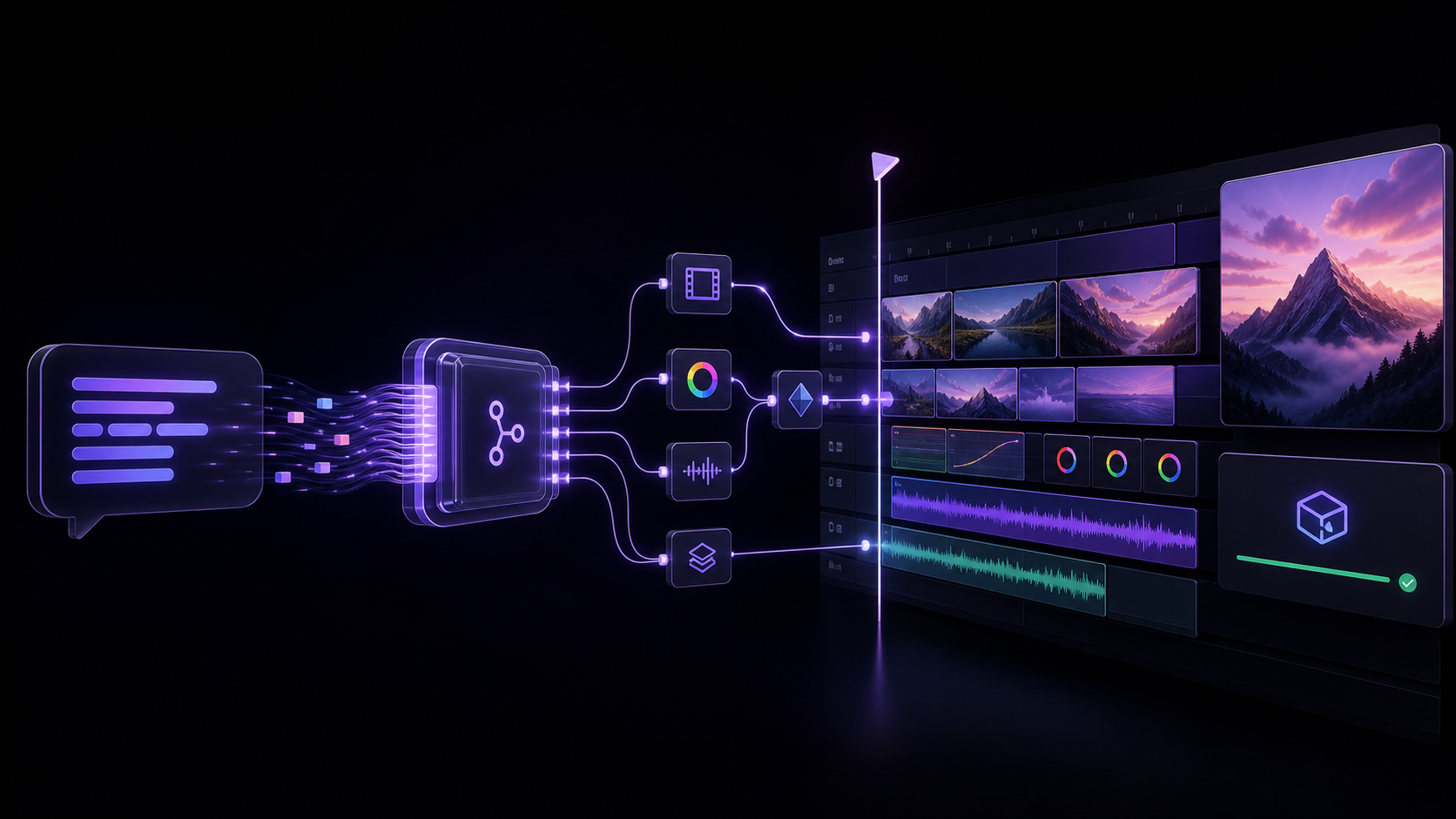
An MCP (Model Context Protocol) server that lets AI assistants like Claude, Windsurf, Cursor, GitHub Copilot, or any MCP-compatible client directly control Adobe Premiere Pro — importing media, editing timelines, applying effects, managing keyframes, exporting, and more.
"Add the B-roll clips to V2, apply a cross dissolve between each, color correct them to match the A-roll, and export a 1080p ProRes."
The AI handles the entire workflow through 313 core tools spanning the supported ExtendScript, QE DOM, local media analysis, revisioned project-context retrieval, safe edit-planning, project-intake preview, and connection-verification surfaces. A compatible, authenticated UXP panel adds 50 documented, capability-gated tools without replacing the production CEP bridge.
Latest release: 1.13.0
- MOGRT text and graphics:
set_effect_propertynow accepts string-backed parameters with safe serialization and readback status. - Effect discovery clarity: an empty legacy QE effect catalog now returns a no-mutation capability response and directs connected hosts to the documented UXP catalog/add workflow.
- Verification clarity: property readback remains distinct from playback or exported-frame verification in a licensed Premiere Pro host.
See the v1.13.0 release notes for complete details. Live installation in Premiere Pro still requires host verification.
For editors evaluating an AI workflow
Before an assistant changes an active project, use the Premiere Pro AI workflow checklist to define the target and no-change boundaries, verify the local connection, request a bounded plan, and inspect the returned result. It is a practical starting point for assistant editors and post leads testing a repeatable workflow on a duplicate project or small test sequence.
For product context, see the Adobe Premiere AI Assistant and MCP comparison and the Claude Desktop setup guide.
Quick Start
Easiest supported path: Claude Desktop
- Download the current Claude Desktop bundle (
.mcpb). - In Claude Desktop, open Settings > Extensions > Advanced settings > Install Extension, select the downloaded bundle, and restart Claude Desktop.
- Download the separate signed Premiere connector (
.zxp). Open it with your trusted ZXP installer. If your computer has no ZXP installer, use the npm connector installer in Advanced setup below. - Restart Premiere, open a project, then open Window > Extensions > MCP for Adobe Premiere Pro.
- In Claude, enter:
Safely check my Premiere connection with verify_premiere_connection. Make no changes.
The Claude bundle contains the local MCP server, so this route does not require Node.js. The Premiere connector is a separate required install. The first prompt is read-only and reports whether the server is installed, configured, connected, and live-verified.
First proof, before the first edit
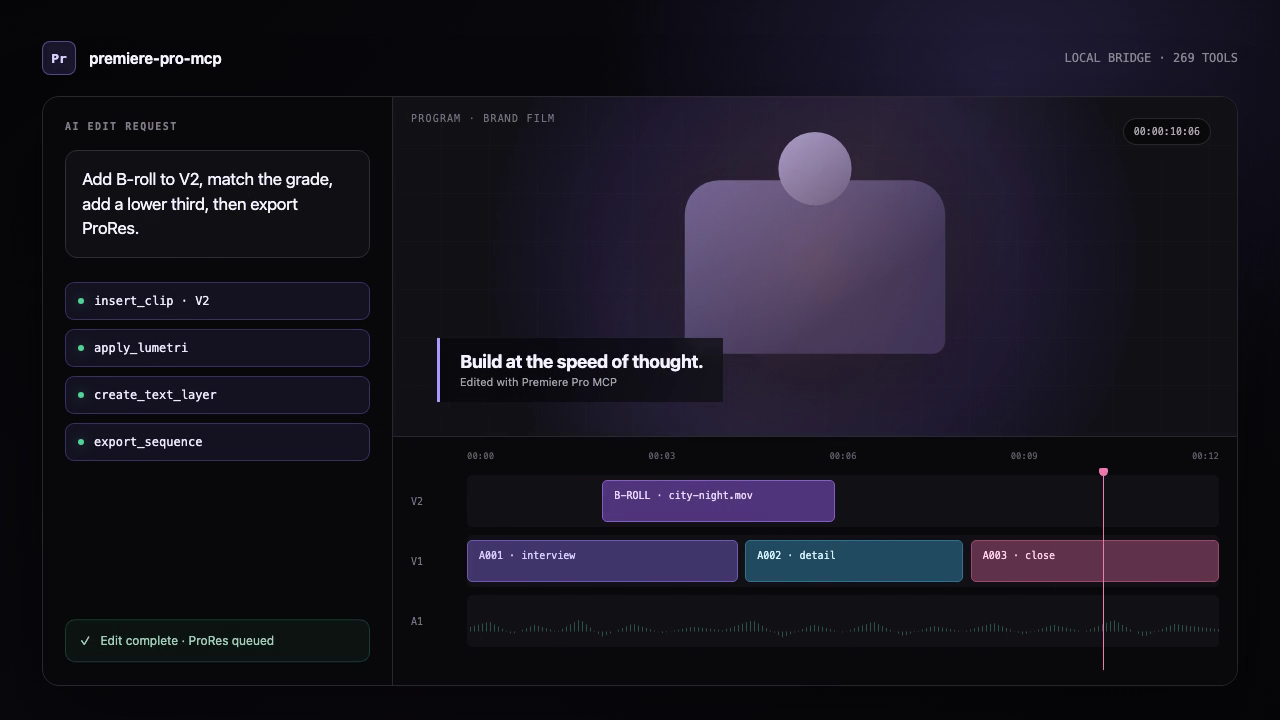
This is an illustrated workflow, not a Premiere panel screenshot or licensed-host proof.
- Open a copied test project and an active sequence in Premiere.
- Open Window > Extensions > MCP for Adobe Premiere Pro. “Running” means the local panel bridge is available; it does not show that an edit completed.
- Run
premiere-pro-mcp --doctorto check only local package/configuration readiness. - Ask the AI client:
Run verify_premiere_connection. Make no changes.The returned check is read-only and avoids project names, paths, and media details.
If a bridge, project, or active sequence is missing, fix that setup state before allowing a mutation. For a concise, translatable version of this path, see quick starts in English, Spanish, and Japanese. The translations are machine-assisted drafts and retain command names in English.
Other AI assistants
Cursor, VS Code/Copilot, Windsurf, and other MCP clients do not currently have a project-provided one-click installer. Use their MCP settings with the advanced npm route below. Keep the assistant, server, connector, and Premiere on the same computer.
Advanced setup: npm or source
Before you begin
- Node.js 20.19 or newer on Windows or macOS.
- Adobe Premiere Pro 2020–2026. Keep Premiere, the CEP bridge, and your MCP client on the same computer for the recommended local setup.
- Optional: ffmpeg on
PATHfordetect_silence(brew install ffmpegon macOS orwinget install Gyan.FFmpegon Windows). The production Docker image already includes it.
1. Install
Option A — npm:
npm install -g premiere-pro-mcp
Option B — Clone from source:
git clone https://github.com/leancoderkavy/premiere-pro-mcp.git
cd premiere-pro-mcp
npm install
npm run build
2. Install the CEP plugin
If installed via npm:
premiere-pro-mcp --install-cep
If cloned from source:
npm run install-cep
This installs the plugin into Premiere Pro's per-user extensions folder and enables debug mode.
3. Check the setup
premiere-pro-mcp --doctor
Then ask your MCP client to run verify_premiere_connection. The check is read-only.
Remove the CEP connector
Fully quit Premiere, then remove only this connector:
premiere-pro-mcp --uninstall-cep
The uninstaller intentionally leaves Adobe's shared PlayerDebugMode setting in place so it does not disrupt other CEP extensions. Remove the MCP server from your AI client's configuration and uninstall the npm package separately if you no longer use it. On macOS, --uninstall-cep removes the per-user npm/source install; the signed system-wide .pkg route has a separate privileged removal command in distribution readiness.
Publishing to npm
The easiest repeatable path is the token-free GitHub Actions workflow:
- In the npm package settings, configure GitHub Actions as the trusted publisher for
leancoderkavy/premiere-pro-mcpand workflow filenpm-publish.yml. - Allow the
npm publishaction. - Open Actions -> Publish npm -> Run workflow and keep the default
latesttag.
The workflow installs dependencies, builds, runs tests, verifies the packed files, refuses to republish an existing version, then publishes through short-lived OIDC credentials with automatic provenance. No npm token or recurring OTP is required.
For local publishing, use the guided helper:
npm run publish:npm
Useful local variants:
npm run publish:npm:dry-run
NPM_OTP=123456 npm run publish:npm
NPM_TOKEN=npm_xxx npm run publish:npm
Manual installation (macOS)
mkdir -p ~/Library/Application\ Support/Adobe/CEP/extensions
ln -s "$(pwd)/cep-plugin" ~/Library/Application\ Support/Adobe/CEP/extensions/MCPBridgeCEP

# Enable unsigned extensions (CSXS 9–14)
for v in 9 10 11 12 13 14; do
  defaults write com.adobe.CSXS.$v PlayerDebugMode 1
done
Manual installation (Windows)
- Copy the
cep-pluginfolder to%APPDATA%\Adobe\CEP\extensions\MCPBridgeCEP - Open Registry Editor and set these String (
REG_SZ) values to1(not DWORD):HKEY_CURRENT_USER\Software\Adobe\CSXS.12\PlayerDebugMode- (repeat for CSXS.9 through CSXS.14)
3. Configure your MCP client
If you installed from npm, configure the client to run the global command:
{
  "mcpServers": {
    "premiere-pro": {
      "command": "premiere-pro-mcp"
    }
  }
}
If you cloned the repository instead, use the source-build configuration shown below for your client.
Claude Desktop
Edit ~/Library/Application Support/Claude/claude_desktop_config.json (macOS) or %APPDATA%\Claude\claude_desktop_config.json (Windows):
{
  "mcpServers": {
    "premiere-pro": {
      "command": "node",
      "args": ["/absolute/path/to/premiere-pro-mcp/dist/index.js"]
    }
  }
}
Windsurf / Cascade
Add to your MCP server configuration:
{
  "premiere-pro": {
    "command": "node",
    "args": ["/absolute/path/to/premiere-pro-mcp/dist/index.js"]
  }
}
Cursor
Add to .cursor/mcp.json in your project or global config:
{
  "mcpServers": {
    "premiere-pro": {
      "command": "node",
      "args": ["/absolute/path/to/premiere-pro-mcp/dist/index.js"]
    }
  }
}
GitHub Copilot (VS Code)
Add to your VS Code MCP server configuration:
{
  "mcpServers": {
    "premiere-pro": {
      "command": "node",
      "args": ["/absolute/path/to/premiere-pro-mcp/dist/index.js"]
    }
  }
}
4. Verify the bridge in Premiere Pro
- Open (or restart) Premiere Pro
- The bridge starts automatically using the default temp directory (or its previously saved setting)
- Optionally go to Window > Extensions > MCP for Adobe Premiere Pro to confirm the green "Running" status or change the Temp Directory to match your MCP client config
- Ask your AI assistant to run
get_capabilities, thenping, with Premiere open. - For a safe first request, ask: "What is my current Premiere Pro project and active sequence? Do not make changes."
The default bridge directory is derived from the operating system on both sides, so most local setups should not set PREMIERE_TEMP_DIR. If you override it, use the same absolute path in the MCP server and CEP panel; Windows and macOS paths are not interchangeable.
Codex plugin
This repository includes an installable Codex plugin that bundles the local MCP server with a safety-oriented Premiere editing skill.
From a clone of this repository:
codex plugin marketplace add .
codex plugin add premiere-pro@premiere-pro-mcp
npx -y premiere-pro-mcp@1.13.0 --install-cep
Restart Premiere Pro and start a new Codex session after installation. The plugin
launches premiere-pro-mcp@1.13.0 through npx; the separate CEP installation is
required because the MCP server communicates with the running Premiere host through
the local bridge.
The plugin source lives in plugins/premiere-pro, and the
repository marketplace manifest lives in
.agents/plugins/marketplace.json.
Claude
For Claude Code, add this repository as a marketplace and install the plugin:
/plugin marketplace add leancoderkavy/premiere-pro-mcp
/plugin install premiere-pro@premiere-pro-mcp
Then install the Premiere bridge and start a new Claude Code session:
npx -y premiere-pro-mcp@1.13.0 --install-cep
The Claude Code package lives in
claude-plugins/premiere-pro, with its marketplace
at .claude-plugin/marketplace.json.
Claude Desktop uses the self-contained MCP Bundle (.mcpb) format. Build and
validate the current bundle with:
npm run build:claude
Install the resulting file from artifacts/ through Settings > Extensions >
Advanced settings > Install Extension. The Premiere CEP bridge must still be
installed separately.
Windows and macOS capability coverage
| Surface | Windows | macOS | Verification boundary |
|---|---|---|---|
| CEP production bridge | Premiere Pro 2020–2026 | Premiere Pro 2020–2026 | Run get_capabilities, then ping with Premiere open |
| UXP preview bridge | Premiere Pro 25.6+ | Premiere Pro 25.6+ | Live loopback WebSocket and host API verification required |
| npm CEP installer | Copies plugin and verifies REG_SZ debug keys | Copies plugin and verifies the installed manifest/debug settings | Restart Premiere after installation |
| CI build and unit tests | Node 20, 22, and 24 | Node 20, 22, and 24 | GitHub-hosted OS runners; no Adobe host is available in CI |
get_capabilities reports the current operating system, temp directory, CEP/UXP coverage, enabled authority profile, and any live-host verification still required. It also includes the full tools catalog generated from the tools registered by the server, including tools disabled by the active profile. Every entry identifies:
- the execution backend (
local, CEP/ExtendScript, QE, or orchestrator); - static support status (
supported,limited,experimental, orunsupported); - the minimum Premiere version known to the server;
- the required authority and whether the current profile enables it;
- the verification boundary and whether a live Premiere host is required; and
- relevant operational notes.
QE-backed tools are reported as experimental because QE is undocumented and can vary between Premiere builds. Authority availability is reported separately from implementation support, so disabling edit, for example, does not incorrectly label editing tools as unsupported. Static metadata never claims that a Premiere operation succeeded; use ping and inspect each tool result for runtime evidence.
MCP tools/list is filtered to the active authority profile. The default
inspect,edit,export,filesystem profile advertises 311 of the 313 registered
tools and omits execute_extendscript and evaluate_expression, which require
explicit unsafe-script authority. ping and get_capabilities remain visible
under every profile so a restricted or misconfigured server can still explain
its state. The call-time capability guard remains authoritative even if listing
metadata is wrong.
The MCP handshake reads serverInfo.version from the installed package.json,
so clients receive the package version that is actually running rather than a
separately maintained literal.
Tools with mixed execution boundaries can provide explicit operational metadata at registration. This is used for local file verification, static feature-support reports, and hybrid local-plus-Premiere validation so the capability catalog does not infer a host dependency from naming alone.
Collaboration and AI feature boundaries
get_advanced_feature_support returns a machine-readable matrix for Productions,
Team Projects, Frame.io, Media Intelligence, Generative Extend, Object Mask,
caption translation, Speech-to-Text, Enhance Speech, Remix, editorial plans,
Premiere AI Assistant, Generative Media, and a future local semantic index. Each
entry includes an explicit access mode: direct, observable-only, artifact-import,
external-provider, user-assisted, unavailable, or planned. Pass an optional
Premiere version, intended backend, confirmed entitlements, and network state to
evaluate prerequisites without conflating them with API availability. It
distinguishes documented APIs from entitlements, network prerequisites, separate
service APIs, and user-assisted operations without using menu automation or
private APIs.
The report tool itself is local: it does not contact Premiere and is callable through the current MCP server. Each feature entry separately reports whether its operations are callable through the production CEP transport. Productions reports only static backend/version eligibility until a UXP host performs live capability negotiation.
- Productions exposes documented read-only state through UXP, but the production MCP transport is still CEP.
- Frame.io needs a separately authenticated Frame.io API integration; an account entitlement alone does not make it callable through Premiere's DOM.
- Transcript JSON import/export is documented in UXP. Starting Speech-to-Text is not.
preview_transcript_edit_uxpandplan_transcript_rough_cut_uxpprovide a revision-locked transcript-edit workflow. The planner maps selected transcript ranges to verified 1x placements in a duplicate sequence and emits descending split/remove instructions; it does not claim that Adobe exposes native transcript text deletion or perform an unverified destructive edit.- The remaining AI operations are user-assisted or unsupported by documented public APIs. The tool explains what can be inspected after a user completes the operation and where artifact provenance cannot be established safely.
- The server never uses menu automation, private APIs, clip-name heuristics, or duration changes as proof that an AI operation occurred.
Reusable project context
For projects where repeatedly inspecting clips, transcripts, audio, and timeline
placements is expensive, call manage_project_context with action: "capture".
The local context engine indexes a bounded active-sequence snapshot, hashes native
project/media paths before persistence, and returns independent source, timeline,
and combined context revisions. Add transcript passages, shot descriptions, audio
observations, or editor notes once with action: "enrich"; ordinary trims and moves
update the timeline revision without discarding unchanged source analysis.
Use search_project_context to retrieve only evidence relevant to the current
editing intent. create_context_edit_plan returns a non-mutating candidate scaffold
and stale-state guards; create_editorial_plan adds reviewed organization,
stringout, rough-cut, and caption-artifact routes without calling an LLM or
changing Premiere. Exact identities must still be resolved and passed through the
routed operation's preview/confirmation flow before any application. See the
project context engine guide for storage
controls, privacy boundaries, and invalidation behavior; see
local-first AI editorial workflows for the
complete review-and-route workflow.
Authenticated UXP connection
The MCP server can accept a local UXP panel connection and invoke the UXP commands that are currently implemented:
PREMIERE_UXP_TOKEN="replace-with-a-long-random-secret" premiere-pro-mcp
Enter the same token in the UXP panel. The listener binds only to 127.0.0.1:7777, authenticates the WebSocket upgrade, requires a versioned capability handshake, correlates concurrent requests, and fails pending work on timeout or disconnect. Set PREMIERE_UXP_PORT to use another loopback port.
When enabled, MCP discovery includes the original 19 UXP tools, 21 consolidated stable workflows, and eight third-wave tools. The first expansion covers effects, deterministic timeline selection, selection batches, scene detection, proxy/ingest, relink, metadata, color conformance, Source Monitor audition, storage, and least-privilege workspace access. The second adds Project-panel selection, marker CRUD, bin organization, sequence settings, imports, typed effect parameters/keyframes, track-item transforms, SequenceEditor timeline edits, sequence lifecycle, and AME encoding. The third wave begins with a redacted event journal, conservative AME terminal receipts, explicit host-readiness gates, safe multi-project sessions, lease-based growing-media control, namespaced workflow checkpoints, bounded media-health maintenance, caption-aware track mute state, and transactional source trim/framing documented in the third-wave workflow matrix. A separate hybrid benchmark gate keeps native acceleration disabled until reproducible cross-platform evidence exists. See also the first stable workflow matrix and the next-ten workflow matrix. Commands are advertised only while the authenticated local UXP bridge is connected; the host capability handshake remains the authority for support in the running Premiere build. A failed UXP command is never silently retried through CEP because the first operation may have partially succeeded.
The panel now requests access to one operator-selected workspace instead of declaring full filesystem access. Choose the folder in the panel before invoking a path-based UXP workflow. Media, relink, preset, export, and Source Monitor file paths must remain inside it; the persistent capability token and native root path are never returned over MCP. Lexical containment alone cannot exclude symlink, junction, or reparse-point escapes, and Adobe's request-scoped UXP filesystem API does not document canonical-path resolution. Builds without a host-supplied canonical resolver therefore advertise path-based UXP commands as unsupported and fail closed at invocation; use the existing CEP fallback for those operations.
Native transcript editing starts with a read-only, revision-locked planning flow. Use
get_clip_transcript_uxp to export the transcript Premiere generated for a source
clip, select source-time ranges from that JSON, and pass its SHA-256 revision to
preview_transcript_edit_uxp. The preview sorts and merges ranges and returns a
confirmation token without changing the timeline. Premiere does not expose a
documented operation that directly turns deleted transcript text into timeline cuts,
so automatic application remains withheld until the source-to-sequence mapping and
documented reconstruction path pass live-host validation. search_clip_transcript_uxp
provides read-only discovery without substituting an external transcription engine.
Premiere 26.2-26.3 hosts also expose documented UXP workflows for revisioned project inspection, verified project saves, preset-based sequence creation, OTIO/FCP XML interchange, transcript-language discovery, Object Mask detection, Adobe Media Encoder control, track renaming, subclip creation, stable marker inspection, Source Monitor positioning, and clip transcript detection. Mutations accept optional idempotency keys and return explicit verification outcomes. See the Adobe UXP 26.3 coverage matrix and the UXP capability foundation for the command matrix and live-host validation boundary.
The stable workflow expansion adds native component-chain effects, deterministic timeline selection, compound selection batches, scene-edit detection, proxy/ingest control, guarded offline relink, transactional project/XMP metadata, color and footage-conformance preflight, full Source Monitor audition, and project/Production storage checks. See the stable UXP workflow matrix for exact argument, undo, confirmation, and live-host boundaries.
Architecture
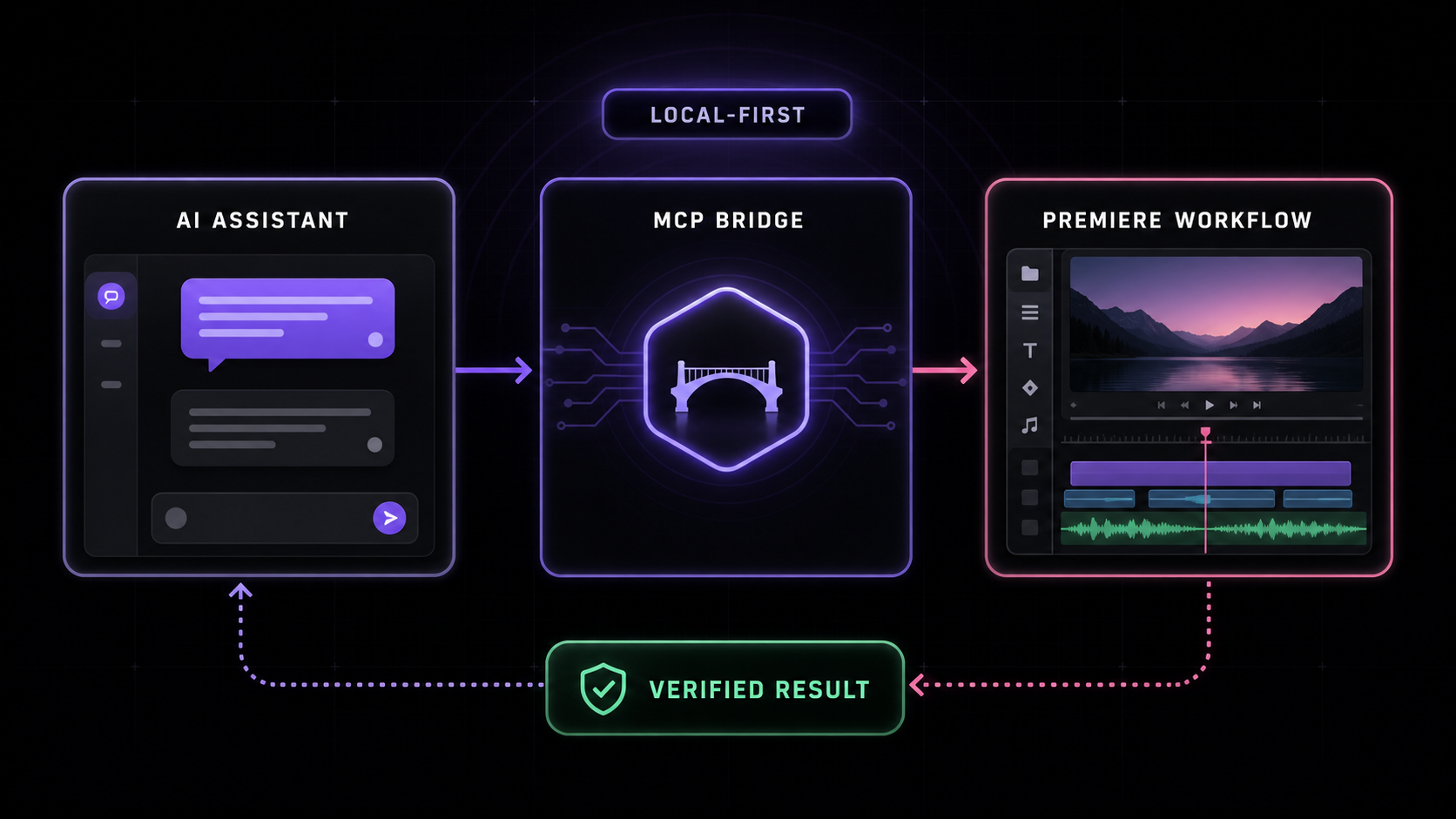
Local (stdio):
┌───────────────┐   stdio (MCP)    ┌──────────────┐   File-based IPC   ┌───────────────┐
│  AI Client    │ ◄──────────────► │  MCP Server  │ ◄────────────────► │  CEP Plugin   │
│  (Claude,     │                  │  (Node.js /  │   .jsx commands    │  (runs inside │
│   Windsurf,   │                  │  TypeScript) │   .json responses  │  Premiere)    │
│   Cursor,     │                  └──────────────┘                    └──────┬────────┘
│   Copilot)    │                                                             │
└───────────────┘                                                             │ evalScript()
                                                                              ▼
                                                                       ┌───────────────┐
                                                                       │  Premiere Pro │
                                                                       │  ExtendScript │
                                                                       │  + QE DOM     │
                                                                       └───────────────┘
Remote (HTTP/SSE — Fly.io):
┌───────────────┐  HTTP+SSE (MCP)  ┌─────────────────────┐   File-based IPC   ┌──────────────┐
│  AI Client    │ ◄──────────────► │  MCP Server         │ ◄────────────────► │  CEP Plugin  │
│  (any MCP     │                  │  premiere-pro-mcp   │   .jsx / .json     │  (Premiere)  │
│   client)     │                  │  .fly.dev           │   shared volume    └──────────────┘
└───────────────┘                  └─────────────────────┘
- AI client invokes an MCP tool (e.g.,
add_to_timeline) - MCP server generates ES3-compatible ExtendScript with helper functions prepended
- Script is written to a
.jsxcommand file in a shared temp directory - CEP plugin polls for command files, executes via
CSInterface.evalScript() - Result JSON is written to a response file and returned to the AI
The file-based IPC bridge is simple, reliable, and works across macOS and Windows without network sockets.
Tools (313 core total; 311 under the default profile; 361 with a connected UXP bridge)
The complete supported-actions catalog lists every
registered core tool, the two tools restricted behind explicit unsafe-script
authority, and all 50 authenticated UXP additions with their current action or mode
values. It is generated from the same MCP registration surface returned to clients;
the tables below are a shorter workflow-oriented overview.
Discovery & Inspection (10 + 10)
| Tool | Description |
|---|---|
get_project_info | Current project name, path, sequences, items |
get_active_sequence | Detailed active sequence with all clips |
list_project_items | All items in the project panel |
get_full_project_overview | Comprehensive snapshot: bin tree, sequences, media types |
get_full_sequence_info | Exhaustive sequence data: tracks, clips, effects, markers |
get_full_clip_info | Everything about a clip: effects, keyframes, metadata |
get_timeline_summary | Human-readable overview: duration, coverage %, effects |
search_project_items | Filter by name, extension, offline status, color label |
get_premiere_state | Full snapshot: project, sequence, playhead, selection |
inspect_dom_object | Explore any Premiere Pro DOM object interactively |
get_advanced_feature_support | Collaboration/AI API support, prerequisites, entitlements, and user-assisted boundaries |
create_editorial_plan | Create a review-only local editorial plan from captured project context |
preview_editorial_plan | Revalidate a local editorial plan and return a review receipt without changing Premiere |
apply_editorial_organization_plan | Apply a confirmed organization plan through guarded UXP bin transactions only |
Project Management (26)
| Tool | Description |
|---|---|
save_project / save_project_as / open_project | File operations |
create_project / close_project | Project lifecycle |
import_media / import_folder / import_ae_comps | Import media and AE comps |
create_bin / delete_bin / rename_bin / create_smart_bin | Bin management |
import_sequences / import_fcp_xml | Import from other projects |
create_bars_and_tone | Generate bars & tone media |
set_scratch_disk_path | Configure scratch disks |
consolidate_and_transfer | Project Manager consolidation |
Timeline & Editing (10 + 27 advanced)
| Tool | Description |
|---|---|
add_to_timeline / overwrite_clip | Insert and overwrite edits |
ripple_delete | Remove clip and close gap (QE) |
roll_edit / slide_edit / slip_edit | Professional trim modes (QE) |
move_clip_to_track | Move between tracks (QE) |
reverse_clip | Reverse direction (QE, host-dependent) |
speed_change / set_clip_speed_qe | Unavailable: Premiere has no supported scripting API for changing clip speed |
split_clip / trim_clip / move_clip | Basic edits; trim verifies source points and visible timeline edges |
set_clip_properties | Opacity, scale, rotation, position (speed requests fail before mutation) |
link_selection / unlink_selection | Link/unlink A/V |
Premiere Pro 26.3 compatibility: some installations silently ignore QE structural edits (
ripple_delete, razor/split) and existing effect-parameter writes. These tools now verify the resulting sequence state and return an error instead of a false success. For structural edits, rebuild the wanted source ranges into a new sequence withcreate_sequenceandadd_to_timeline. Native transitions are unavailable when the host does not exposeqeTrack.addTransition; overlay clips remain a workaround for transitions that do not need to blend adjacent source frames. See issue #21.
Speed, caption, and visual-keyframe boundaries: Premiere Pro 26.3 exposes no supported scripting setter or Time Remapping component for timeline-clip speed.
speed_change,set_clip_speed_qe, andset_clip_propertieswithspeednow stop before host mutation; use the Speed/Duration UI or pre-render retimed media.add_text_overlaylikewise stops before mutation because a raw-text-to-caption API is not exposed; import an.srt/.vttand usecreate_caption_track, or use a MOGRT/PNG overlay. Keyframe and caption-track responses can prove parameter/structure readback only—not rendered pixels—so verify playback or exported frames before delivery. On macOS, AME preset discovery scans each installed app bundle'sContents/MediaIO/systempresets; prefer a Match Source preset for vertical projects.
Verified track edits:
add_trackandadd_tracksvalidate requested counts and return success only when the active sequence's track counts exactly match the request.overwrite_clipvalidates both selected track indices and confirms the requested source item appears at the requested frame on a target track. On a Premiere 26.x build that ignores any of these calls, the MCP response is an error with the observed state rather than a false success. These are automated CEP contracts, not proof of a particular licensed host configuration.
trim_clip accepts exactly one source-relative new_in_seconds or new_out_seconds per
call. It refuses retimed clips because CEP cannot prove their source-to-timeline mapping, then
reads both source points and visible timeline start/end/duration before reporting success. The
default keyframe_policy: "reject" stops before a trim that would leave effect keyframes beyond
the visible clip; keyframe_policy: "preserve" is an explicit opt-in and reports the remaining
count. split_clip verifies a spanning clip, the expected count increase, and the left/right
cut boundaries. Its QE path cannot prove effect-keyframe redistribution, so a successful result
labels those semantics unverified. These are CEP contract checks, not validation in a licensed
Premiere Pro 26.x host.
Effects & Color (8)
| Tool | Description |
|---|---|
apply_effect / apply_audio_effect | Apply by name (QE) |
remove_effect / remove_all_effects | Remove effects |
color_correct | Lumetri: exposure, contrast, temperature, etc. |
apply_lut | Apply LUT files |
stabilize_clip | Warp Stabilizer with configurable settings |
Premiere 26.x component removal:
remove_effectandremove_effect_by_namerequire the CEPComponent.remove()method. Some 26.x components, including Essential Sound's Amplify, do not expose that method. The tools return an actionable capability error and leave the component unchanged; use Effect Controls to remove it manually. The QE DOM has no safe targeted-removal fallback.
Essential Sound audio automation: Essential Sound can write ducking or level automation to an Amplify component rather than the clip's Volume > Level.
adjust_audio_levels,set_clip_volume, andget_clip_volumeoperate only on Volume > Level, so they do not read, change, or verify Amplify automation. Inspect the clip's components (or Effect Controls) before treating a Volume readback as the clip's final gain.
Keyframes (8)
| Tool | Description |
|---|---|
add_keyframe / get_keyframes | Create and read keyframes |
remove_keyframe / remove_keyframe_range | Delete keyframes |
set_keyframe_interpolation | Linear / Hold / Bezier |
get_value_at_time | Query interpolated value at any time |
set_color_value | Set color properties on effects |
Export & Encoding (16)
| Tool | Description |
|---|---|
export_sequence | Export via Adobe Media Encoder |
validate_export_preset | Validate an .epr file and resolve its output extension in Premiere |
verify_delivery_file | Verify output size and calculate SHA-256/SHA-512 checksums |
capture_frame | Export frame as PNG, return as base64 image |
export_as_fcp_xml / export_aaf / export_omf | Interchange formats |
encode_project_item / encode_file | Direct encoding |
start_batch_encode | Start render queue |
Premiere's documented automation surfaces do not currently expose OTIO or EDL
interchange, Render and Replace, cloud publishing, or Content Credentials export
configuration. get_capabilities reports these delivery gaps explicitly rather
than presenting UI-only operations as available tools.
Source Monitor & Playback (7 + 4)
| Tool | Description |
|---|---|
open_in_source / close_source_monitor | Source monitor control |
insert_from_source / overwrite_from_source | 3-point editing |
play_timeline / stop_playback | Playback control (QE) |
play_source_monitor | Play in source monitor |
Selection & Clipboard (7 + 6)
| Tool | Description |
|---|---|
select_clips_by_name / select_clips_in_range | Smart selection |
copy_effects_between_clips | Copy effects via QE |
batch_apply_effect | Apply effect to multiple clips |
set_blend_mode | 27 blend modes |
Media Properties (16)
| Tool | Description |
|---|---|
set_offline / has_proxy / detach_proxy | Offline/proxy management |
set_override_frame_rate | Override FPS |
set_scale_to_frame_size | Auto-scale to sequence frame |
get_xmp_metadata / set_xmp_metadata | Raw XMP access |
get_color_space | Color space info |
Sequence Management (11)
| Tool | Description |
|---|---|
create_sequence / create_sequence_from_preset | Create sequences from .sqpreset files without opening Premiere's modal dialog |
duplicate_sequence / delete_sequence | Manage sequences |
auto_reframe_sequence | Auto-reframe for social media |
attach_custom_property | FCP XML custom properties |
unnest_sequence | Replace nested sequence with its clips |
Workspace & Captions (2 + 1)
| Tool | Description |
|---|---|
get_workspaces / set_workspace | Switch workspace layouts |
create_caption_track | Create caption/subtitle tracks |
Scripting (2)
| Tool | Description |
|---|---|
execute_extendscript | Run arbitrary ExtendScript (ES3); requires explicit unsafe-script authority |
evaluate_expression | Evaluate a one-line expression; requires explicit unsafe-script authority |
...and 100+ more
Track targeting, batch operations, markers, audio levels, motion/transform, metadata, sequence settings, navigation, project analysis, and more. Run get_project_info to get started — the AI will discover what it needs.
MCP Resources
The server exposes fourteen LLM context resources and eleven workflow prompts:
| Resource URI | Description |
|---|---|
config://premiere-instructions | Best practices: workflow order, timeline rules, effect tips, error handling |
config://extendscript-reference | Complete ExtendScript API reference for writing custom scripts |
config://premiere-workflows | Machine-readable catalog for rough cuts, dialogue cleanup, captions, and delivery |
config://premiere-project-context | Revisioned local project-context indexing and retrieval workflow |
premiere://project/info | Fresh, path-redacted current-project and active-sequence summary |
premiere://project/sequences | Bounded sequence inventory with stable Premiere IDs |
premiere://project/media | Bounded, path-redacted project-media inventory |
premiere://project/bins | Bounded, path-redacted project-bin inventory |
premiere://timeline/active | Bounded active-timeline tracks, clips, and markers snapshot |
premiere://effects/available | Bounded video/audio effect catalog for planning |
premiere://effects/applied | Bounded active-timeline component inventory |
premiere://transitions/available | Bounded video/audio transition catalog for planning |
premiere://export/presets | Bounded export-preset names and formats, without native paths |
premiere://project/metadata | Read-only project and active-timeline summary, without paths or timestamps |
The ten premiere:// snapshots are read-only CEP bridge requests. They include a
revision token for stale-state detection and omit native media, project-tree, preset,
and output paths. A successful snapshot proves bridge readback only—not licensed-host
feature coverage, playback, rendering, or editorial correctness.
Remote Deployment (Fly.io)
The server includes an HTTP/SSE transport (src/http-server.ts) for remote access via mcp-remote or any MCP client that supports Streamable HTTP.
A live instance is running at https://premiere-pro-mcp.fly.dev.
Connect via mcp-remote
{
  "mcpServers": {
    "premiere-pro": {
      "command": "npx",
      "args": ["mcp-remote", "https://premiere-pro-mcp.fly.dev/mcp"]
    }
  }
}
Self-host on Fly.io
# Clone and deploy your own instance
git clone https://github.com/leancoderkavy/premiere-pro-mcp.git
cd premiere-pro-mcp
fly apps create your-app-name
# Required: add bearer token auth. Use a unique, high-entropy secret per deployment.
fly secrets set MCP_AUTH_TOKEN=your-secret-token
fly deploy --remote-only
Then connect with:
{
  "mcpServers": {
    "premiere-pro": {
      "command": "npx",
      "args": ["mcp-remote", "https://your-app-name.fly.dev/mcp",
               "--header", "Authorization: Bearer your-secret-token"]
    }
  }
}
Note: The file bridge still requires the CEP plugin to share the same
PREMIERE_TEMP_DIR. For cloud deployments this means running a sync agent or usingfly proxy/ WireGuard to reach your local machine.detect_silencecan analyze only media paths available inside the server filesystem; a desktop-only path is not automatically available to a remote Fly machine. For a shared or multi-user remote deployment, put a managed identity-aware edge in front of the server and replace the shared bearer secret with per-user authorization. The built-in limiter is intentionally process-local defense in depth, not a substitute for an edge/WAF or account system.
Environment Variables
| Variable | Description | Default |
|---|---|---|
PREMIERE_TEMP_DIR | Shared temp directory for MCP ↔ CEP communication | OS temp dir + /premiere-mcp-bridge |
PREMIERE_TIMEOUT_MS | Command timeout in milliseconds | 30000 |
PREMIERE_DEFAULT_SEQUENCE_PRESET | Override the auto-discovered .sqpreset used by create_sequence | auto-discovered |
PREMIERE_MCP_CAPABILITIES | Comma-separated authority profile; add unsafe-script only when raw scripting is required | inspect,edit,export,filesystem |
PREMIERE_MCP_DEBUG | Set to 1 (or true) to emit verbose server diagnostics to stderr | unset |
PREMIERE_CONTEXT_BACKEND | Local project-context store: auto, sqlite, json, or memory | auto |
PREMIERE_CONTEXT_DIR | Override the local project-context storage directory | OS application-data directory |
PORT | HTTP port (HTTP/SSE transport only) | 3000 |
MCP_AUTH_TOKEN | Bearer token required by the HTTP transport | unset |
ALLOW_UNAUTHENTICATED | Set to 1 only for local/test HTTP harnesses; it is rejected when NODE_ENV=production | unset |
MCP_MAX_REQUEST_BYTES | Maximum HTTP MCP request body size | 1048576 |
MCP_HEADERS_TIMEOUT_MS | Maximum time to receive request headers | 10000 |
MCP_REQUEST_TIMEOUT_MS | Maximum time to receive an HTTP request | 60000 |
MCP_KEEP_ALIVE_TIMEOUT_MS | Idle keep-alive socket timeout | 5000 |
MCP_MAX_REQUESTS_PER_SOCKET | Requests permitted on one keep-alive socket | 100 |
MCP_MAX_CONCURRENT_REQUESTS | In-flight authenticated MCP request ceiling | 8 |
MCP_RATE_LIMIT_PER_MINUTE | Per-credential token-bucket refill rate | 120 |
MCP_RATE_LIMIT_BURST | Per-credential short burst allowance | 30 |
MCP_MAX_RATE_LIMIT_KEYS | In-memory rate-limit identity ceiling | 2048 |
MCP_TRUST_PROXY | Set to 1 only behind a proxy that overwrites X-Forwarded-For | unset |
POSTHOG_API_KEY | PostHog project token; enables privacy-safe MCP usage telemetry | unset |
POSTHOG_HOST | PostHog ingestion host | https://us.i.posthog.com |
POSTHOG_ENVIRONMENT | Environment property attached to telemetry events | production |
POSTHOG_DISTINCT_ID | Optional stable anonymous server identifier | Fly machine ID or random boot ID |
When PostHog is enabled, the server records mcp_connection_attempt,
mcp_request, mcp_request_rejected, and mcp_tool_call. It also records
premiere_mcp_activation_completed only after the read-only
verify_premiere_connection check confirms the selected bridge, an open
project, and an active sequence. Events contain bounded operational fields such
as method, tool name, outcome, status code, duration, and selected bridge.
Authentication tokens, IP addresses, MCP arguments, project paths, media names,
and tool results are never sent. Person profiles are disabled for these events.
This signal is an aggregate emission, not proof that an analytics provider received it, a count of unique people or editors, or evidence that an editing workflow succeeded. It does not carry a person or editor identifier, so it cannot safely infer "first value."
Project Structure
premiere-pro-mcp/
├── src/
│   ├── index.ts                 # Entry point — stdio transport setup
│   ├── http-server.ts           # Entry point — HTTP/SSE transport (Fly.io / remote)
│   ├── server.ts                # MCP server — registers 313 tools, filtered by authority profile
│   ├── bridge/
│   │   ├── file-bridge.ts       # File-based IPC (write .jsx, poll .json)
│   │   └── script-builder.ts    # ExtendScript generator with ES3 helpers
│   ├── tools/                   # 31 tool modules
│   │   ├── discovery.ts         # Project discovery and queries
│   │   ├── recovery.ts          # Read-only autosave discovery and private bridge telemetry
│   │   ├── project.ts           # Project management and import
│   │   ├── media.ts             # Media and proxy management
│   │   ├── sequence.ts          # Sequence creation and settings
│   │   ├── timeline.ts          # Timeline clip operations
│   │   ├── effects.ts           # Effect application and color correction
│   │   ├── transitions.ts       # Transition management (QE DOM)
│   │   ├── audio.ts             # Audio levels, keyframes, and ffmpeg silence analysis
│   │   ├── av-settings.ts       # Documented AV inspection, mapping, and capability boundaries
│   │   ├── text.ts              # Text overlays and MOGRTs
│   │   ├── markers.ts           # Sequence and clip markers
│   │   ├── tracks.ts            # Track add/delete/lock/visibility
│   │   ├── playhead.ts          # Playhead, work area, in/out points
│   │   ├── metadata.ts          # Metadata, XMP, color labels
│   │   ├── export.ts            # Export, frame capture, encoding
│   │   ├── advanced.ts          # QE DOM: ripple, roll, slide, slip, speed
│   │   ├── keyframes.ts         # Keyframe CRUD and interpolation
│   │   ├── scripting.ts         # Execute arbitrary ExtendScript
│   │   ├── inspection.ts        # Deep project/sequence/clip inspection
│   │   ├── selection.ts         # Clip selection utilities
│   │   ├── clipboard.ts         # Copy effects, batch operations
│   │   ├── source-monitor.ts    # Source monitor control
│   │   ├── track-targeting.ts   # Track targeting, motion, audio props
│   │   ├── utility.ts           # Batch ops, analysis, navigation
│   │   ├── health.ts            # Connectivity ping
│   │   ├── workspace.ts         # Workspace layout switching
│   │   ├── captions.ts          # Caption track creation
│   │   ├── playback.ts          # Timeline/source playback control
│   │   └── project-manager.ts   # Project consolidation/transfer
│   └── resources/
│       └── extendscript-reference.ts  # API reference for LLM context
├── cep-plugin/                  # CEP panel that runs inside Premiere Pro
│   ├── CSXS/manifest.xml        # Extension manifest (PPRO 14.0+)
│   ├── index.html               # Panel UI
│   ├── main.js                  # Bridge polling and script execution
│   ├── host.jsx                 # ExtendScript entry point
│   └── CSInterface.js           # Adobe CEP interface library
├── scripts/
│   ├── install-cep.sh           # macOS CEP installer (symlink + debug mode)
│   └── install-cep.ps1          # Windows CEP installer (copy + REG_SZ debug mode)
├── Dockerfile                   # Multi-stage Docker build for Fly.io
├── fly.toml                     # Fly.io deployment config
├── RESEARCH.md                  # API research and implementation status
├── CONTRIBUTING.md              # Contribution guidelines
├── CHANGELOG.md                 # Version history
└── LICENSE                      # MIT License
Technical Details
CEP and UXP backends
CEP remains the production backend because it provides broad ExtendScript access and the undocumented QE DOM used for effects, ripple deletes, and advanced trims across Premiere Pro 2020–2026. The packaged uxp-plugin is a Premiere 25.6+ preview backend for supported frame export, capability discovery, and state events. It does not silently retry failed UXP mutations through CEP.
ExtendScript Compatibility
All generated scripts use ES3 syntax (var, manual for loops, no arrow functions, no let/const) since ExtendScript is based on ECMAScript 3. The bridge writes a versioned helper library to the shared temp directory and loads it once per ExtendScript engine via $.evalFile; each command then sends only its tool-specific script.
Security
Understand the trust model before deploying this: any client that can reach the MCP
server can control Premiere Pro. execute_extendscript and evaluate_expression are
arbitrary-code-execution tools by design and are omitted from discovery and denied at call time
by default. Enable them only by setting
PREMIERE_MCP_CAPABILITIES=inspect,edit,export,filesystem,unsafe-script.
- Run it locally over stdio unless you have a specific reason not to. That's the safe default.
- The HTTP transport (
http-server) requiresMCP_AUTH_TOKENand refuses to start without it in production. It binds0.0.0.0and is remotely reachable, so never expose it publicly without a strong token and edge controls.ALLOW_UNAUTHENTICATED=1is limited to non-production local/test use. - The HTTP transport admits only exact
/mcpStreamable HTTP requests, enforces body/socket/request limits, and applies a bounded in-process per-credential rate and concurrency limit before MCP request parsing or Premiere bridge work begins. It returns413,429, or503on containment failures. Configure an upstream rate limit and request-size limit too; process-local counters do not protect a multi-machine deployment. - The landing CSP uses a per-response nonce for scripts, and its static assets use explicit cache policies. Keep the server in front of the exported landing so those controls are not bypassed by a separate static host.
- The bridge temp directory is created private to your user (mode
0700), and the server refuses to use one owned by another user — relevant on shared machines, where the CEP panel would otherwise execute anycmd_*.jsxstaged there. - There is a 500 KB script size limit, and a small regex check that rejects
eval(),new Function(), andSystem.callSystem()in tool-generated scripts. This is a guard rail, not a sandbox — it is trivially bypassable and is not a security boundary. Do not rely on it to contain untrusted input; the real boundary is who can reach the server.
QE DOM
Many tools use the undocumented QE DOM (enabled via app.enableQE()). These tools are marked with "Uses QE DOM" in their descriptions. The QE DOM provides capabilities unavailable through the standard ExtendScript API:
- Apply effects and transitions by name
- Ripple delete, roll/slide/slip edits
- Set clip speed and reverse
- Frame blending and time interpolation
- Remove all effects from a clip
Troubleshooting
CEP plugin doesn't appear in Premiere Pro
- Verify debug mode:
- macOS:
defaults read com.adobe.CSXS.12 PlayerDebugModeshould return1 - Windows:
reg query "HKCU\SOFTWARE\Adobe\CSXS.12" /v PlayerDebugModeshould reportREG_SZ 1(aREG_DWORDvalue is not valid for unsigned CEP discovery)
- macOS:
- Check the plugin exists:
- macOS:
ls ~/Library/Application\ Support/Adobe/CEP/extensions/MCPBridgeCEP - Windows:
dir "%APPDATA%\Adobe\CEP\extensions\MCPBridgeCEP"
- macOS:
- Completely restart Premiere Pro (not just close/reopen the project)
- Check the CSXS version matches your Premiere Pro version
- Run
premiere-pro-mcp --diagnose-cepto check installation metadata and recent Premiere logs.
Version 1.3.0 and newer installs the signed artifacts/MCPBridgeCEP.zxp included in the npm
package on Windows. If diagnostics report Signature verification failed, reinstall the latest
npm version, fully quit every Premiere process, run premiere-pro-mcp --install-cep, and relaunch.
Commands timeout or hang
- Open the CEP panel and verify it shows "Running" with a green dot (the bridge normally starts automatically)
- Ensure temp directories match between MCP client config and CEP panel
- Read the timeout error: if it reports an in-flight heartbeat, dismiss any open Premiere modal dialog; without a heartbeat, verify the bridge is running and using the same temp directory
- Increase timeout: set
PREMIERE_TIMEOUT_MSto60000or higher - Try
pingtool to test basic connectivity
AI client can't see tools
- Restart the AI client after editing config
- Verify the path to
dist/index.jsis absolute and correct - Run
node dist/index.jsin a terminal to check for startup errors - Ensure
npm run buildcompleted without errors
QE DOM tools fail
- QE tools require an active sequence — open one first
- Some QE operations are index-based and can fail if clips have been reordered
- Re-query the sequence structure after QE operations
Contributing
Contributions are welcome! See CONTRIBUTING.md for guidelines.
The evidence-backed next improvement pull-request roadmap breaks the proposed feature, protocol, reliability, and performance work into ten reviewable changes with explicit dependencies and live-host acceptance gates.
License
MIT — free for personal and commercial use.