PiClaw — self-hosted AI workspace

Languages: English · 简体中文 · 日本語
PiClaw packages the Pi Coding Agent into a self-hosted workspace with a trilingual streaming web UI, persistent state, multi-provider LLM support, and built-in tools. Optional add-ons extend the runtime and web UI.
Run it locally or in a container as one stateful agent workspace.
Capabilities
Capability Details
Web workspace Chat, editor, terminal, viewers, uploads, and automation in the same UI
Persistent state SQLite-backed messages, media, tasks, token usage, encrypted keychain, and session-scoped SSH profiles
Built-in tools Code editing, CSV/PDF/image/video viewing, VNC, browser automation, image processing, MCP, and optional cross-instance IPC for paired remote peers
Agent workflows Steering, queued follow-ups, side prompts, scheduled tasks, and visual artifact generation; the optional autoresearch add-on supplies experiment loops
Staged tool loading
A small always-active tool set with discovery through list_tools and list_scripts
Optional authentication and channels Passkeys or TOTP for the web UI, plus optional WhatsApp integration
Optional add-ons Extra tools, skills, viewers, terminals, settings panes, Draw.io, Office document rendering and tools, Windows desktop automation, Proxmox, and Portainer
Quick start
mkdir -p ./home ./workspace

docker run -d \
  --init \
  --name piclaw \
  --restart unless-stopped \
  -p 8080:8080 \
  -e PICLAW_WEB_PORT=8080 \
  -v "$(pwd)/home:/config" \
  -v "$(pwd)/workspace:/workspace" \
  ghcr.io/rcarmo/piclaw:latest
Open http://localhost:8080 and type /login to configure your LLM provider, including custom OpenAI-compatible endpoints and local llama.cpp router presets. The web UI ships with English, Simplified Chinese, and Japanese strings; switch languages in Settings.
[!TIP]
Keep --init enabled for docker run / podman run so the runtime inserts a tiny init process for signal forwarding and zombie reaping. The bundled docker-compose.yml now sets the equivalent init: true flag.
Mount Container path Contents
Home
/config
Persistent Pi state (.pi/) and Git configuration (.gitconfig)
Workspace
/workspace
Projects, notes, and piclaw state
[!NOTE]
In the container image, /home/agent/.pi is backed by /config/.pi. With the docker run example above or the bundled docker-compose.yml, Pi home state persists on the host under ./home/.pi/agent/.
That means provider login state and model metadata should survive rebuilds/recreates when stored under files such as:
-
./home/.pi/agent/auth.json -
./home/.pi/agent/models.json
[!WARNING]
Never delete /workspace/.piclaw/store/messages.db. It is the source of truth for chat history, media, tasks and run logs, token usage, encrypted keychain entries, passkeys, web sessions, and chat branches.
[!IMPORTANT] You do not need to set provider API keys in piclaw environment variables. PiClaw reuses provider credentials configured in Pi Agent settings.
[!NOTE]
Workspace-scoped shell environment overrides can go in /workspace/.env.sh. PiClaw sources that file for the embedded terminal and during runtime startup. Use it for settings such as PATH changes or a persistent GitHub CLI directory with GH_CONFIG_DIR=/workspace/.config/gh. Invalid contents can break startup, shell behavior, or tool resolution.
Web UI at a glance
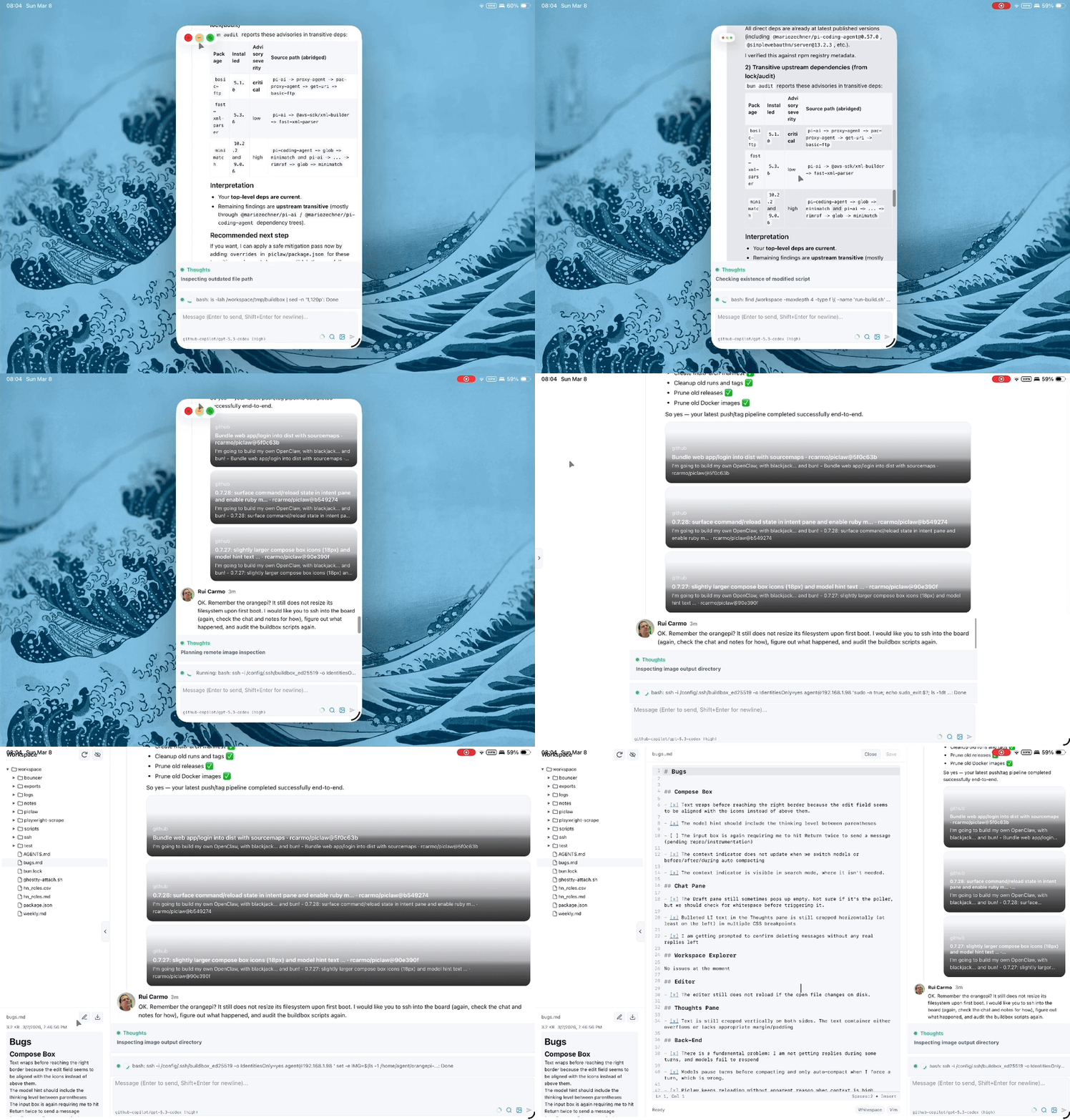
PiClaw is single-user, mobile-friendly, and streams updates over SSE.
Area Highlights
Chat
Thought/draft panels, steering, queued follow-ups, Adaptive Cards, /btw, link previews, threaded turns, recovery/timeout chips
Language English, Simplified Chinese, and Japanese UI strings with a Settings language switcher
Status UX
Tool/intended status stays visible during silence probing, recent activity restores useful context, and tool rows can show compact x ago hints in the meta row
Workspace Sidebar browser, drag-and-drop uploads, file-reference pills, explorer search/reindex status
Editor CodeMirror 6, search/replace, dirty-state tracking, syntax highlighting, lazy local bundle
Terminal Bundled xterm.js web terminal as dock or tab; detachable popouts; Ghostty is available separately as an optional add-on
Viewers Built-in CSV/TSV, PDF, image, video, code-preview, and VNC panes; optional add-ons supply Draw.io, the Office viewer backend, and kanban support
Automation
Built-in image_process, cdp_browser, and mcp; /image and /flux when Azure OpenAI/Foundry is configured; Microsoft 365 and Windows desktop automation through optional add-ons
For the full feature tour, see docs/web-ui.md.
[!NOTE] The bundled xterm.js implementation is the default terminal renderer. The Ghostty/WASM renderer is available separately through the optional @rcarmo/piclaw-addon-ghostty-terminal add-on.
Configuration
Common environment variables:
Variable Default Purpose
PICLAW_WEB_PORT
8080
Web UI port
PICLAW_WEB_TERMINAL_ENABLED
1 on Linux/macOS, 0 on Windows
Enable or disable the authenticated bundled web terminal
PICLAW_WEB_VNC_ALLOW_DIRECT
1 on Linux/macOS/Windows
Allow or disable direct VNC targets supplied at runtime
PICLAW_WEB_TOTP_SECRET
(empty)
Base32 TOTP secret; enables login gate (or initialize with /totp)
PICLAW_WEB_PASSKEY_MODE
totp-fallback
totp-fallback, passkey-only, or totp-only
PICLAW_ASSISTANT_NAME
PiClaw
Display name in the UI
PICLAW_KEYCHAIN_KEY
(empty)
Master key for encrypted secret storage
PICLAW_TRUST_PROXY
0
Enable when behind a reverse proxy or tunnel
For the full list, TOTP/passkey setup, session-scoped SSH-backed remote tools, reverse proxy configuration, and the workspace environment hook, see docs/configuration.md.
Other install methods
Install without Docker
bun add -g github:rcarmo/piclaw
Experimental. Linux/macOS/Windows. See docs/install-from-repo.md.
Windows support is experimental. Shell-like child processes run attached there (detached=false) so stdout and stderr remain capturable. Unix-like hosts use detached process groups so abort and shutdown can terminate the process tree.
Experimental desktop shell
PiClaw also has an optional Electrobun desktop wrapper around the existing local web UI:
bun run build:desktop
The desktop shell starts Piclaw on 127.0.0.1 using an available port starting at 18080, opens a native window, and stores its default workspace under the platform application-data directory. Set PICLAW_DESKTOP_URL to wrap an already-running Piclaw web server instead of starting one.
Build from source
See docs/development.md.
Documentation
Area Docs
Getting started Configuration, Web UI, Install from repo
Operations Azure VM deployment, Azure OpenAI extension, Reverse proxy, Release process
Runtime internals Architecture, Add-on runtime API, Pipelined smart compaction, Runtime flows, Runtime stream sessions, Storage model, Observability
UI extension model Web pane extensions, Extension UI contract, Vendored widget libraries
Agent capabilities Tools and skills, Visual artifact generator, MCP via pi-mcp-adapter, Keychain
Other references Dream memory system, Thinking persistence, Web notification delivery policy, iOS PWA reference, WhatsApp, Remote Peer add-on, Microsoft 365 add-on, Development
Platform study Azure Functions feasibility study
Contributing
Work items and bug reports are tracked in GitHub Issues.
Use the issue templates and project board labels for lane definitions and triage taxonomy.
Credits
-
pi.dev for the Pi core used by piclaw
-
davebcn87/pi-autoresearch — autonomous experiment loop by Tobi Lutke and David Cortés (now carried by the autoresearch add-on in
rcarmo/piclaw-addons) -
nicobailon/visual-explainer — visual art