Give Claude Code the Power BI skills it needs.
Install once, then just ask Claude to work with your semantic models and reports.




Why pbi-cli • Get Started • Modeling • Reporting • Skills • All Commands • Contributing
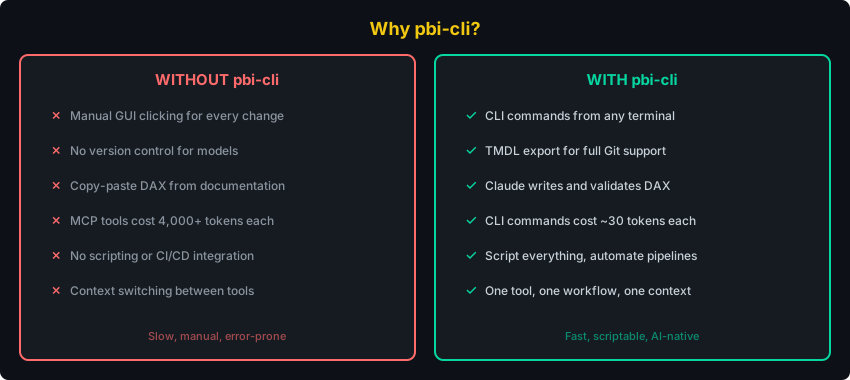
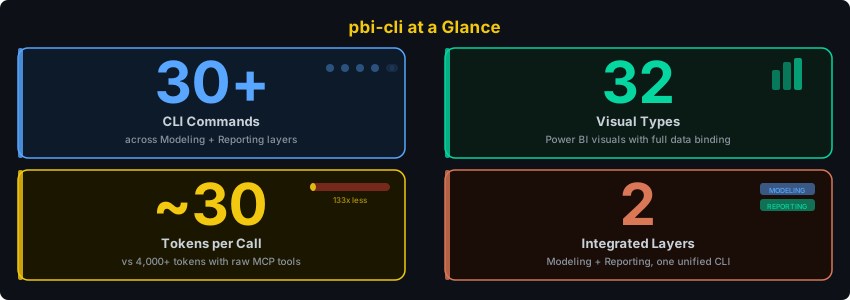
Why pbi-cli?
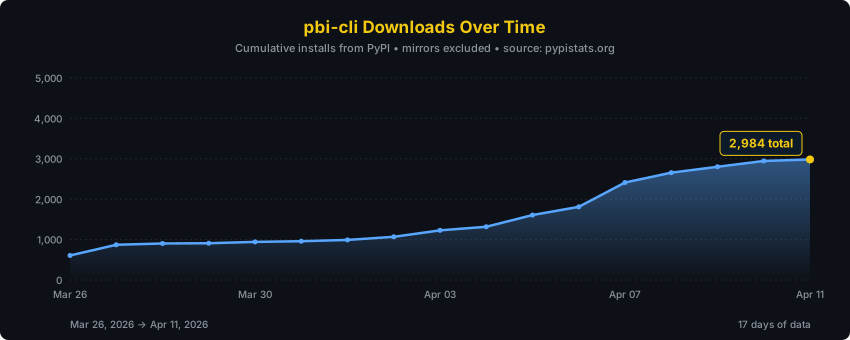
Cumulative downloads, refreshed daily from pypistats.org via GitHub Actions.
Get Started
pipx install pbi-cli-tool    # 1. Install (handles PATH automatically)
pbi-cli skills install       # 2. Register Claude Code skills (one-time setup)
pbi connect                  # 3. Connect to Power BI Desktop
Open Power BI Desktop with a .pbix file, run the three commands above, and start asking Claude.
Requires: Windows with Python 3.10+ and Power BI Desktop running.
Alternative: give Claude the repo URL
Install and set up pbi-cli from https://github.com/MinaSaad1/pbi-cli.git
Claude will clone, install, connect, and set up skills automatically.
Using pip instead of pipx?
pip install pbi-cli-tool
On Windows, pip install often places the pbi command in a directory that isn't on your PATH.
Fix: Add the Scripts directory to PATH
python -c "import site; print(site.getusersitepackages().replace('site-packages','Scripts'))"
Add the printed path to your system PATH, then restart your terminal. We recommend pipx to avoid this entirely.
Semantic Model Layer
Ask Claude to work with your Power BI semantic model. Requires pbi connect.
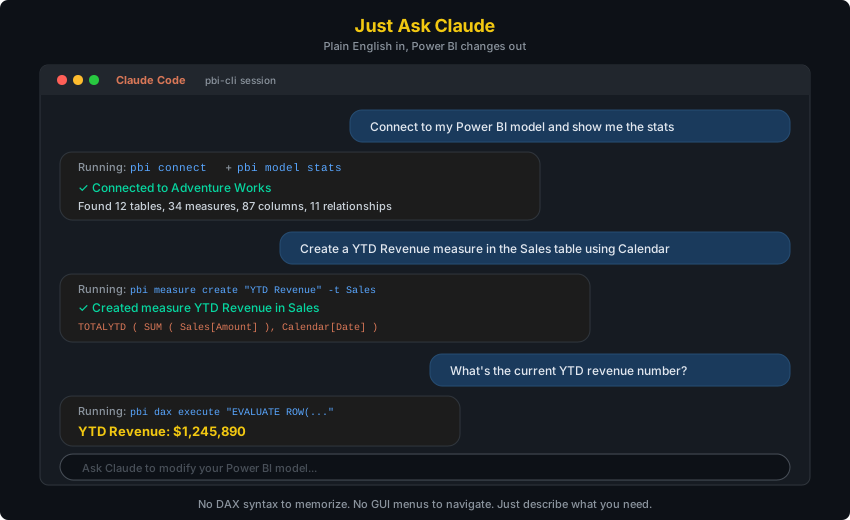
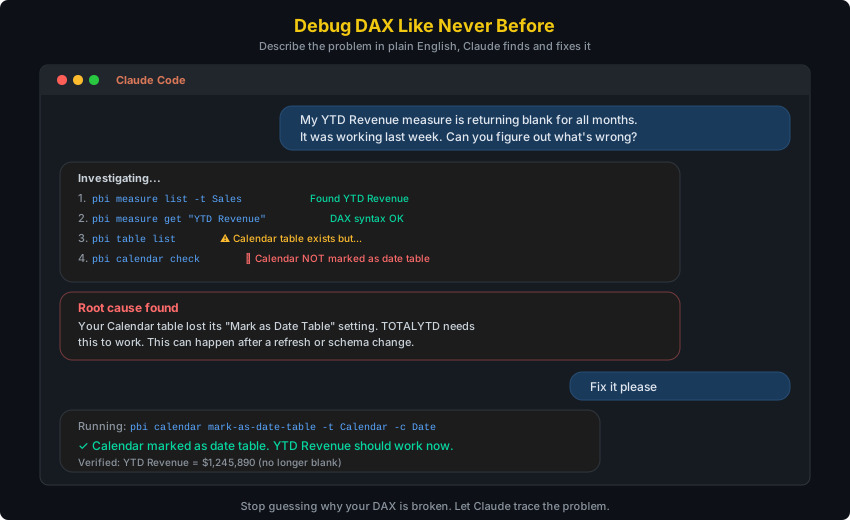
Create measures in bulk
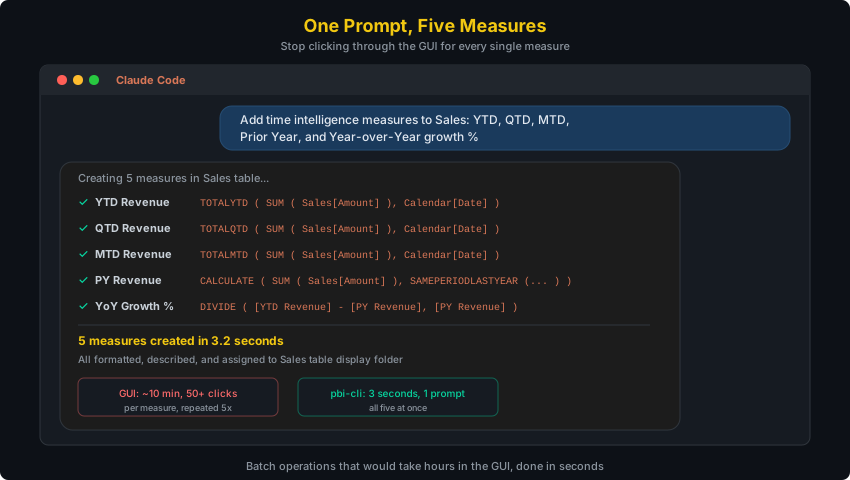
Debug broken DAX
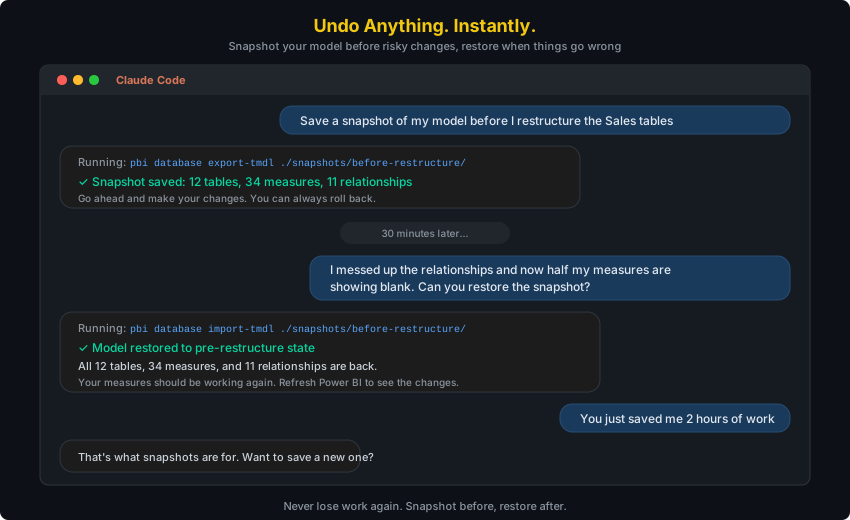
Snapshot and restore your model
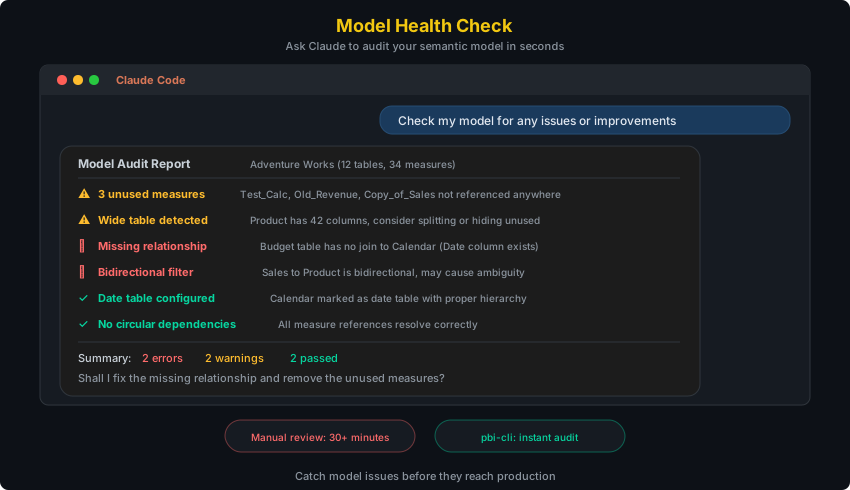
Audit your model for issues
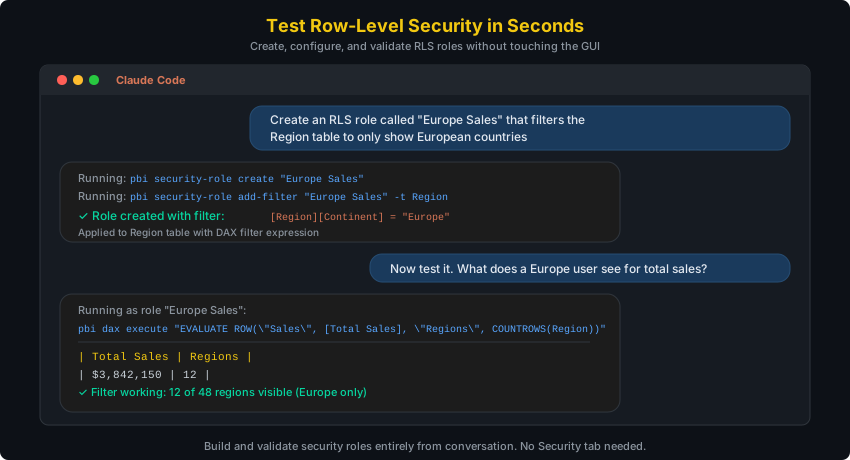
Test row-level security
Report Layer
Ask Claude to build and manage your Power BI reports. No connection needed -- works directly on PBIR files.
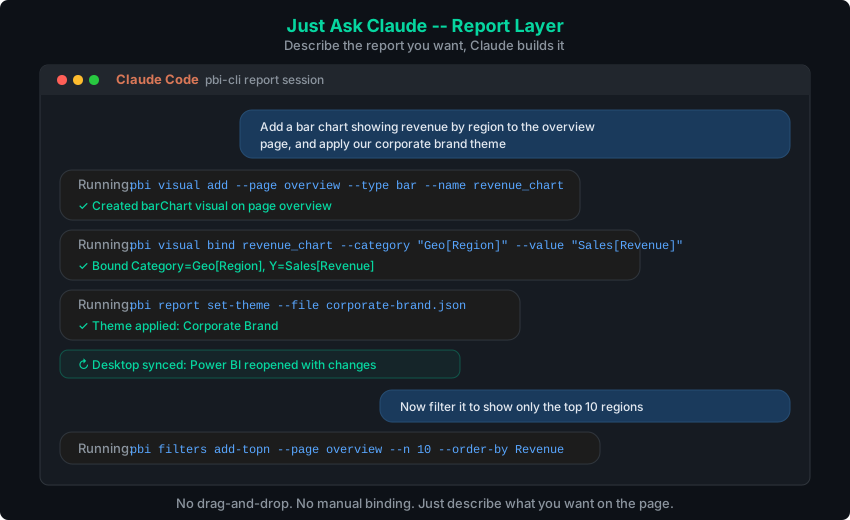
Build a report in 6 steps
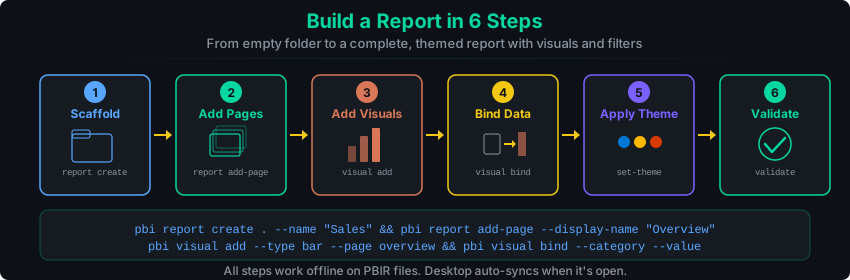
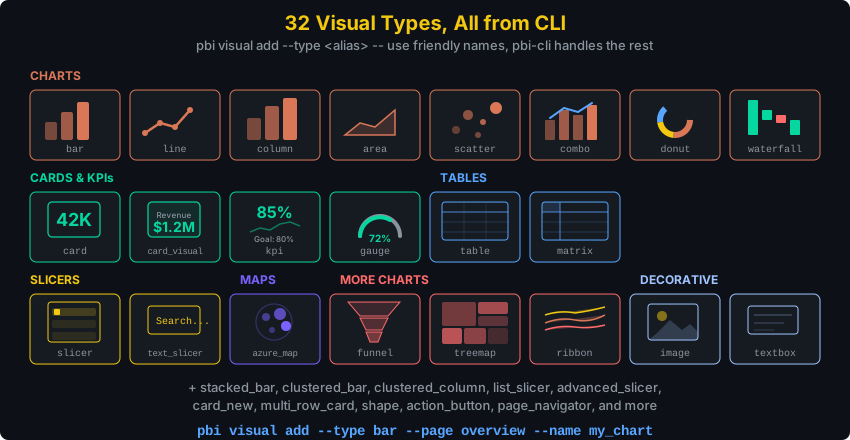
Visuals, pages, themes, filters
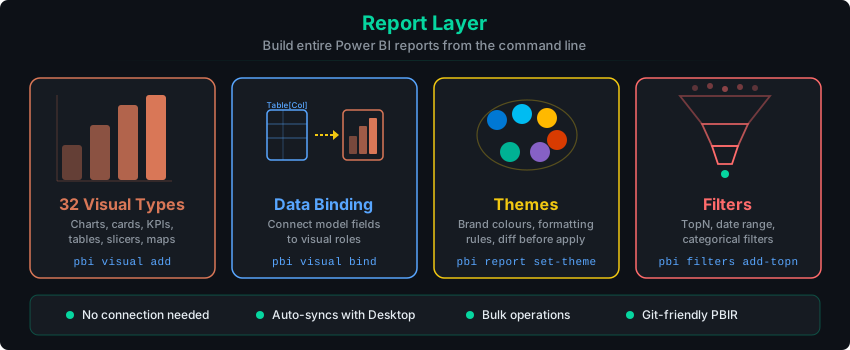
32 visual types
Architecture

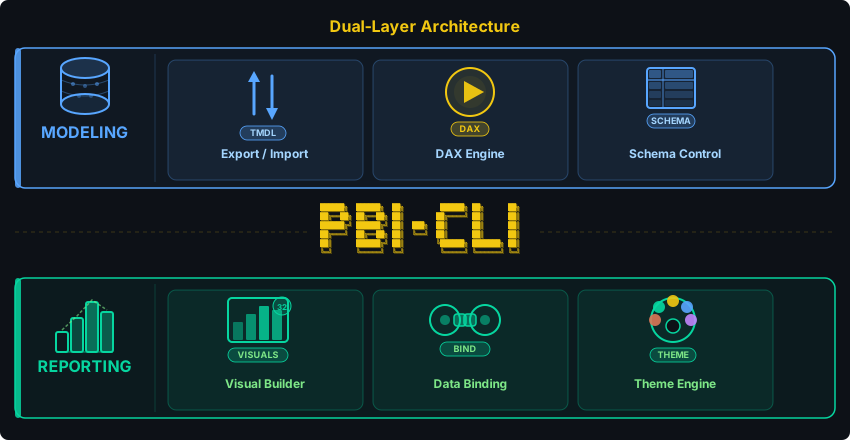
Two layers, one CLI:
- Semantic Model layer -- Direct in-process .NET interop from Python to Power BI Desktop via TOM/ADOMD. No MCP server, no external binaries, sub-second execution.
- Report layer -- Reads and writes PBIR (Enhanced Report Format) JSON files directly. No connection needed. Works with
.pbipprojects.
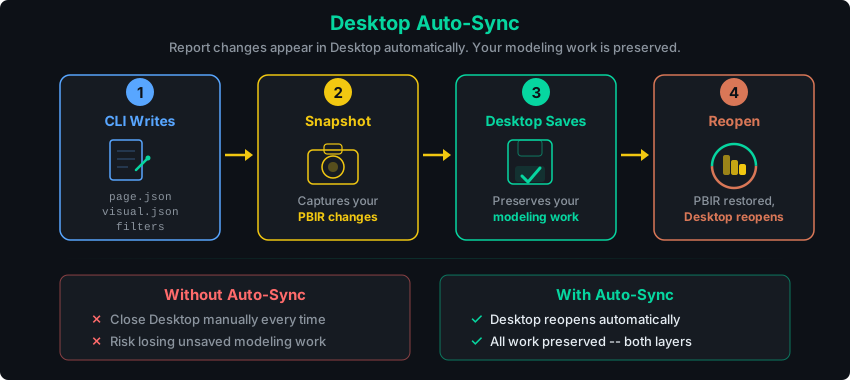
Desktop Auto-Sync
Configuration details
All config lives in ~/.pbi-cli/:
~/.pbi-cli/
  config.json          # Default connection preference
  connections.json     # Named connections
  repl_history         # REPL command history
Bundled DLLs ship inside the Python package (pbi_cli/dlls/).
Skills
After running pbi-cli skills install, Claude Code discovers 13 Power BI skills. Each skill teaches Claude a different area. You don't need to memorize commands.
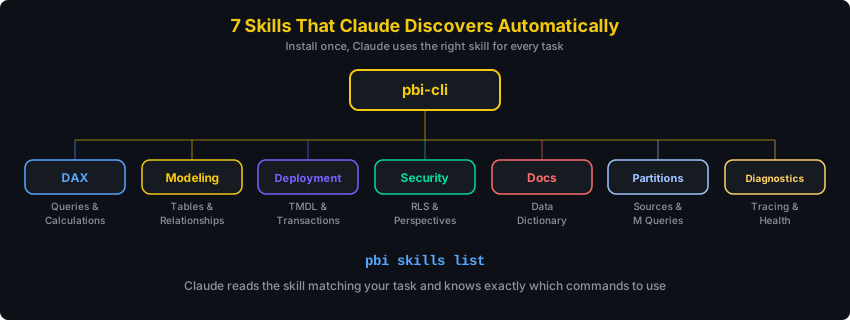
Semantic Model Skills (require pbi connect)
| Skill | What you say | What Claude does |
|---|---|---|
| DAX | "What are the top 10 products by revenue?" | Writes and executes DAX queries, validates syntax |
| Modeling | "Create a star schema with Sales and Calendar" | Creates tables, relationships, measures, hierarchies |
| Deployment | "Save a snapshot before I make changes" | Exports/imports TMDL, manages transactions, diffs snapshots |
| Security | "Set up RLS for regional managers" | Creates roles, filters, perspectives |
| Docs | "Document everything in this model" | Generates data dictionaries, measure inventories |
| Partitions | "Show me the M query for the Sales table" | Manages partitions, expressions, calendar config |
| Diagnostics | "Why is this query so slow?" | Traces queries, checks model health, benchmarks |
Report Layer Skills (no connection needed)
| Skill | What you say | What Claude does |
|---|---|---|
| Report | "Create a new report project for Sales" | Scaffolds PBIR reports, validates structure, previews layout |
| Visuals | "Add a bar chart showing revenue by region" | Adds, binds, updates, bulk-manages 32 visual types |
| Pages | "Add an Executive Overview page" | Manages pages, bookmarks, visibility, drillthrough |
| Themes | "Apply our corporate brand colours" | Applies themes, conditional formatting, colour scales |
| Filters | "Show only the top 10 products" | Adds page/visual filters (TopN, date, categorical) |
| Custom Visuals | "Build a radial gauge Power BI doesn't have" | Scaffolds a TypeScript visual project, iterates on tsc --noEmit, packages .pbiviz, imports into the report |
Custom Visual Authoring
The Custom Visuals skill turns vibe-coding into the Power BI Visuals SDK loop.
Claude scaffolds a sibling TypeScript project with npx pbiviz new, iterates against
the Power BI Visuals API with tsc --noEmit between every change, packages a
.pbiviz, and embeds it into your report:
# After installing the skill, just describe what you want in Claude Code:
#   "Build me a radial gauge that highlights values above target"
#
# Under the hood, the skill drives:
npx --yes powerbi-visuals-tools@^5.6.0 new mygaugevisual
# (Claude edits src/visual.ts + capabilities.json, runs tsc --noEmit until clean)
npx --yes powerbi-visuals-tools@^5.6.0 package
pbi visual import-custom dist/mygaugevisual.1.0.5.pbiviz --replace
The skill auto-installs Node and pbiviz on first run (with your consent), pins
the SDK to a known-good version, keeps the TypeScript project as a sibling to your
.pbip (no PBIR contamination), and operates under a curated npm allowlist for
common deps (D3, Lodash, date-fns) -- anything off-list requires explicit approval.
Three new pbi-cli commands support the loop:
| Command | What it does |
|---|---|
pbi visual import-custom <pbiviz> | Embed a locally-built .pbiviz into the report's RegisteredResources/ and register it in report.json. --replace overwrites by GUID. |
pbi visual list-custom | List embedded and public (AppSource) custom visuals, distinguished by kind. |
pbi visual remove-custom <guid-or-name> | Deregister and physically delete the .pbiviz resource. |
All Commands
27 command groups covering both the semantic model and the report layer.
Every command below is a pbi subcommand, except where the pbi-cli prefix is shown.
| Category | Commands |
|---|---|
| Queries | dax execute, dax validate, dax clear-cache |
| Model | table, column, measure, relationship, hierarchy, calc-group |
| Deploy | database export-tmdl, database import-tmdl, database export-tmsl, database diff-tmdl, transaction |
| Security | security-role, perspective |
| Connect | connect, disconnect, connections list, connections last |
| Data | partition, expression, calendar, advanced culture |
| Diagnostics | trace start/stop/fetch/export, model stats |
| Report | report create, report info, report validate, report preview, report reload |
| Pages | report add-page, report delete-page, report get-page, report set-background, report set-visibility |
| Visuals | visual add/get/list/update/delete, visual bind, visual bulk-bind/bulk-update/bulk-delete, visual where |
| Filters | filters list, filters add-categorical/add-topn/add-relative-date, filters remove/clear |
| Formatting | format get/clear, format background-gradient/background-conditional/background-measure |
| Bookmarks | bookmarks list/get/add/delete/set-visibility |
| Tools | setup, repl |
| Setup | pbi-cli skills install/list/uninstall (on the pbi-cli command, not pbi) |
Use --json for machine-readable output (for scripts and AI agents):
pbi --json measure list
pbi --json dax execute "EVALUATE Sales"
pbi --json visual list --page overview
Run pbi <command> --help for full options.
REPL Mode
For interactive work, the REPL keeps a persistent connection:
$ pbi repl

pbi> connect --data-source localhost:54321
Connected: localhost-54321

pbi(localhost-54321)> measure list
pbi(localhost-54321)> dax execute "EVALUATE TOPN(5, Sales)"
pbi(localhost-54321)> exit
Tab completion, command history, and a dynamic prompt showing your active connection.
Development
git clone https://github.com/MinaSaad1/pbi-cli.git
cd pbi-cli
pip install -e ".[dev]"
ruff check src/ tests/         # Lint
mypy src/                      # Type check
pytest -m "not e2e"            # Run tests (488 tests)
Bundled third-party software
pbi-cli-tool ships with Microsoft Analysis Services client library
assemblies (Microsoft.AnalysisServices.*.dll) under src/pbi_cli/dlls/.
These binaries are not covered by pbi-cli's MIT license. They are
redistributed unmodified under the Microsoft Software License Terms for
Microsoft Analysis Management Objects (AMO) and Microsoft Analysis
Services - ADOMD.NET. Full terms are in
THIRD_PARTY_LICENSES.md and the companion
NOTICE file. By installing pbi-cli-tool you agree to those
terms in addition to the MIT License that applies to the rest of the
package.
Contributing
Contributions are welcome! Please open an issue first to discuss what you'd like to change.
- Fork the repository
- Create a feature branch
- Make your changes with tests
- Open a pull request


MIT License — bundled Microsoft DLLs are licensed separately, see THIRD_PARTY_LICENSES.md
About
pbi-cli is built and maintained by Mina Saad. It started as a fix for the slowest part of my own job: authoring a measure meant a dialog, a refresh, and a visual check, every time.
If your team has the same problem one layer up, that is the work I do.
I work out what is actually costing a business, then build whatever fixes it: an AI agent, an automation, or a full application. Handed over so your team owns it.