Features · Screenshots · Quick Start · Configuration · API · Tech Stack · Wiki · Roadmap







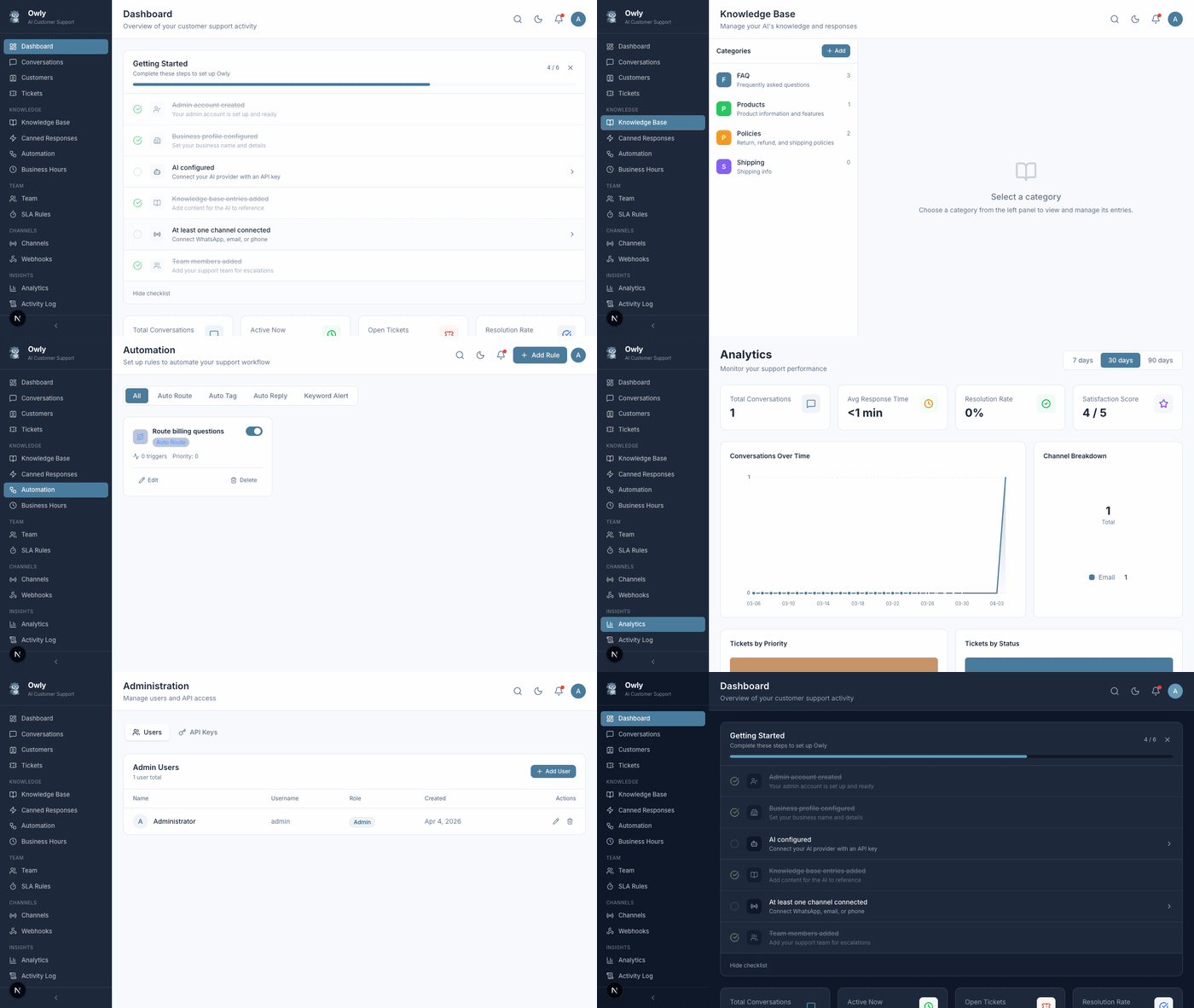
What is Owly?
Owly is a self-hosted AI customer support agent that small businesses and individuals can run on their own machines -- completely free. Connect your WhatsApp, Email, and Phone channels, add your business knowledge, and let the AI handle customer inquiries 24/7. Owly automatically identifies customers across channels -- someone who emails first and later calls gets a unified profile with full conversation history.
|
Zero Cost No monthly fees. You only pay for AI API usage. |
Your Data, Your Server Everything runs on your machine. Complete privacy. |
Multi-Channel WhatsApp, Email, and Phone from a single dashboard. |
5-Minute Setup Docker Compose or npm. Guided setup wizard. |
Features
Multi-Channel Support
Connect all your customer communication channels in one place.
|
Connect via QR code scan or Business API. Handles text, images, voice messages, and documents. |
IMAP/SMTP with any provider. Branded HTML templates with automatic thread tracking. |
PhoneTwilio Voice with OpenAI Whisper (STT) and ElevenLabs (TTS) for natural voice conversations. |
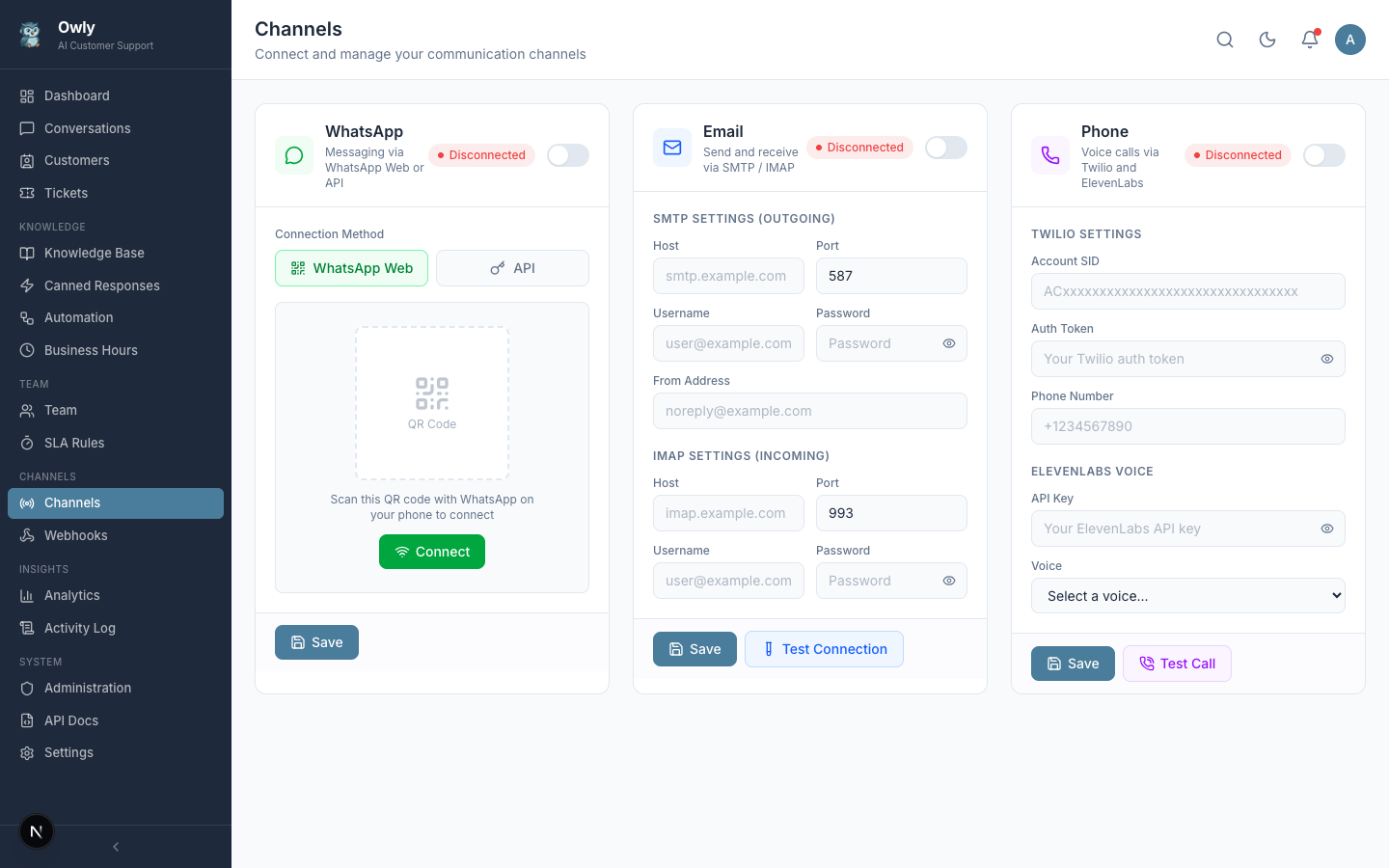
Connect and manage all channels from one screen
AI-Powered Conversations
Owly uses OpenAI GPT (extensible to Claude, Ollama) with your knowledge base to provide accurate, on-brand responses. During conversations, the AI can autonomously:
- Create tickets when customers report problems
- Route issues to the right department based on expertise matching
- Send internal emails to notify team members about urgent issues
- Look up customer history for context-aware support
- Trigger webhooks to notify external systems
- Schedule follow-ups for proactive customer care
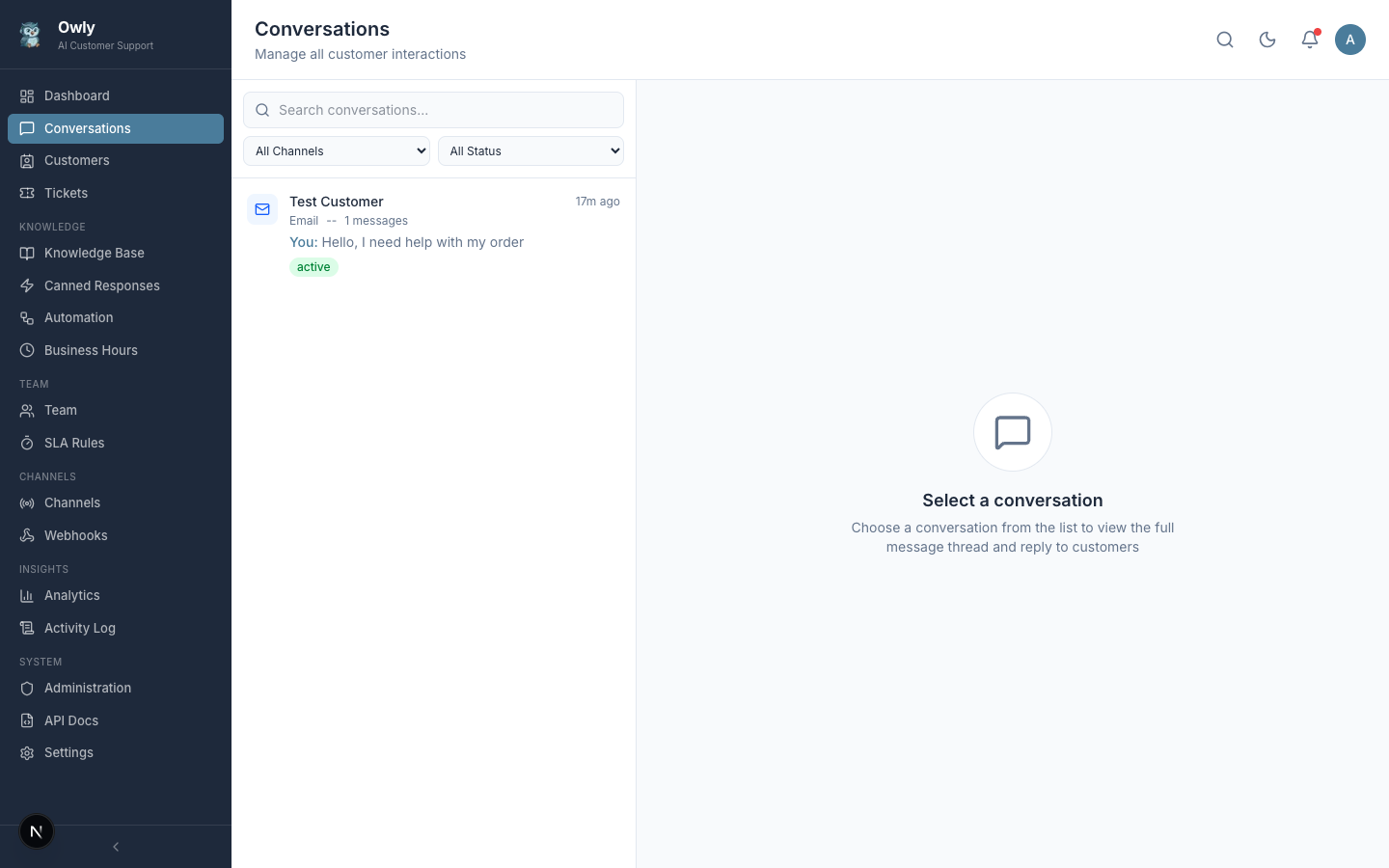
Unified inbox with conversation thread and admin takeover
Customer CRM & Cross-Channel Continuity
Every customer gets a unified profile across all channels -- conversations, notes, tags, and contact history in one place. Owly automatically resolves customer identity when someone switches channels (WhatsApp to Email to Phone), keeping the full context available to both the AI and your team.
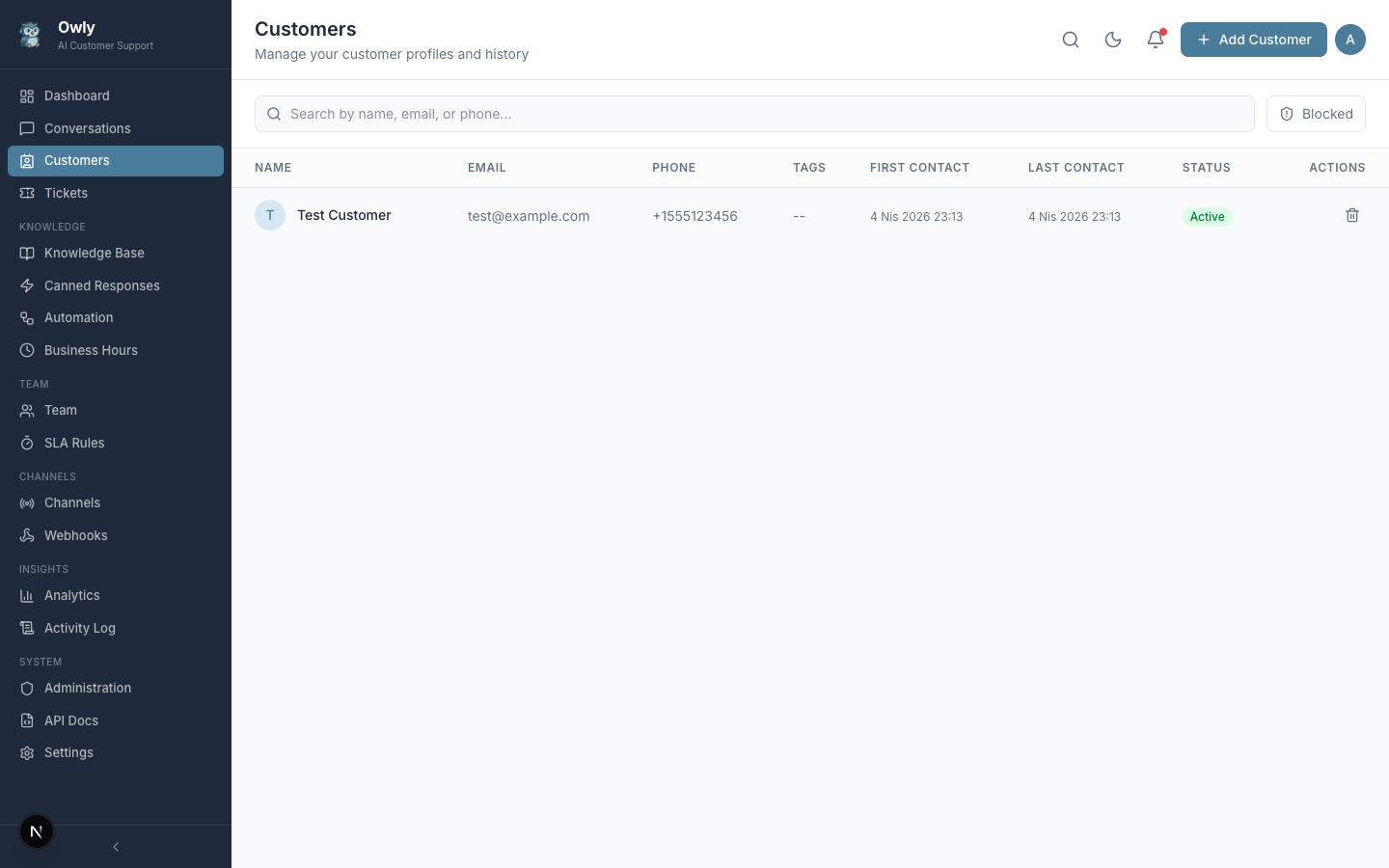
Customer profiles with notes, tags, and cross-channel history
Knowledge Base
Train your AI with your business information. Organize entries into categories, set priorities, and test responses before going live.
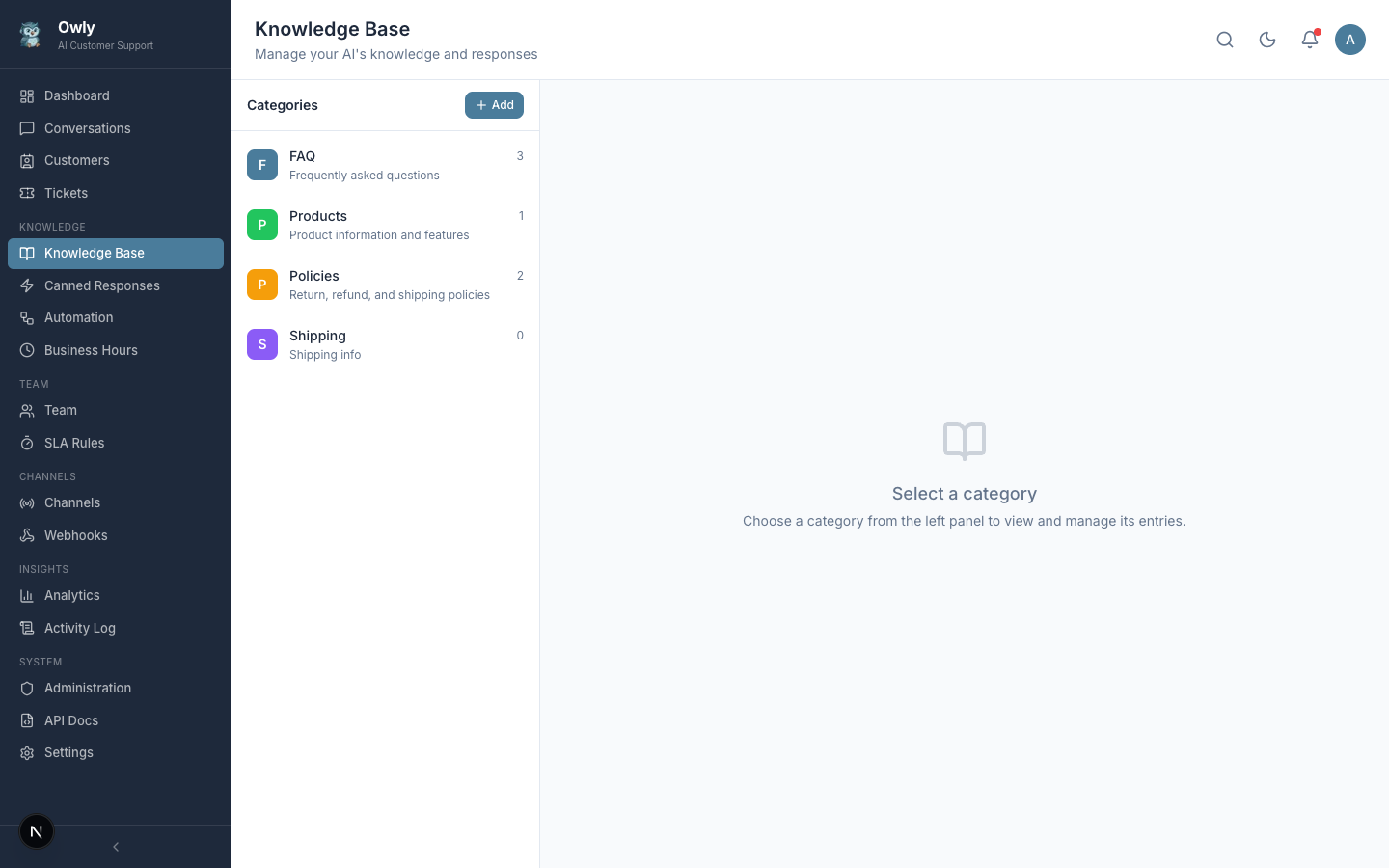
Categories with entry counts and color coding |
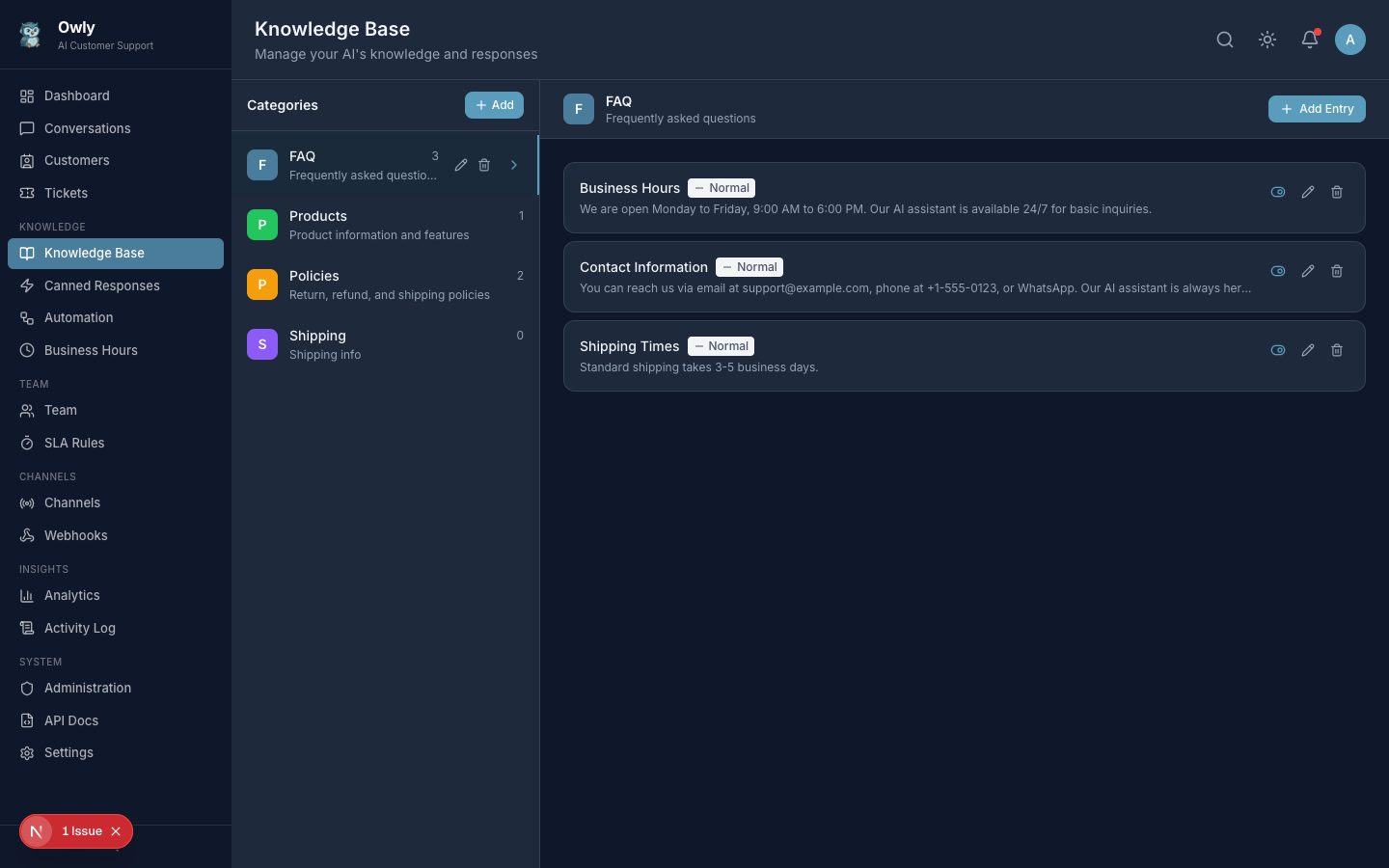
Entries with priority levels and active toggles |
Automation Engine
Automate repetitive tasks with rule-based automation, business hours, SLA tracking, and canned responses.
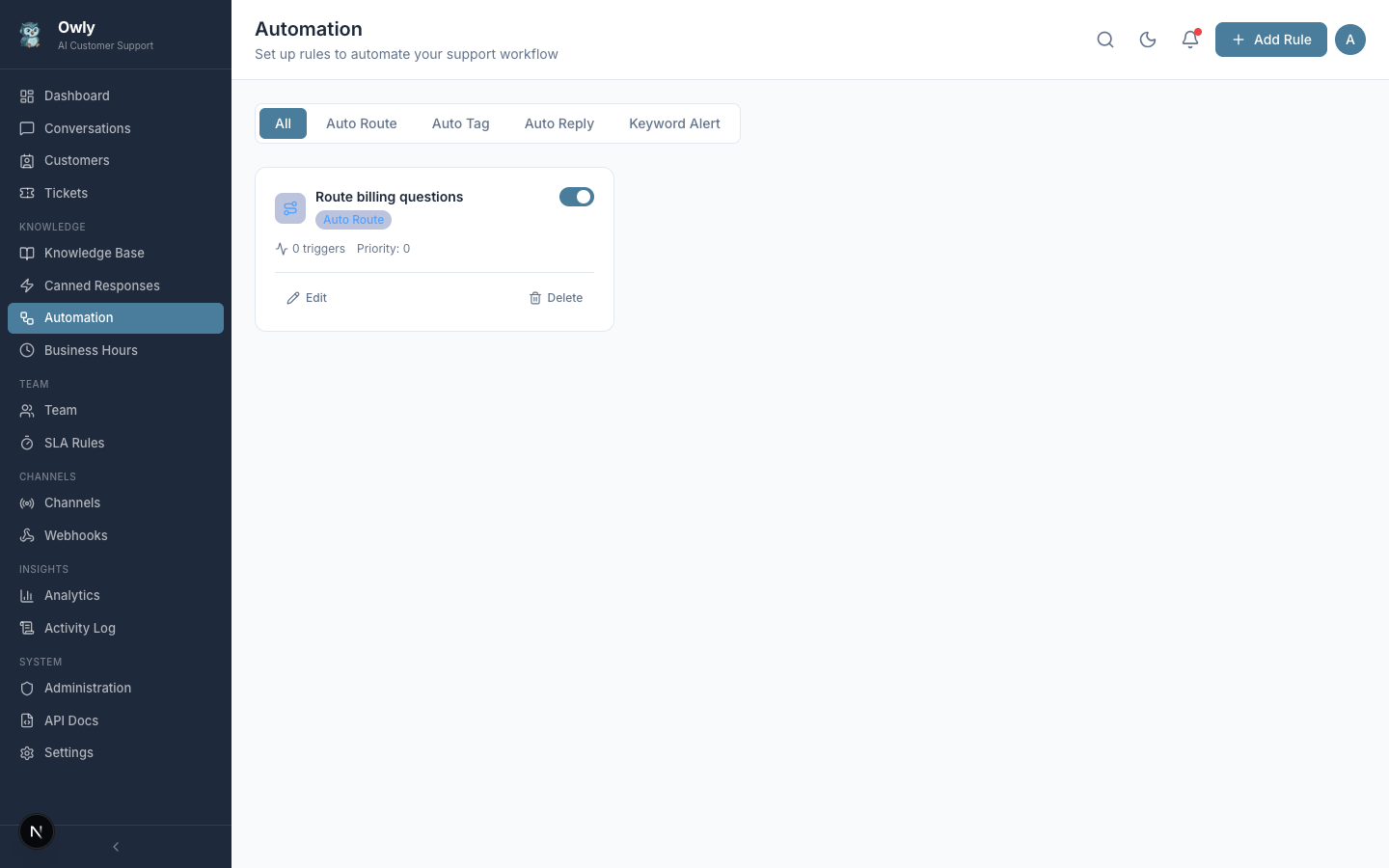
Auto-route, auto-tag, auto-reply, keyword alerts |
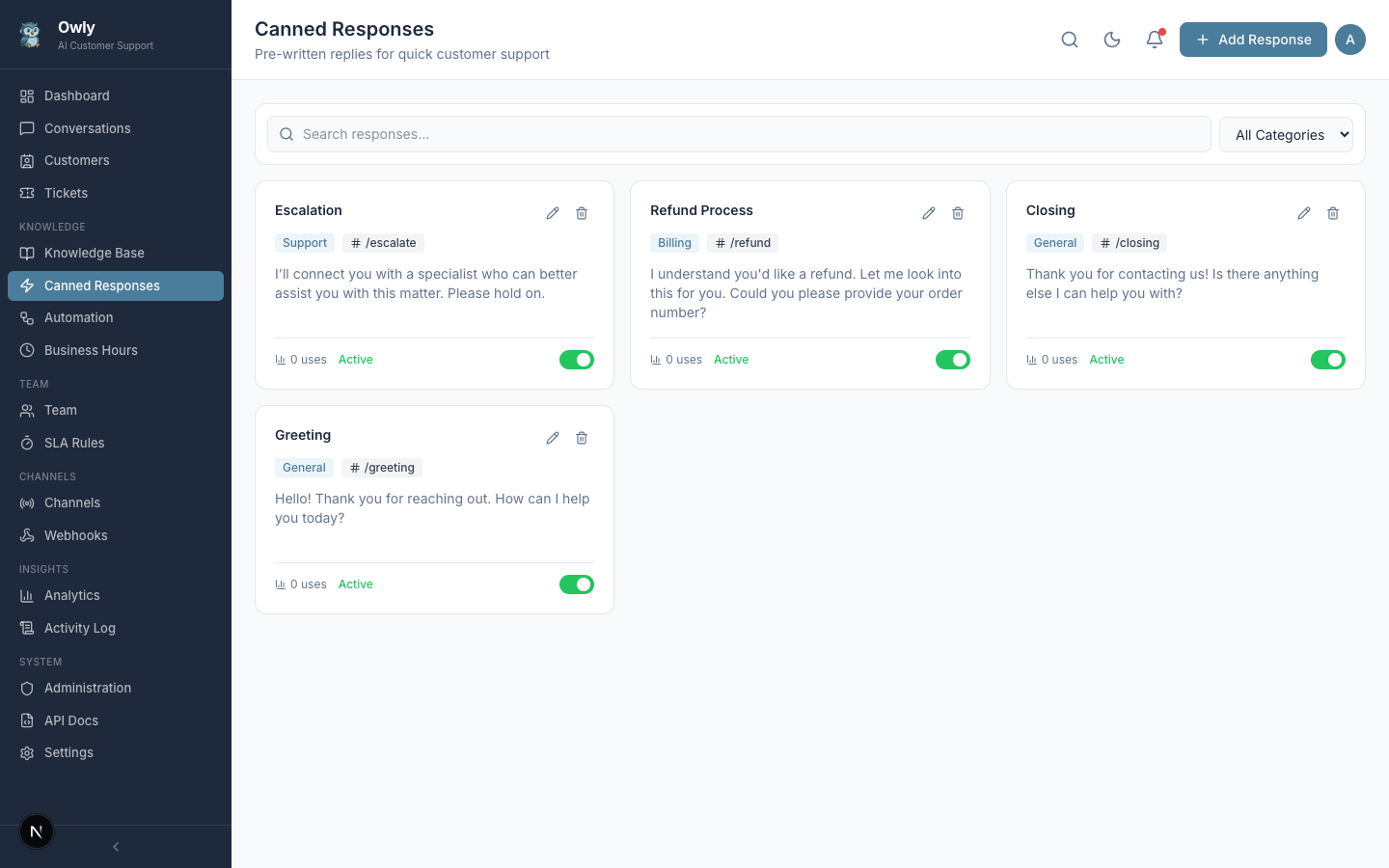
Quick reply templates with shortcuts |
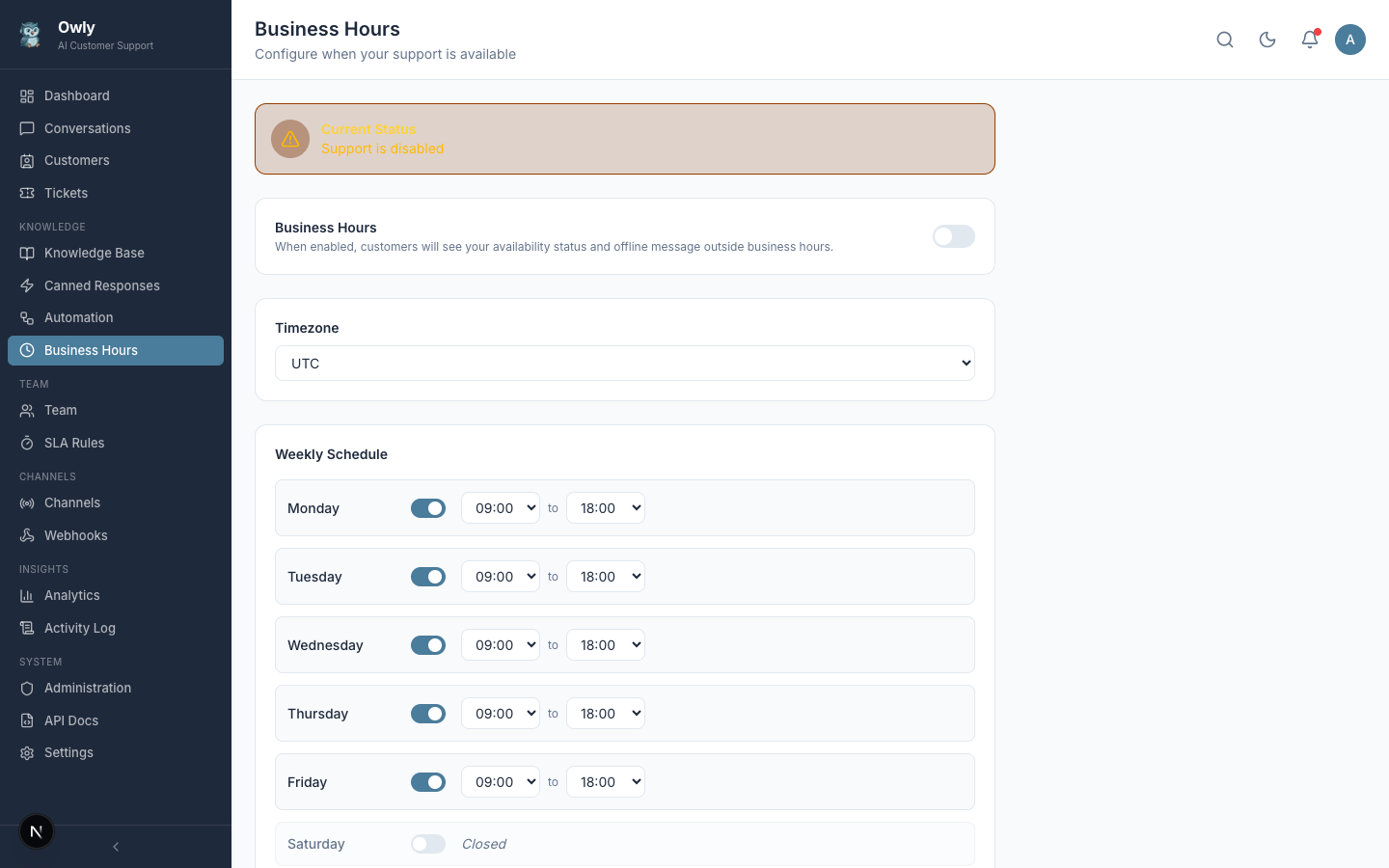
Weekly schedule with timezone and offline messages |
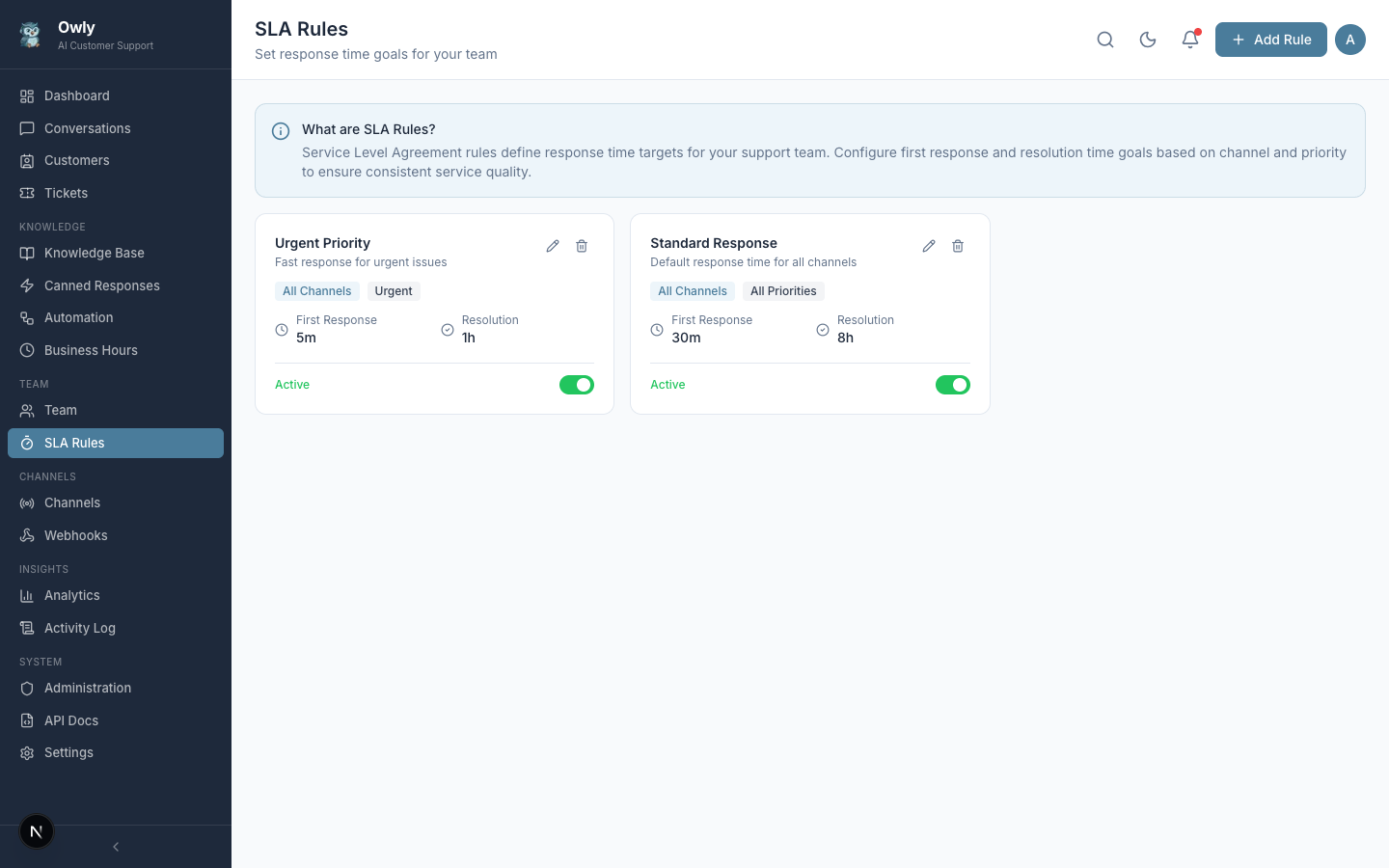
Response time targets per channel and priority |
Team & Ticket Management
Organize your team into departments, track issues with a full ticket system, and monitor performance.
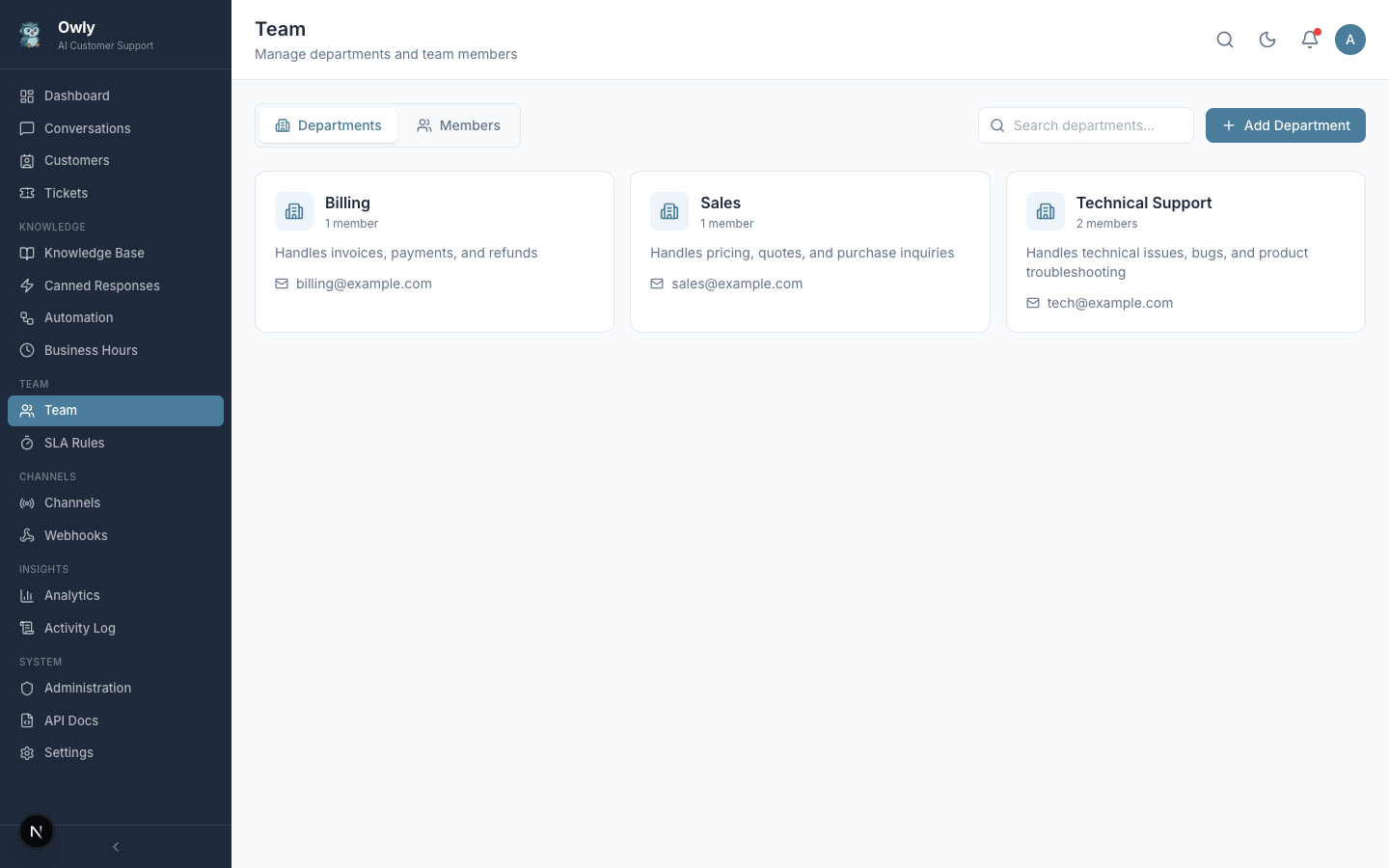
Departments, members, expertise, and availability |
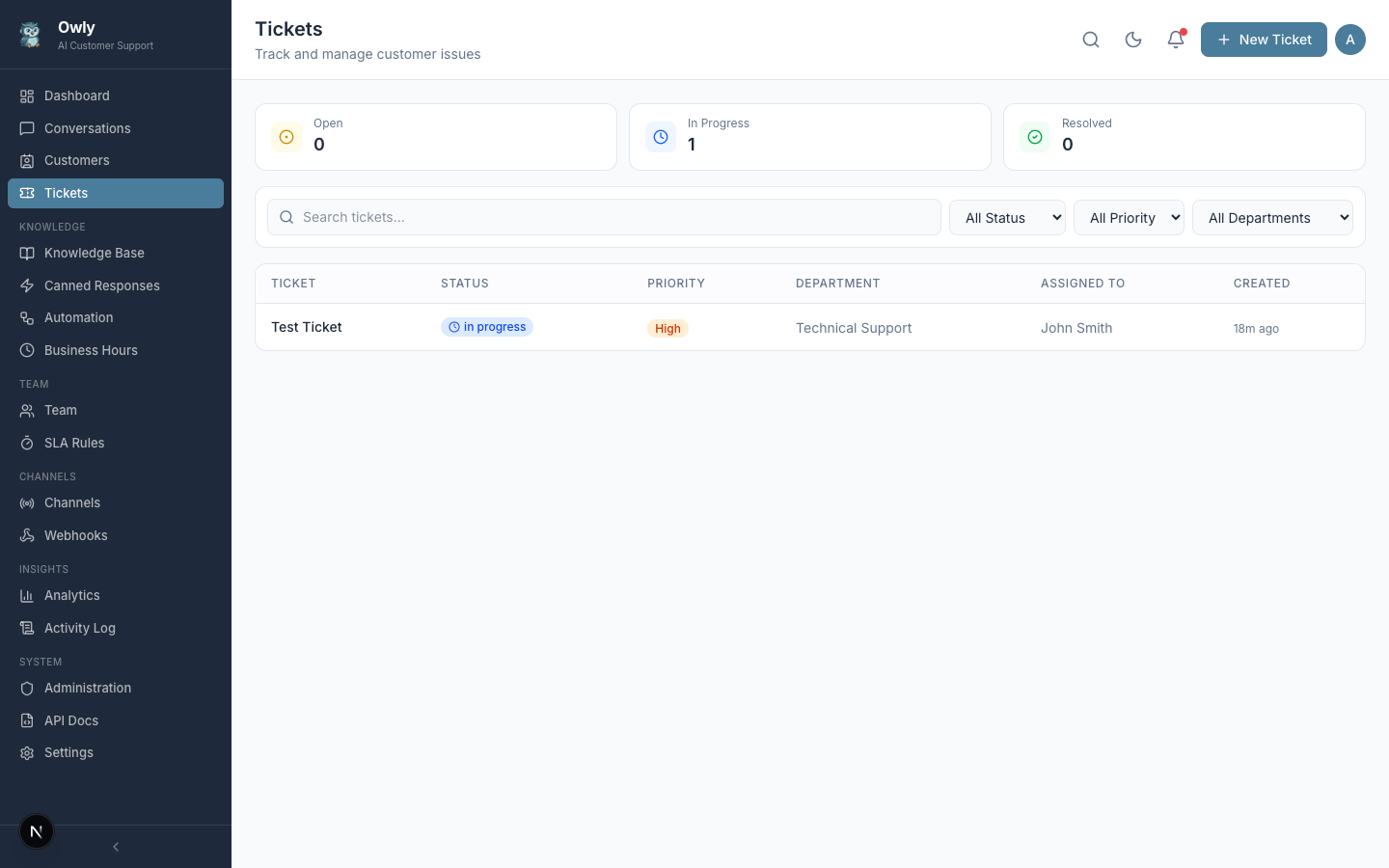
Priority levels, assignments, and status tracking |
Analytics & Insights
Monitor your support performance with charts, metrics, and team performance tracking.
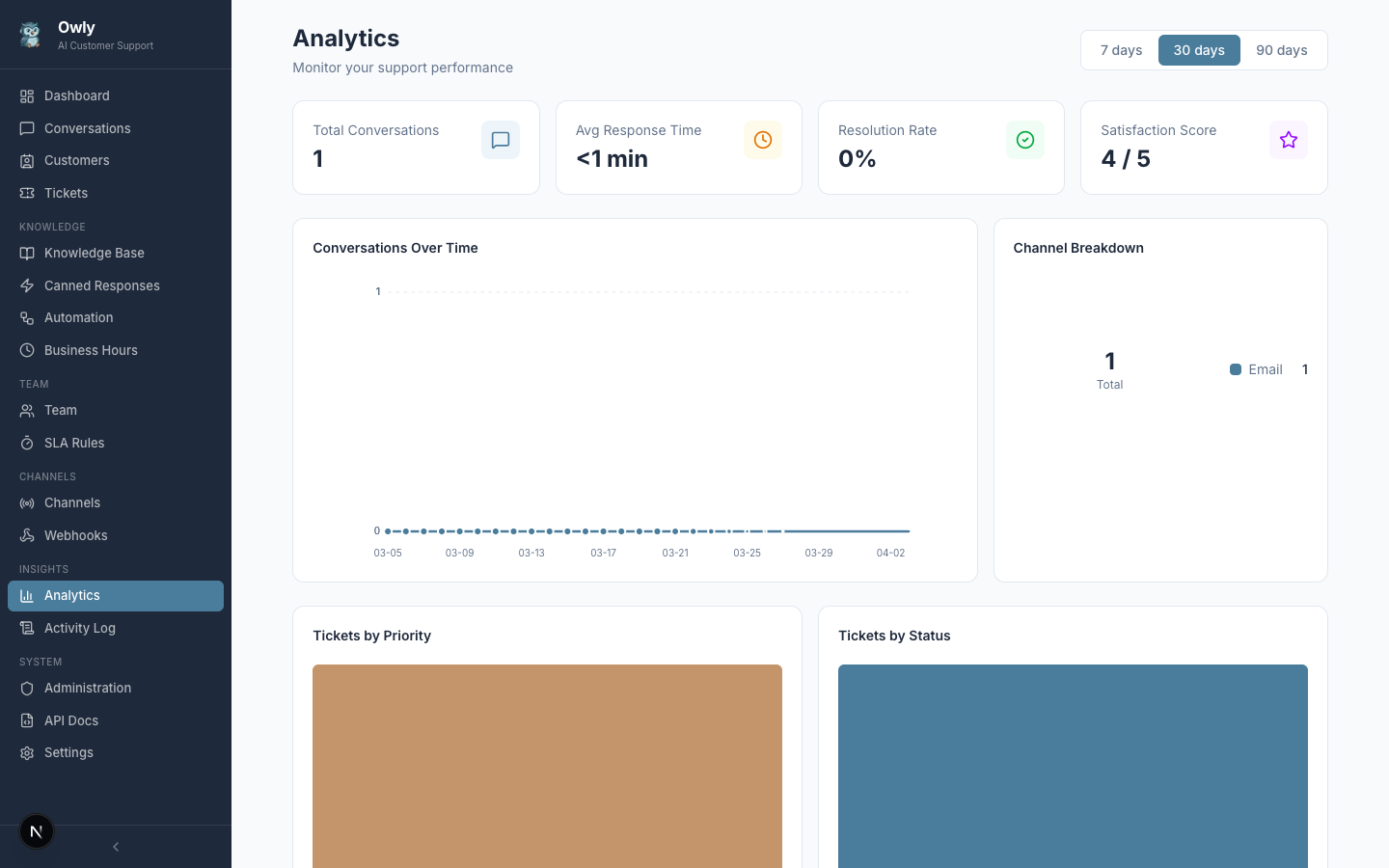
Conversation trends, channel breakdown, ticket distribution, and satisfaction scores
Administration & API
Manage users, API keys, webhooks, and explore the full REST API with interactive documentation.
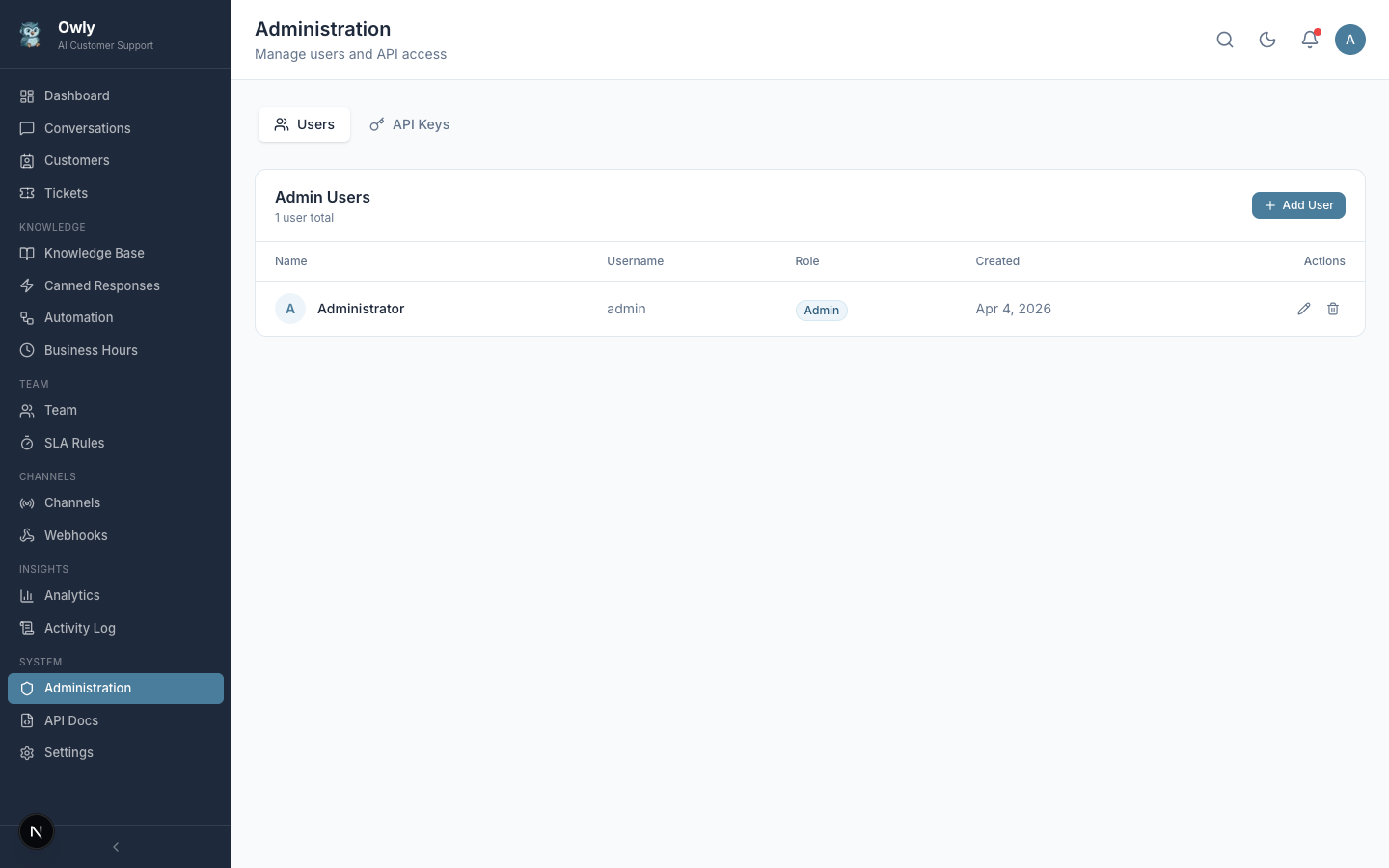
Multi-admin with roles and API key management |
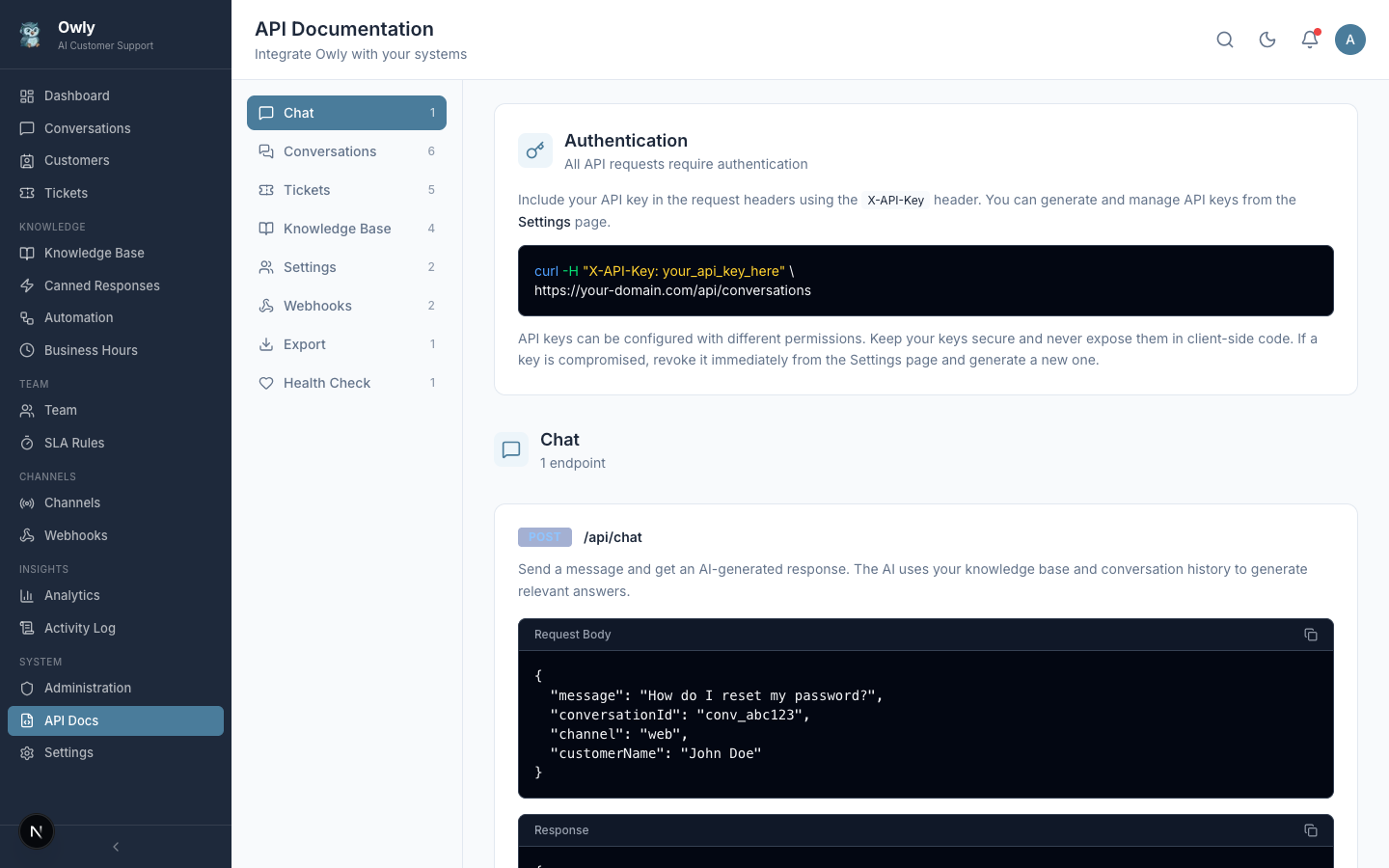
Interactive API docs with live request testing |
Dark Mode
Full dark theme with persistent preference, applied across all 19 pages.
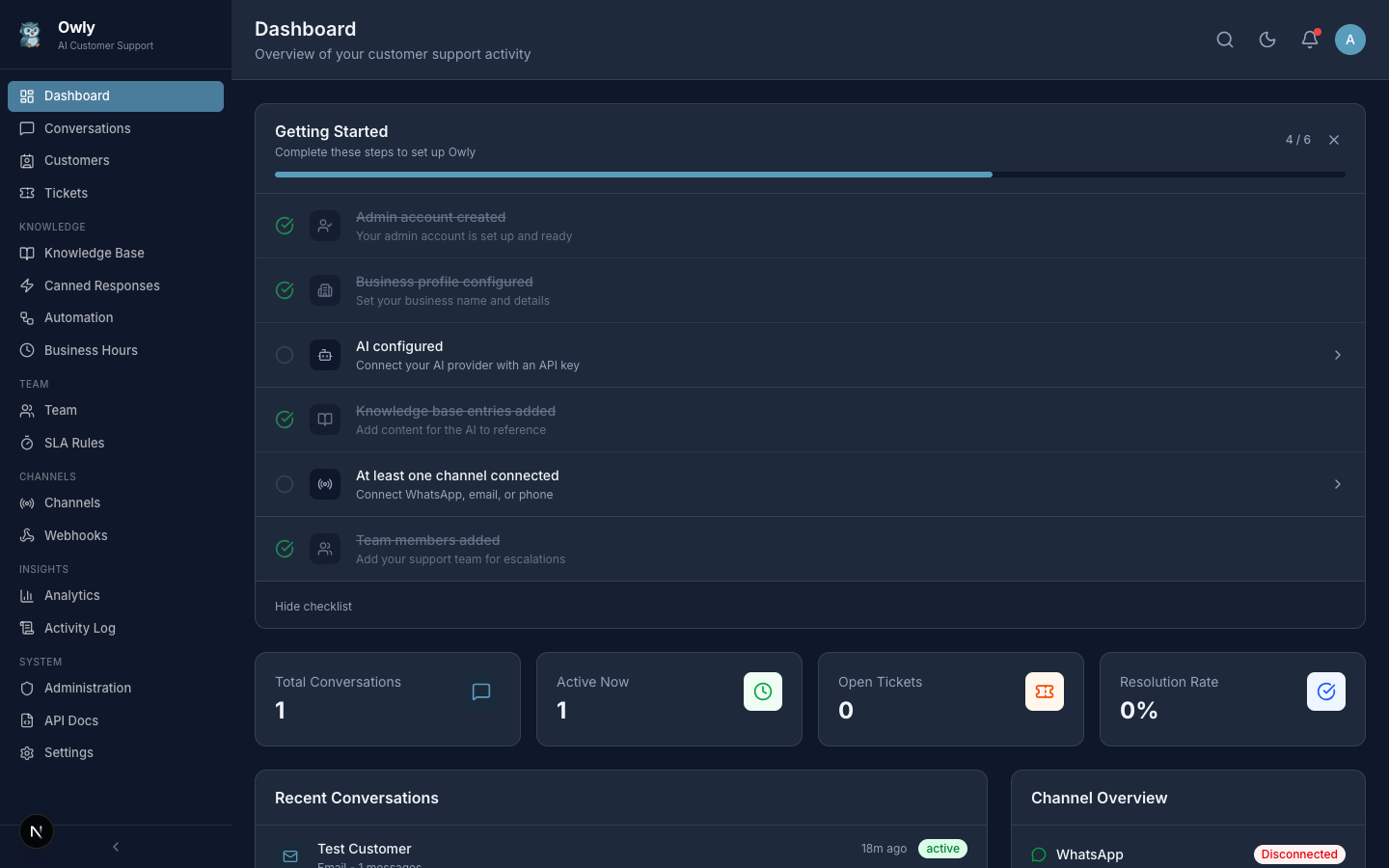
Dark mode dashboard with consistent styling across all components
More Features
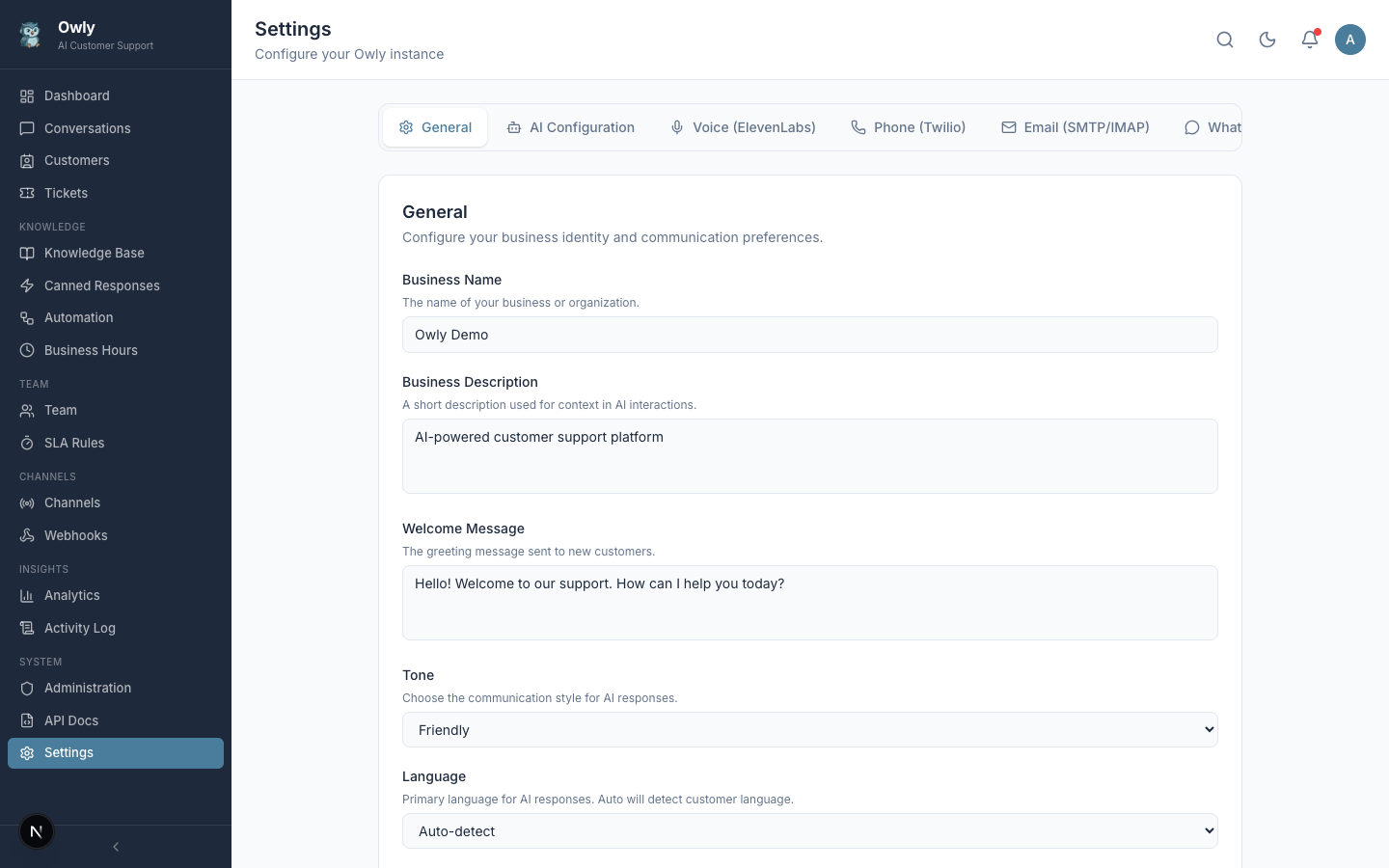
6-tab settings: General, AI, Voice, Phone, Email, WhatsApp |
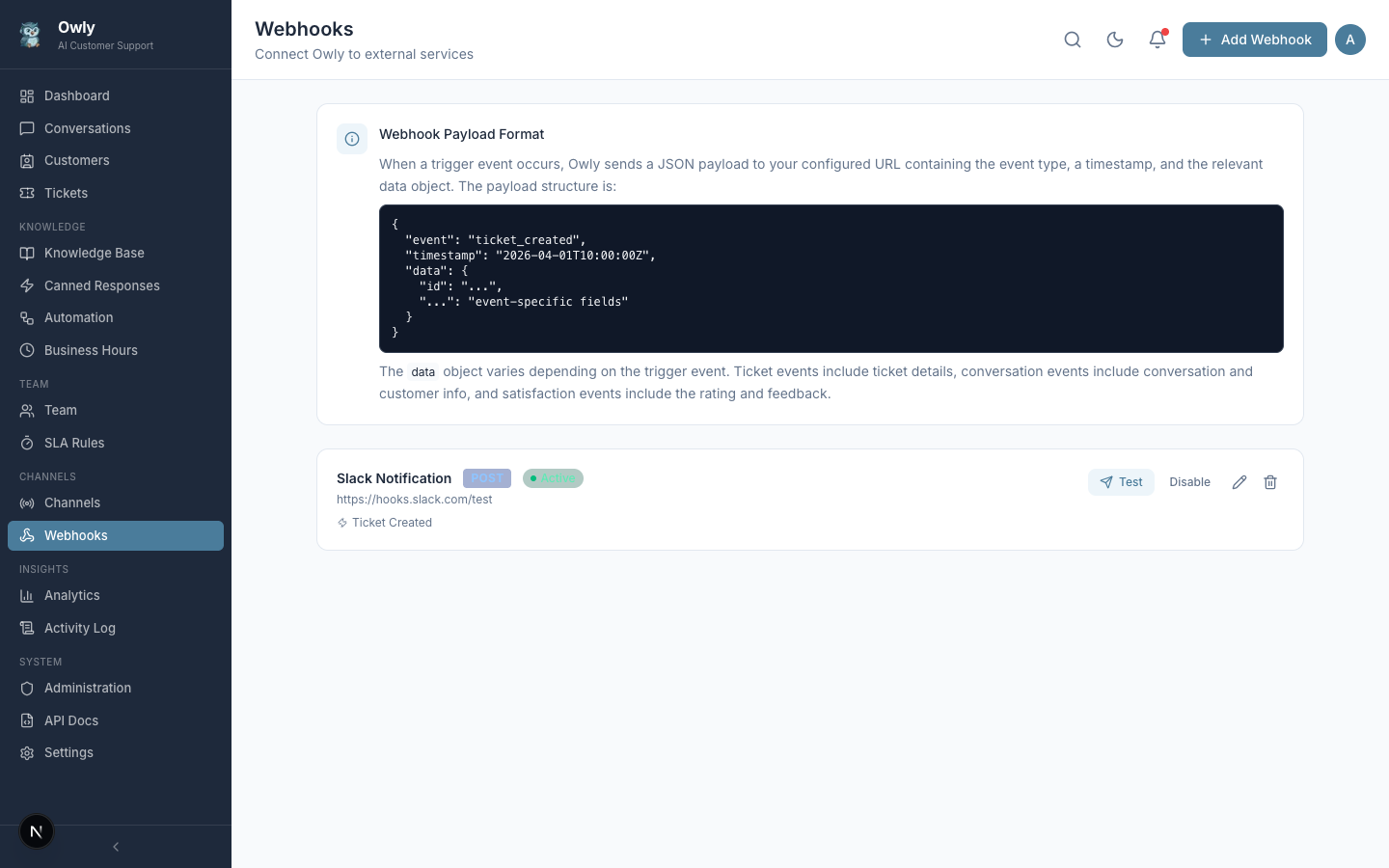
Webhook management with payload preview and testing |
Quick Start
Prerequisites
- Node.js 20+
- PostgreSQL 16+
Option 1: npm
# Clone the repository
git clone https://github.com/hsperus/owly.git
cd owly

# Install dependencies
npm install

# Set up environment
cp .env.example .env
# Edit .env with your database URL and API keys

# Run database migrations
npx prisma migrate dev

# (Optional) Load sample data with a default admin account
npm run db:seed
# Default login: username=admin, password=admin123

# Start the development server
npm run dev
Option 2: Docker Compose
git clone https://github.com/hsperus/owly.git
cd owly

cp .env.example .env
# Edit .env with your API keys

docker compose up -d
Open http://localhost:3000 -- the setup wizard will guide you through the initial configuration.
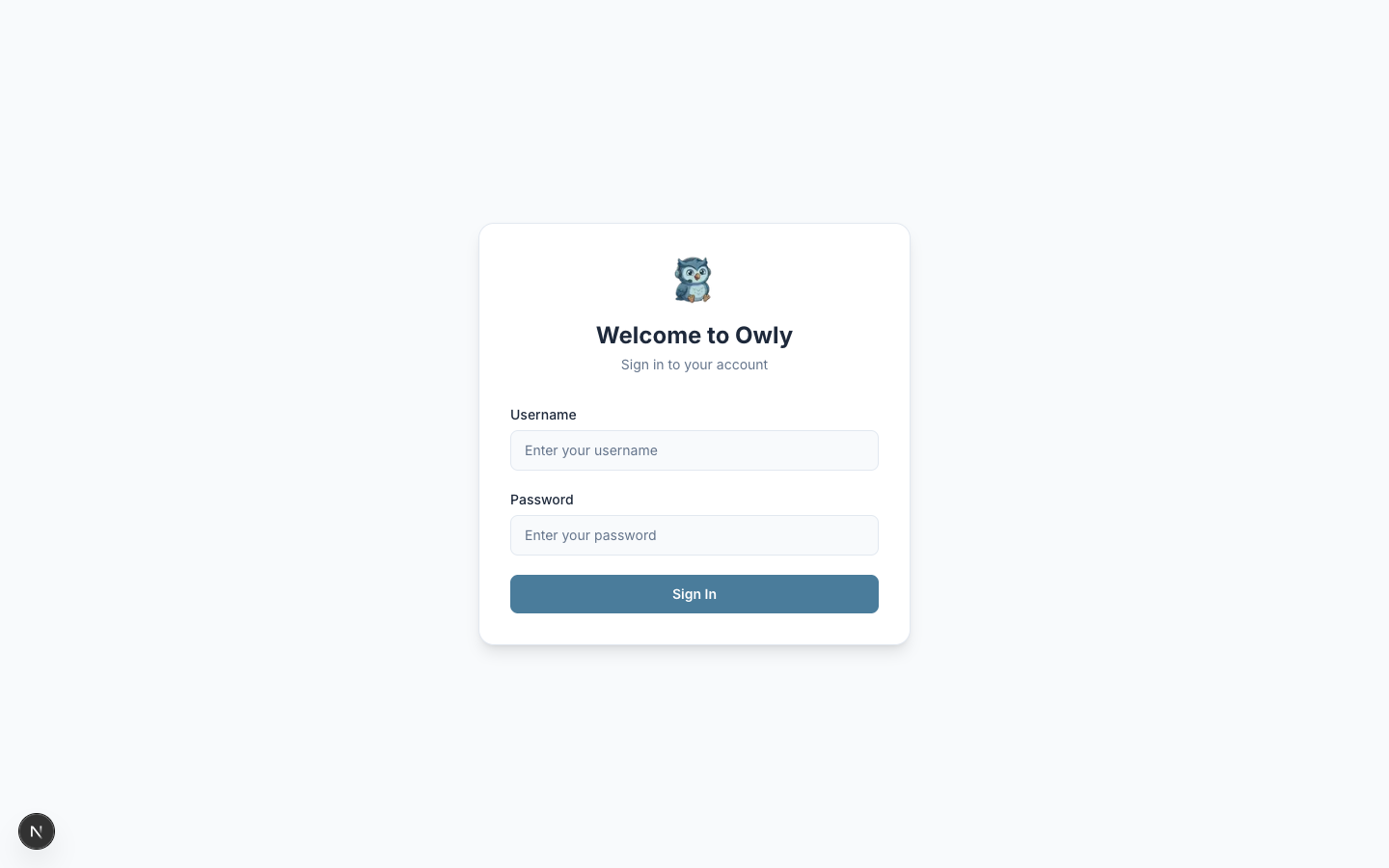
Clean login page with Owly branding
Configuration
All configuration is done through the admin dashboard -- no config files to edit after initial setup:
| Setting | Location | Description |
|---|---|---|
| Business profile | Settings > General | Name, description, welcome message, tone |
| AI provider | Settings > AI Configuration | OpenAI / Claude / Ollama, model, API key |
| Voice | Settings > Voice | ElevenLabs API key and voice selection |
| Phone | Settings > Phone | Twilio Account SID, auth token, phone number |
| Settings > Email | SMTP and IMAP server configuration | |
| Channels > WhatsApp | QR code scan or Business API | |
| Team | Team | Departments, members, expertise areas |
| SLA | SLA Rules | Response and resolution time targets |
| Schedule | Business Hours | Weekly availability and offline messages |
| Automation | Automation | Auto-route, auto-tag, auto-reply rules |
| Templates | Canned Responses | Pre-written reply templates |
| Integrations | Webhooks | External service connections |
API
Owly provides a full REST API with OpenAPI 3.0 spec at /api/openapi.json. Interactive documentation with live testing is available at /api-docs in the dashboard. All list endpoints are paginated (max 100/page) with standardized response format.
# Send a message and get AI response
curl -X POST http://localhost:3000/api/chat \
  -H "Content-Type: application/json" \
  -d '{"message": "What are your business hours?", "channel": "api"}'

# Response:
# {"conversationId": "...", "response": "We are open Monday to Friday, 9 AM to 6 PM..."}
# Health check (database, OpenAI, memory, uptime)
curl http://localhost:3000/api/health
# {"status": "ok", "version": "0.2.1", "services": {"database": "connected", "openai": "reachable"}, ...}
Every API response includes enterprise headers: X-Request-Id, X-RateLimit-Limit, X-RateLimit-Remaining, X-API-Version.
View all endpoints
| Method | Endpoint | Description |
|---|---|---|
POST | /api/chat | Send message, get AI response |
GET POST | /api/conversations | List or create conversations |
GET PUT DELETE | /api/conversations/:id | Manage a conversation |
POST | /api/conversations/:id/messages | Add message (admin takeover) |
POST | /api/conversations/:id/satisfaction | Rate conversation (1-5) |
POST | /api/conversations/:id/notes | Add internal note |
GET POST | /api/customers | List or create customers |
GET PUT DELETE | /api/customers/:id | Manage a customer |
GET | /api/customers/:id/conversations | Cross-channel conversation timeline |
GET POST | /api/tickets | List or create tickets |
GET PUT DELETE | /api/tickets/:id | Manage a ticket |
GET POST | /api/knowledge/categories | Knowledge categories |
GET POST | /api/knowledge/entries | Knowledge entries |
POST | /api/knowledge/test | Test AI with a question |
GET PUT | /api/settings | Application settings |
GET | /api/analytics?period=7d | Analytics data |
GET | /api/export?type=conversations&format=csv | Export (CSV/JSON) |
GET POST | /api/automation | Automation rules |
GET PUT | /api/business-hours | Business hours config |
GET POST | /api/sla | SLA rules |
GET POST | /api/canned-responses | Canned responses |
GET POST | /api/webhooks | Webhook management |
POST | /api/webhooks/test | Test a webhook |
GET POST | /api/webhooks/:id/deliveries | Delivery log and retry |
GET POST | /api/admin/users | Admin user management |
GET POST | /api/admin/api-keys | API key management |
GET | /api/activity | Activity audit log |
GET | /api/health | Health check |
GET | /api/openapi.json | OpenAPI 3.0 specification |
Tech Stack
| Layer | Technology |
|---|---|
| Framework | Next.js 16 (App Router) |
| Language | TypeScript 5 |
| Database | PostgreSQL 16 + Prisma 7 |
| UI | Tailwind CSS 4 + Radix UI |
| AI | OpenAI GPT (extensible to Claude, Ollama) |
| Voice TTS | ElevenLabs |
| Voice STT | OpenAI Whisper |
| Phone | Twilio Voice API |
| whatsapp-web.js | |
| Auth | JWT + bcrypt (12 rounds) |
| Validation | Zod schemas on all endpoints |
| Testing | Vitest (274 tests) |
| Charts | Pure CSS/SVG (zero dependencies) |
| Deployment | Docker Compose / Kubernetes (Helm) |
Project Structure
owly/
├── prisma/                  # Database schema, migrations, seed
├── public/                  # Static assets (logo)
├── docs/
│   ├── screenshots/         # UI screenshots (20 images)
│   └── wiki/                # Full documentation (25 pages)
├── helm/owly/               # Kubernetes Helm chart
│   ├── Chart.yaml
│   ├── values.yaml
│   └── templates/           # K8s manifests (deployment, service, ingress, hpa, etc.)
├── src/
│   ├── app/
│   │   ├── (auth)/          # Login, setup wizard
│   │   ├── (dashboard)/     # 19 dashboard pages
│   │   └── api/             # 60+ REST API endpoints
│   ├── components/
│   │   ├── layout/          # Sidebar, header
│   │   └── ui/              # 12 reusable components
│   └── lib/
│       ├── ai/              # AI engine, tools, types
│       ├── channels/        # WhatsApp, email, phone
│       ├── customer-resolver.ts  # Cross-channel identity resolution
│       ├── errors.ts        # Standardized error responses
│       ├── logger.ts        # Structured logging
│       ├── pagination.ts    # Shared pagination helper
│       ├── rate-limit.ts    # Rate limiting
│       ├── security.ts      # XSS/CRLF protection, secret masking
│       ├── validations.ts   # Zod input schemas
│       ├── webhook-delivery.ts   # Retry logic + HMAC signatures
│       └── hooks/           # Theme hook
├── tests/                   # 228 tests (unit, API, security)
├── docker-compose.yml
├── Dockerfile               # Multi-stage, non-root, healthcheck
└── .env.example
Documentation
Full documentation is available in the Wiki:
Deployment
Docker Compose (recommended for most users)
docker compose up -d
Kubernetes (Helm)
helm install owly helm/owly \
  --set database.host=your-postgres-host \
  --set database.password=your-password \
  --set secrets.jwtSecret=$(openssl rand -hex 32) \
  --set secrets.openaiApiKey=sk-... \
  --set ingress.enabled=true \
  --set ingress.hosts[0].host=support.yourdomain.com
The Helm chart includes startup/liveness/readiness probes, horizontal pod autoscaling, Ingress with TLS, PersistentVolumeClaim for WhatsApp sessions, and init container for database migrations. See helm/owly/values.yaml for all options.
Roadmap
- Cross-channel customer identity resolution
- Kubernetes Helm chart
- OpenAPI 3.0 specification
- Webhook delivery retry with HMAC signatures
- Pagination on all list endpoints
- Standardized error responses with request tracing
- Embeddable live chat widget for customer websites
- WebSocket real-time updates
- Vector embeddings for semantic knowledge search
- Role-based access control (RBAC)
- Telegram, Instagram, SMS channels
- Shopify / WooCommerce integration
- Mobile admin (PWA)
- Multi-tenant / white-label
Contributing
Contributions are welcome! See the Contributing Guide for details.
# Fork, clone, and create a branch
git checkout -b feature/your-feature

# Make changes and commit
git commit -m 'feat: add your feature'

# Push and open a PR
git push origin feature/your-feature
License
MIT License - see LICENSE for details.

Owly -- AI Customer Support, Enterprise Grade
Built with Next.js 16, TypeScript, PostgreSQL, and OpenAI