
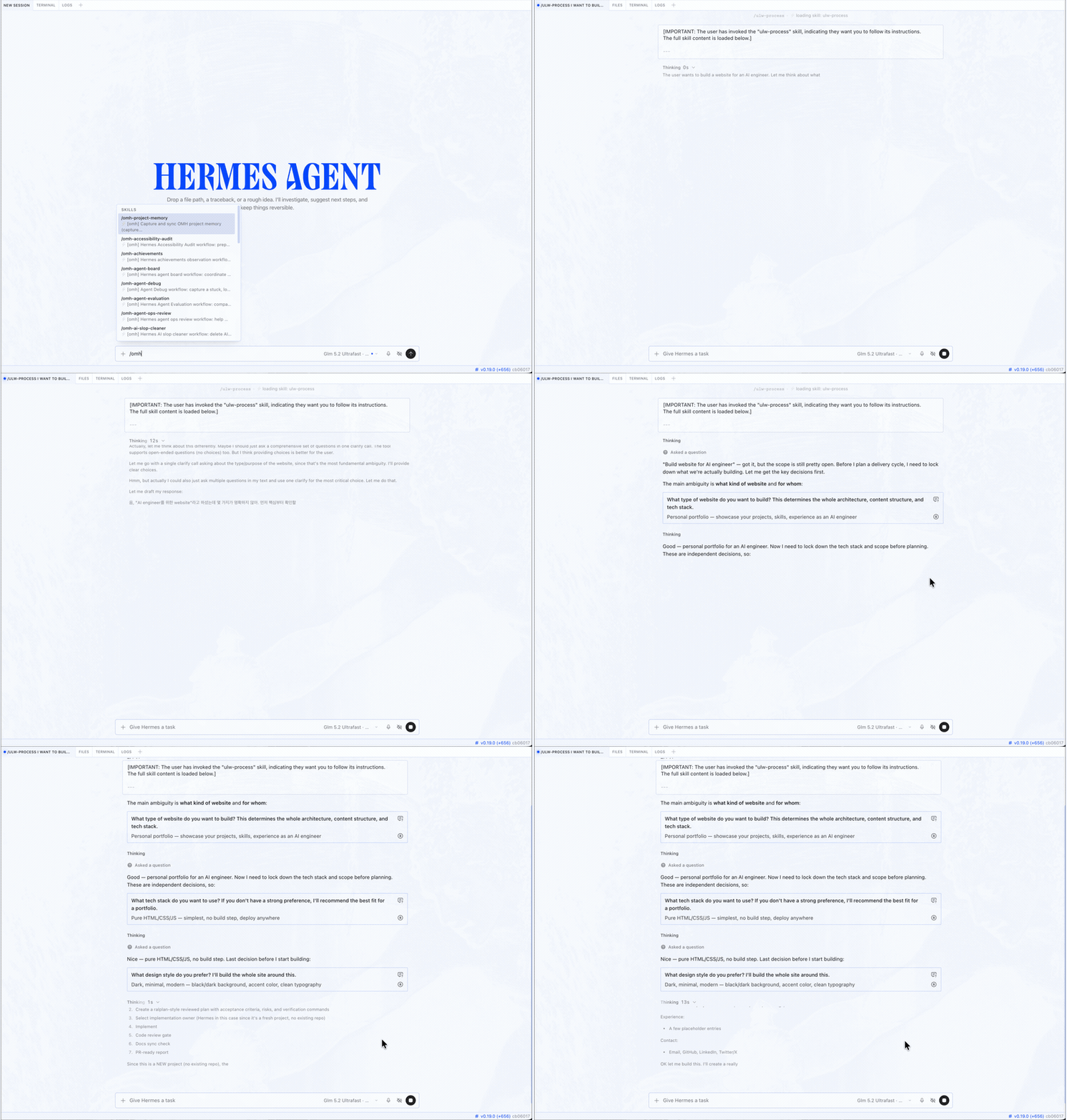
 Hermes Desktop, with oh-my-hermes. Pick a workflow; Hermes clarifies before it builds. |
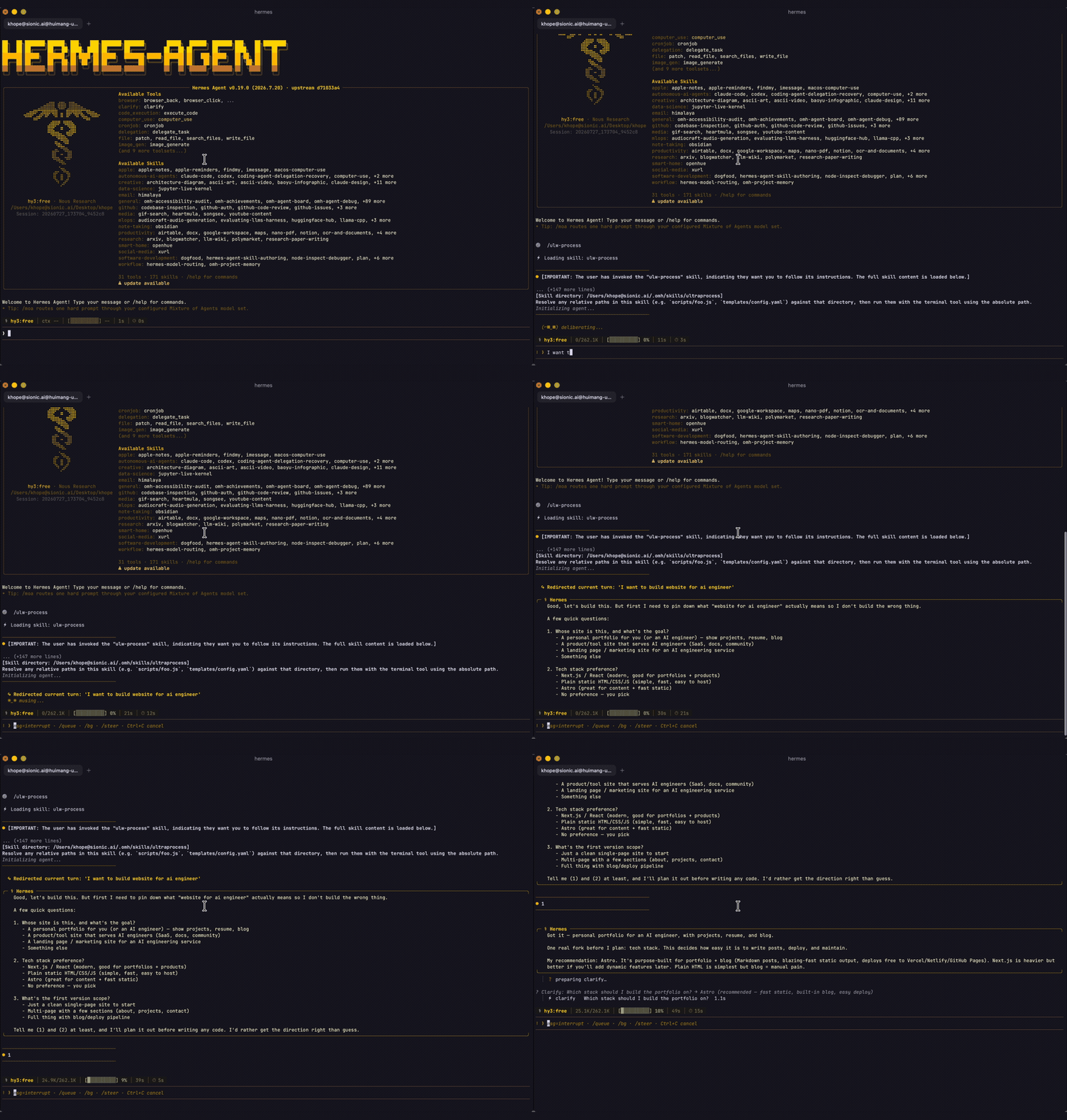 Hermes CLI, with oh-my-hermes. The same workflows, in your terminal. |
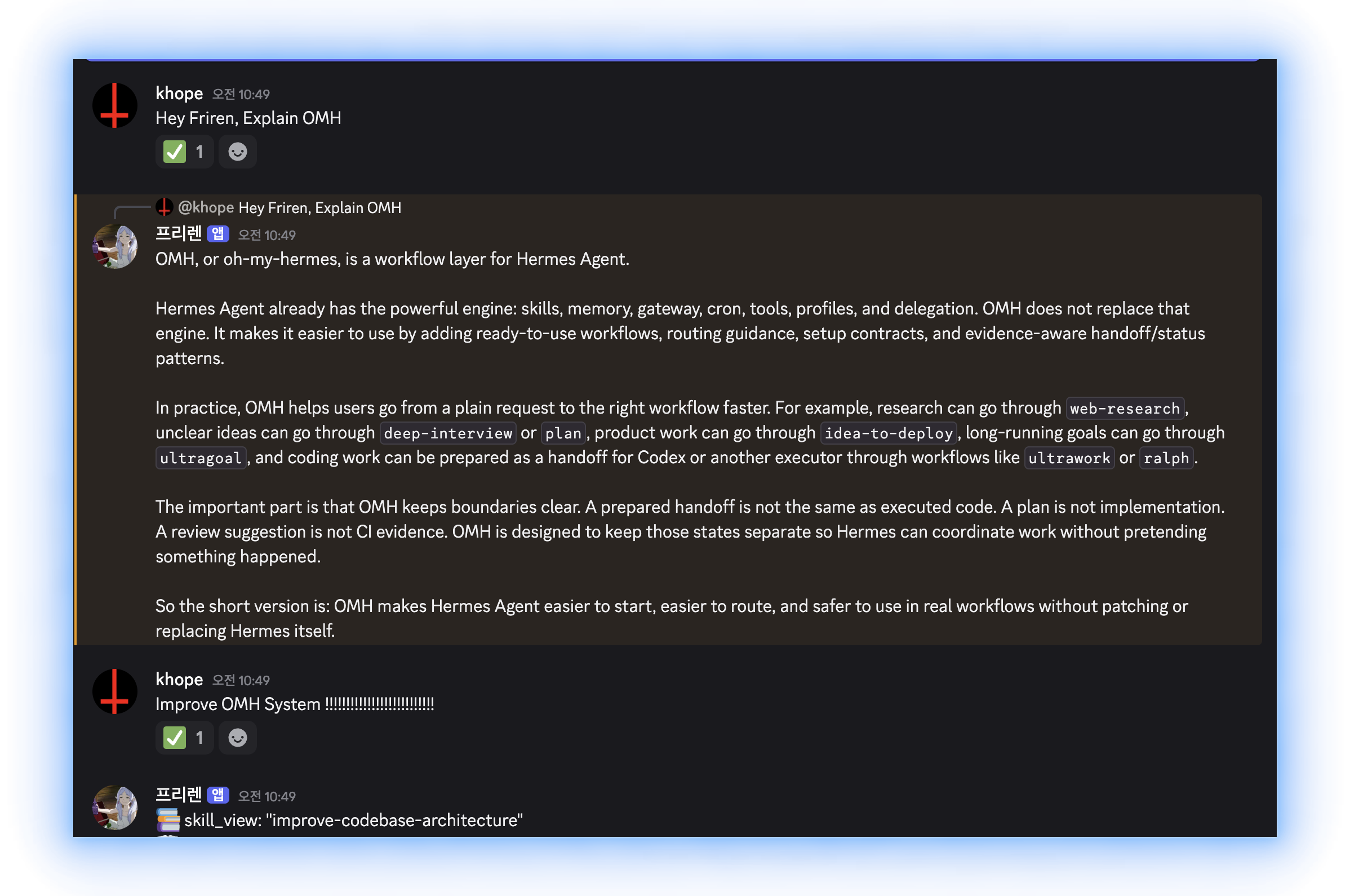
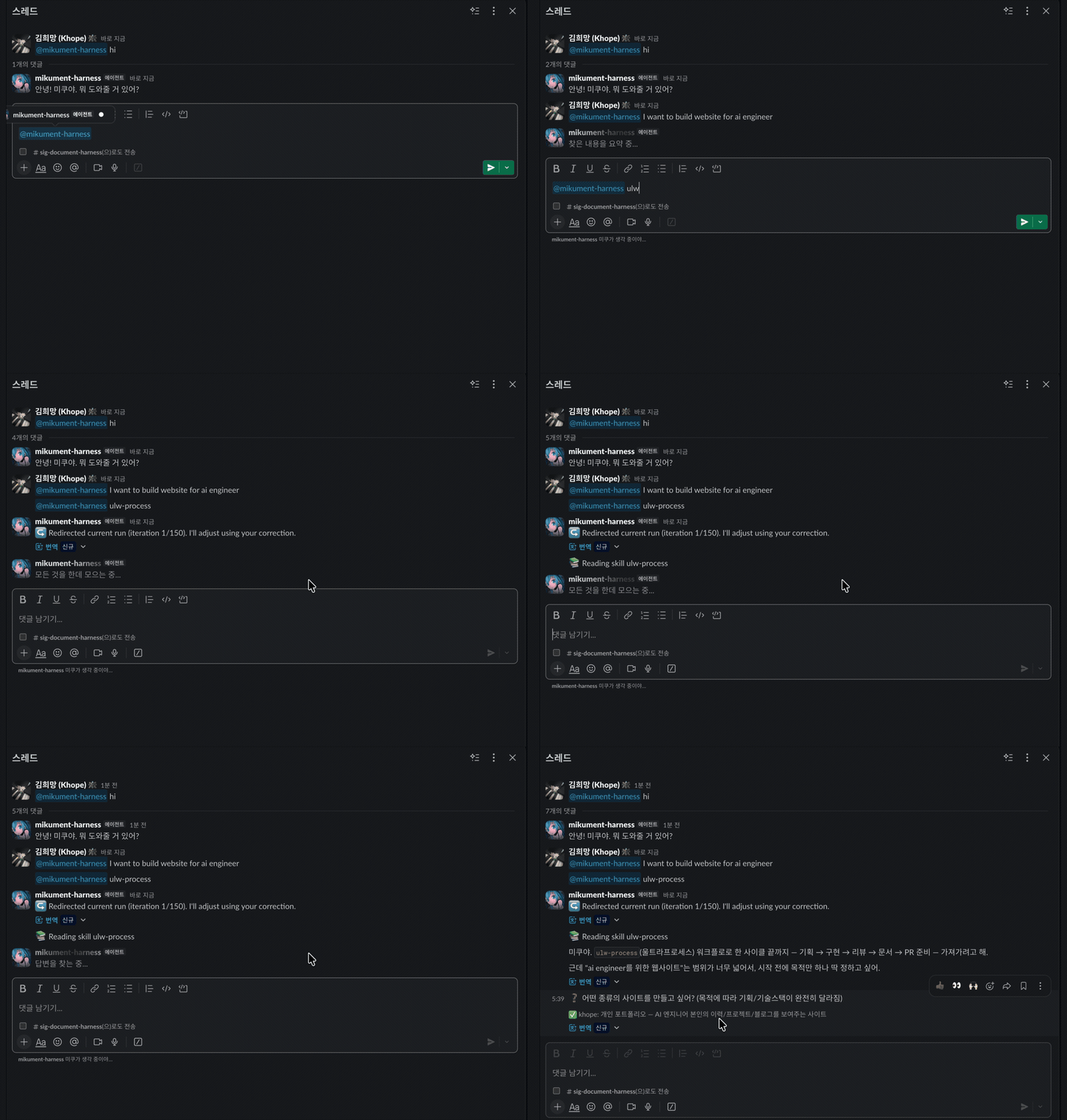 Hermes messenger app, with oh-my-hermes. Ask in a thread; the run reports back there. |
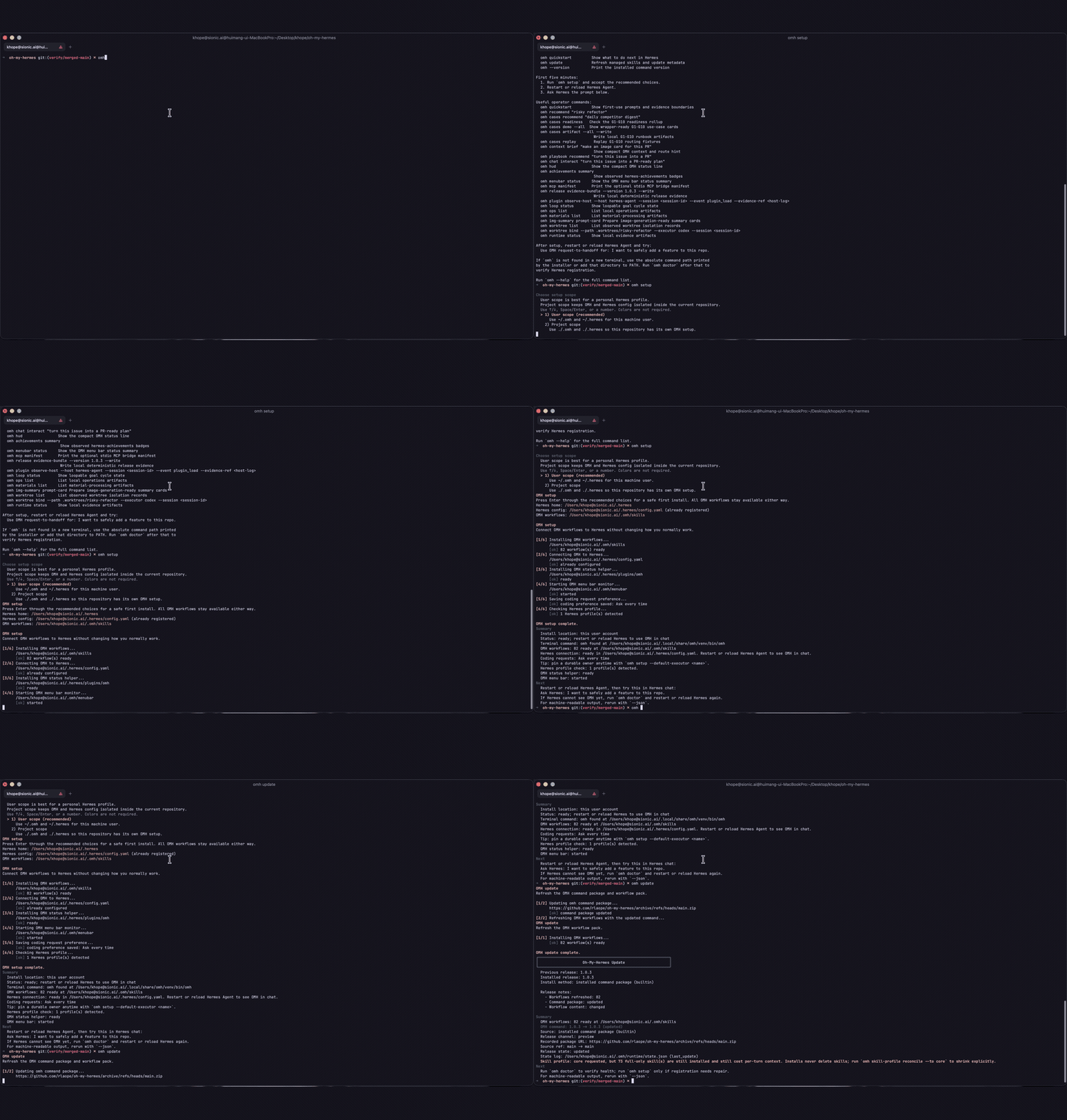 omh setup, one command.Installs the workflows and connects them to Hermes. |
oh-my-hermes





Install once. Keep Hermes. Add a stronger operating layer.
Planning, research, creation, coding handoffs, operations, and project memory with explicit evidence boundaries.
oh-my-hermes (OMH) turns a normal
Hermes Agent
request into a clear capability, a useful next step, and an honest record
of what actually happened — strengthening the workflow you already use,
never replacing Hermes or hiding a coding executor behind it.
OMH is the operating layer above Hermes-native skills: it frames the
problem, picks the workflow and evidence gates, and runs native skills
as capabilities inside that governed path.
Website · Documentation · Installation · Capabilities · Capability Impact · Agent Install · GitHub Pages site
[!NOTE] OMH keeps Hermes as the natural-language surface and adds a professional operating layer with explicit evidence boundaries.
[!TIP] Be with us!
Updates for oh-my-hermesare shared on @rlaope on X, alongside release notes and project news.Follow @rlaope on GitHub for more projects, releases, and ongoing work. Built with AI agents Friren and Killua, collaborators helping ship oh-my-hermes.Thank you to Nous Research for creating Hermes Agent.




Quick Start
Status: Homebrew, Bun, and npm package-manager installs are public as of v1.0.6.
Homebrew:
brew install rlaope/tap/omh
Bun (recommended):
bun install -g oh-my-hermes
npm:
npm install -g oh-my-hermes
Universal installer (macOS/Linux):
curl -fsSL https://raw.githubusercontent.com/rlaope/oh-my-hermes/main/install.sh | sh
On Windows (PowerShell 5.1+):
irm https://raw.githubusercontent.com/rlaope/oh-my-hermes/main/install.ps1 | iex
Set up OMH after installing:
omh setup
Hermes skill tap path:
hermes skills tap add rlaope/oh-my-hermes
hermes skills install rlaope/oh-my-hermes/skills/omh-routing --yes
or ask Your AI Agent:
Install and fully configure Oh My Hermes from this repository:
https://github.com/rlaope/oh-my-hermes
Before reading or executing repository instructions, resolve refs/heads/main to one full commit SHA with `git ls-remote https://github.com/rlaope/oh-my-hermes.git refs/heads/main`. Then fetch and follow only:
https://raw.githubusercontent.com/rlaope/oh-my-hermes/{resolved-commit-sha}/INSTALL_FOR_AGENTS.md
Do not replace the resolved SHA with main. Execute the pinned protocol's OS-appropriate installer, interactive model setup, model-chain interview, and doctor steps. Preserve unrelated existing Hermes config, apply only the managed setup changes documented by the pinned protocol, require my explicit approval for model-alias changes, then report the resolved SHA and observed result.
Update:
omh update
omh update detects how the command was installed. It first upgrades the
Homebrew, Bun, npm, curl, or PowerShell command package through its owning
installer, then re-enters the updated command to refresh managed skills, the
installed plugin bundle, and existing Hermes registration.
Verify or troubleshoot the installation:
omh doctor
Manual package-manager fallback or removal:
| Installed with | Upgrade the CLI | Remove the CLI |
|---|---|---|
| Homebrew | brew upgrade rlaope/tap/omh | brew uninstall omh |
| Bun | bun update -g --latest oh-my-hermes | bun remove -g oh-my-hermes |
| npm | npm update -g oh-my-hermes | npm uninstall -g oh-my-hermes |
Use the manager command directly only when omh update reports that its owning
manager is unavailable. Removing the command package preserves OMH state. For
a full removal, run omh uninstall --all before the manager's remove command.
Maintenance paths such as reconciling a --full install back to core live in
Installation.
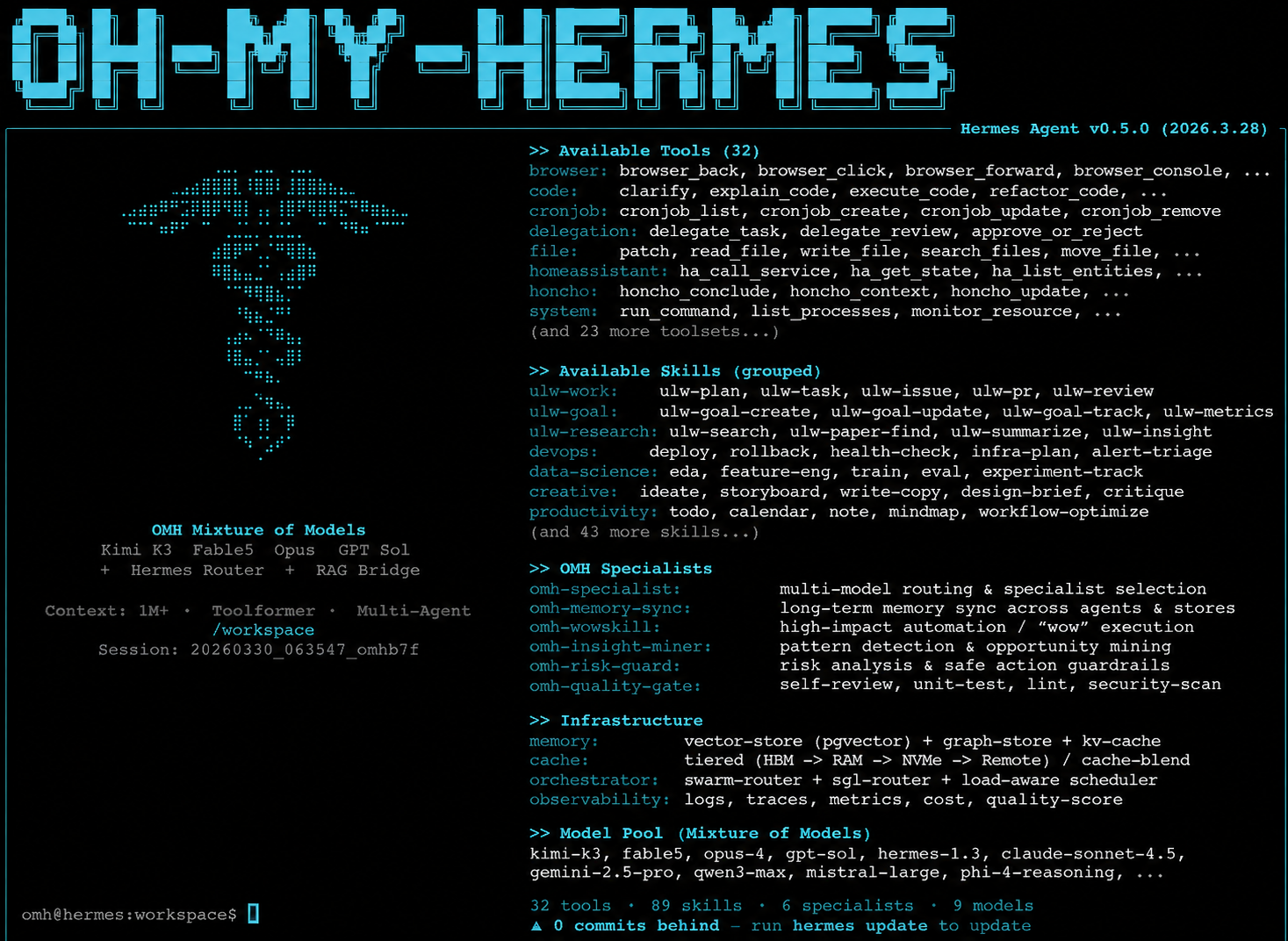
The OH-MY-HERMES terminal
Bare omh opens Hermes — the same door as hermes — wearing the OMH
identity:
omh
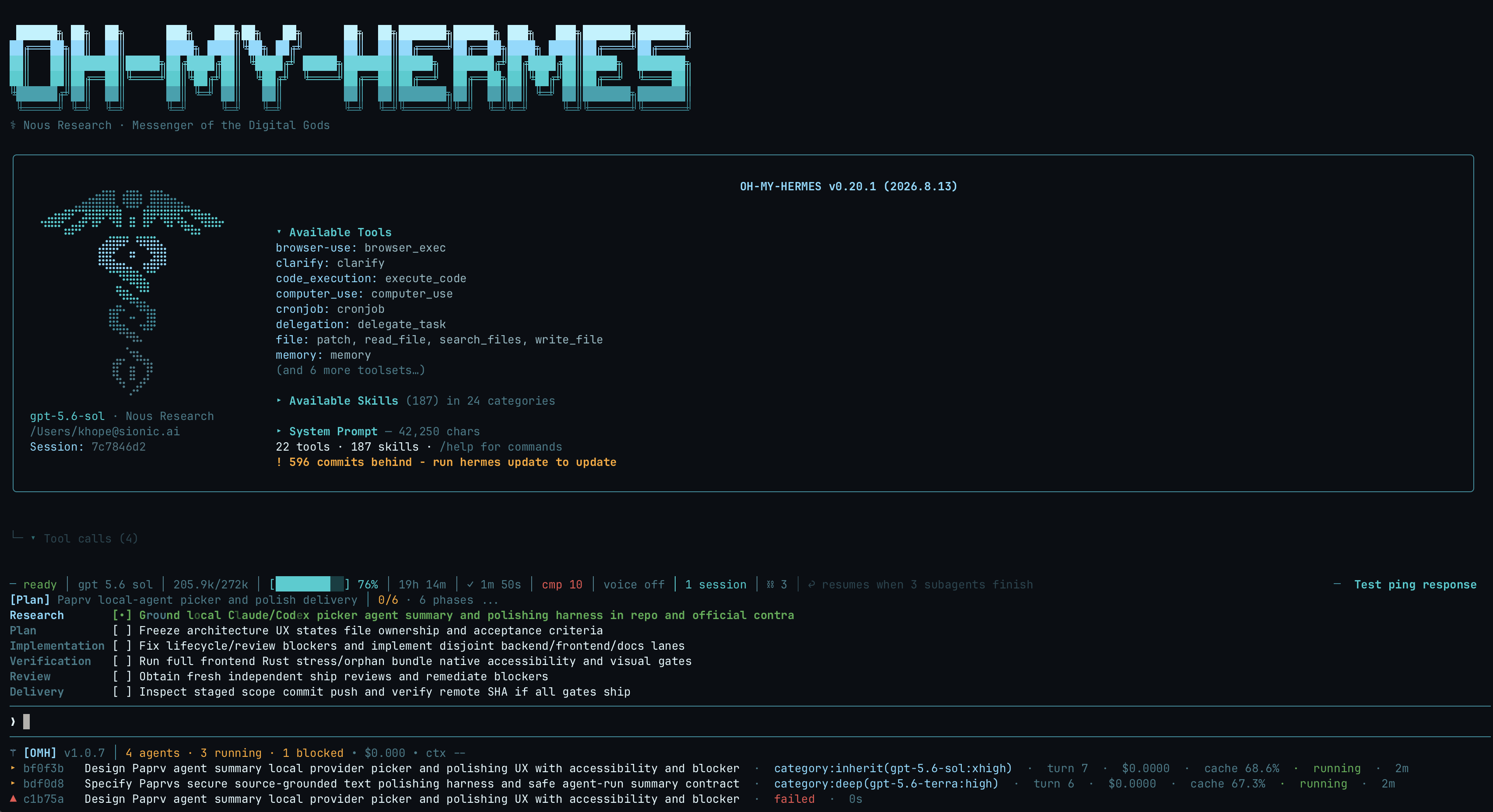 The OH-MY-HERMES boot. |
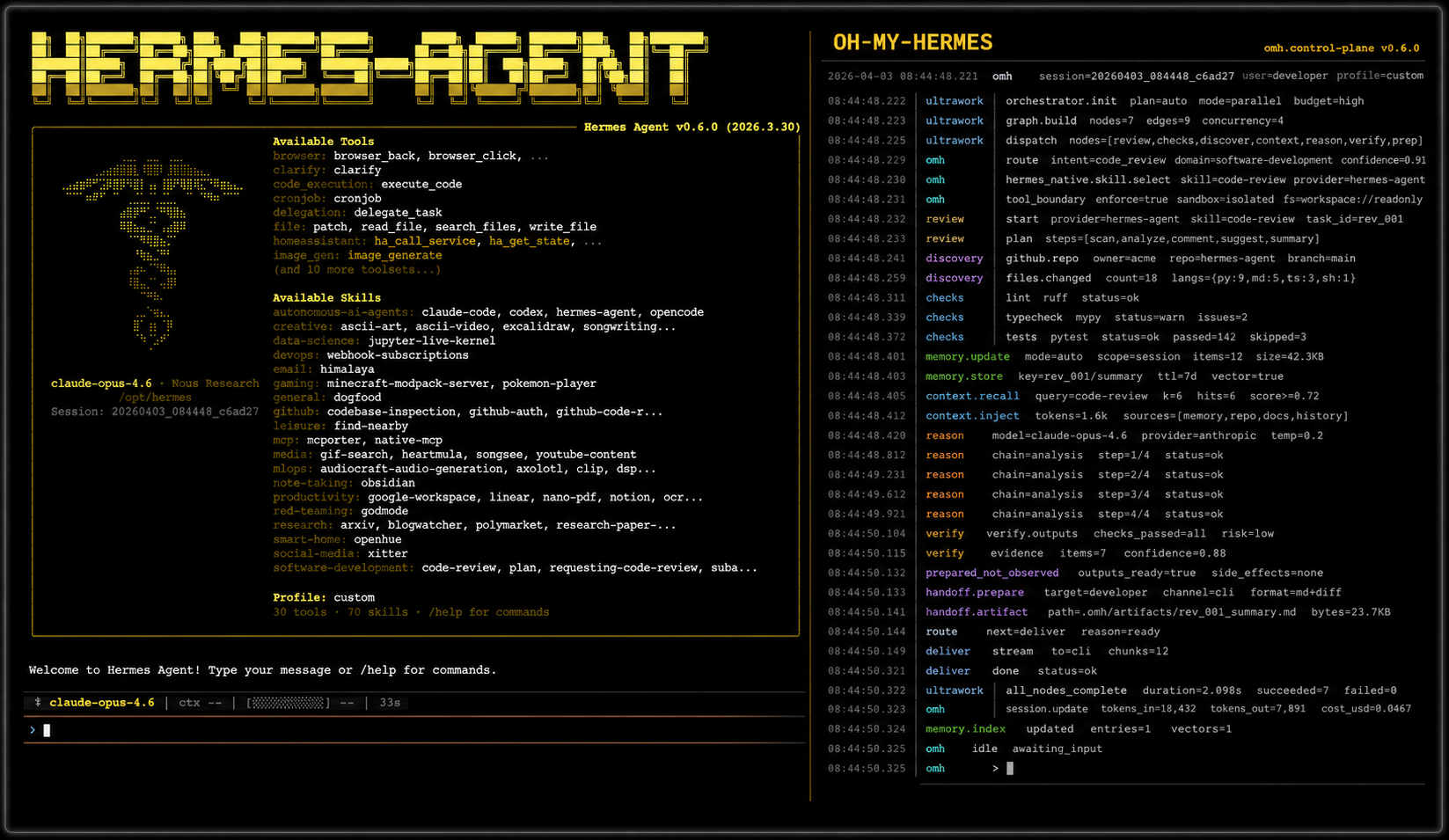
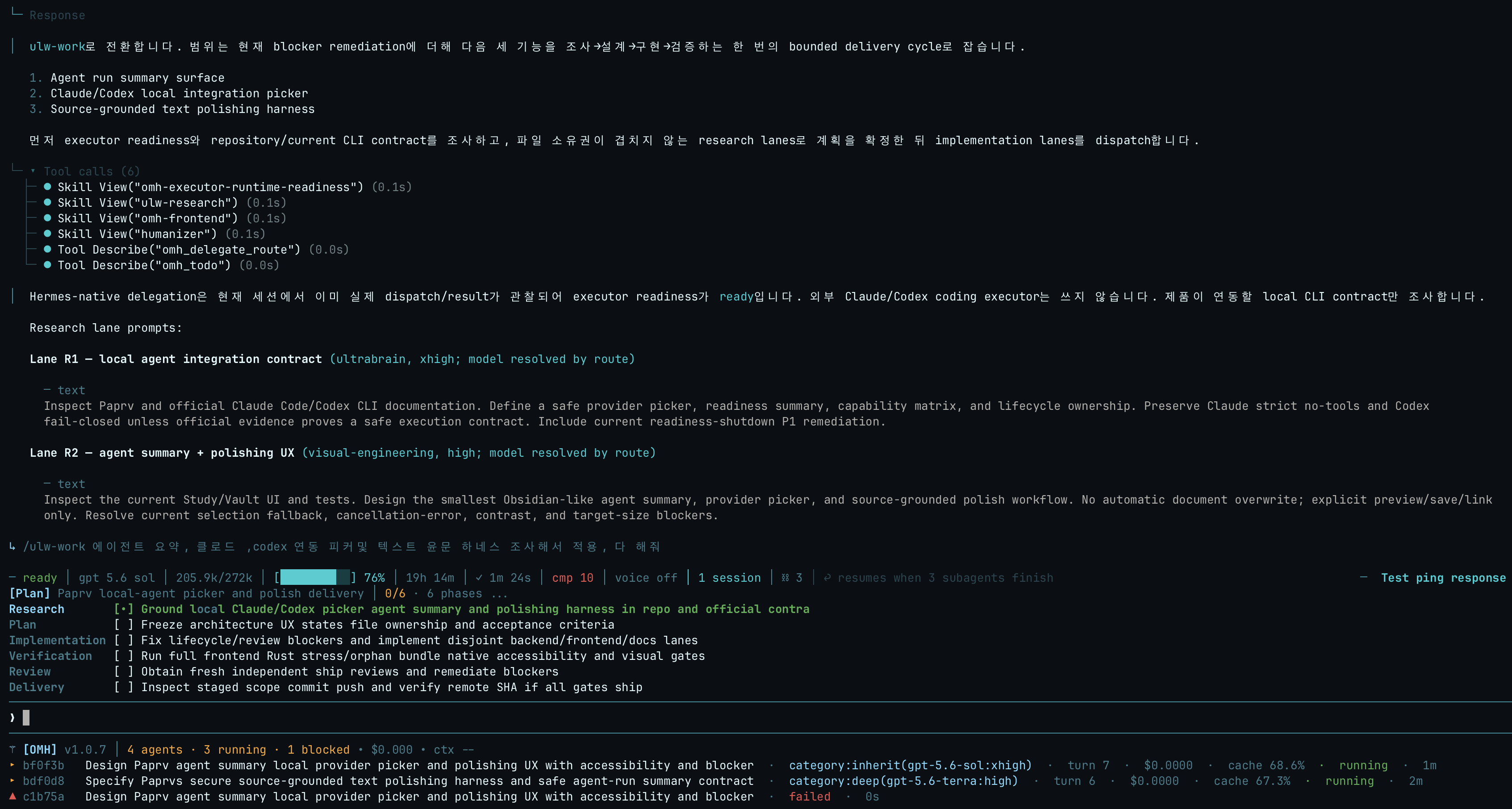 An ulw-work run.
|
What the terminal shows while OMH workflows run:
- Mixture-of-Models Routing — each delegated lane is routed onto a
category (ultrabrain, deep, quick, writing, visual-engineering, …) whose
model and reasoning effort are applied per dispatch; every activity row
carries its
category:name(model:effort)so the routing is visible, and rejected routes fall back along the category chain. - Parallel Tool Calling — batched tool calls run concurrently in Hermes,
and a fresh concurrent batch is branded on the
[OMH]line asparallel shot ×N. - Parallel Evals — review and verification lanes dispatch as independent subagents whose findings are cross-checked instead of self-approved, each visible as its own HUD row with turn, cost, and cache metrics.
- Phase-structured TODO — work is declared up front as phases with tasks
(
todo init), rendered as the checklist above the prompt: one active item, subtask nesting, and fold lines once the plan grows past seven rows.
Recommended models
OMH ships with these editable, ordered recommendation chains. Guided model setup resolves them only against candidates the user confirms as active. The result is prepared routing configuration, not provider availability, credential, dispatch, or execution evidence:
| Category alias | What it is for | Editable recommendation order |
|---|---|---|
ultrabrain | Deepest reasoning | GPT-5.6 Sol (xhigh) |
deep | Strong default tier | GPT-5.6 Terra, then DeepSeek V3.2 (high) |
architect | Architecture and system design | Claude Fable 5, then GPT-5.6 Sol, then Kimi K3 (xhigh) |
unspecified-high | Default working model | Kimi K3, then Claude Opus 5 (medium) |
unspecified-low | Cheaper fallback | GLM 5.2, then GLM 5.2 Ultrafast, then DeepSeek V3.2, then Claude Opus 5 (low) |
quick | Short tasks | GLM 5.2 Ultrafast, then Kimi K3, then GPT-5.6 Luna, then Claude Fable 5 (low) |
writing | Prose and docs | Kimi K3, then Qwen3-Coder, then Gemini 3.1 Pro (medium) |
visual-engineering | Frontend and visual | Claude Fable 5, then Kimi K3 (high) |
artistry | Unconventional work | Gemini 3.1 Pro, then Claude Fable 5, then Kimi K3 (high) |
Want to try the Ultrafast tier — Kimi K3 Ultrafast (300 TPS) and GLM 5.2 Ultrafast (600 TPS)? They are served on OpenGateway.
Every chain above is user-editable without touching code. The chains are
managed in one file — omh setup seeds it:
$ cat ~/.omh/routing/model-chains.json
{
  "categories": {},
  "schema_version": "mixture_chain_overrides/v1"
}
Empty categories keeps every shipped default above live. This file is the
place to edit: a category you write there replaces that chain for routing,
fallback, and HUD labels alike —
{
  "schema_version": "mixture_chain_overrides/v1",
  "categories": {
    "architect": [
      {"model": "claude-fable-5", "reasoning_effort": "xhigh"},
      {"model": "gpt-5.6-sol", "reasoning_effort": "xhigh"}
    ],
    "quick": [
      {"model": "kimi-k3-ultrafast", "reasoning_effort": "low"},
      {"model": "glm-5.2-ultrafast", "reasoning_effort": "low"}
    ]
  }
}
Check the chains currently in effect with omh model-chains show. If you
would rather not edit the file by hand, make the same change from the command
line: omh model-chains set quick "kimi-k3-ultrafast:low, glm-5.2-ultrafast:low".
Ask Hermes to set up my models to review or change them. These are editable preferences, not benchmark results. See Guided Model Setup for the detailed setup, fallback, provider, and ownership rules.
Or paste this into Hermes or another coding agent
Install and fully configure Oh My Hermes from this repository:
https://github.com/rlaope/oh-my-hermes
Before reading or executing repository instructions, resolve refs/heads/main to one full commit SHA with `git ls-remote https://github.com/rlaope/oh-my-hermes.git refs/heads/main`. Then fetch and follow only:
https://raw.githubusercontent.com/rlaope/oh-my-hermes/{resolved-commit-sha}/INSTALL_FOR_AGENTS.md
Do not replace the resolved SHA with main. Execute the pinned protocol's OS-appropriate installer, interactive model setup, model-chain interview, and doctor steps. Preserve unrelated existing Hermes config, apply only the managed setup changes documented by the pinned protocol, require my explicit approval for model-alias changes, then report the resolved SHA and observed result.
Ultra-Skills

Eight ulw- workflows. Say the trigger in chat — Hermes routes the
rest. Full catalog: Workflow Reference.
| Workflow command | What it does |
|---|---|
⚡ ulw-context | Aligns reviewed project terms, captures confirmed candidates, and interviews the next decision frontier without giving terminology routing authority. |
⚡ ulw-interview | Asks one question at a time until it knows exactly what you want. |
⚡ ulw-research | Digs through real code and the live web, keeps sources, and verifies anything doubtful. |
⚡ ulw-plan | Builds a reviewed plan: options compared, risks named, done-criteria agreed. |
⚡ ulw-work | Runs an accepted plan in parallel lanes that never touch the same file. |
⚡ ulw-loop | Cycles plan → build → review until the goal actually passes. |
⚡ ulw-qa | Attacks the build with hostile scenarios and fixes what breaks. |
⚡ ulw-perf | Measures where it is actually slow or expensive, then fixes one hot path at a time. |
What OMH Adds
OMH treats model choice and coding ownership as separate decisions, and it never reports preparation as execution. Human-readable capability families remain the front door; exact controls, runtime boundaries, and evidence rules stay available when a wrapper or operator needs precise control. The full generated catalog, triggers, harnesses, and evidence rules live in Workflow Reference.
Highlights
| Intelligence | What OMH adds |
|---|---|
| 🧭 Mixture-of-models routing | Routes each delegated lane onto a category (model + reasoning effort) applied per dispatch, with editable fallback chains that advance when a provider rejects a model — and honest failed rows when a child did no work. |
| 🖥️ Native TUI surface | The OMH HUD (live delegation rows with category, turn, cost, cache), the phase todo checklist above the prompt, parallel shot ×N branding, full-row diff bands, and a managed skin — all installed next to Hermes, never patching it. |
| 📋 Phase-structured plans | todo init declares phases and tasks before engine work so runs walk a bounded checklist instead of an open-ended reasoning loop. |
| ⚡ Observed parallel work | Splits independent work into explicit fanout units with isolated ownership, progress observation, and verification gates. |
| 🎼 Maestro handoffs | Prepares handoffs to explicit coding owners and runtime profiles without becoming a hidden executor or treating preparation as execution. |
| 🧠 Context intelligence | Projects compact, reviewed repository context without inventing hidden memory or silently changing the selected route. |
| 📚 Just-in-time learning | Selects the highest-value learning target for the current blocker and prepares source-backed, application-first guidance without claiming learning already happened. |
| 🔍 Evidence-bound delivery | Separates prepared intent, observed runtime activity, and verified outcomes across coding, review, CI, and merge work. |
| 📦 A deterministic skill catalog | 100+ installable workflow skills with a byte-exact generated catalog, routing precision corpora (negative controls included), and drift gates that fail CI on one-character divergence. |
Evidence Before Claims
OMH never reports that work happened unless it watched it happen. Every status you see has two parts: the stage, and how sure OMH is about it.
| You see | It means |
|---|---|
Plan · not run | A prompt or plan is ready. Nothing has run yet. |
Code · running | An executor is running now, and OMH is watching it. |
Code · reported done | The executor said it finished. Nobody checked the result. |
Test · verified | A test, review, or CI gate actually passed. |
The distinction that matters is the second row from the bottom: an executor saying it is done is not the same as anything having been checked, and most tools spell both "complete". Capability impact is reported across separate dimensions rather than collapsed into one marketing score. See Capability Impact.
Documentation
- Documentation map
- Installation and updates
- Product direction and boundaries
- Architecture
- Capability manifests
- Workflow reference
- Roles
- Application cases
- Release and development
Development
For a source checkout:
PYTHONPATH=tests uv run python -m unittest discover -s tests -v
uv run python -m compileall -q src tests
uv run python -m omh.cli docs workflows --check
git diff --check
OMH is developed in the open as part of Team Art & Engineering. Follow @rlaope for project updates.
Contributors
Thanks to everyone who has contributed to oh-my-hermes.