MeiGen AI Design MCP 

Open-source MCP server for AI image & video generation — native to every major AI coding tool
Leading models (GPT Image 2 · Nanobanana 2 · Seedream 5.0 · Midjourney V8.1 · Flux 2 Klein · Grok Imagine · Seedance 2.0 · Veo 3.1 · Grok Video · Agnes Video · local ComfyUI) · 1,446 curated prompts · parallel sub-agent orchestration · standalone CLI mode. Works in Claude Code, Cursor, Codex, Windsurf, Roo Code, OpenClaw, Hermes Agent, and any MCP-compatible host.





Quick Start • Demo • Features • Providers • Commands
English | 中文
What Is This?
An MCP server that turns any AI coding tool into a professional design assistant. 9 tools + a curated prompt library let it design logos, render product shots, animate stills into video, and orchestrate parallel batch variations. Works in Claude Code, Cursor, Codex, Windsurf, Roo Code, OpenClaw, Hermes Agent, and any MCP-compatible host — with the MeiGen platform, any OpenAI-compatible API, or your local ComfyUI as the backend.
- Three backend modes: MeiGen cloud (DB-driven image & video model lineup — see
list_models), OpenAI-compatible (bring your own key and endpoint), or local ComfyUI (offline, your GPU) - Built-in 1,446 curated prompt templates from nanobanana-trending-prompts plus style-aware prompt enhancement
- Parallel batch generation via sub-agents to keep the main context clean — plus a standalone CLI for shell scripts and CI
See It in Action
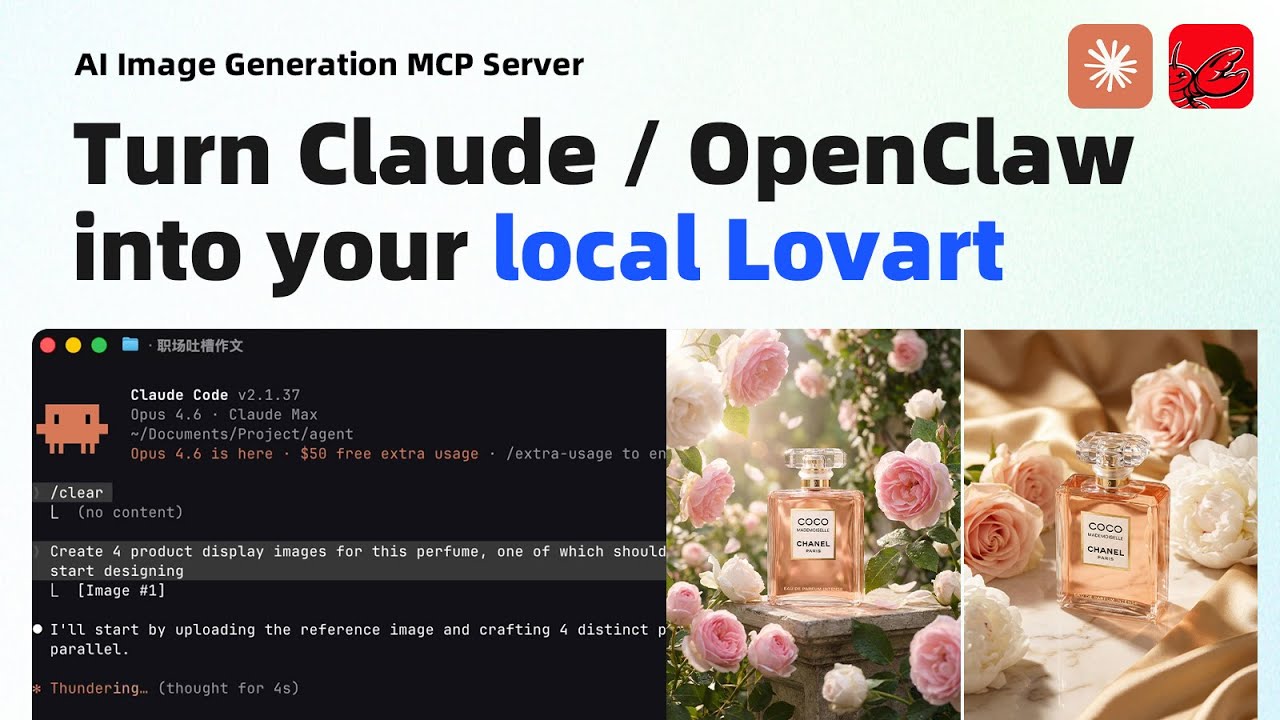
Product Photo — 4 Directions in Parallel
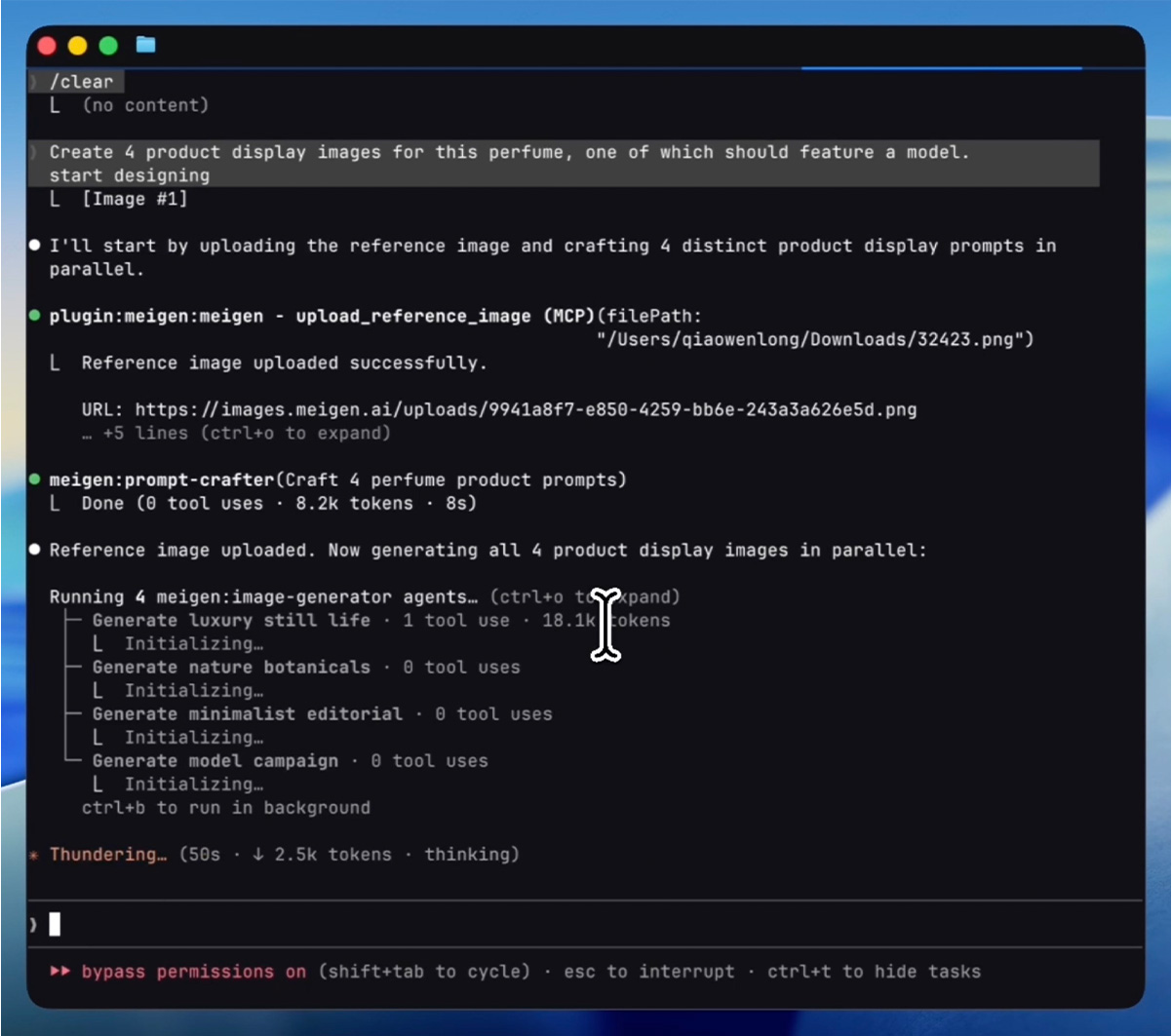
"Create 4 product display images for this perfume, one of which should feature a model."
Process — AI uploads the reference image, crafts 4 distinct prompts, then generates all 4 in parallel:
Result — 4 creative directions delivered in under 2 minutes:
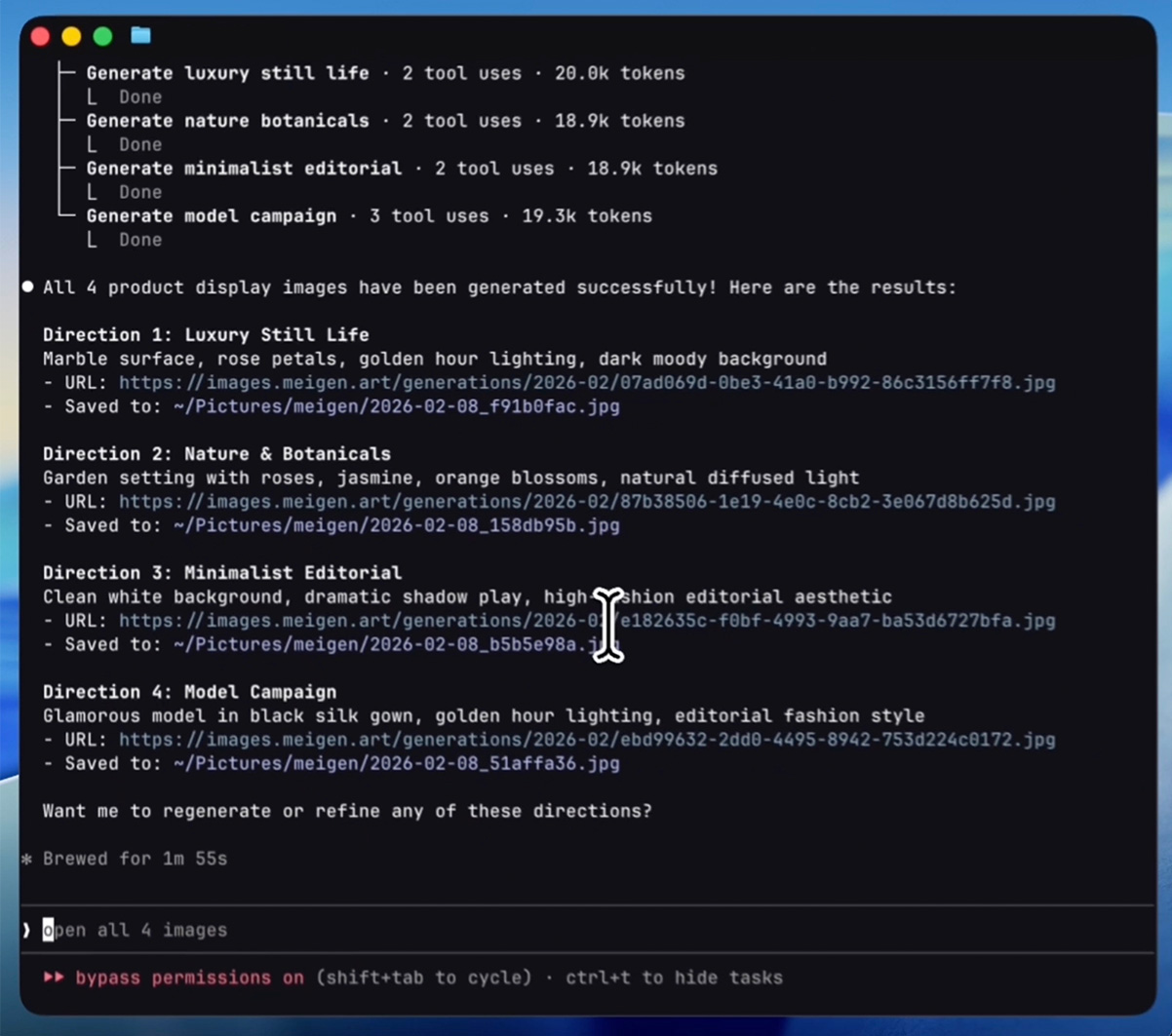
Generated images:




Quick Start
Remote MCP Endpoint (zero-install, recommended)
MeiGen now hosts an official stateless remote MCP endpoint — no npm install, no local process, and its model lineup, pricing and time estimates stay in sync with production automatically (tool descriptions are rendered from the production database, refreshed hourly):
claude mcp add --transport http meigen https://www.meigen.ai/api/mcp \
  --header "Authorization: Bearer meigen_sk_YOUR_TOKEN"
Works with any Streamable-HTTP MCP client (2026-07-28 stateless protocol, with fallback for 2025-era clients). Read-only tools (search, model list, inspiration, generation status check) work without a token. The remote endpoint returns media URLs; if you want automatic local file saving, prompt-library offline search, ComfyUI bridging or the CLI, use the npm package below — both share the same account and credits.
Claude Code Plugin (npm, local tools)
# Add the plugin marketplace
/plugin marketplace add jau123/MeiGen-AI-Design-MCP

# Install
/plugin install meigen@meigen-marketplace
Restart Claude Code after installation (close and reopen, or open a new terminal tab).
Alternative marketplace — also available via wshobson/agents (30k+ stars):
/plugin marketplace add wshobson/agents
/plugin install meigen-ai-design@claude-code-workflows
This marketplace doesn't bundle MCP server config. After installing, add to your project's
.mcp.json:{ "mcpServers": { "meigen": { "command": "npx", "args": ["-y", "meigen@1.4.0"] } } }
First-Time Setup
Free features work immediately after restart — try:
"Search for some creative inspiration"
To unlock image generation, run the setup wizard:
/meigen:setup
The wizard walks you through:
- Choose a provider — local ComfyUI, MeiGen Cloud, or any OpenAI-compatible API (bring your own key & endpoint)
- Enter credentials — ComfyUI URL, API token, or key
- Done — restart Claude Code once more, then start generating
Cursor / VS Code / Windsurf / Roo Code
One command to set up MeiGen for any supported AI coding tool:
npx meigen init cursor      # Cursor
npx meigen init vscode      # VS Code / GitHub Copilot
npx meigen init windsurf    # Windsurf
npx meigen init roo         # Roo Code
npx meigen init claude      # Claude Code (project-level)
This writes the correct MCP config file with the right format and path for your tool. If a config file already exists, MeiGen is merged in without overwriting your other servers.
OpenClaw
Install the full plugin from ClawHub (includes commands, skills, and MCP server):
openclaw bundles install clawhub:meigen-ai-design
Or install only the skill (no commands/agents):
npx clawhub@latest install creative-toolkit
Use as CLI (no MCP host required)
For shell scripts, CI pipelines, or anyone who wants AI image generation without an MCP host, MeiGen ships a one-shot gen command in the same npm package.
# Set your token once (get it at https://www.meigen.ai → Settings → API Keys)
export MEIGEN_API_TOKEN=meigen_sk_...

# Generate
npx meigen gen --prompt "a calico cat in a sunlit kitchen"

# With a specific model + aspect ratio
npx meigen gen -p "tech logo" -m midjourney-v8.1 -r 1:1

# With a reference image (local file auto-uploaded)
npx meigen gen -p "product hero shot" --ref ~/Desktop/bottle.jpg

# Submit only — print generationId without polling (good for CI)
npx meigen gen -p "..." --no-wait

# Machine-readable output (good for jq pipes)
npx meigen gen -p "..." --json | jq -r '.imageUrls[0]'
The image is saved to ~/Pictures/meigen/ (override with MEIGEN_OUTPUT_DIR).
meigen gen --help lists all flags.
Other MCP-Compatible Hosts
Add to your MCP config (e.g. .mcp.json, claude_desktop_config.json):
{
  "mcpServers": {
    "meigen": {
      "command": "npx",
      "args": ["-y", "meigen@1.4.0"],
      "env": {
        "MEIGEN_API_TOKEN": "meigen_sk_..."
      }
    }
  }
}
Free features (inspiration search, prompt enhancement, model listing) work without any API key.
Hermes Agent (NousResearch)
Hermes Agent is a first-class MCP client — add MeiGen to ~/.hermes/config.yaml:
mcp_servers:
  meigen:
    command: "npx"
    args: ["-y", "meigen@1.4.0"]
    env:
      MEIGEN_API_TOKEN: "meigen_sk_..."
    timeout: 2700         # generate_video polls until the server reports a terminal state (long videos can run 15+ min) — default 120s is not enough
    connect_timeout: 120  # first npx download can take a minute
The
timeout: 2700andconnect_timeout: 120overrides are important — Hermes defaults (120s / 60s) are tuned for short-running tools and will time out on video generation or first-run npx downloads.
Features
MCP Tools
| Tool | Free | Description |
|---|---|---|
search_gallery | Yes | Search 1,446 curated trending prompts with visual previews (powered by nanobanana-trending-prompts) |
get_inspiration | Yes | Get full prompt, all images, and metadata for any gallery entry |
enhance_prompt | Yes | Transform a brief idea into a professional image prompt |
list_models | Yes | List available models across all configured providers |
comfyui_workflow | Yes | Manage ComfyUI workflow templates: list, view, import, modify, delete |
manage_preferences | Yes | Remember your preferred style, aspect ratio, model, and favorite prompts |
generate_image | Key | Generate an image — routes to the best available provider automatically. Local reference images are auto-compressed and uploaded. |
generate_video | Key | Generate video with a required model ID. Run list_models for the live lineup, tiers, resolutions, duration enum/range and reference-video limits. Local frame images are auto-uploaded; MP4 results save to ~/Movies/meigen/. |
check_generation | No | Check a generation by ID — follow-up after interrupted polling (the error message includes the ID). Retry instead of re-submitting to avoid double charges. |
Slash Commands
| Command | Description |
|---|---|
/meigen:gen <prompt> | Quick generate — skip conversation, go straight to image |
/meigen:find <keywords> | Search 1,446 curated prompts for inspiration |
/meigen:models | Browse and switch AI models for this session |
/meigen:setup | Interactive provider configuration wizard |
Standalone CLI Mode
For shell scripts, CI pipelines, and terminal users who don't run an MCP host:
export MEIGEN_API_TOKEN=meigen_sk_...
npx meigen gen --prompt "a calico cat in a sunlit kitchen"
npx meigen gen -p "logo design" -m midjourney-v8.1 -r 1:1 --json
See Use as CLI (no MCP host required) for the full flag list.
Smart Agents
MeiGen uses specialized sub-agents for efficient parallel execution:
| Agent | Purpose |
|---|---|
image-generator | Executes generate_image in isolated context — enables true parallel generation |
prompt-crafter | Writes multiple distinct prompts for batch generation (runs on Haiku for cost efficiency) |
gallery-researcher | Deep gallery exploration without cluttering the main conversation (runs on Haiku) |
Output Styles
Switch creative modes with /output-style:
- Creative Director — Art direction mode with visual storytelling, mood boards, and design thinking
- Minimal — Just images and file paths, no commentary. Ideal for batch workflows
Automation Hooks
- Config Check — Validates provider configuration on session start, guides setup if missing
- Auto-Open — Generated images automatically open in Preview (macOS)
Providers
MeiGen MCP supports three image generation backends. Configure one or multiple — the system auto-selects the best available.
ComfyUI — Local & Free
Run generation on your own GPU with full control over models, samplers, and workflow parameters. Import any ComfyUI API-format workflow — MeiGen auto-detects KSampler, CLIPTextEncode, EmptyLatentImage, and LoadImage nodes.
{
  "comfyuiUrl": "http://localhost:8188",
  "comfyuiDefaultWorkflow": "txt2img"
}
Perfect for Flux, SDXL, or any model you run locally. Your images never leave your machine.
MeiGen Cloud
Cloud API with multiple models: GPT Image 2.0, Nanobanana 2, Seedream 5.0, and more. No GPU required.
Get your API token:
- Sign in at meigen.ai
- Click your avatar → Settings → API Keys
- Create a new key (starts with
meigen_sk_)
{ "meigenApiToken": "meigen_sk_..." }
GPT Image 2.0 resolution & quality — the default model accepts two optional generate_image parameters:
resolution: e.g."1K"/"2K"/"4K"— upgrade for posters, prints, wallpapersquality: e.g."low"/"medium"/"high"— use"low"for quick drafts and thumbnails
Seedance 2.0 video now renders native 4K — but only on the pro tier (mini/fast cap at 480p/720p); pass tier: "pro" for 1080p/4K output.
Each model exposes its own supported resolutions and quality tiers — run list_models to see what's available. For up-to-date pricing across all models, see meigen.ai/model-comparison.
Bring Your Own API (OpenAI-Compatible)
Connect any image generation API that follows the OpenAI format — Together AI, Fireworks AI, DeepInfra, SiliconFlow, or your own endpoint. Just provide your key, base URL, and model name:
{
  "openaiApiKey": "sk-...",
  "openaiBaseUrl": "https://api.together.xyz/v1",
  "openaiModel": "black-forest-labs/FLUX.1-schnell"
}
All three providers support reference images. MeiGen and OpenAI-compatible APIs accept URLs directly; ComfyUI accepts both URLs and local file paths, injecting them into LoadImage nodes in your workflow.
Configuration
Interactive Setup (Recommended)
/meigen:setup
The wizard walks you through provider selection, API key entry, and ComfyUI workflow import. You can also paste a curl command from your API provider's docs — it auto-extracts the key, URL, and model.
Config File
Configuration is stored at ~/.config/meigen/config.json. ComfyUI workflows are stored at ~/.config/meigen/workflows/.
Environment Variables
Environment variables take priority over the config file.
| Variable | Description |
|---|---|
MEIGEN_API_TOKEN | MeiGen platform token |
OPENAI_API_KEY | Your API key (any OpenAI-compatible provider) |
OPENAI_BASE_URL | API base URL — change this to use Together AI, Fireworks AI, etc. |
OPENAI_MODEL | Model ID supported by your endpoint |
COMFYUI_URL | ComfyUI server URL (default: http://localhost:8188) |
MEIGEN_OUTPUT_DIR | Override the local save directory for generated images (default: ~/Pictures/meigen). Useful for sandboxed hosts (e.g. OpenClaw) where the default path is unreachable. |
MEIGEN_VIDEO_OUTPUT_DIR | Override the local save directory for generated videos (default: ~/Movies/meigen). |
XDG_PICTURES_DIR | Linux only — when MEIGEN_OUTPUT_DIR is unset, images are saved to $XDG_PICTURES_DIR/meigen if this env var is set (e.g. by your desktop environment). Falls back to ~/Pictures/meigen. |
XDG_VIDEOS_DIR | Linux only — same logic as XDG_PICTURES_DIR but for videos. Falls back to ~/Movies/meigen. |
Privacy
MeiGen MCP respects your privacy. Here's what happens with your data:
- ComfyUI (local) — All processing stays on your machine. No data is sent externally.
- MeiGen Cloud — Prompts and reference images are sent to
www.meigen.aifor generation. Generated images are stored temporarily on Cloudflare R2. See meigen.ai/privacy. - OpenAI-compatible — Prompts and reference images are sent to the configured API endpoint. See your provider's privacy policy.
- Reference image upload — Images are compressed locally (max 2MB) and uploaded to Cloudflare R2 via
gen.meigen.ai. Uploaded images expire automatically after 24 hours. No authentication required. ComfyUI users can skip uploading entirely by passing local file paths directly. - Gallery search — With a search query, the MeiGen API is queried (your query text is sent to
www.meigen.ai); category browsing and offline fallback use bundled local data. Prompt enhancement runs locally with no external calls.
No telemetry, analytics, or tracking of any kind.
Custom Storage Backend
If you prefer to use your own S3/R2 bucket for reference image uploads, set the UPLOAD_GATEWAY_URL environment variable or uploadGatewayUrl in ~/.config/meigen/config.json to point to your own presign endpoint. The endpoint must implement:
POST /upload/presign
Content-Type: application/json

Request:  { "filename": "photo.jpg", "contentType": "image/jpeg", "size": 123456 }
Response: { "success": true, "presignedUrl": "https://...", "publicUrl": "https://..." }
The presignedUrl is used for a PUT upload, and publicUrl is the publicly accessible URL returned to the user.
License
MIT — free for personal and commercial use.