About
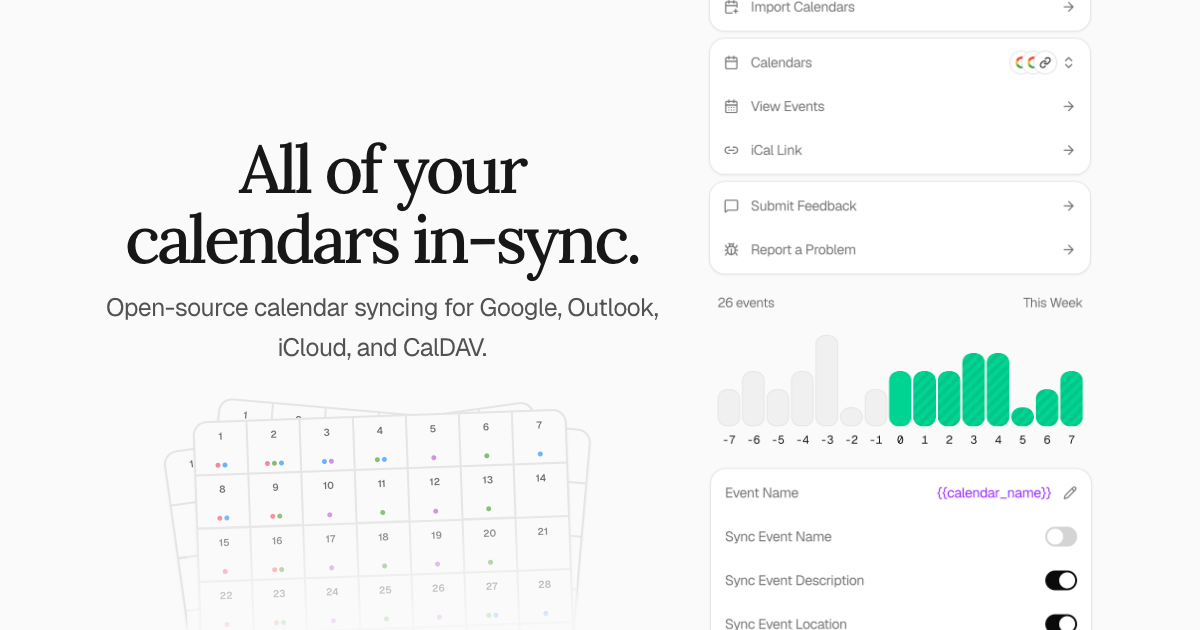
Keeper.sh is a simple & open-source calendar syncing tool. It allows you to pull events from your Google Calendar, Outlook, iCloud, Fastmail, CalDAV server, or remotely hosted iCal and ICS links, and push them to one or many calendars so the time slots can align across them all. Google, Outlook, iCloud, Fastmail, and CalDAV are first-class integrations that can each be used as a source or as a destination, while iCal and ICS links are pull-only. It also serves as a global MCP server and API for you or your agents to manage all your calendars from one convenient interface.
The recommended way to run it is the hosted version at keeper.sh: the same code, minus the server, the domain, the upgrades, the backups and the Google and Microsoft sign-in apps you would otherwise register yourself. Self-hosting is a first-class path and every Pro feature is included when you self-host — that is not a trial, and it is not going away. It costs you the upkeep instead of the $5.
Features
- First-class Google Calendar, Outlook, iCloud, Fastmail, and CalDAV integrations, each usable as a source or a destination
- Pull-only ingestion of remotely hosted iCal and ICS links
- Incremental syncing on Google and Outlook using provider sync tokens rather than refetching everything
- Event content agnostic syncing engine
- Push aggregate events to one or more calendars
- Per-source privacy controls to strip event names, descriptions, and locations, replacing the title with a
{{calendar_name}}or{{event_name}}template - REST API under
/api/v1authenticated with API tokens - MCP (Model Context Protocol) server for AI agent calendar access
- Combined iCal feed you can subscribe to from any calendar app
- Open source under AGPL-3.0
- Easy to self-host
- Easy-to-purge remote events
Bug Reports & Feature Requests
If you encounter a bug or have an idea for a feature, you may open an issue on GitHub and it will be triaged and addressed as soon as possible.
Contributing
High-value and high-quality contributions are appreciated. Before working on large features you intend to see merged, please open an issue first to discuss beforehand.
Local Development
The dev environment runs behind HTTPS at https://keeper.localhost using a Caddy reverse proxy with automatic TLS. The .localhost TLD resolves to 127.0.0.1 automatically per RFC 6761 — no /etc/hosts entry is needed.
Prerequisites
Getting Started
bun install
Generate and Trust a Root CA
The dev environment runs behind HTTPS via Caddy. You need to generate a local root certificate authority and trust it so your browser accepts the certificate.
mkdir -p .pki
openssl req -x509 -new -nodes \
  -newkey ec -pkeyopt ec_paramgen_curve:prime256v1 \
  -keyout .pki/root.key -out .pki/root.crt \
  -days 3650 -subj "/CN=Keeper.sh CA"
Then trust it on your platform:
macOS
sudo security add-trusted-cert -d -r trustRoot \
  -k /Library/Keychains/System.keychain .pki/root.crt
Linux
sudo cp .pki/root.crt /usr/local/share/ca-certificates/keeper-dev-root.crt
sudo update-ca-certificates
Start the Dev Environment
bun dev
This starts PostgreSQL, Redis, and a Caddy reverse proxy via Docker Compose, along with the API, web, MCP, cron, and worker services locally. Once running, open https://keeper.localhost.
Architecture
| Service | Local Port | Accessed Via |
|---|---|---|
| Caddy | 443 | https://keeper.localhost |
| Web | 5173 | Proxied by Caddy |
| API | 3000 | Proxied by Web at /api |
| MCP | 3001 | Proxied by Web at /mcp |
| Postgres | 5432 | postgresql://postgres:postgres@localhost:5432/postgres |
| Redis | 6379 | redis://localhost:6379 |
Qs
Why does this exist?
Because I needed it. Ever since starting Sedna—the AI governance platform—I've had to work across three calendars. One for my business, one for work, and one for personal.
Meetings have landed on top of one-another a frustratingly high number of times.
Why not use this other service?
Use one if it already works for you. This one exists because of the two things I kept hitting: events deleted at the source that stayed on the destination forever, and no way to read the code that was handling my calendar.
Both are addressed by design here. A deletion is tracked by a mapping row that outlives the event it pointed at, so the remote copy still gets removed on a later pass, and the cleanup sweep only ever touches events Keeper.sh created — it will not delete an event you made yourself. And the engine is AGPL-3.0, so you can check that claim rather than take it.
How does the syncing engine work?
- If we have a local event but no corresponding "source → destination" mapping for an event, we push the event to the destination calendar.
- If we have a mapping for an event, but the source ID is not present on the source any longer, we delete the event from the destination.
- Any events with markers of having been created by Keeper.sh, but with no corresponding local tracking, we remove it. This is only done for backwards compatibility.
Events are flagged as having been created by Keeper.sh either using a @keeper.sh suffix on the remote UID, or in the case of a platform like Outlook that doesn't support custom UIDs, we just put it in a "keeper.sh" category.
How is the syncing split up?
There are two halves, and they run on separate schedules.
Ingestion pulls from your sources into Keeper.sh's own database once a minute, regardless of plan. Google and Outlook are fetched incrementally using the provider's own sync token and delta link respectively, so a run only asks for what changed since the last one. CalDAV, iCloud, and Fastmail are refetched and diffed against the event state Keeper.sh already has stored, and iCal/ICS links are refetched and diffed against the last stored snapshot.
Pushing to destinations is what the refresh interval in the pricing table refers to. The cron service enqueues a job per destination onto a Redis-backed queue every minute for Pro and every thirty minutes for free, and the worker service reconciles the destination calendar. This is polling on our side rather than provider push notifications, so nothing needs to reach your instance from the outside.
Neither half is schedule-only. POST /api/v1/sync, or trigger_sync over MCP, clears the ingest backoff so your sources are re-polled on the next pass and enqueues the push half straight away, throttled to one request per minute per user so a client cannot hammer your providers. A calendar paused with pause_sync is skipped by both halves until it is resumed.
Cloud Hosted
This is the version I would point most people at, including people perfectly capable of running it themselves. It is the same engine on hardware I keep running, so the hours go into your calendar instead of your infrastructure — and paying for it is what funds the work on both versions.
Head to keeper.sh to get started with the cloud-hosted version.
| Free | Pro (Cloud-Hosted) | Pro (Self-Hosted) | |
|---|---|---|---|
| Monthly Price | $0 USD | $5 USD | $0 |
| Annual Price | $0 USD | $45 USD (-25%) | $0 |
| Refresh Interval | 30 minutes | 1 minute | 1 minute |
| Linked Account Limit | 2 | ∞ | ∞ |
| Sync Mapping Limit | 3 | ∞ | ∞ |
| Event Filters | No | Yes | Yes |
| iCal Feed Customization | No | Yes | Yes |
| API Requests | 25 per day | ∞ | ∞ |
The two limits that bite first are counted separately. A linked account is one connected Google, Outlook, iCloud, Fastmail, or CalDAV account, or one iCal/ICS subscription, and free is capped at two of them however many calendars each exposes. A sync mapping is one source calendar wired to one destination calendar, and free is capped at three, so a single source fanning out to three destinations uses the whole allowance. The refresh interval is how often Keeper.sh pushes to your destinations; ingestion from your sources runs every minute on every plan.
Self Hosted
By hosting Keeper.sh yourself, you are on the Pro tier by default — every Pro feature, no subscription — and you can guarantee data governance and autonomy, and it's fun. What it costs instead is a server, a domain, upgrades, backups, your own Google and Microsoft OAuth apps, and being the person paged when it stops. If you'll be self-hosting, please consider supporting me and development of the project by sponsoring me on GitHub.
There are seven images currently available: two designed for convenience, and five that serve the granular underlying services. If you have no reason to prefer otherwise, start with keeper-standalone behind a reverse proxy — it is the path with the fewest moving parts to get wrong.
[!NOTE]
Migrating from a previous version? If you are upgrading from the older Next.js-based release, see the migration guide for environment variable changes. The new web server will also print a migration notice at startup if it detects old environment variables.
Environment Variables
| Name | Service(s) | Description |
|---|---|---|
| DATABASE_URL | api, cron, worker, mcp | PostgreSQL connection URL. e.g. postgres://user:pass@postgres:5432/keeper |
| REDIS_URL | api, cron, worker | Redis connection URL. Must be the same Redis instance across all services. e.g. redis://redis:6379 |
| WORKER_JOB_QUEUE_ENABLED | cron | Required. Set to true to enqueue sync jobs to the worker queue, or false to disable. If unset, the cron service will exit with a migration notice. |
| WORKER_CONCURRENCY | worker | Optional. Number of sync jobs the worker processes concurrently. Defaults to 25. |
| BETTER_AUTH_URL | api, mcp | The base URL used for auth redirects. e.g. http://localhost:3000 |
| BETTER_AUTH_SECRET | api, mcp | Secret key for session signing. e.g. openssl rand -base64 32 |
| API_PORT | api | Required. Port the Bun API listens on. Pre-set to 3001 in the keeper-standalone and keeper-services images. |
| ENV | web | Optional. Runtime environment. One of development, production, or test. Defaults to production. |
| PORT | web | Required. Port the web server listens on. Pre-set to 3000 in the keeper-standalone and keeper-services images. |
| VITE_API_URL | web | The URL the web server uses to proxy requests to the Bun API. e.g. http://api:3001 |
| COMMERCIAL_MODE | api, cron, mcp, web | Enable Polar billing flow. Set to true if using Polar for subscriptions. |
| POLAR_ACCESS_TOKEN | api, cron | Optional. Polar API token for subscription management. |
| POLAR_MODE | api, cron | Optional. Polar environment, sandbox or production. |
| POLAR_WEBHOOK_SECRET | api | Optional. Secret to verify Polar webhooks. |
| ENCRYPTION_KEY | api, cron, worker | Key for encrypting CalDAV credentials at rest. e.g. openssl rand -base64 32 |
| RESEND_API_KEY | api | Optional. API key for sending emails via Resend. |
| FEEDBACK_EMAIL | api | Optional. Address that in-app feedback submissions are emailed to. Requires RESEND_API_KEY. |
| PASSKEY_RP_ID | api | Optional. Relying party ID for passkey authentication. |
| PASSKEY_RP_NAME | api | Optional. Relying party display name for passkeys. |
| PASSKEY_ORIGIN | api | Optional. Origin allowed for passkey flows (e.g., https://keeper.example.com). |
| GOOGLE_CLIENT_ID | api, cron, worker | Optional. Required for Google Calendar integration. |
| GOOGLE_CLIENT_SECRET | api, cron, worker | Optional. Required for Google Calendar integration. |
| MICROSOFT_CLIENT_ID | api, cron, worker | Optional. Required for Microsoft Outlook integration. |
| MICROSOFT_CLIENT_SECRET | api, cron, worker | Optional. Required for Microsoft Outlook integration. |
| POSTGRES_PASSWORD | standalone | Optional. Custom password for the internal PostgreSQL database in keeper-standalone. If unset, defaults to keeper. The database is not exposed outside the container, so this is low risk, but can be set for defense in depth. |
| BLOCK_PRIVATE_RESOLUTION | api, cron, worker | Optional. Set to true to block outbound fetches (ICS subscriptions, CalDAV servers) from resolving to private/reserved network addresses. Prevents SSRF. Defaults to false for backward compatibility with self-hosted setups that use local CalDAV/ICS servers. |
| BLOCK_PRIVATE_RESOLUTION | api, cron | Optional. Set to true to block outbound fetches (ICS subscriptions, CalDAV servers) from resolving to private/reserved network addresses. Prevents SSRF. Defaults to false for backward compatibility with self-hosted setups that use local CalDAV/ICS servers. |
| TRUSTED_ORIGINS | api | Optional. Comma-separated list of additional trusted origins for CSRF protection. e.g. http://192.168.1.100,http://keeper.local,https://keeper.example.com |
| WEBHOOK_PUBLIC_URL | api, cron | Optional. Public HTTPS origin that Google Calendar and Microsoft Graph can reach your instance on. Setting it turns on realtime push, so Keeper.sh picks up calendar changes within seconds instead of waiting for the next poll. Leave it unset and nothing changes: polling continues exactly as before and no subscription is ever registered with a provider. Realtime push is a Pro feature, and self-hosted instances with COMMERCIAL_MODE off are treated as Pro. Must be a public https:// origin with no query string or fragment — localhost, private-range and .local addresses are rejected at boot, since no provider could deliver to them.e.g. https://keeper.example.com |
| PUSH_REDUCED_POLLING | cron | Optional. Reserved for a future release that lengthens the polling interval for calendars with a proven-healthy push subscription. Has no effect today. |
| WEBSOCKET_URL | api | Optional. External URL clients should open the realtime socket against. When unset, clients connect to the API's own /api/socket path.e.g. wss://socket.keeper.example.com |
| MCP_PUBLIC_URL | api, mcp | Optional on api, required by mcp. Public URL of the MCP resource. Enables OAuth on the API and identifies the MCP server to clients. In keeper-standalone it defaults to BETTER_AUTH_URL with /mcp appended.e.g. https://keeper.example.com/mcp |
| VITE_MCP_URL | web | Optional. Internal URL the web server uses to proxy /mcp requests to the MCP service.e.g. http://mcp:3002 |
| MCP_PORT | mcp | Required by mcp. Port the MCP server listens on. Pre-set to 3002 in the keeper-standalone image.e.g. 3002 |
| MCP_API_URL | api, mcp | Optional. Internal URL used to reach the Keeper.sh API when serving MCP — for tool calls, and for fetching the signing keys that validate MCP tokens. Defaults to BETTER_AUTH_URL, which requires both services to be able to reach your instance's public URL. Pre-set to the bundled API in the keeper-standalone image.e.g. http://api:3001 |
| OTEL_EXPORTER_OTLP_ENDPOINT | api, cron, worker, mcp, web | Optional. When set, enables forwarding structured logs to an OpenTelemetry collector. Each service pipes its stdout through the keeper-otelemetry binary from @keeper.sh/otelemetry, which runs as a separate process and does not affect application performance.e.g. https://otel-collector.example.com:4318 |
| OTEL_EXPORTER_OTLP_PROTOCOL | api, cron, worker, mcp, web | Optional. Protocol used by the OTLP exporter. Defaults to http/protobuf per the OpenTelemetry spec.e.g. http/protobuf, grpc, http/json |
| OTEL_EXPORTER_OTLP_HEADERS | api, cron, worker, mcp, web | Optional. Headers sent with every OTLP export request. Use this for authentication (e.g. Basic auth or API keys). e.g. Authorization=Basic dXNlcjpwYXNz |
The following environment variables are read by the web server at runtime and serialized into the page as public runtime configuration. All of them are optional.
| Name | Description |
|---|---|
| POLAR_PRO_MONTHLY_PRODUCT_ID | Optional. Polar monthly product ID to power in-app upgrade links. |
| POLAR_PRO_YEARLY_PRODUCT_ID | Optional. Polar yearly product ID to power in-app upgrade links. |
| VITE_VISITORS_NOW_TOKEN | Optional. visitors.now token for analytics |
| VITE_GOOGLE_ADS_ID | Optional. Google Ads conversion tracking ID (e.g., AW-123456789) |
| VITE_GOOGLE_ADS_CONVERSION_LABEL | Optional. Google Ads conversion label for purchase tracking |
| VITE_GOOGLE_ADS_SIGNUP_CONVERSION_LABEL | Optional. Google Ads conversion label for signup tracking |
[!NOTE]
keeper-standaloneauto-configures everything internally — both the web server and Bun API sit behind a single Caddy reverse proxy on port80.keeper-servicesruns the web, API, cron, and worker services inside one container. The web server proxies/apirequests internally, so only port3000needs to be exposed.- For individual images, only the
webcontainer needs to be exposed. The API is accessed internally viaVITE_API_URL.
Images
| Tag | Description | Included Services |
|---|---|---|
keeper-standalone:2 | The "standalone" image is everything you need to get up and running with Keeper.sh with as little configuration as possible. | keeper-web, keeper-api, keeper-cron, keeper-worker, keeper-mcp, redis, postgresql, caddy |
keeper-services:2 | If you'd like for the Redis & Database to exist outside of the container, you can use the "services" image to launch without them included in the image. | keeper-web, keeper-api, keeper-cron, keeper-worker |
keeper-web:2 | An image containing the Vite SSR web interface. | keeper-web |
keeper-api:2 | An image containing the Bun API service. | keeper-api |
keeper-cron:2 | An image containing the Bun cron service. Requires keeper-worker for destination syncing. | keeper-cron |
keeper-worker:2 | An image containing the BullMQ worker that processes calendar sync jobs enqueued by keeper-cron. | keeper-worker |
keeper-mcp:2 | An image containing the MCP server for AI agent calendar access. Optional — only needed if using MCP clients. | keeper-mcp |
[!TIP]
Pin your images to a major.minor version tag (e.g.,
2.13) rather thanlatest. This prevents breaking changes from automatically applying when you pull new images.
Prerequisites
Docker & Docker Compose
In order to install Docker Compose, please refer to the official Docker documentation..
Google OAuth Credentials
[!TIP]
This is optional, although you will not be able to set Google Calendar as a destination without this.
Reference the official Google Cloud Platform documentation to generate valid credentials for Google OAuth. You must grant your consent screen the calendar.events, calendar.calendarlist.readonly, and userinfo.email scopes.
Once this is configured, set the client ID and client secret as the GOOGLE_CLIENT_ID and GOOGLE_CLIENT_SECRET environment variables at runtime.
Microsoft Azure Credentials
[!TIP]
Once again, this is optional. If you do not configure this, you will not be able to configure Microsoft Outlook as a destination.
The clearest non-legacy walkthrough for configuring OAuth is this community thread.. The required scopes are Calendars.ReadWrite, User.Read, and offline_access. The client ID and secret for Microsoft go into the MICROSOFT_CLIENT_ID and MICROSOFT_CLIENT_SECRET environment variables respectively.
Standalone Container
keeper-standalone:2 is the recommended starting point for a single-instance deployment. This container contains the cron, worker, web, api services as well as a configured redis, database, and caddy instance that puts everything behind the same port. Split the services out later if you need to scale them independently, run your own Postgres and Redis, or place them on separate hosts.
Generate keeper-standalone Environment Variables
The following will generate a .env file that contains the key used to generate sessions, as well as the key that is used to encrypt CalDAV credentials at rest.
[!IMPORTANT]
If you plan on accessing Keeper.sh from a URL other than http://localhost, you will need to set the
TRUSTED_ORIGINSenvironment variable. This should be a comma-delimited list of protocol-hostname inclusive origins you will be using.Here is an example where we would be accessing Keeper.sh from the LAN IP and where we are routing Keeper.sh through a reverse proxy that hosts it at https://keeper.example.com/
TRUSTED_ORIGINS=http://10.0.0.2,https://keeper.example.comWithout this, you will fail CSRF checks on the
better-authpackage.
cat > .env << EOF
# BETTER_AUTH_SECRET and ENCRYPTION_KEY are required.
# TRUSTED_ORIGINS is required if you plan on accessing Keeper.sh from an
# origin other than http://localhost/
BETTER_AUTH_SECRET=$(openssl rand -base64 32)
ENCRYPTION_KEY=$(openssl rand -base64 32)
TRUSTED_ORIGINS=
GOOGLE_CLIENT_ID=
GOOGLE_CLIENT_SECRET=
MICROSOFT_CLIENT_ID=
MICROSOFT_CLIENT_SECRET=
EOF
Run keeper-standalone with Docker
If you'd like to just run using the Docker CLI, you can use the following command. I would however recommend using a compose.yaml file.
docker run -d \
  -p 80:80 \
  -v keeper-data:/var/lib/postgresql/data \
  --env-file .env \
  ghcr.io/ridafkih/keeper-standalone:2
Run keeper-standalone with Docker Compose
If you'd prefer to use a compose.yaml file, the following is an example. Remember to populate your .env file first.
services:
  keeper:
    image: ghcr.io/ridafkih/keeper-standalone:2
    ports:
      - "80:80"
    volumes:
      - keeper-data:/var/lib/postgresql/data
    environment:
      BETTER_AUTH_SECRET: ${BETTER_AUTH_SECRET}
      ENCRYPTION_KEY: ${ENCRYPTION_KEY}
      TRUSTED_ORIGINS: ${TRUSTED_ORIGINS}
      GOOGLE_CLIENT_ID: ${GOOGLE_CLIENT_ID:-}
      GOOGLE_CLIENT_SECRET: ${GOOGLE_CLIENT_SECRET:-}
      MICROSOFT_CLIENT_ID: ${MICROSOFT_CLIENT_ID:-}
      MICROSOFT_CLIENT_SECRET: ${MICROSOFT_CLIENT_SECRET:-}

volumes:
  keeper-data:
Once that's configured, you can launch Keeper.sh using the following command.
docker compose up -d
With all said and done, you can access Keeper.sh at http://localhost/. You can use a reverse-proxy like Nginx or Caddy to put Keeper.sh behind a domain on your network.
Collective Services Image
If you'd like to bring your own Redis and PostgreSQL, you can use the keeper-services image. This contains the cron, worker, web and api services in one.
Generate keeper-services Environment Variables
cat > .env << EOF
# DATABASE_URL and REDIS_URL are required.
# *_CLIENT_ID and *_CLIENT_SECRET are optional.
BETTER_AUTH_SECRET=$(openssl rand -base64 32)
ENCRYPTION_KEY=$(openssl rand -base64 32)
DATABASE_URL=postgres://keeper:keeper@postgres:5432/keeper
REDIS_URL=redis://redis:6379
BETTER_AUTH_URL=http://localhost:3000
GOOGLE_CLIENT_ID=
GOOGLE_CLIENT_SECRET=
MICROSOFT_CLIENT_ID=
MICROSOFT_CLIENT_SECRET=
EOF
Run keeper-services with Docker Compose
Once you've populated your environment variables, you can choose to run redis and postgres alongside the keeper-services image to get up and running.
services:
  postgres:
    image: postgres:17
    environment:
      POSTGRES_USER: keeper
      POSTGRES_PASSWORD: keeper
      POSTGRES_DB: keeper
    volumes:
      - postgres-data:/var/lib/postgresql/data
    healthcheck:
      test: ["CMD-SHELL", "pg_isready -U keeper -d keeper"]
      interval: 5s
      timeout: 5s
      retries: 5

  redis:
    image: redis:7-alpine
    volumes:
      - redis-data:/data
    healthcheck:
      test: ["CMD", "redis-cli", "ping"]
      interval: 5s
      timeout: 5s
      retries: 5

  keeper:
    image: ghcr.io/ridafkih/keeper-services:2
    environment:
      DATABASE_URL: ${DATABASE_URL}
      REDIS_URL: ${REDIS_URL}
      BETTER_AUTH_URL: ${BETTER_AUTH_URL}
      BETTER_AUTH_SECRET: ${BETTER_AUTH_SECRET}
      ENCRYPTION_KEY: ${ENCRYPTION_KEY}
      GOOGLE_CLIENT_ID: ${GOOGLE_CLIENT_ID:-}
      GOOGLE_CLIENT_SECRET: ${GOOGLE_CLIENT_SECRET:-}
      MICROSOFT_CLIENT_ID: ${MICROSOFT_CLIENT_ID:-}
      MICROSOFT_CLIENT_SECRET: ${MICROSOFT_CLIENT_SECRET:-}
    ports:
      - "3000:3000"
    depends_on:
      postgres:
        condition: service_healthy
      redis:
        condition: service_healthy

volumes:
  postgres-data:
  redis-data:
Once that's configured, you can launch Keeper.sh using the following command.
docker compose up -d
Individual Service Images
Running each service in its own image gives you the most control over scaling and placement, at the cost of a much longer configuration. Reach for this when keeper-standalone or keeper-services no longer fits, not before.
Generate Individual Service Environment Variables
cat > .env << EOF
# The only optional variables are *_CLIENT_ID, *_CLIENT_SECRET
BETTER_AUTH_SECRET=$(openssl rand -base64 32)
ENCRYPTION_KEY=$(openssl rand -base64 32)
VITE_API_URL=http://api:3001
POSTGRES_USER=keeper
POSTGRES_PASSWORD=keeper
POSTGRES_DB=keeper
REDIS_URL=redis://redis:6379
BETTER_AUTH_URL=http://localhost:3000
GOOGLE_CLIENT_ID=
GOOGLE_CLIENT_SECRET=
MICROSOFT_CLIENT_ID=
MICROSOFT_CLIENT_SECRET=
EOF
Configure Individual Service compose.yaml
services:
  postgres:
    image: postgres:17
    environment:
      POSTGRES_USER: ${POSTGRES_USER}
      POSTGRES_PASSWORD: ${POSTGRES_PASSWORD}
      POSTGRES_DB: ${POSTGRES_DB}
    volumes:
      - postgres-data:/var/lib/postgresql/data
    healthcheck:
      test: ["CMD-SHELL", "pg_isready -U keeper -d keeper"]
      interval: 5s
      timeout: 5s
      retries: 5

  redis:
    image: redis:7-alpine
    volumes:
      - redis-data:/data
    healthcheck:
      test: ["CMD", "redis-cli", "ping"]
      interval: 5s
      timeout: 5s
      retries: 5

  api:
    image: ghcr.io/ridafkih/keeper-api:2
    environment:
      API_PORT: 3001
      DATABASE_URL: postgres://keeper:keeper@postgres:5432/keeper
      REDIS_URL: redis://redis:6379
      BETTER_AUTH_URL: ${BETTER_AUTH_URL}
      BETTER_AUTH_SECRET: ${BETTER_AUTH_SECRET}
      ENCRYPTION_KEY: ${ENCRYPTION_KEY}
      GOOGLE_CLIENT_ID: ${GOOGLE_CLIENT_ID:-}
      GOOGLE_CLIENT_SECRET: ${GOOGLE_CLIENT_SECRET:-}
      MICROSOFT_CLIENT_ID: ${MICROSOFT_CLIENT_ID:-}
      MICROSOFT_CLIENT_SECRET: ${MICROSOFT_CLIENT_SECRET:-}
    depends_on:
      postgres:
        condition: service_healthy
      redis:
        condition: service_healthy

  cron:
    image: ghcr.io/ridafkih/keeper-cron:2
    environment:
      DATABASE_URL: postgres://keeper:keeper@postgres:5432/keeper
      REDIS_URL: redis://redis:6379
      ENCRYPTION_KEY: ${ENCRYPTION_KEY}
      WORKER_JOB_QUEUE_ENABLED: "true"
      GOOGLE_CLIENT_ID: ${GOOGLE_CLIENT_ID:-}
      GOOGLE_CLIENT_SECRET: ${GOOGLE_CLIENT_SECRET:-}
      MICROSOFT_CLIENT_ID: ${MICROSOFT_CLIENT_ID:-}
      MICROSOFT_CLIENT_SECRET: ${MICROSOFT_CLIENT_SECRET:-}
    depends_on:
      postgres:
        condition: service_healthy
      redis:
        condition: service_healthy

  worker:
    image: ghcr.io/ridafkih/keeper-worker:2
    environment:
      DATABASE_URL: postgres://keeper:keeper@postgres:5432/keeper
      REDIS_URL: redis://redis:6379
      ENCRYPTION_KEY: ${ENCRYPTION_KEY}
      GOOGLE_CLIENT_ID: ${GOOGLE_CLIENT_ID:-}
      GOOGLE_CLIENT_SECRET: ${GOOGLE_CLIENT_SECRET:-}
      MICROSOFT_CLIENT_ID: ${MICROSOFT_CLIENT_ID:-}
      MICROSOFT_CLIENT_SECRET: ${MICROSOFT_CLIENT_SECRET:-}
    depends_on:
      postgres:
        condition: service_healthy
      redis:
        condition: service_healthy

  web:
    image: ghcr.io/ridafkih/keeper-web:2
    environment:
      VITE_API_URL: ${VITE_API_URL}
      PORT: 3000
    ports:
      - "3000:3000"
    depends_on:
      api:
        condition: service_started

volumes:
  postgres-data:
  redis-data:
Once that's configured, you can launch Keeper.sh using the following command.
docker compose up -d
REST API
Keeper.sh exposes a REST API under /api/v1. It is the same interface the dashboard and the MCP server use, so anything an agent can do through MCP you can do with curl.
Authentication
Create an API token from Settings → API Tokens in the dashboard. Tokens are prefixed with kpr_ and the full value is only returned once, at creation time. Pass it as a bearer token.
curl https://keeper.example.com/api/v1/calendars \
  -H "Authorization: Bearer kpr_..."
/api/v1 routes also accept a logged-in browser session or an MCP OAuth access token, so all three callers hit the same handlers. Token management itself lives at /api/tokens and requires a browser session rather than an API token.
Endpoints
| Method | Path | Description |
|---|---|---|
GET | /api/v1/calendars | List connected calendars. Accepts an optional comma-delimited provider filter. |
PATCH | /api/v1/calendars/{calendarId} | Pause or resume syncing for a calendar. Send paused as true to halt it in both directions without disconnecting it. |
GET | /api/v1/calendars/{calendarId}/invites | List invitations on a calendar that have not been responded to, within a date range. |
GET | /api/v1/accounts | List connected calendar accounts and how many calendars each has. Accepts an optional comma-delimited provider filter. |
GET | /api/v1/events | List events in a date range. Accepts calendarId, availability, and isAllDay filters, and count=true to return only a count. |
POST | /api/v1/events | Create an event. Requires calendarId, title, startTime, and endTime. |
GET | /api/v1/events/{id} | Get a single event. |
PATCH | /api/v1/events/{id} | Update an event's fields, or send rsvpStatus to respond to an invitation. |
DELETE | /api/v1/events/{id} | Delete an event. |
GET | /api/v1/events/free-time | Find free slots of at least durationMinutes in a date range. Requires timezone, and accepts working-hours options. |
POST | /api/v1/sync | Trigger a sync immediately. Throttled to one request per minute per user. |
GET | /api/v1/ical | Get the URL of your iCal feed. |
Range parameters from and to are ISO 8601 datetimes. If omitted, from defaults to now and to defaults to a week after from. A range may not exceed 732 days.
/api/v1/events/free-time treats events marked free or working-elsewhere as non-blocking and everything else, including all-day events, as busy; pass ignoreAllDayEvents=true to stop all-day events blocking. workingHoursStart and workingHoursEnd are 24-hour local times such as 09:00, and workingDays is a comma-delimited list where 0 is Sunday. All three are read against timezone, so the hours hold across daylight saving transitions.
POST /api/v1/sync clears the ingest backoff on your sources so they are re-polled on the next pass, and enqueues a push to every destination. Exceeding the throttle returns 429 with a Retry-After header rather than queueing a second run.
[!NOTE]
On the free plan the API is capped at 25 requests per day, after which requests return
429. Pro is uncapped, and self-hosted instances running withoutCOMMERCIAL_MODEare treated as Pro.
MCP (Model Context Protocol)
Keeper.sh includes an optional MCP server that lets AI agents (such as Claude) access your calendar data through a standardized protocol. The MCP server authenticates via OAuth 2.1 with a consent flow hosted by the web application.
Available Tools
| Tool | Description |
|---|---|
list_calendars | List all calendars connected to Keeper.sh, including provider name and account. |
get_event_count | Get the number of calendar events. Optionally scoped to a date range with from and to ISO 8601 datetimes. |
get_events | Get calendar events within a date range. Accepts ISO 8601 datetimes and an IANA timezone identifier used to localize event times. |
get_event | Get a single calendar event by its ID. |
find_free_time | Find open slots of at least a given duration across every synced calendar in a date range. |
create_event | Create an event on a connected calendar. Requires a calendar ID, title, start time, and end time. |
update_event | Update an existing calendar event. Only the fields you provide are updated. |
delete_event | Delete a calendar event by its ID. |
get_pending_invites | Get invitations on a calendar that have not been responded to within a date range. |
rsvp_event | Respond to a calendar event invitation with accepted, declined, or tentative. |
list_accounts | List all connected calendar accounts with provider information. |
trigger_sync | Force a sync now instead of waiting for the next scheduled run. Throttled to one request per minute. |
pause_sync | Pause or resume syncing for a single calendar without disconnecting it. |
get_ical_feed | Get your iCal feed URL for subscribing in other calendar apps. |
Connecting an MCP Client
To connect an MCP-compatible client (e.g. Claude Code, Claude Desktop), point it at your MCP server URL. The client will be guided through the OAuth consent flow to authorize read and write access to your calendar data — the toolset can create, update, delete, and RSVP to events, find open time, and pause or force a sync, not just read them.
Example Claude Code MCP configuration:
{
  "mcpServers": {
    "keeper": {
      "type": "url",
      "url": "https://keeper.example.com/mcp"
    }
  }
}
Self-Hosted MCP Setup
[!NOTE]
MCP is fully optional. All MCP-related environment variables are optional across every service and image. If they are not set, Keeper.sh starts normally without MCP functionality. Existing self-hosted deployments are unaffected.
The MCP server is proxied through the web service at /mcp, the same way the API is proxied at /api.
keeper-standalone bundles the MCP server and serves it at /mcp on the port you already publish, with no extra configuration. It derives MCP_PUBLIC_URL from BETTER_AUTH_URL, so as long as BETTER_AUTH_URL is your instance URL, your MCP client points at that same URL with /mcp appended.
MCP is not bundled in keeper-services or the individual service images. To enable it there:
- Run the
keeper-mcpcontainer withMCP_PORT,MCP_PUBLIC_URL,DATABASE_URL,BETTER_AUTH_SECRET, andBETTER_AUTH_URL. - Set
MCP_PUBLIC_URLon theapiservice to the same value (e.g.https://keeper.example.com/mcp). - Set
VITE_MCP_URLon thewebservice to the internal URL of the MCP container (e.g.http://mcp:3002).
Registry Manifest
server.json at the repository root describes the hosted server for the official MCP Registry. It carries a single streamable-http remote pointing at https://www.keeper.sh/mcp, and takes the sh.keeper namespace, which is authenticated by proving ownership of keeper.sh rather than by a GitHub account.
Publishing is a manual step run with the mcp-publisher CLI and is deliberately not automated: a published version is permanent, so the manifest is reviewed here first and the version it carries can never be reused. Self-hosted instances do not need this file — it describes the hosted instance only.
Because the entry is permanent, publish only after every URL it names resolves in production — websiteUrl, both icons[].src, and the streamable-http remote. A websiteUrl pointing at a page that has not shipped yet is stuck at a 404 until the next version bump.