Hermes WebUI
Process monitoring and configuration dashboard for Hermes Agent.
Features
-
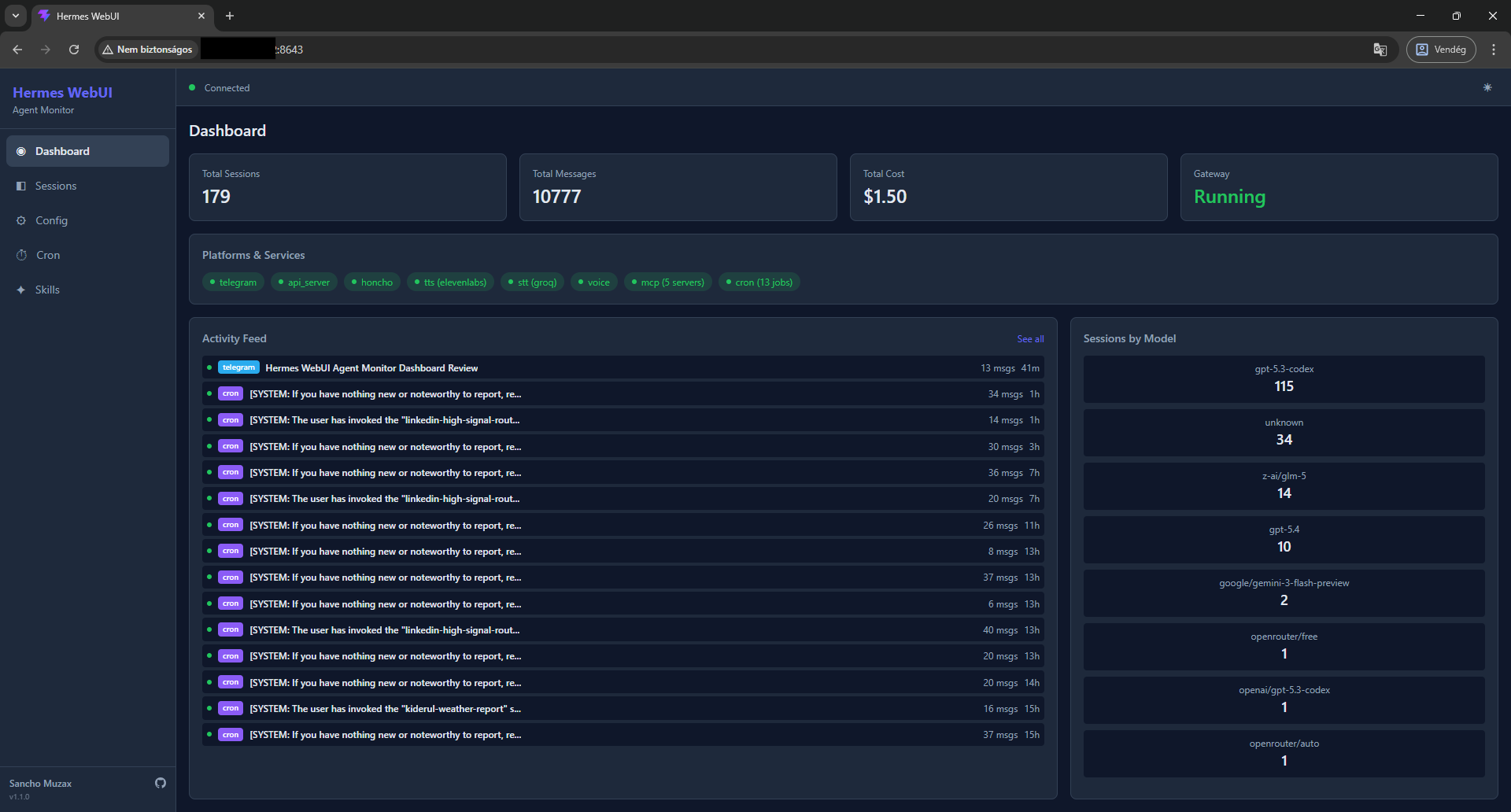
Dashboard — Real-time activity feed with session list, gateway status, platform/service health, cost tracking, and model distribution
-
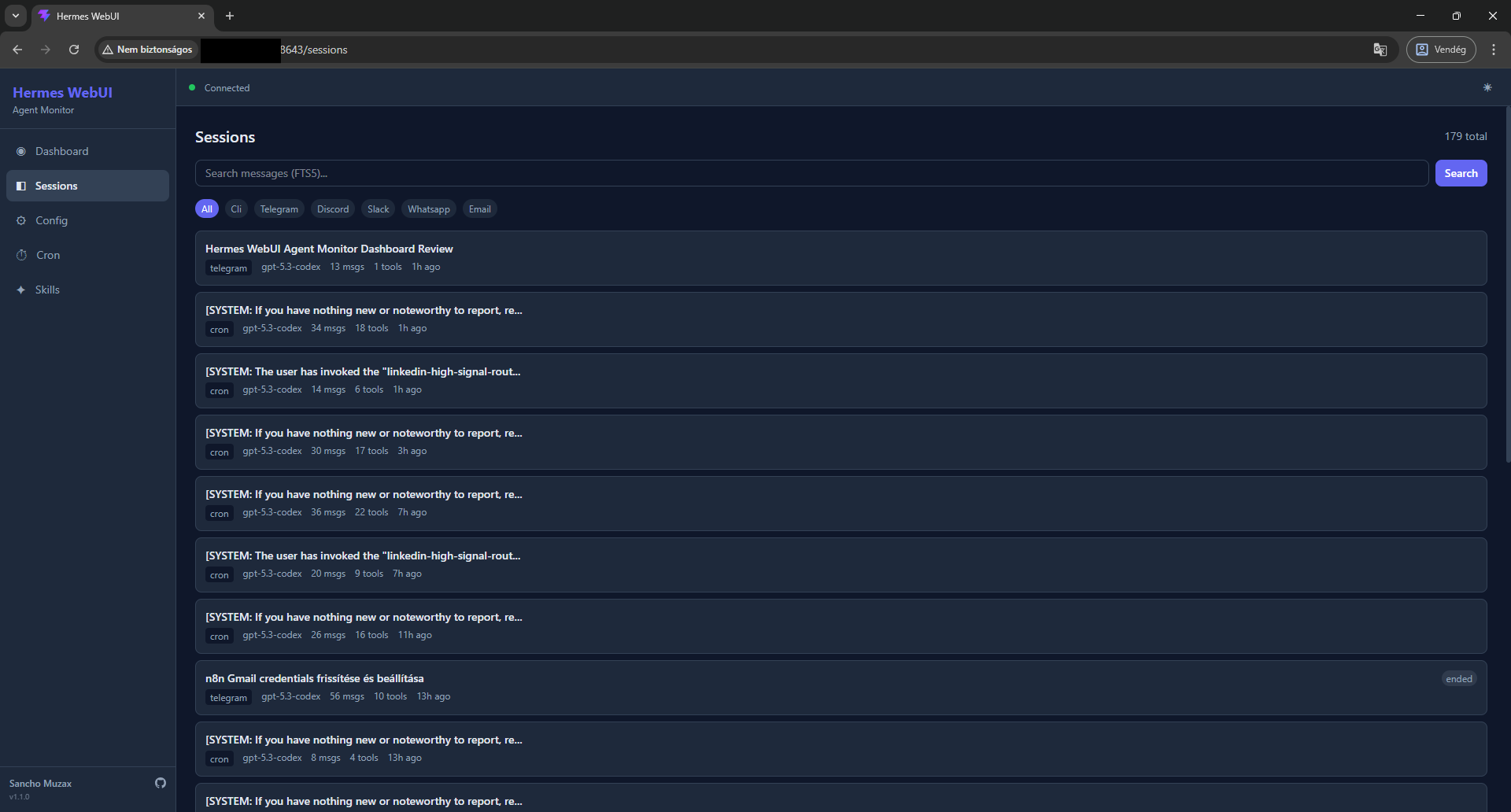
Sessions — Browse, search (FTS5), and inspect full conversation histories with message-level detail
-
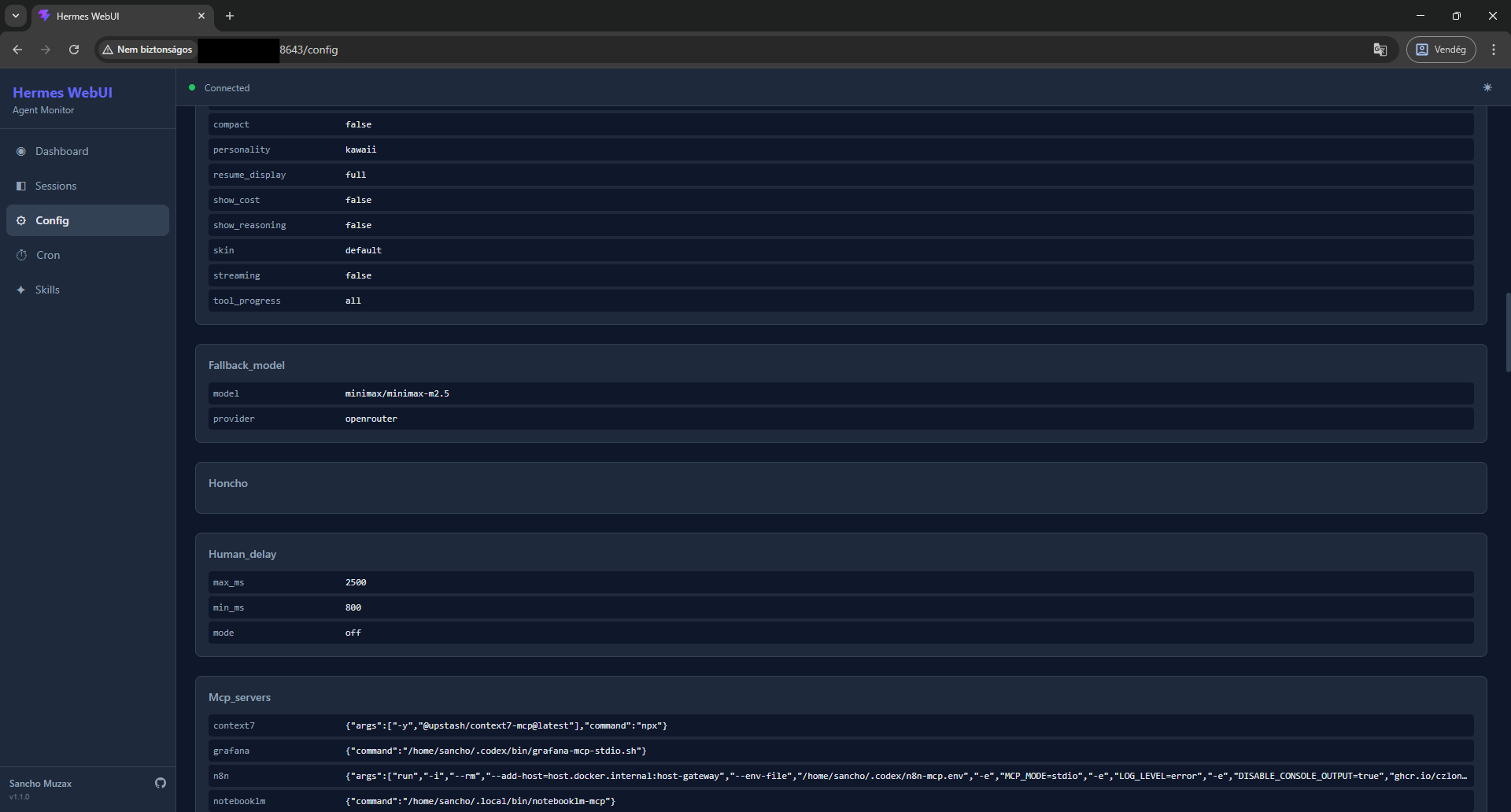
Config — View
config.yamland environment variables (read-only for safety) -
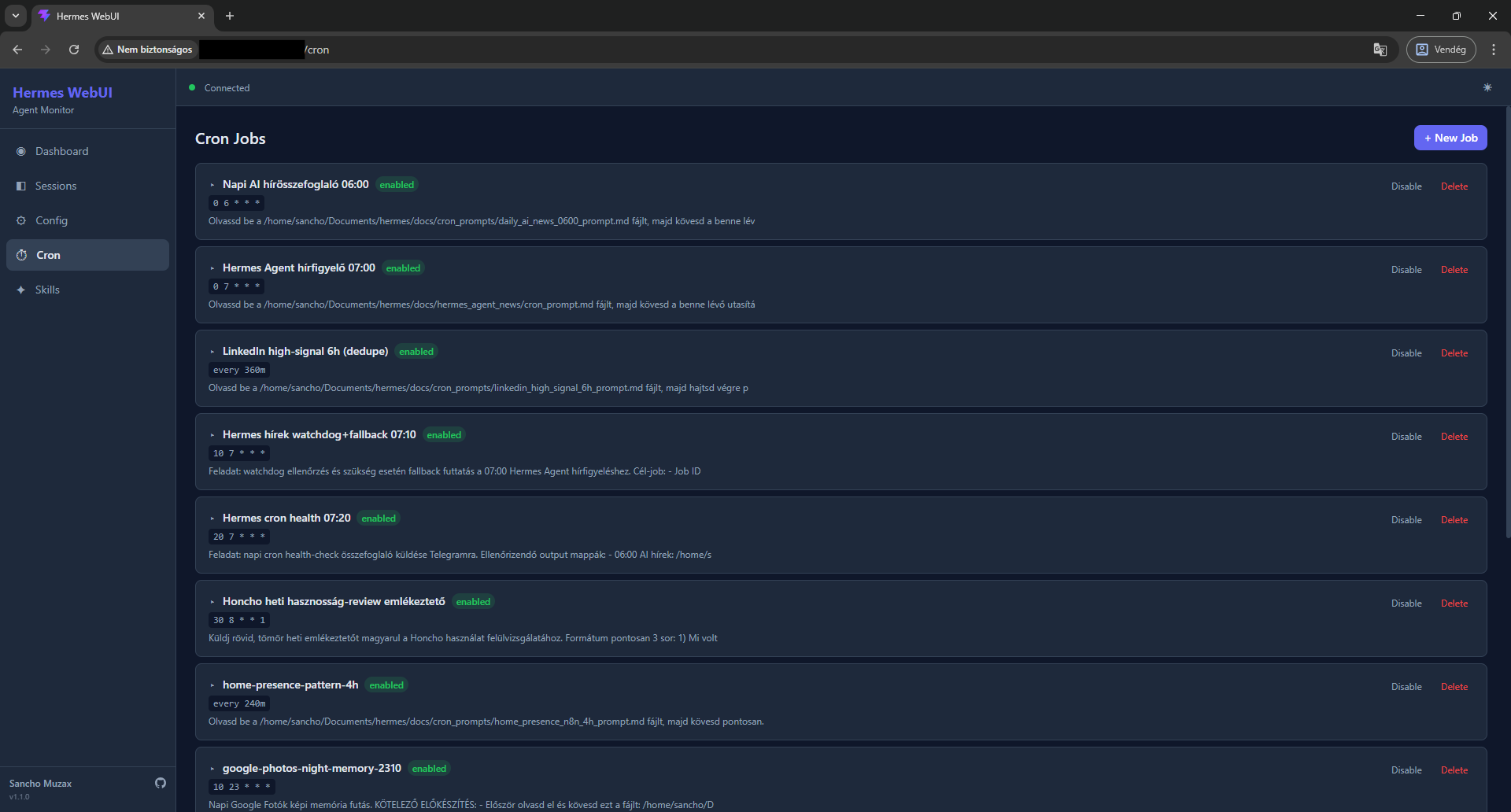
Cron — View and manage scheduled agent jobs
-
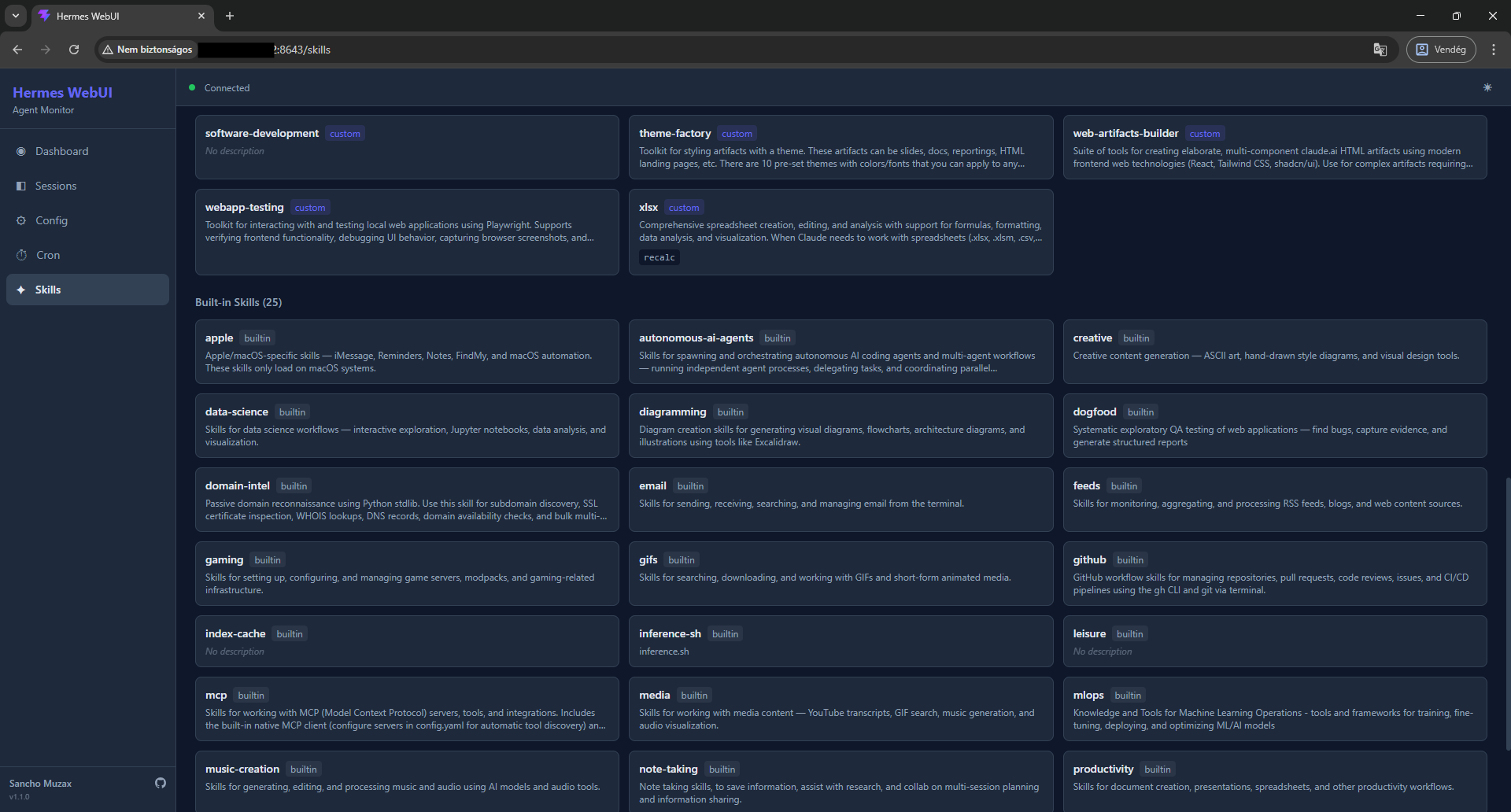
Skills — Browse built-in and custom skills with full source inspection
-
Responsive — Mobile-friendly layout with hamburger menu
-
Dark/Light theme — Toggle between themes
-
Real-time updates — WebSocket-based polling bridge, no agent code modification needed
Screenshots
Dashboard Sessions
Config Cron Jobs
Skills
Requirements
-
Python 3.11+
-
Node.js 18+ (for frontend build only)
-
A running Hermes Agent installation at
~/.hermes/
Installation
1. Clone the repository
git clone https://github.com/sanchomuzax/hermes-webui.git
cd hermes-webui
2. Set up Python environment
python3 -m venv venv
source venv/bin/activate
pip install -e .
3. Build the frontend
cd frontend
npm install
npx vite build
cd ..
4. Run
hermes-webui
Or directly:
python -m webui
Output:
Starting Hermes WebUI at http://0.0.0.0:8643
Auth token: <your-auth-token>
5. Log in
Open http://<your-host>:8643 in a browser and paste the auth token shown in the console output.
The token is generated once and stored in ~/.hermes/auth.json. To retrieve it later:
python3 -c "import json; print(json.load(open('$HOME/.hermes/auth.json'))['webui_token'])"
Configuration
Environment Variable Default Description
HERMES_HOME
~/.hermes
Hermes Agent installation directory
HERMES_WEBUI_HOST
0.0.0.0
Bind address
HERMES_WEBUI_PORT
8643
Port
CLI flags
Flag Description
--localhost
Bind to 127.0.0.1 only (not accessible from LAN)
--port PORT
Override the default port
Running as a systemd service
Create /etc/systemd/system/hermes-webui.service:
[Unit]
Description=Hermes WebUI
After=network.target

[Service]
Type=simple
User=YOUR_USER
WorkingDirectory=/home/YOUR_USER/.hermes/hermes-webui
ExecStart=/home/YOUR_USER/.hermes/hermes-webui/venv/bin/python -m webui
Restart=on-failure
RestartSec=5
Environment=HERMES_HOME=/home/YOUR_USER/.hermes

[Install]
WantedBy=multi-user.target
Then enable and start:
sudo systemctl daemon-reload
sudo systemctl enable hermes-webui
sudo systemctl start hermes-webui
Check status:
sudo systemctl status hermes-webui
journalctl -u hermes-webui -f
Note: When running as a service, the auth token is not printed to your terminal. Retrieve it from ~/.hermes/auth.json as shown above.
Architecture
┌─────────────────────────────────────────┐
│  React Frontend (Vite + TailwindCSS)    │
│  SPA with TanStack Query + WebSocket    │
└────────────────┬────────────────────────┘
                 │ HTTP + WS
┌────────────────┴────────────────────────┐
│  FastAPI Backend (Python)               │
│  ├─ REST API (sessions, config, cron)   │
│  ├─ WebSocket hub (live events)         │
│  └─ Polling bridge (state.db + files)   │
└────────────────┬────────────────────────┘
                 │ SQLite (read-only) + YAML
┌────────────────┴────────────────────────┐
│  Hermes Agent (unmodified)              │
│  state.db, config.yaml, gateway_state   │
└─────────────────────────────────────────┘
Hermes WebUI reads from the agent's data files without modifying the agent's core code.
Tech Stack
-
Backend: Python 3.11+, FastAPI, Uvicorn, Pydantic, PyYAML
-
Frontend: React 19, TypeScript, Vite, TailwindCSS 4, TanStack Query
-
Data: SQLite (read-only from Hermes Agent's
state.db)
Pages
Page Description
Dashboard KPI cards (sessions, messages, cost, gateway), platform badges, activity feed with live session list, model distribution
Sessions Paginated session list with FTS5 search, source filter tabs, click into any session to view full message history
Config
Read-only view of config.yaml sections and .env variables (sensitive values masked)
Cron List of scheduled cron jobs with status, schedule, and prompt preview
Skills Grid of built-in and custom skills with description, click to view full source
Troubleshooting
"Cannot connect to server" on login
-
Make sure the WebUI server is running
-
If accessing from another machine, ensure the server is bound to
0.0.0.0(default), not127.0.0.1
Dashboard shows no sessions
-
Verify Hermes Agent has been used at least once (check
~/.hermes/state.dbexists) -
The WebUI reads
state.dbin read-only mode — if the agent is actively writing, there may be a brief WAL lock delay
Activity Feed not updating
-
The polling bridge checks
state.dbevery 3 seconds -
Ensure the WebSocket connection shows "Connected" (green dot in the header)
Related
-
Hermes Agent — The AI agent this UI monitors
-
OpenClaw Web UI — Inspiration for the dashboard design
Built With
This project was vibe-coded with Claude Code (Claude Opus 4.6).
License
MIT