copilot-mcp

A VSCode extension that lets you find and install Agent Skills and MCP Apps to use with GitHub Copilot, Claude Code, and Codex CLI.

505
Stars
54
Forks
TypeScript
Language
8/23/2026
Added
View on GitHubDownload ZIP

⚠️ Third-Party Software Notice

This skill is third-party open-source software developed and hosted independently on GitHub. SkillTip is an informational directory and does not control or maintain the underlying repository. Any security checks displayed are automated and limited in scope. Review the source code before installing.

Read the Terms of Service

Installation

Add to your Claude Code skills directory:

# Add to your Claude Code skills
git clone https://github.com/VikashLoomba/copilot-mcp

Getting Started

Guides for using skills like copilot-mcp.

Security Report

Verified

Last scanned: —

{
  "status": "PASSED",
  "issues": []
}

README.md

Copilot MCP Search for VS Code

Want remote MCP in ~30s? Try Cloud MCP — paste a URL → OAuth → done.
Works with Copilot & Claude (no keys, no terminal).
Get started at cloudmcp.run
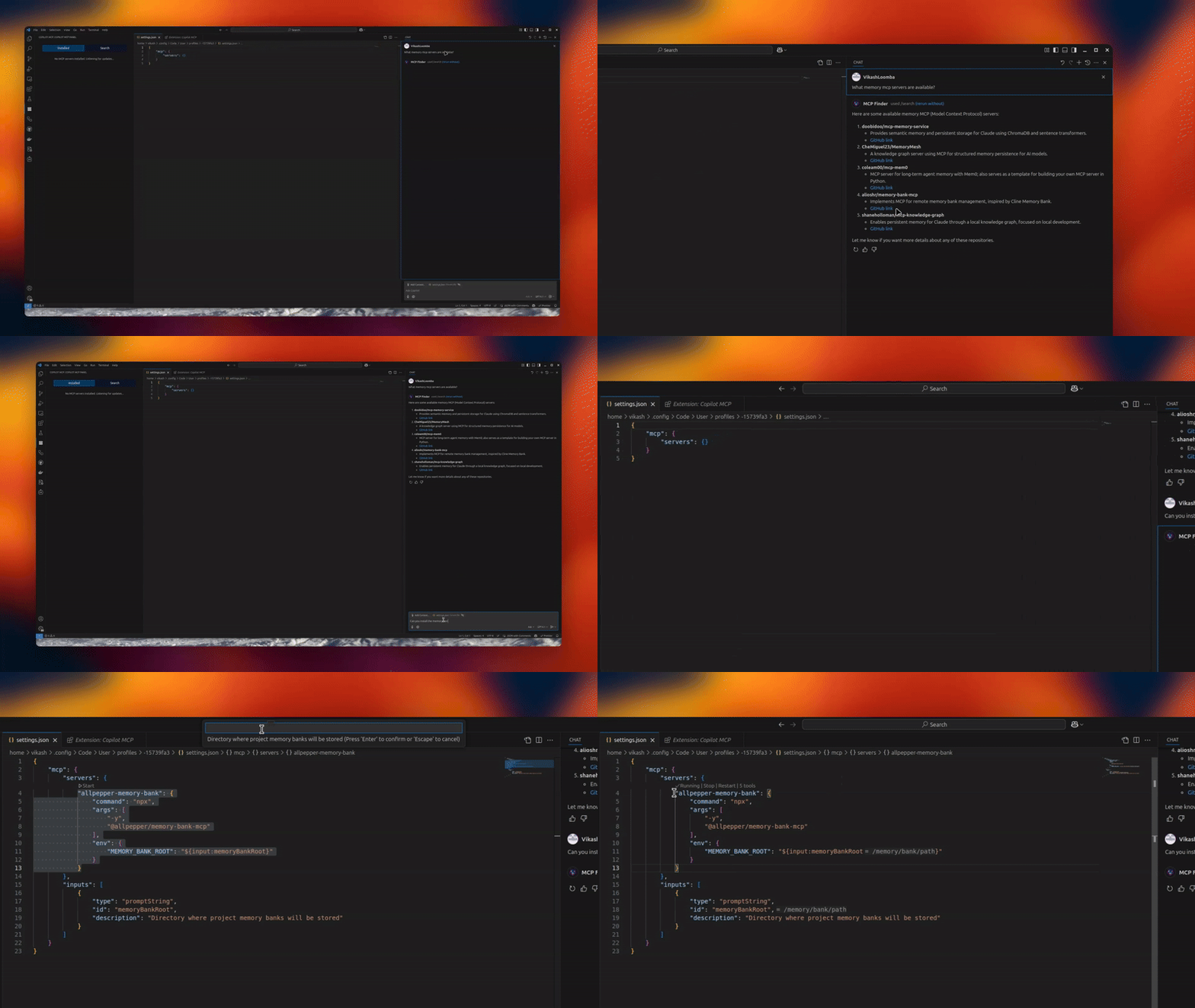
image

Version License: GPL v3 VSCode Extension MCP Client

A powerful VS Code extension that lets you discover, install, and manage open‑source MCP servers and agent skills from one place.

✨ Features

  • 🔧 MCP Server Management – connect/manage multiple servers via an intuitive UI
  • 🧠 Skills Search & Install – discover skills from skills.sh and install to your agents
  • 🗂️ Installed Skills Management – view installed skills and uninstall with agent-level controls
  • 🚀 Claude/Codex/Copilot Integration – expose MCP tools directly to your agents
  • 🎯 Server Discovery – automatically discover open‑source servers

📦 Installation

  1. Install from the VS Code Marketplace.
  2. Open MCP Servers in the Activity Bar, or configure in Settings.

Optional: Remote MCP (no local setup)

If you don’t want to run servers locally, use Cloud MCP (remote, OAuth‑only).
Paste the MCP URL into Copilot/Claude and you’re done:

🛠️ Configuration

Configure via the UI or VS Code settings. Look for the MCP Servers icon in the Activity Bar.

🚀 Usage

  1. Open the MCP Servers view
  2. Connect or search for servers
  3. Switch to Skills to search and install skills, and manage installed skills
  4. Use Copilot Chat with your newly added tools and skills

Tip: When a server supports npx/uvx, the Server Discovery panel shows a “Deploy via Cloud MCP” option so you can run it remotely without installing anything.

🔗 Requirements

  • VS Code
  • GitHub Copilot Chat extension

🌟 Benefits

  • Give Copilot standardized tools via MCP
  • Local or remote workflows (Cloud MCP)
  • Join a growing, interoperable ecosystem

Telemetry

Copilot MCP collects a small set of anonymous usage events — searches, install attempts, and clicks on in-extension links/CTAs — so we can understand which features are useful.

  • What is collected: anonymous event names with a small set of properties: the search terms you type in the extension (sidebar search and @mcp chat prompts, truncated to 100 characters), public GitHub repository names/URLs and skill source locators for items you search for or act on, your OS platform/architecture and the extension version, and error messages/diagnostics (truncated) when something fails.
  • What is never collected: file contents, workspace or repository contents, or account identifiers (no emails, usernames, or tokens) — account-shaped properties are stripped out before anything is sent.
  • VS Code settings are respected: the extension honors VS Code's telemetry.telemetryLevel setting. If you have disabled telemetry in VS Code, the extension sends nothing.

To opt out, set telemetry.telemetryLevel to off in your VS Code settings.

🔄 Maintainer: Vendored Copilot Provider Sync

This repo vendors an upstream Copilot provider from anomalyco/opencode under:

  • vendor/opencode-copilot/src/**

Sync it with:

npm run sync:copilot-provider

Check drift without writing files:

npm run sync:copilot-provider:check

Automated daily sync PRs are created by:

  • .github/workflows/sync-opencode-copilot.yml

👥 Contributing

PRs and feature requests welcome! See issues.

✍️ Author

Vikash Loomba
Website: https://cloudmcp.run
X: @DevAutomata
GitHub: @vikashloomba

📝 License

GPL‑3.0 — see LICENSE.


Part of the MCP Client Ecosystem

Frequently Asked Questions

What is copilot-mcp?

copilot-mcp is an open-source ai agents skill for AI coding assistants such as Claude Code, Codex CLI, and ChatGPT, built by VikashLoomba. A VSCode extension that lets you find and install Agent Skills and MCP Apps to use with GitHub Copilot, Claude Code, and Codex CLI. It has 505 GitHub stars.

Is copilot-mcp safe to use?

copilot-mcp failed SkillsLLM's automated security scan, which flagged one or more high-severity issues. Review the Security Report section carefully before using it.

How do I install copilot-mcp?

Clone the repository with "git clone https://github.com/VikashLoomba/copilot-mcp" and add it to your Claude Code skills directory (see the Installation section above).

What programming language is copilot-mcp written in?

copilot-mcp is primarily written in TypeScript. It is open-source under VikashLoomba on GitHub, so you can review or fork the full source.

Are there alternatives to copilot-mcp?

Yes. SkillsLLM lists many other AI Agents skills you can browse and compare side by side. Open the AI Agents category from the badge at the top of this page, or use the Related Skills and comparison links further down to weigh copilot-mcp against similar tools.

Comments (0)

No comments yet. Be the first to share your thoughts!

ECC

by affaan-m

10

The agent harness performance optimization system. Skills, instincts, memory, security, and research-first development for Claude Code, Codex, Opencode, Cursor and beyond.

242,21936,702JavaScript
AI Agentsai-agentsanthropicclaude-code
View details
15

An agentic skills framework & software development methodology that works.

234,96620,863Shell
AI Agentsai-agentsbrainstorming
View details

The agent harness performance optimization system. Skills, instincts, memory, security, and research-first development for Claude Code, Codex, Opencode, Cursor and beyond.

185,94028,768JavaScript
AI Agentsai-agentsanthropicclaude-code
View details

cc-switch

by farion1231

3

A cross-platform desktop All-in-One assistant for Claude Code, Codex, OpenCode, OpenClaw, Grok Build & Hermes Agent. Only official website: ccswitch.io

128,8688,826Rust
AI Agentsclaude-codeai-tools
View details

claude-code

by anthropics

Claude Code is an agentic coding tool that lives in your terminal, understands your codebase, and helps you code faster by executing routine tasks, explaining complex code, and handling git workflows - all through natural language commands.

120,03119,897Shell
AI Agents
View details

Developers Also Liked

Based on votes and bookmarks from developers who liked this skill

ECC

by affaan-m

10

The agent harness performance optimization system. Skills, instincts, memory, security, and research-first development for Claude Code, Codex, Opencode, Cursor and beyond.

242,21936,702JavaScript
AI Agentsai-agentsanthropicclaude-code
View details
15

An agentic skills framework & software development methodology that works.

234,96620,863Shell
AI Agentsai-agentsbrainstorming
View details

n8n

by n8n-io

12

Fair-code workflow automation platform with native AI capabilities. Combine visual building with custom code, self-host or cloud, 400+ integrations.

201,88160,308TypeScript
MCP Serversapisai-tools
View details

The agent harness performance optimization system. Skills, instincts, memory, security, and research-first development for Claude Code, Codex, Opencode, Cursor and beyond.

185,94028,768JavaScript
AI Agentsai-agentsanthropicclaude-code
View details

cc-switch

by farion1231

3

A cross-platform desktop All-in-One assistant for Claude Code, Codex, OpenCode, OpenClaw, Grok Build & Hermes Agent. Only official website: ccswitch.io

128,8688,826Rust
AI Agentsclaude-codeai-tools
View details
