CodeWalk
https://github.com/user-attachments/assets/032f64e2-e8ee-4024-b49a-ca95a774653f

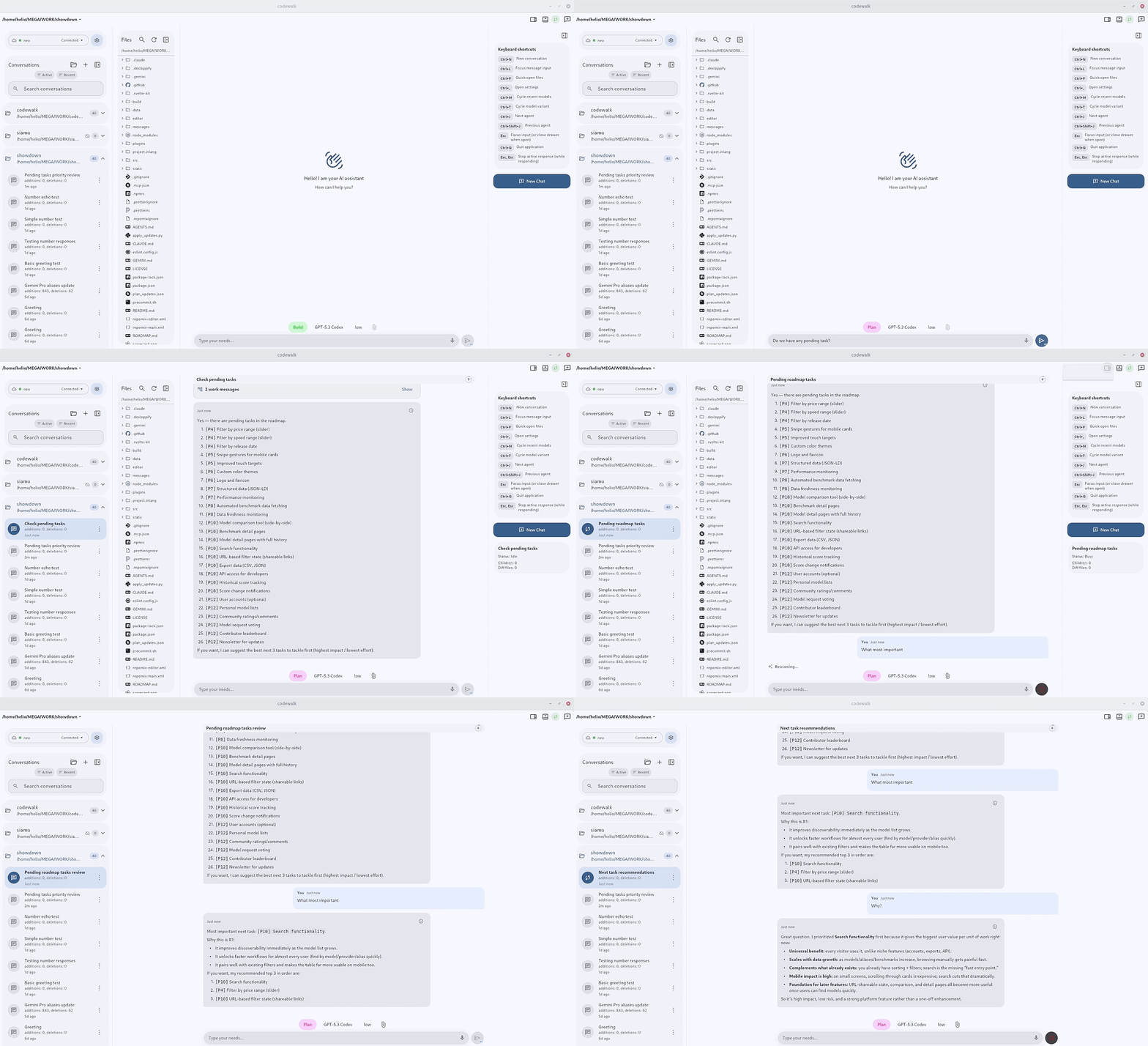
A native (really fast!!) cross-platform client for OpenCode server mode. Built with Flutter, it provides a conversational interface for session-based AI coding interactions over HTTP APIs and streaming events.
Features
- 🌐 Fully translated into 14 languages: English, Português (Brasil), Español, Deutsch, Français, Italiano, Русский, 中文, 日本語, 한국어, हिन्दी, বাংলা, العربية, اردو — with instant switching, system-default detection, and RTL layout for Arabic and Urdu
- 💬 Realtime AI chat with streaming responses, older-history loading, and instant session reopen from cache
- 🗂 Project-centric sidebar with conversations grouped by project, pinning, and support for Git repositories and plain folders
- 🖧 Multi-server profiles with health checks, active-server switching, and OpenCode server install and launch from Settings
- 🧠 Model and provider selection with variants, favorites, and reasoning controls
- 🗃 Session tabs across the top of the window, browser-style, integrated into the title bar on desktop
- 📁 Built-in file manager and editor — browse, open, rename, duplicate and edit project files, with autosave, undo and redo, and syntax highlighting for every language the highlighter ships with
- 📎 Attach images and PDFs by dragging them in or pasting them, including screenshots straight from the clipboard
- ↪️ Forward a message to one or more other sessions
- 🧱 Block render mode — see each block as it finishes instead of watching text stream character by character
- 📉 Context usage metrics, so you can see how much of the window a session is consuming
- 🎨 Per-project icons discovered automatically from the repository
- 📶 Data saver that scales back background sync on cellular
- 🖥 Server-hosted PTY terminal — a real command line running on the OpenCode host, embedded in the app
- 🎙 Speech-to-text on every platform, including Linux
- 🔊 Text-to-speech read-aloud for assistant messages, with adjustable speed and pitch
- 📊 Host quota monitoring for Claude, OpenRouter, Codex/OpenAI, Gemini, GitHub Copilot, OpenCode Go, NanoGPT, Wafer, Kimi, ZhipuAI, MiniMax, z.ai, Cursor, and Ollama Cloud
- 📈 Mermaid diagrams and LaTeX math rendered inline, straight from the conversation
- 📤 Share any message as a themed image, or export a whole session as Markdown or JSON
- ↩️ Revert to any earlier turn, with your draft restored
- 💬 Canned answers with global or per-project scope
- ⌨️ Keyboard-first on desktop, including Alt+Tab-style session cycling
- 🔐 Cloudflare Access OAuth with PKCE, for servers behind an enterprise reverse proxy
- 🔔 Interactive permission and question prompts, with notifications that clear themselves when the answer arrives
- 🔄 In-app updates with auto-check and direct install
- 📱 Responsive Material 3 across Linux, Windows, macOS, Web, and Android, with five density tiers
Install in One Command
Install using the install.cat pattern:
-
Linux & macOS
curl -fsSL install.cat/verseles/codewalk | sh -
Windows (PowerShell)
irm install.cat/verseles/codewalk | iex
Run the same command again any time to update/reinstall to the latest GitHub release.
Installers automatically pick the right release for your platform.
On Linux, release files are installed under
${XDG_DATA_HOME:-$HOME/.local/share}/codewalk-app, separately from user data.
Existing installations keep their preferences and caches in the legacy
codewalk support directory; fresh installations use com.verseles.codewalk.
Updates and uninstall remove application files without deleting either user-data
directory.
-
Android
Open this in your Android browser to download the APK: install.cat/verseles/codewalk
Uninstall
-
Linux & macOS
curl -fsSL https://raw.githubusercontent.com/verseles/codewalk/main/uninstall.sh | sh -
Windows (PowerShell)
irm https://raw.githubusercontent.com/verseles/codewalk/main/uninstall.ps1 | iex
Getting Started
Prerequisites
- Flutter SDK (>=3.8.1)
- Dart SDK
- An OpenCode-compatible server instance
- Platform toolchain for your target:
- Linux desktop:
clang,cmake,ninja,pkg-config - Windows desktop: build from a Windows host
- macOS desktop: build from a macOS host
- Linux desktop:
Setup
-
Install dependencies:
flutter pub get -
Run the app (examples):
flutter run -d linux flutter run -d chrome flutter run -d android -
Build artifacts (examples):
flutter build linux
flutter build web
Make Targets
make check      # deps + codegen + analyze + test
make check-fast # deps + codegen + analyze + test-fast
make test-fast  # excludes slow/integration tags
make web        # build Flutter web app into build/web
make android    # build arm64 APK
make release V=patch # bump pubspec, update CHANGELOG.md, commit, tag, push
Use make check for normal validation. When you need a testable Android artifact, run HEY_CAPTION="specific caption" make android after checks pass.
Web Deploy: Cloudflare Pages or Static Hosting
CodeWalk's web build is a static Flutter app. The build does not need Cloudflare secrets or compile-time OpenCode credentials; users add their OpenCode server profile inside the app after opening the deployed site.
-
Build the web app:
make webThis runs
flutter build web --release --base-href "/"and writes the static site tobuild/web. -
For a subpath deployment, set a base href that starts and ends with
/:WEB_BASE_HREF="/codewalk/" make web -
Preview the static output locally for root-hosted builds:
python3 -m http.server 8080 --directory build/webIf you build with a subpath
WEB_BASE_HREF, preview it under the same path prefix; otherwise browser asset URLs will not match the local server root. -
Publish
build/webto Cloudflare Pages.Direct upload with Wrangler:
npx wrangler pages deploy build/web --project-name codewalkCloudflare Pages Git settings, if your Pages build image has Flutter available:
Build command: make web Build output directory: build/web Root directory: (leave blank) -
Configure the OpenCode server that the browser app will connect to. For a Pages deployment at
https://your-codewalk.pages.dev, allow that exact origin:export OPENCODE_SERVER_PASSWORD="choose-a-password" opencode serve --hostname 0.0.0.0 --port 4096 --cors "https://your-codewalk.pages.dev" -
Add a CodeWalk server profile in the web app using your reachable server URL and Basic Auth credentials.
Known limitations:
- An HTTPS-hosted CodeWalk site cannot call a plain HTTP OpenCode server on a LAN IP because browsers block mixed content. Use HTTPS for the OpenCode origin, a trusted reverse proxy/tunnel, or run the CodeWalk web build from a local HTTP origin during private testing.
- CORS must allow the exact CodeWalk origin when Basic Auth or other credentials are used; do not rely on wildcard CORS for authenticated browser requests.
- The OpenCode server URL must be reachable from the user's browser, not from Cloudflare's build system.
Server Configuration
- Launch the app and open Settings from the sidebar
- Tap Add Server and run the Quick setup command in your terminal
- Keep the default
Server URL(http://127.0.0.1:4096) or set your server URL - Configure Basic Auth only if your server requires it
- Save and switch active/default profiles as needed
OpenCode Project Agent
When you run OpenCode from this repository, the repo ships a project agent at .opencode/agents/opencodeNews.md:
@opencodeNewsreviews the latest OpenCode release for CodeWalk impact@opencodeNews review vX.Y.Zor@opencodeNews check https://github.com/anomalyco/opencode/releases/tag/...reviews a specific release target mentioned in the same prompt
The agent returns a release summary, impact/risk by area, proposed adjustments, and an execution plan only when CodeWalk work is needed.
Architecture
The project follows Clean Architecture with three layers: Domain, Data, and Presentation. Dependency injection via get_it, HTTP via dio, state management via provider.
For the ADR-023 compatibility baseline and current OpenCode contract inventory, see CONTRACT_MATRIX.md.
For full technical details, see CODEBASE.md.
Tech Stack
- Framework: Flutter
- Language: Dart
- State Management: Provider
- HTTP Client: Dio
- Local Storage: SharedPreferences
- Dependency Injection: GetIt
- Design System: Material Design 3
License
This project is dual-licensed:
- Open Source: GNU Affero General Public License v3.0 (AGPLv3) -- free for everyone.
- Commercial: A separate commercial license is available for organizations with annual revenue exceeding USD 1M that wish to use the software without AGPLv3 obligations.
Origin and Acknowledgment
CodeWalk is a fork of OpenMode, originally created by easychen. The original project is licensed under MIT.
Substantial modifications have been made since the fork, including licensing changes, code restructuring, rebranding, full English standardization, and documentation rewrites. All modifications are licensed under AGPLv3 (or the commercial license, where applicable).
See NOTICE for full attribution details.