codehamr
A minimal coding agent for the terminal. Built for local LLMs, also runs on OpenAI-compatible endpoints.
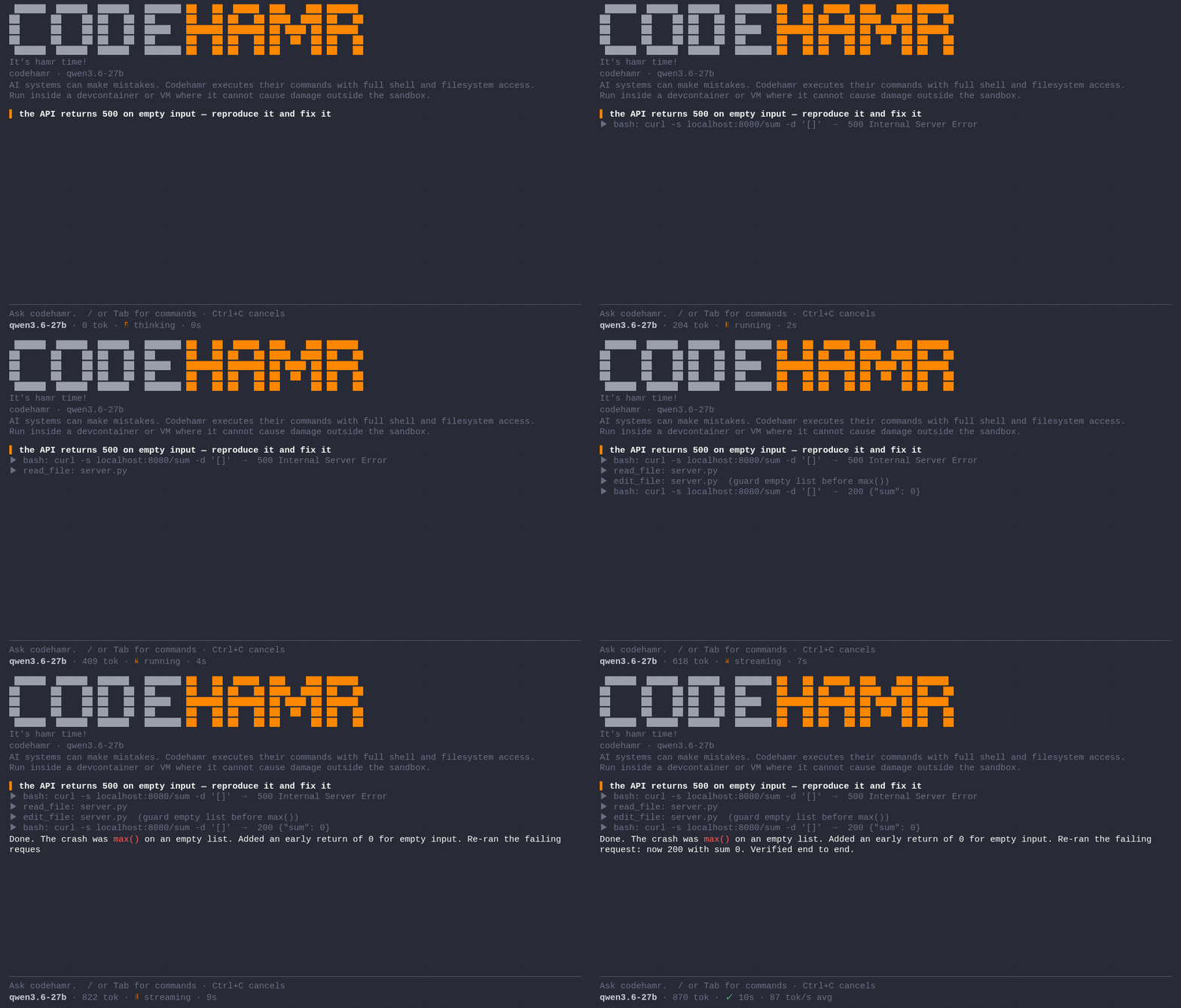
Simplicity
A coding agent built for local LLMs makes different decisions than one built for frontier cloud models. Context is precious; every tool call has to earn its place. codehamr picks simplicity over complexity, on purpose, and stays small so the context window stays yours.
Three slash commands, one embedded system prompt, no router, no sub-agents, no skill system, no MCP. That's it.
The agent runs one plain loop: it calls tools until the work is done,
then replies. It works with bash, read_file, write_file, and
edit_file, investigating your project directly rather than guessing,
and verifies its own work (running the tests, compiling, loading the
page) as a habit the system prompt instils, not a gate that blocks
progress.
Install
Linux, macOS:
curl -fsSL https://codehamr.com/install.sh | bash
Windows:
curl -fsSL https://codehamr.com/install.cmd -o install.cmd && install.cmd
Windows note: codehamr's
bashtool needs a POSIX shell (/bin/sh), so on Windows run it inside WSL2 or a devcontainer, not from a barecmd/PowerShell host.
Then run codehamr in your project.
Warning: AI systems like codehamr run model-generated shell commands with full filesystem access. Best run inside safe sandboxes like devcontainers or isolated VMs.
Windows + devcontainer: When you run the VS Code devcontainer on Windows, enable Docker Desktop's WSL integration for your distro (Settings, Resources, WSL integration, toggle on the Debian distro). Without it the container cannot reach the Docker engine through WSL2.
Config
On first run codehamr seeds .codehamr/config.yaml with a local
(Ollama, vLLM, LM-Studio) profile and a hamrpass profile. The system prompt is embedded
in the binary, not on disk. Project specific rules go straight into the
chat: tell the agent what matters, the conversation carries it.
Any OpenAI-compatible endpoint works too. The example below adds an
openai profile:
# codehamr configuration
#
# Running codehamr in a devcontainer / WSL2 with Ollama on the host:
# swap 'http://localhost:11434' with 'http://host.docker.internal:11434' below.

active: local
models:
    local:
        llm: qwen3.8:27b
        url: http://localhost:11434
        key: ""
        context_size: 262144
    openai:
        llm: gpt-5.5
        url: https://api.openai.com
        key: sk-...
        context_size: 128000
    hamrpass:
        llm: hamrpass
        url: https://codehamr.com
        key: hp_...
/models lists profiles, /models <name> switches.
Hardware
Local LLMs finally caught up, and we love it. For the best experience we recommend a ~30B-class model on 32 GB+ unified RAM / VRAM, fully local and a real alternative to expensive cloud subscriptions.
Info for Ollama users: Ollama's /v1 endpoint reports no context-window header, so codehamr packs blind to context_size in your config. If that exceeds what your server honors, Ollama silently front-truncates the prompt, and codehamr loses its system prompt and earlier tool results mid-task with no error. Ollama Desktop may cap context at 4k: open settings, lift the Context length slider to 64k+ (RAM / VRAM permitting), and raise context_size in .codehamr/config.yaml to match. The seeded default is qwen3.8:27b's full 256k window (262144); if your server serves less, lower it to match.
Sampling matters too: for coding, a ~30B-class model typically wants temperature 0.6, top_p 0.95, top_k 20, and never greedy decoding (temp 0), which sends it into endless repetition loops. If it still loops, add a small presence_penalty and check your server actually applies it (current Ollama silently ignores penalty params). These are server-side knobs, set them at your endpoint.
If the model prints tool calls as text instead of acting, enable your server's tool-call parser; codehamr warns you when that happens.
Give the agent a runtime
codehamr verifies by running things, so give its sandbox the toolchains your project needs. It bootstraps small verify helpers itself when the box allows (a headless browser, a linter), but won't provision your project's own toolchain. If a check can't run, it reports unverified: instead of pretending.
Compare
| Tool | Pick if |
|---|---|
| Frontier | you want commercial heavyweight polish from Claude Code or Codex and accept the subscription cost and session timeouts |
| opencode | you want a great, loaded Swiss army knife and embrace plugin complexity |
| pi | you want something lighter than opencode and accept configuring your own extensions, skills, and themes |
| codehamr | you want the lightest take and prefer simplicity over complexity, with minimal config and a well-crafted system prompt instead of plugin and skill bloat |
HamrPass
We love local LLMs and always will. codehamr is built fully open source with an MIT license and always will be. Connect to your local Ollama models, or bring your own key with OpenRouter, OpenAI, whatever you like.
HamrPass is optional. It's there if you want to support the project, or if you'd rather not spend your weekend benchmarking the latest open-weight model and tuning every parameter. We do that work and ship it as one endpoint with sensible defaults, so you can just hamr code and get your shit done.
There's a waitlist at codehamr.com. HamrPass only gets built if real demand shows up there. Otherwise it doesn't. Local-first stays the focus.
License
MIT. Do whatever you want with it. Star it if it earned one.