Clawdex Mobile
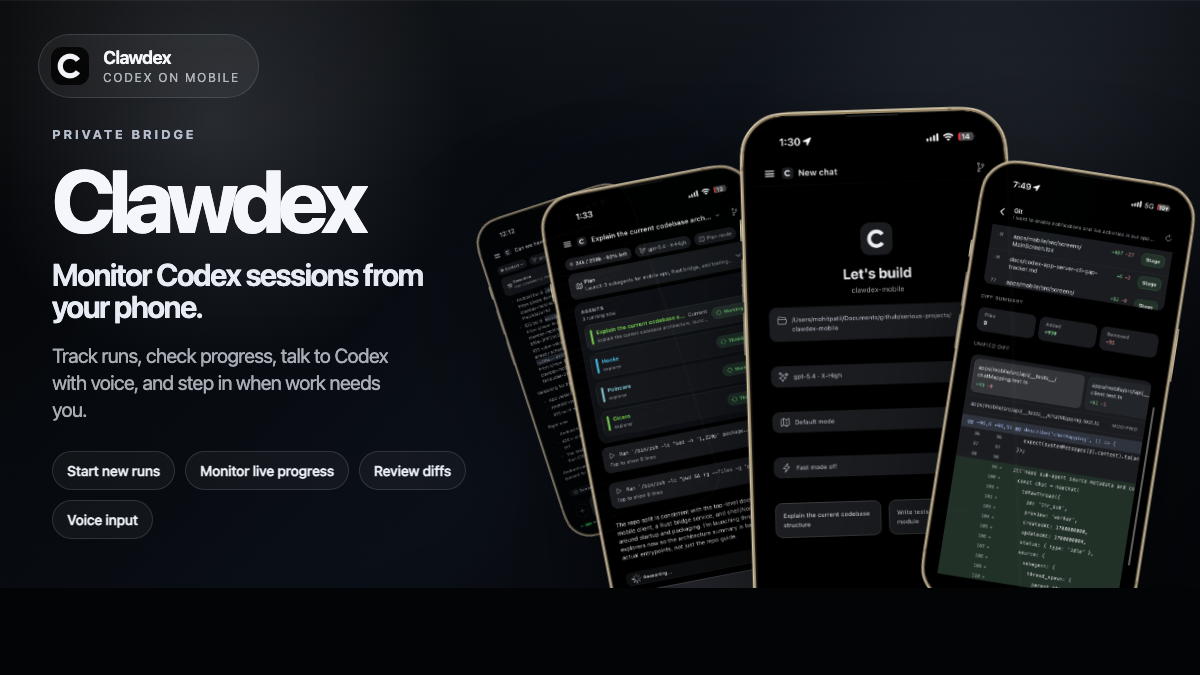
Run Codex or OpenCode from your phone. clawdex-mobile ships the bridge CLI plus bundled Rust bridge binaries for supported hosts, and the mobile app pairs to that bridge over Tailscale or local LAN.
This project is for trusted/private networking by default. Keep the bridge on a private network, leave bridge auth enabled, and do not expose it directly to the public internet.
What You Get
- Mobile chat for Codex and OpenCode
- Live run updates over WebSocket
- Approval and clarification flows in-app
- Voice-to-text, attachments, terminal, and Git actions
- One mobile shell backed by a private host bridge
Quick Start
Before you start:
- Node.js 20+
- npm 10+
gitcodexinPATHfor the default Codex flowopencodeinPATHif you want the OpenCode flow- Cursor app-server is bundled with
clawdex-mobilefor the Cursor SDK flow
Install the mobile app:
- Android APK: https://www.getclawdex.com/android-beta/
- iOS: https://apple.co/4rNAHRF
Install the CLI and start the bridge:
npm install -g clawdex-mobile@latest
clawdex init
Then open the mobile app and connect using the printed bridge URL/token or pairing QR.
clawdex init now writes config, starts the bridge in the background, and returns you to the shell. Bridge logs go to .bridge.log.
The npm package is bridge-only. It does not install Expo or the mobile source tree. On supported macOS, Linux, and Windows hosts it uses bundled bridge binaries, so normal startup does not compile Rust. The current interactive setup helpers are still macOS/Linux-oriented.
Typical operator flow:
npm install -g clawdex-mobile@latest
clawdex init
clawdex stop
Extra Harness Setup
OpenCode and Cursor can run beside Codex from the same bridge.
npm install -g opencode-ai
npm install -g clawdex-mobile@latest
clawdex init --engines codex,opencode,cursor
That writes BRIDGE_ENABLED_ENGINES=codex,opencode,cursor to .env.secure, so the mobile app can control the selected harnesses from one bridge. When Cursor is selected, clawdex init uses the bundled cursor-app-server, asks for a Cursor account API key from Cursor Dashboard > Integrations > User API Keys, and saves it in .env.secure. Cursor documents this under CLI authentication: https://docs.cursor.com/en/cli/reference/authentication
Notes:
clawdex initwithout flags now lets you multi-select harnesses in the wizard with Space, then Enter to continue.- Use
clawdex init --engine codex,clawdex init --engine opencode, orclawdex init --engine cursorif you want a single-harness setup. - For non-interactive host automation, set
CURSOR_API_KEYbefore running setup. This should be a Cursor account API key for the Cursor agent/SDK, not an OpenAI, Anthropic, or other provider key configured inside the Cursor editor.CURSOR_MODELis optional; the app model picker sends the model for normal chats.
Monorepo Development
If you are working from source:
npm install
npm run setup:wizard
npm run mobile
For one-step restarts that switch the bridge network mode, reuse the existing token, start the bridge in the background, and then launch Expo:
npm run stack:lan
npm run stack:tailscale
stack:lan is the local network path, so it also covers the same-device LAN/VLAN case.
For an OpenCode-first repo checkout:
npm run setup:wizard -- --engine opencode
Use npm run setup:wizard -- --no-start if you only want to write config.
Main Commands
clawdex init [--engine codex|opencode|cursor] [--engines codex,opencode,cursor] [--no-start]clawdex stopclawdex upgrade/clawdex updateclawdex versionnpm run setup:wizardnpm run secure:bridgenpm run mobilenpm run stack:lannpm run stack:tailscalenpm run iosnpm run androidnpm run stop:servicesnpm run teardown
Docs
- Setup + operations: https://github.com/Mohit-Patil/clawdex-mobile/blob/main/docs/setup-and-operations.md
- Troubleshooting: https://github.com/Mohit-Patil/clawdex-mobile/blob/main/docs/troubleshooting.md
- Realtime sync limits/mitigations: https://github.com/Mohit-Patil/clawdex-mobile/blob/main/docs/realtime-streaming-limitations.md
- Voice transcription internals: https://github.com/Mohit-Patil/clawdex-mobile/blob/main/docs/voice-transcription.md
- EAS builds: https://github.com/Mohit-Patil/clawdex-mobile/blob/main/docs/eas-builds.md
- Open-source/license notes: https://github.com/Mohit-Patil/clawdex-mobile/blob/main/docs/open-source-license-requirements.md