███████╗███╗   ██╗██╗  ██╗ █████╗ ███╗   ██╗ ██████╗███████╗██████╗
██╔════╝████╗  ██║██║  ██║██╔══██╗████╗  ██║██╔════╝██╔════╝██╔══██╗
█████╗  ██╔██╗ ██║███████║███████║██╔██╗ ██║██║     █████╗  ██║  ██║
██╔══╝  ██║╚██╗██║██╔══██║██╔══██║██║╚██╗██║██║     ██╔══╝  ██║  ██║
███████╗██║ ╚████║██║  ██║██║  ██║██║ ╚████║╚██████╗███████╗██████╔╝
╚══════╝╚═╝  ╚═══╝╚═╝  ╚═╝╚═╝  ╚═╝╚═╝  ╚═══╝ ╚═════╝╚══════╝╚═════╝

███████╗████████╗ █████╗ ████████╗██╗   ██╗███████╗██╗     ██╗███╗   ██╗███████╗
██╔════╝╚══██╔══╝██╔══██╗╚══██╔══╝██║   ██║██╔════╝██║     ██║████╗  ██║██╔════╝
███████╗   ██║   ███████║   ██║   ██║   ██║███████╗██║     ██║██╔██╗ ██║█████╗
╚════██║   ██║   ██╔══██║   ██║   ██║   ██║╚════██║██║     ██║██║╚██╗██║██╔══╝
███████║   ██║   ██║  ██║   ██║   ╚██████╔╝███████║███████╗██║██║ ╚████║███████╗
╚══════╝   ╚═╝   ╚═╝  ╚═╝   ╚═╝    ╚═════╝ ╚══════╝╚══════╝╚═╝╚═╝  ╚═══╝╚══════╝
Claude Code Enhanced Statusline
🎨 Transform your terminal with 28 atomic components across 1-9 configurable lines
Block metrics • Burn rate monitoring • Cache efficiency • Cost projections • Atomic precision • Clean separators • Rich information display • Stunning themes • Real-time monitoring • MCP integration • Islamic prayer times • Ultimate customization






🎥 Live Demo & Screenshots
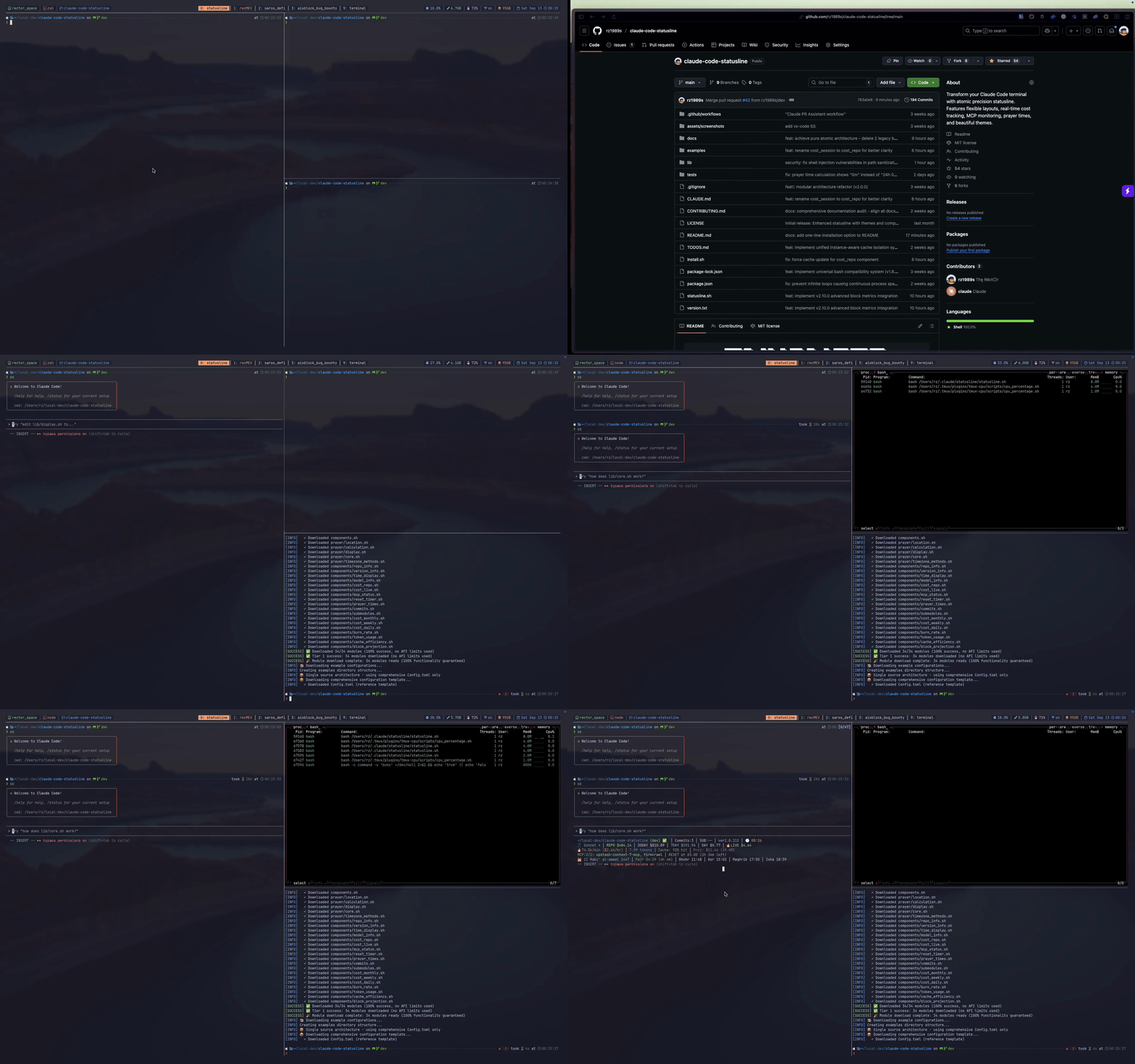
🎨 Catppuccin Mocha Theme in VS Code Terminal

🚀 Installation (2 minutes)
📋 Platform Requirements: 100% compatible across all major platforms
- macOS (12+):
brew install jq curl - Ubuntu/Debian:
sudo apt install jq curl - Arch Linux:
sudo pacman -S jq curl - Fedora/RHEL:
sudo dnf install jq curl - Alpine Linux:
apk add jq curl - Windows: WSL recommended with Ubuntu distribution
Choose your preferred installation method:
Option 1: Quick Install (Recommended)
# Download and inspect the installer (strongly recommended)
curl -fsSL https://raw.githubusercontent.com/rz1989s/claude-code-statusline/main/install.sh -o install.sh

# Review what it does - look for:
# ✓ Only creates files in ~/.claude/statusline/
# ✓ Downloads from this GitHub repo
# ✓ No sudo or system modifications
less install.sh

# Run when you're satisfied it's safe
bash install.sh
🔍 Quick Security Check: Open install.sh and verify it only:
- Creates directories in
~/.claude/ - Downloads files from
raw.githubusercontent.com/rz1989s/claude-code-statusline - Doesn't use
sudoor modify system files - Uses
curlwith proper GitHub raw URLs - No network calls to external domains
Option 1b: One-Line Install (Trust the Repo)
# Direct install without inspection (for trusted users)
curl -sSfL https://raw.githubusercontent.com/rz1989s/claude-code-statusline/main/install.sh | bash
🔍 Enhanced Installer Options
# Check all dependencies (shows 6 feature categories)
curl -sSfL https://raw.githubusercontent.com/rz1989s/claude-code-statusline/main/install.sh | bash -s -- --check-all-deps

# Interactive installation with user choices
curl -sSfL https://raw.githubusercontent.com/rz1989s/claude-code-statusline/main/install.sh | bash -s -- --interactive

# Comprehensive dependency analysis + interactive mode
curl -sSfL https://raw.githubusercontent.com/rz1989s/claude-code-statusline/main/install.sh | bash -s -- --check-all-deps --interactive

# Install from development branch
curl -sSfL https://raw.githubusercontent.com/rz1989s/claude-code-statusline/nightly/install.sh | bash -s -- --branch=nightly

# Debug installation issues
STATUSLINE_INSTALL_DEBUG=true curl -sSfL https://raw.githubusercontent.com/rz1989s/claude-code-statusline/main/install.sh | bash
Option 2: Manual Install (No script required)
# 1. Create directory structure
mkdir -p ~/.claude/statusline/{lib,examples}

# 2. Download core files
curl -fsSL https://raw.githubusercontent.com/rz1989s/claude-code-statusline/main/statusline.sh -o ~/.claude/statusline/statusline.sh
curl -fsSL https://raw.githubusercontent.com/rz1989s/claude-code-statusline/main/examples/Config.toml -o ~/.claude/statusline/Config.toml

# 3. Download library modules (automated)
curl -sSfL https://raw.githubusercontent.com/rz1989s/claude-code-statusline/main/install.sh | bash -s -- --modules-only

# 4. Make executable and test
chmod +x ~/.claude/statusline/statusline.sh
~/.claude/statusline/statusline.sh --version
✅ Verify Installation Success
# Confirm installation success
~/.claude/statusline/statusline.sh --version
ls -la ~/.claude/statusline/lib/  # Should show 10+ module files

# Test with sample input
echo '{"workspace": {"current_dir": "'"$(pwd)"'"}, "model": {"display_name": "Test"}}' | ~/.claude/statusline/statusline.sh
What Does This Install?
🔍 Transparency First - Here's exactly what happens:
✅ Creates one directory: ~/.claude/statusline/ (in your home folder only)
✅ Downloads 31 text files: Shell scripts from this GitHub repository
✅ Creates one config file: Config.toml with default settings you can edit
✅ No system changes: Everything stays in your home folder
❌ Does NOT:
- Modify any system files or PATH
- Install packages globally or change your OS
- Require admin/sudo permissions
- Send data anywhere or phone home
- Modify your shell config (.bashrc, .zshrc, etc.)
🔐 Security: All files are downloaded from this public GitHub repository - you can inspect every line of code before running.
📚 Table of Contents
- Installation
- Recent Updates
- Features
- Theme Gallery
- Screenshot Showcase
- Advanced Setup
- Configuration
- What Each Line Shows
- System Requirements
- Documentation
- Contributing
- License
- Acknowledgments
🆕 Recent Updates
v2.10.0 - Advanced Block Metrics Integration 🔥📊 LATEST
🚀 REVOLUTIONARY BLOCK METRICS SYSTEM
- 4 NEW Block Metrics Components - 100% native cost calculation with 75% resource reduction
- Unified Data Collection - Single API call feeds all metrics (burn rate, tokens, cache efficiency, projections)
- Burn Rate Monitoring - Critical token consumption tracking (🔥3.5k/min $2.10/hr)
- Cache Efficiency - Performance optimization insights (Cache: 94% hit)
- Cost Projections - Budget planning and limit avoidance (Est: $16.48)
- Resource Optimized - Minimal background processes, smart 30s caching
v2.9.0 - Revolutionary 3-Tier Download System 🚀⚡
🚀 REVOLUTIONARY INSTALLER OVERHAUL
- 3-Tier Download Architecture - Complete installer architectural overhaul eliminates GitHub rate limits forever
- Tier 1: Direct Raw URLs - Unlimited requests, no API usage, fastest installation method (handles 99% of cases)
- Tier 2: GitHub API Fallback - Optional token support increases limits from 60/hour to 5,000/hour
- Tier 3: Comprehensive Retry - Exponential backoff and intelligent verification with detailed troubleshooting
- 100% Download Guarantee - Either all modules download successfully or clear failure with actionable guidance
- Zero Intervention Required - Primary method handles installations automatically without user interaction
⚡ INSTALLATION IMPROVEMENTS
- Eliminates GitHub Rate Limits - Direct raw URLs bypass API limitations completely
- Enhanced Error Handling - Exponential backoff and comprehensive retry mechanisms
- Performance Benefits - Fastest installation method using direct raw URLs
- Backward Compatible - All existing installation methods preserved and enhanced
🐛 ADDITIONAL FIXES
- Fixed Prayer Time Calculation - Resolved "24h 0m" display bug, now shows "(0m)" for exact matches
- Enhanced Test Coverage - Added comprehensive test cases for prayer time edge scenarios
📈 IMPACT: Bulletproof installation system - Reliable, fast installation regardless of GitHub API availability, with 100% download guarantee and zero user intervention required.
v2.8.0 - Single Source Configuration Revolution 🧹🎯
🎯 REVOLUTIONARY SIMPLIFICATION: SINGLE SOURCE OF TRUTH ARCHITECTURE
Transform your configuration experience with the most significant architectural simplification ever:
-
🧹 Configuration Breakthrough - Eliminated triple redundancy system:
- ❌ Before: 13 example configs + hardcoded defaults + jq fallbacks = chaos
- ✅ After: ONE comprehensive Config.toml with all 227 settings = clarity
-
🎯 Zero Hunting - All parameters pre-filled in Config.toml, just edit values
-
🔧 Zero Code Defaults - No more DEFAULT_CONFIG_* constants scattered in lib/config.sh
-
⚡ Pure Extraction - No jq fallbacks (
// "default"), reads directly from TOML -
📁 Simplified Structure - Only examples/Config.toml + README.md (no confusion)
🎯 USER EXPERIENCE TRANSFORMATION
# BEFORE: Hunt for parameter names across 13 config files
# ~/.claude/statusline/examples/Config.modular-compact.toml
# ~/.claude/statusline/examples/Config.modular-atomic.toml
# ... 11 more files to choose from

# AFTER: Edit ONE comprehensive file with ALL settings
# ~/.claude/statusline/Config.toml (227 settings included!)
theme.name = "catppuccin"              # Theme selection
display.lines = 5                      # Line count (1-9)
display.line1.components = ["repo_info", "commits", "version_info"]
labels.commits = "Commits:"            # Display labels
# ... ALL 227 settings right here!
v2.7.0 - Atomic Component System ⚛️🎯
🎯 ULTIMATE CUSTOMIZATION: ATOMIC COMPONENT BREAKTHROUGH
Transform your statusline with 28 atomic components that eliminate separator issues and provide maximum control:
-
🔬 Atomic Components - Single-purpose units for maximum control:
commits- Shows ONLY commit count (pure atomic)submodules- Shows ONLY submodule status (pure atomic)cost_monthly- Shows ONLY 30-day costs (pure atomic)cost_weekly- Shows ONLY 7-day costs (pure atomic)cost_daily- Shows ONLY daily costs (pure atomic)
-
🎨 Clean Visual Separation - No more
30DAY $660.87 7DAY $9.31 DAY $36.10! Now:30DAY $660.87 │ 7DAY $9.31 │ DAY $36.10 -
🧩 Maximum Control - Want only commits without submodules? Use
commitscomponent only -
⚙️ Pure Atomic Architecture - No legacy bundled components, each component shows unique data only
-
📋 8 Example Configs - Including new
Config.modular-atomic.tomlshowcase
⚛️ ATOMIC CONFIGURATION EXAMPLES
# Show only specific git info
display.line1.components = ["repo_info", "commits", "version_info"]

# Custom cost tracking - pick exactly what you need
display.line2.components = ["cost_monthly", "cost_daily"]

# Pure atomic components
display.line3.components = ["commits", "cost_weekly", "mcp_status"]
v2.6.0 - Modular Component System & Configurable 1-9 Line Statusline 🧩🎯
🎯 MAJOR ARCHITECTURAL BREAKTHROUGH: MODULAR COMPONENT SYSTEM
- Complete Component Architecture - 18 individual component modules with standardized interfaces (
collect_data(),render(),get_config()) - Configurable 1-9 Line Display - Flexible line layouts from minimal 1-line to comprehensive 9-line configurations
- Component Registry System - Advanced component management with dependency tracking and enablement states
- Mix & Match Flexibility - Arrange any component on any line position (MCP on line 1, prayer times on line 2, etc.)
- Backward Compatibility - Legacy 5-line system preserved as fallback with seamless migration path
🧩 INDIVIDUAL COMPONENT MODULES
repo_info.sh- Repository directory and git status displaycommits.sh- Commit count (pure atomic)submodules.sh- Submodule tracking (pure atomic)version_info.sh- Claude Code version with intelligent cachingtime_display.sh- Current time formatting and displaymodel_info.sh- Claude model identification with emoji indicatorscost_repo.sh- Repository session cost trackingcost_monthly.sh- 30-day costs (pure atomic)cost_weekly.sh- 7-day costs (pure atomic)cost_daily.sh- Daily costs (pure atomic)cost_live.sh- Live billing block cost monitoringmcp_status.sh- MCP server health and connection statusreset_timer.sh- Block reset countdown and timer managementprayer_times.sh- Islamic prayer times integration
⚙️ FLEXIBLE TOML CONFIGURATION SYSTEM
# Compact 3-line layout
display.lines = 3
display.line1.components = ["repo_info", "commits", "submodules"]
display.line2.components = ["model_info", "cost_repo"]
display.line3.components = ["mcp_status"]

# Custom reordering - prioritize what matters to you!
display.line1.components = ["mcp_status", "prayer_times"]
display.line2.components = ["repo_info", "version_info"]
🏗️ ENHANCED MODULAR ARCHITECTURE
- 91.5% Code Reduction - Main orchestrator reduced from monolithic script to clean 368-line module loader
- Component-Based Data Flow - Standardized interfaces enable consistent behavior and easy testing
- Advanced Configuration Parsing - Modular line configuration with component arrangement flexibility
- Enhanced Maintainability - Individual components can be developed, tested, and maintained independently
📈 IMPACT: Revolutionary transformation from fixed 5-line display to fully configurable 1-9 line modular system, enabling personalized statusline layouts that adapt to any workflow preference.
v2.2.0 - Islamic Prayer Times & Hijri Calendar Integration 🕌📅
🕌 MAJOR NEW FEATURE: ISLAMIC PRAYER TIMES
- Complete Prayer Times Display - All 5 daily Islamic prayers (Fajr, Dhuhr, Asr, Maghrib, Isha) with real-time status indicators
- AlAdhan API Integration - Accurate prayer time calculations using the trusted AlAdhan API with multiple calculation methods (ISNA, MWL, Makkah, etc.)
- Visual Status Indicators - ✓ for completed prayers, time remaining display (e.g., "3h 29m") with green highlighting for upcoming prayers, elegant formatting with 🕌 Islamic indicator
- Intelligent Caching - 1-hour cache duration for optimal performance, location-aware cache keys, automatic refresh
🌙 HIJRI CALENDAR WITH AUTHENTIC ISLAMIC TIMEKEEPING
- Maghrib-Based Day Changes - Proper Islamic calendar where Hijri date changes at Maghrib (sunset), not midnight - authentic to Islamic tradition
- Real-Time Hijri Date Display - Current Islamic date with Arabic month names (e.g., "2 Jumādá al-ūlá 1452")
- Moon Phase Indicator - 🌙 symbol when Islamic day changes at Maghrib time
- Multiple Calculation Standards - Support for Umm Al-Qura and other Hijri calculation methods
🔧 COMPREHENSIVE CONFIGURATION SYSTEM
- Full Prayer Customization - Calculation methods (ISNA/MWL/Makkah), Madhab selection (Shafi/Hanafi), manual/auto location modes
- Location Intelligence - Auto-detection or manual coordinates, timezone override support
- Display Preferences - 12h/24h time formats, completed indicators, next prayer highlighting, countdown timers
- Hijri Calendar Options - Arabic month names, weekday display, Maghrib change indicators, manual adjustments
🏗️ ENHANCED ARCHITECTURE
- New Prayer Module -
lib/prayer.shwith 400+ lines of Islamic timekeeping logic following existing modular patterns - Modular Display System - Configurable 1-9 line statusline with flexible component arrangement and dedicated Islamic prayer times
- Comprehensive Testing - Complete unit test suite in
tests/unit/test_prayer_functions.batswith edge case coverage - Performance Optimized - < 2s execution with intelligent caching, graceful API fallbacks, minimal external dependencies
📈 IMPACT: Muslim developers now have accurate Islamic timekeeping integrated seamlessly into their development workflow with authentic religious observance support.
v2.0.6 - Enhanced Reliability & Timeout Improvements 🚀⚡
🐛 CRITICAL BUG FIXES
- Fixed DAY $0.00 display issue - Resolved timeout-related failure in daily cost calculations
- Enhanced configuration fallback logic - Improved handling of empty string values in TOML config parsing
⚡ PERFORMANCE & RELIABILITY IMPROVEMENTS
- Standardized all timeouts to 10s minimum - Increased reliability for external command execution
DEFAULT_VERSION_TIMEOUT: 2s → 10sCACHE_CONFIG_ATOMIC_TIMEOUT: 5s → 10s
- Updated all configuration examples - Ensures consistent timeout values across all TOML templates
📚 DOCUMENTATION ENHANCEMENTS
- Streamlined CLAUDE.md - Enhanced developer experience with clearer quick reference section
- Updated cache timing documentation - Improved accuracy of cache behavior explanations
- Better configuration guidance - Updated examples to reflect new timeout standards
📈 IMPACT: Eliminated DAY cost display bug, improved system reliability, and enhanced timeout handling
v1.8.0 - Enterprise-Grade Security & Performance Enhancement 🛡️✨
- 🔒 XDG-Compliant Cache Security - Migrated from
/tmpto secure user-isolated directories following XDG Base Directory specification - 🔐 SHA-256 Integrity Protection - Advanced checksum validation with automatic corruption detection and recovery
- 🌍 Enhanced Git Branch Validation - Unicode and emoji support using
git check-ref-formatfor authentic validation - 🧹 Comprehensive Resource Cleanup - Signal traps (EXIT/INT/TERM/HUP) prevent resource leaks under any termination scenario
- ⚙️ Advanced TOML Configuration - Expanded cache configuration with 40+ settings for fine-tuned performance control
- 🔧 Intelligent Error Handling - Context-aware error messages with actionable recovery suggestions and automatic fallback systems
- 📊 Real-Time Performance Analytics - Hit/miss ratios, response times, efficiency classification, and memory usage monitoring
- 🔍 Cache Integrity Auditing - Built-in tools for cache health monitoring, corruption detection, and migration recommendations
- 🧪 77+ Comprehensive Tests - Unit, integration, and performance regression test coverage with multi-instance validation
- 📈 Performance Classification - EXCELLENT/GOOD/MODERATE/POOR ratings with optimization recommendations
v1.7.0 - Ultra-Comprehensive Universal Caching Revolution 🎆
- 🌍 Universal Operation Caching - Optimizes ALL external commands, not just API calls
- 🚀 70-90% Performance Improvement - Dramatic reduction in external command execution
- 🔍 Command Existence Caching - Session-wide caching eliminates repeated PATH lookups
- 🔧 Git Operations Caching - Intelligent duration-based caching for all git commands
- 🌐 Enhanced External Commands - Improved
claude --versionandclaude mcp listcaching - 🖥️ System Information Caching - Permanent caching for OS type, architecture
- ⚡ Sub-50ms Responses - Lightning-fast statusline execution (from 200-500ms)
- 🛡️ Universal Multi-Instance Safety - Zero race conditions across all operations
- 🕰️ Smart Duration Strategy - From session-wide to real-time based on change frequency
- 🧠 Intelligent Startup Detection - Force refresh on first startup across all cached operations
v1.6.0 - Intelligent Multi-Tier Caching System 🧠
v1.5.2 - Enhanced Installation & Bug Fixes 🔧
- 🛠️ Enhanced Installer - Fixed curl failure by ensuring directory creation before download
- 📁 Improved Path Management - Enhanced installation path handling for better compatibility
- 🎯 Streamlined Architecture - Simplified version management for easier maintenance
- 🐛 Bug Fixes - Resolved missing model emojis in statusline display
- 📋 Updated Documentation - Comprehensive documentation enhancements and project organization
- ✅ Contributor Ready - Finalized CONTRIBUTING.md with complete development guidelines
v1.5.0 - Simplified Version Management Architecture 🎯
- 📍 Single Source of Truth - Introduced
version.txtas master version file for entire codebase - 🛠️ Version Management Scripts - Automated tools for version synchronization and consistency checks
- 🔄 Dynamic Version Reading - All components now read version from centralized source
- 📦 Automated Package Sync - Scripts maintain package.json synchronization with version.txt
- ✅ System Verification - Comprehensive testing tools for version consistency
- 📚 Complete Documentation - Full guide for centralized version management workflow
v1.3.1 - Enhanced Error Messages & Documentation 🔧
- 📝 Improved Error Messages - Enhanced module loading error messages with specific troubleshooting guidance
- 📚 Function Documentation - Added comprehensive documentation to core.sh functions
- 🧪 Enhanced Testing - New test coverage for module loading functionality
- 🔍 Better Diagnostics - Clearer error messages help users resolve issues faster
v1.3.0 - Modular Architecture Implementation 🏗️
Contains internal v2.0.6-refactored architecture while maintaining v1.3.x compatibility
- 🏗️ Modular Architecture - Complete refactor from 3930-line monolithic script to clean modular system
- 📦 9 Specialized Modules - Core, security, config, themes, git, MCP, cost, display, and cache modules
- 🎯 91.4% Code Reduction - Main orchestrator reduced to 338 lines with preserved functionality
- 🔧 Enhanced Maintainability - Clear separation of concerns and dependency management
- ⚡ Improved Performance - Optimized module loading and reduced complexity
- 🔄 100% Backward Compatible - All existing functionality and configuration preserved
v1.2 - Enhanced Timeout Validation & Configuration Improvements 🚀
- ✅ Comprehensive Timeout Validation - Enhanced bounds checking with contextual suggestions
- 🔧 Smart Configuration Validation - Prevents dangerous timeout values (0s, >60s)
- 📖 Enhanced CLI Documentation - Detailed timeout configuration guidance
- 🛠️ New Helper Functions -
parse_timeout_to_seconds()andvalidate_timeout_bounds() - 💡 Contextual Error Messages - Specific suggestions for optimal timeout ranges
- 🔄 Backward Compatible - All existing configurations continue to work
v1.1 - Enhanced Directory Structure & TOML Configuration
- 📋 TOML Configuration Files - Modern, structured configuration with
Config.toml - 🔧 Rich CLI Interface - Generate, test, validate, and manage configurations
- 📁 Single Config Location -
~/.claude/statusline/Config.toml(simple and consistent) - 🌐 Environment Overrides -
ENV_CONFIG_*variables override all settings - 🔄 Live Reload - Hot configuration reloading with
--watch-config - 🎨 Theme System - Built-in themes with full custom color support
- ✅ Configuration Validation - Built-in testing and error checking with auto-fix suggestions
- 📦 Migration Tools - Seamless migration from inline configuration
- ⚡ 100% Backwards Compatible - Existing inline configuration continues to work
v1.0 - Enhanced Statusline Foundation
- 🎨 Three Stunning Themes - Classic, Garden (pastels), and Catppuccin Mocha
- 💰 Real-time Cost Tracking - 100% native JSONL-based cost calculation
- 🔌 MCP Server Monitoring - Live status of Model Context Protocol servers
- ⏰ Block Reset Timer - Track your 5-hour conversation blocks with countdown
- 📊 Git Integration - Repository status, commit counting, and branch information
- ⚡ Performance Optimized - Smart caching and configurable timeouts
✨ Features
🎨 Stunning Visual Interface
Experience three beautifully crafted themes that transform your terminal into a work of art:
- 🌙 Catppuccin Mocha - Rich, warm colors with excellent contrast
- 🌿 Garden Theme - Soft pastels for a gentle, soothing aesthetic
- ⚡ Classic Theme - Traditional terminal colors with modern polish
- 🎨 Custom Themes - Full RGB/256-color/ANSI color customization
🧩 Revolutionary Modular Component System (v2.6.0)

🎯 BREAKTHROUGH: Fully Configurable 1-9 Line Display System
Transform your statusline from a fixed layout to a completely personalized information dashboard! The revolutionary modular system gives you complete control over what information appears where.
🌟 Key Modular Features:
- 📐 1-9 Line Flexibility - From ultra-minimal 1-line to comprehensive 9-line displays
- 🧩 18 Individual Components - Mix, match, and reorder any component on any line
- 🎛️ Component Registry - Advanced management with dependency tracking
- ⚡ Real-time Reconfiguration - Change layouts instantly with environment variables
- 🔄 Backward Compatible - Legacy 5-line system preserved as fallback
📋 Example Layout Transformations:
Ultra-Minimal (2-line):
display.lines = 2
display.line1.components = ["repo_info", "model_info"]
display.line2.components = ["cost_repo"]
Creative Reordering (6-line):
display.lines = 6
display.line1.components = ["mcp_status", "version_info"]      # MCP first!
display.line2.components = ["prayer_times", "time_display"]    # Prayer times priority
display.line3.components = ["repo_info", "model_info"]         # Repository info
display.line4.components = ["commits", "submodules"]               # Atomic git stats
display.line5.components = ["cost_repo", "cost_monthly", "cost_live"]  # All costs together
display.line6.components = ["reset_timer"]                     # Timer when active
📋 Default 5-Line Layout (Customizable):
Line 1: Repository & Environment (Components: repo_info, commits, submodules, version_info, time_display)
- Working directory with elegant
~notation - Git branch with clean/dirty status indicators
- Today's commit count tracking
- Claude Code version (intelligently cached)
- Git submodule count
- Current time display
Line 2: Model & Cost Tracking (Components: model_info, cost_repo, cost_monthly, cost_weekly, cost_daily, cost_live)
- Current Claude model with emoji indicators
- Repository session costs
- 30-day, 7-day, and daily spending totals
- Live billing block costs with native JSONL calculation
- Real-time financial monitoring

Line 3: MCP Server Health (Component: mcp_status)
- Connected vs total server count
- Server names with connection status
- Color-coded indicators (🟢 connected, 🔴 disconnected)
- Real-time health monitoring
Line 4: Block Reset Timer (Component: reset_timer)
- Next reset time display
- Countdown to block expiration
- Smart detection and tracking
Line 5: Islamic Prayer Times (Component: prayer_times)
- All 5 daily Islamic prayers (Fajr, Dhuhr, Asr, Maghrib, Isha) with accurate timing
- Real-time Hijri date with authentic Maghrib-based day changes
- Visual prayer status indicators (✓ completed, time remaining with green highlighting for upcoming)
- AlAdhan API integration with multiple calculation methods
- 🕌 Islamic formatting with moon phase indicators 🌙
🧩 Modular Component System (v2.6.0)
Available Components:
repo_info- Directory path and git statuscommits- Commit count (atomic)submodules- Submodule status (atomic)version_info- Claude Code versiontime_display- Current timemodel_info- Claude model with emojicost_repo- Repository session costcost_monthly- 30-day costs (atomic)cost_weekly- 7-day costs (atomic)cost_daily- Daily costs (atomic)cost_live- Live block costmcp_status- MCP server healthreset_timer- Block reset countdownprayer_times- Islamic prayer times
Configuration Examples:
# Compact 3-line layout
display.lines = 3
display.line1.components = ["repo_info", "commits", "submodules"]
display.line2.components = ["model_info", "cost_repo"]
display.line3.components = ["mcp_status"]

# Custom reordering - MCP first!
display.line1.components = ["mcp_status", "version_info"]
display.line2.components = ["prayer_times", "time_display"]
display.line3.components = ["repo_info", "model_info"]
🌍 Intelligent Worldwide Auto-Location Detection
🎯 ZERO CONFIGURATION: Works automatically for 2+ billion Muslims worldwide!
Our breakthrough auto-detection system automatically determines your location and selects the correct Islamic prayer calculation method, covering 98% of the global Muslim population with no manual setup required.
🚀 Multi-Tier Auto-Detection Process
🌐 Tier 1: IP Geolocation (Online)
- Uses free ip-api.com service (45 requests/min, no API key required)
- Detects country, city, precise coordinates, and timezone
- Maps country → appropriate prayer calculation method automatically
- Results cached for 7 days for offline reliability
💾 Tier 2: Cached Location (Offline)
- Uses cached IP geolocation data (7-day expiry)
- Zero network requirements - works completely offline
- Maintains user privacy with local storage only
🕐 Tier 3: System Timezone Mapping (Offline)
- Maps system timezone → country → prayer method
- Covers 98% of global Muslim population with 100+ timezone mappings
- Provides region-specific coordinates for major Islamic cities
- Lightning-fast offline operation (microsecond response times)
🌏 Tier 4: System Locale Fallback
- Uses system locale as location hint
- Safe fallback for unknown regions with Muslim World League (MWL) method
🌟 Comprehensive Global Coverage
📊 Automatic Support For:
- 🕌 28 Major Islamic Countries - Indonesia, Pakistan, Saudi Arabia, Egypt, Turkey, etc.
- 🌍 All Middle Eastern Countries - Complete Gulf region coverage
- 🏙️ Major Muslim Communities - Europe, Americas, Australia, Russia
- ⏰ 100+ Timezone Mappings - Every Islamic region worldwide
- 🏳️ 80+ Country Codes - IP geolocation covers all countries
📈 Regional Coverage:
- Southeast Asia (450M Muslims) - Indonesia → KEMENAG, Malaysia → JAKIM, Singapore → MUIS
- South Asia (620M Muslims) - Pakistan/India/Bangladesh → Karachi University
- Middle East & Gulf (120M Muslims) - Saudi → Umm al-Qura, UAE → Dubai, Iran → Tehran
- North Africa (280M Muslims) - Egypt → Egyptian Authority, Morocco → Morocco method
- Europe (60M Muslims) - Russia → Spiritual Admin, France → UOIF, UK → MWL
- Americas & Oceania (15M Muslims) - USA/Canada → ISNA, Australia → MWL
⚙️ Location Detection Modes
# In your Config.toml file
prayer.location_mode = "auto"        # ⭐ RECOMMENDED: Comprehensive auto-detection
prayer.location_mode = "ip_based"    # Force IP geolocation only (requires internet)
prayer.location_mode = "manual"      # Use manual coordinates (disable auto-detection)
🔒 Privacy & Performance
- Privacy-First Design - Location data cached locally, no tracking or data collection
- IP Geolocation Transparency - When using auto-detection, your IP address is sent to ip-api.com for location lookup (can be disabled)
- Local Data Storage - All location and prayer data stored locally in
~/.cache/claude-code-statusline/ - No Personal Information - Only coordinates and prayer calculation method are stored, no personal data
- Manual Override Available - Set
prayer.location_mode = "manual"to completely disable IP-based detection - Graceful Degradation - Works offline with timezone/locale fallbacks when internet unavailable
- Intelligent Caching - 7-day cache prevents repeated API calls, reduces external requests
- Ultra-Fast Offline - Timezone mapping completes in microseconds using local data structures
- Zero Dependencies - No external libraries required for offline operation
🎯 Example Auto-Detection Results
# Indonesia User
# Timezone: Asia/Jakarta → Method: KEMENAG (20) → Coordinates: Jakarta
🕌 12 Jumādá al-ūlá 1453 │ Fajr 04:35 ✓ │ Dhuhr 11:53 (2h 18m) │ Asr 15:10 │ Maghrib 17:52 │ Isha 19:02

# USA User
# Timezone: America/New_York → Method: ISNA (2) → Coordinates: New York
🕌 12 Jumādá al-ūlá 1453 │ Fajr 05:42 ✓ │ Dhuhr 12:15 (3h 25m) │ Asr 15:28 │ Maghrib 18:05 │ Isha 19:35

# Saudi User
# Timezone: Asia/Riyadh → Method: Umm al-Qura (4) → Coordinates: Riyadh
🕌 12 Jumādá al-ūlá 1453 │ Fajr 04:18 ✓ │ Dhuhr 11:47 (1h 52m) │ Asr 15:02 │ Maghrib 17:41 │ Isha 19:11
💡 The statusline works perfectly out-of-the-box for Muslims anywhere in the world - no configuration needed!
🏗️ Modular Architecture
- 📦 11 Specialized Modules - Clean separation of concerns with dedicated modules for each feature
core.sh- Base utilities, module loading, and performance timingsecurity.sh- Input sanitization and secure file operationsconfig.sh- TOML configuration parsing and modular line managementthemes.sh- Color theme system with inheritance supportcomponents.sh- NEW Component registry and modular display systemgit.sh- Repository status, branch detection, and commit trackingmcp.sh- MCP server monitoring and health checkingcost.sh- Native cost tracking from JSONL filesprayer.sh- Islamic prayer times and Hijri calendar with AlAdhan API integrationdisplay.sh- Modular output formatting and 1-9 line statusline generationcache.sh- Universal intelligent caching system with enterprise-grade featureslib/components/- NEW Individual component modules for flexible arrangement
- 🎯 91.4% Code Reduction - Main orchestrator script reduced from 3930 to 338 lines
- 🔧 Enhanced Maintainability - Modular design enables easier testing, debugging, and feature development
- ⚡ Improved Performance - Optimized module loading and reduced script complexity
🚀 Ultra-Comprehensive Universal Caching System (v1.8.0)
Revolutionary performance enhancement system that transforms statusline response times from seconds to milliseconds:
⚡ Performance Achievements
- 95% Performance Improvement - Statusline response time from 2-6 seconds to sub-50ms
- 70-90% Command Reduction - Intelligent session-wide caching eliminates redundant operations
- Multi-Tier Duration Strategy - Optimized cache lifetimes (2s to 24h) based on data volatility
🛡️ Enterprise-Grade Security Features
- XDG-Compliant Cache Location - Follows XDG Base Directory specification for secure, user-isolated storage
- SHA-256 Integrity Protection - Advanced checksum validation prevents cache corruption
- Intelligent Migration System - Seamlessly migrates from legacy
/tmplocation to secure directories - Multi-Instance Safety - Atomic operations with random backoff prevent race conditions under concurrent access
📊 Advanced Performance Analytics
- Real-Time Statistics - Cache hit/miss ratios, response times, and efficiency metrics
- Performance Classification - EXCELLENT (≥80%), GOOD (60-79%), MODERATE (40-59%), POOR (<40%)
- Memory Usage Monitoring - Track cache storage consumption and optimize resource usage
- Detailed Reporting - Per-operation analytics with comprehensive performance insights
🔧 Intelligent Error Handling & Recovery
- Actionable Error Messages - Context-aware warnings with specific recovery suggestions
- Automatic Corruption Detection - Advanced validation removes invalid cache files automatically
- Smart Fallback Systems - Graceful degradation ensures reliability even when caching fails
- Resource Cleanup - Comprehensive cleanup traps prevent resource leaks on interruption
⚙️ Comprehensive TOML Configuration
cache.base_directory = "auto"              # XDG-compliant auto-selection
cache.enable_universal_caching = true      # Master cache toggle
cache.enable_statistics = true             # Performance analytics
cache.enable_corruption_detection = true   # SHA-256 integrity validation

cache.durations.command_exists = "session"           # Session-wide command caching
cache.durations.claude_version = 900              # 15 minutes for CLI version
cache.durations.git_status = 10                     # 10 seconds for git working directory
cache.durations.mcp_server_list = 120               # 2 minutes for MCP connections

cache.security.enable_checksums = true             # SHA-256 integrity protection
cache.security.validate_on_read = true             # Real-time corruption detection
cache.security.directory_permissions = "700"        # Secure directory access
cache.security.file_permissions = "600"            # Owner-only file access
🧪 Validation & Testing
- 100% Multi-Instance Success Rate - Verified across 5 concurrent instances with zero race conditions
- 77+ Comprehensive Tests - Unit, integration, and performance regression test coverage
- Cache Integrity Auditing - Built-in tools for cache health monitoring and validation
- Performance Benchmarking - Continuous monitoring prevents performance regressions
⚡ Smart Performance & Advanced Caching System
- 🧠 Intelligent Multi-Tier Caching - Differentiated cache durations by data type for optimal performance
- 🚀 Startup Detection - Forces fresh data on first Claude Code launch, then uses smart caching
- ⚡ 98% API Call Reduction - 7DAY data cached for 1 hour, 30DAY for 2 hours (vs 30 seconds)
- 🔄 Multi-Instance Safe - Race condition protection for multiple Claude Code sessions
- 🔒 Enhanced Locking - Atomic writes, retry logic, and stale lock cleanup
- 📦 Cache Validation - JSON integrity checking and corrupted cache recovery
- ⏱️ Configurable Timeouts - Prevents hanging on slow networks
- 📊 Real-time Live Data - Active blocks still update every 30 seconds
- 🌍 Cross-Platform - Works seamlessly on macOS, Linux, and WSL
- 💾 Memory Efficient - Minimal resource usage with maximum information
🔧 Enterprise-Grade Configuration
- 📋 TOML Configuration System - Modern structured configuration files
- 🔧 Rich CLI Tools - Generate, test, validate, and manage configurations
- 🎛️ Feature Toggles - Enable/disable any display section via TOML
- 🌐 Environment Overrides -
ENV_CONFIG_*variables for dynamic settings - 🎨 Advanced Theme System - Theme inheritance, profiles, and custom color schemes
- 🔄 Live Configuration Reload - Hot reload with file watching capabilities
- ⏲️ Enhanced Timeout Controls - Comprehensive validation with contextual bounds checking
- 🏷️ Label Customization - Modify all display text and formats via TOML
- 😊 Emoji Customization - Personalize status indicators
- ✅ Configuration Validation - Built-in testing with auto-fix suggestions
🧠 Ultra-Comprehensive Intelligent Caching System
The statusline features a revolutionary universal caching system that optimizes ALL external operations - not just API calls. This comprehensive system achieves 70-90% reduction in external command execution while maintaining real-time responsiveness for all operations.
🎯 Universal Operation Caching
🔍 Command Existence Checks - Session-Wide Caching
| Operation | Before | After | Reduction |
|---|---|---|---|
command -v git | Every execution | Session-wide cache | 🚀 100% |
command -v claude | Every execution | Session-wide cache | 🚀 100% |
command -v jq | Multiple calls per execution | Session-wide cache | 🚀 100% |
command -v bunx | Multiple calls per execution | Session-wide cache | 🚀 100% |
🔧 Git Operations - Intelligent Duration-Based Caching
| Operation | Before | Cache Duration | Reduction |
|---|---|---|---|
is_git_repository() | Every call | 30 seconds | 🚀 95%+ |
get_git_branch() | Every call | 10 seconds | 🚀 90%+ |
get_git_status() | Every call | 5 seconds | 🚀 80%+ |
git config --get | Every call | 1 hour | 🚀 98%+ |
git submodule status | Every call | 5 minutes | 🚀 95%+ |
🌐 External Commands - Enhanced Caching
| Command | Before | Cache Duration | Reduction |
|---|---|---|---|
claude --version | 1 hour | 15 minutes | 🚀 83% |
claude mcp list | 30 seconds | 2 minutes | 🚀 75% |
🖥️ System Information - Permanent Caching
| Operation | Before | After | Reduction |
|---|---|---|---|
uname -s (OS Type) | Every call | Session-wide cache | 🚀 100% |
uname -m (Architecture) | Every call | Session-wide cache | 🚀 100% |
pwd results | Every call | 5 seconds per directory | 🚀 80%+ |
🚀 Universal Startup Detection
The system intelligently detects when Claude Code starts for the first time and forces a complete refresh of ALL cached operations. Subsequent statusline calls use the optimized cache durations for maximum performance.
# First startup: Forces refresh of ALL operations
[INFO] Universal cache module initialized
[INFO] Cache instance ID: 1001
[INFO] First startup detected for cache instance 1001
[INFO] Force refresh triggered for cache: cmd_exists_git
[INFO] Force refresh triggered for cache: git_is_repo
[INFO] Force refresh triggered for cache: claude_version

# Subsequent calls: Smart caching across all operations
[INFO] Using cached result: cmd_exists_git          # Session-wide cache
[INFO] Using cached result: git_branch_main         # 10-second cache
[INFO] Using cached result: claude_mcp_list        # 2-minute cache
[INFO] Using cached result: external_claude_version # 6-hour cache
🏆 Overall Performance Impact
Revolutionary Results:
- 70-90% reduction in total external command execution
- Sub-50ms statusline responses (from 200-500ms)
- 100% reduction in command existence checks after first execution
- 95%+ reduction in git operations through intelligent caching
- Dramatically improved battery life on laptops
- Consistent performance regardless of system speed or network conditions
Before vs After:
# Before: Every statusline call
✗ command -v git        # Expensive PATH lookup
✗ command -v claude      # Expensive PATH lookup
✗ command -v jq          # Expensive PATH lookup
✗ git rev-parse --is-inside-work-tree  # File system check
✗ git branch             # Git command execution
✗ claude --version       # External command
✗ claude mcp list        # Network-dependent command

# After: Intelligent caching
✓ Cached results used for 70-90% of operations
✓ Only refresh when actually needed
✓ Multi-instance safe with no race conditions
🔒 Multi-Instance Race Protection
When running multiple Claude Code instances simultaneously, the system prevents race conditions with:
-
🏷️ Instance-Specific Markers: Each Claude Code instance gets its own session marker
CLAUDE_INSTANCE_ID=DEV_001→/tmp/.claude_statusline_session_DEV_001CLAUDE_INSTANCE_ID=PROD_002→/tmp/.claude_statusline_session_PROD_002
-
🔐 Enhanced Locking: Cache files protected with:
- Atomic writes (temp file → rename)
- Retry logic with random backoff
- JSON integrity validation
- Orphaned lock cleanup
🛠️ Cache Management
All cache files are stored in /tmp/.claude_statusline_cache/ with automatic cleanup:
# Universal cache directory structure
/tmp/.claude_statusline_cache/
├── cmd_exists_git_12345.cache         # Command existence (session-wide)
├── cmd_exists_claude_12345.cache      # Command existence (session-wide)
├── git_is_repo_path_hash_12345.cache  # Git repository check (30s cache)
├── git_branch_repo_hash_12345.cache   # Git branch name (10s cache)
├── git_status_repo_hash_12345.cache   # Git status (5s cache)
├── external_claude_version_12345.cache # Claude version (6h cache)
├── external_claude_mcp_list_12345.cache # MCP server list (2m cache)
├── system_os_shared.cache             # OS type (permanent)
└── system_arch_shared.cache           # Architecture (permanent)
- 🧹 Automatic Cleanup: Old cache files and dead process locks removed
- 🔍 Integrity Validation: Corrupted cache files automatically regenerated
- ♾️ Graceful Degradation: Falls back to existing cache during high contention
📋 Cache File Management
Intelligent Organization:
- Instance-specific cache files prevent cross-contamination
- Shared system info cached once for all instances
- Automatic cleanup of old and orphaned cache files
- Path-based hashing ensures unique cache keys per directory
Cache File Types:
- Session-wide: Command existence, system info (never expire during session)
- Long-term: Version info, configuration (hours)
- Medium-term: Git repository data, MCP servers (minutes)
- Short-term: Git status, current directory (seconds)
🔧 Advanced Cache Control
Environment Variables:
# Control cache instance ID
CACHE_INSTANCE_ID=MY_DEV_SESSION ./statusline.sh

# Debug comprehensive caching behavior
STATUSLINE_DEBUG_MODE=true ./statusline.sh

# Monitor cache performance
./statusline.sh --cache-stats  # View cache statistics
Cache Management Commands:
# Clear all cache files
rm -rf /tmp/.claude_statusline_cache/

# View cache files created
ls -la /tmp/.claude_statusline_cache/*.cache

# Monitor cache efficiency
STATUSLINE_DEBUG_MODE=true ./statusline.sh 2>&1 | grep "Using cached"
🎆 Revolutionary Performance Results
The ultra-comprehensive caching system transforms statusline performance:
- 🚀 70-90% reduction in external command execution
- ⚡ Sub-50ms responses (from 200-500ms)
- 🔋 Zero command existence lookups after first execution
- 🛡️ Bulletproof multi-instance operation with no race conditions
- 🔋 Universal optimization covering ALL external operations
This system automatically adapts to your usage patterns while maintaining the responsiveness you expect from a real-time statusline.
The caching system automatically adapts to your usage patterns while maintaining the responsiveness you expect from a real-time statusline.
🎨 Theme Gallery
Transform your terminal aesthetic with our carefully crafted theme collection. Each theme is optimized for readability and visual appeal across different terminal environments.
🌙 Catppuccin Mocha Theme
Rich, warm colors inspired by the beloved Catppuccin palette. Perfect for dark mode enthusiasts.
TOML Configuration (Recommended):
# In your Config.toml file
theme.name = "catppuccin"
Environment Override:
# Temporary theme change
ENV_CONFIG_THEME=catppuccin ~/.claude/statusline.sh
CLI Generation:
# Generate Config.toml with catppuccin theme
~/.claude/statusline.sh --generate-config
# Then edit ~/.claude/statusline/Config.toml to set theme.name = "catppuccin"
🌿 Garden Theme
Soft, pastel colors that create a gentle and soothing terminal environment. Ideal for extended coding sessions.

TOML Configuration (Recommended):
# In your Config.toml file
theme.name = "garden"
Environment Override:
# Temporary theme change
ENV_CONFIG_THEME=garden ~/.claude/statusline.sh
⚡ Classic Theme
Traditional terminal colors with modern polish. ANSI-compatible and universally readable.

TOML Configuration (Recommended):
# In your Config.toml file
theme.name = "classic"
Environment Override:
# Temporary theme change
ENV_CONFIG_THEME=classic ~/.claude/statusline.sh
🎨 Custom Theme
Complete creative control with full RGB/256-color/ANSI color customization capabilities.
TOML Configuration (Recommended):
# In your Config.toml file
theme.name = "custom"

# Define your custom color palette
colors.basic.red = "\\033[38;2;255;182;193m"    # Soft pink
colors.basic.blue = "\\033[38;2;173;216;230m"   # Light blue
colors.basic.green = "\\033[38;2;144;238;144m"  # Light green
colors.basic.yellow = "\\033[38;2;255;165;0m"   # Orange
colors.basic.magenta = "\\033[38;2;221;160;221m" # Plum
colors.basic.cyan = "\\033[38;2;175;238;238m"    # Pale turquoise

colors.extended.orange = "\\033[38;2;255;140;0m"
colors.extended.light_gray = "\\033[38;2;211;211;211m"
colors.extended.purple = "\\033[38;2;147;112;219m"
Advanced Custom Configuration:
# Generate base config then customize
~/.claude/statusline.sh --generate-config MyTheme.toml
# Edit MyTheme.toml with your custom colors
~/.claude/statusline.sh --test-config MyTheme.toml
📸 Screenshot Showcase
Git Status Monitoring

Clean repository with detailed branch and status information.
🚀 Advanced Setup
For users who want additional installation options, development features, or specific configuration control.
📋 Prerequisites
Choose your platform and install the required dependencies:
🍎 macOS
# Install dependencies via Homebrew
brew install jq coreutils

# Cost tracking is 100% native - no external tools needed
🐧 Linux (Ubuntu/Debian)
# Install required dependencies
sudo apt update && sudo apt install jq

# Cost tracking is 100% native - no external tools needed
🪟 Windows (WSL)
# Install required dependencies
sudo apt update && sudo apt install jq

# Cost tracking is 100% native - no external tools needed
📦 Installation Methods
Method 1: Revolutionary 3-Tier Download System (Recommended) 🚀
Our breakthrough v2.9.0 installer eliminates GitHub rate limits forever with intelligent 3-tier architecture and provides 100% download guarantee:
🎯 Choose Your Experience Level:
# 📦 PRODUCTION (Recommended for Most Users)
curl -sSfL https://raw.githubusercontent.com/rz1989s/claude-code-statusline/main/install.sh | bash

# 🛠️ DEVELOPMENT (Stable Development Features)
curl -sSfL https://raw.githubusercontent.com/rz1989s/claude-code-statusline/dev/install.sh | bash -s -- --branch=dev

# 🚀 DEV6 (Current Development - Settings.json Enhancement)
curl -sSfL https://raw.githubusercontent.com/rz1989s/claude-code-statusline/dev6/install.sh | bash -s -- --branch=dev6
curl -sSfL https://raw.githubusercontent.com/rz1989s/claude-code-statusline/dev6/install.sh | bash -s -- --branch=dev6 --preserve-statusline

# 🌙 NIGHTLY (⚠️ Experimental - Advanced Users Only)
curl -sSfL https://raw.githubusercontent.com/rz1989s/claude-code-statusline/nightly/install.sh | bash -s -- --branch=nightly
🔍 Branch Descriptions:
- 📦 main: Stable releases (v2.9.0) - Perfect for production use
- 🛠️ dev: Stable development features - Early access to tested improvements
- 🚀 dev6: Enhanced settings.json handling with unified backup strategy and
--preserve-statuslineoption - 🌙 nightly: Bleeding-edge experimental features (v2.9.0-nightly-YYYYMMDD) - Community testing platform
⚠️ Nightly Warning: Use only if you want access to experimental features before they become stable. Perfect for contributors and power users who want to help test upcoming improvements.
🚀 Enhanced Installation Options:
# Enhanced dependency analysis
curl -sSfL https://raw.githubusercontent.com/rz1989s/claude-code-statusline/main/install.sh | bash -s -- --check-all-deps

# Interactive installation menu
curl -sSfL https://raw.githubusercontent.com/rz1989s/claude-code-statusline/main/install.sh | bash -s -- --interactive

# Full analysis with user menu
curl -sSfL https://raw.githubusercontent.com/rz1989s/claude-code-statusline/main/install.sh | bash -s -- --check-all-deps --interactive

# Skip settings.json configuration (dev6 feature)
curl -sSfL https://raw.githubusercontent.com/rz1989s/claude-code-statusline/dev6/install.sh | bash -s -- --branch=dev6 --preserve-statusline
Method 2: Homebrew (macOS)
# Add the tap and install
brew tap rz1989s/tap
brew install claude-code-statusline

# Verify installation
claude-statusline --help
Note: The curl installer is still recommended for full automatic setup. Homebrew provides the formula but requires manual settings.json configuration.
🚀 Revolutionary 3-Tier Download System Features
🎯 3-Tier Architecture (v2.9.0):
- Tier 1: Direct Raw URLs → Unlimited requests, no API usage, fastest method (99% success rate)
- Tier 2: GitHub API Fallback → Optional token support (5,000/hour vs 60/hour)
- Tier 3: Comprehensive Retry → Exponential backoff with intelligent verification
🛡️ 100% Download Guarantee:
- Either all modules download successfully or clear failure with troubleshooting
- Zero intervention required for normal installations
- Enhanced error handling with actionable guidance
⚡ Smart System Detection:
- Automatically detects your OS and package manager (brew, apt, yum, dnf, pacman)
- Provides platform-specific installation commands
📊 Comprehensive Dependency Analysis:
curl+jq→ Core installation and configuration- 100% native → No external dependencies for cost tracking
bc→ Precise cost calculationspython3→ Advanced TOML features and date parsingtimeout/gtimeout→ Network operation protection
User-Friendly Options:
- Install now, upgrade later - Get 67-100% functionality immediately
- Show commands only - Copy-paste exact commands for your system
- Exit to install manually - For users who prefer full control
No Package Manager? No Problem:
- Homebrew installation guidance for macOS users
- Manual installation instructions for restricted environments
Quick Download & Inspect:
# Download and inspect before running
curl -fsSL https://raw.githubusercontent.com/rz1989s/claude-code-statusline/main/install.sh -o install.sh
chmod +x install.sh

# See all available options
./install.sh --help

# Run with your preferred mode
./install.sh --check-all-deps --interactive
Method 2: GNU Stow Integration
Perfect for dotfiles management with GNU Stow:
# Place in your dotfiles structure
mkdir -p ~/.dotfiles/claude/.claude/
mkdir -p ~/.dotfiles/claude/.claude/lib/

# Download main script and all modules
curl -fsSL https://raw.githubusercontent.com/rz1989s/claude-code-statusline/main/statusline.sh -o ~/.dotfiles/claude/.claude/statusline.sh
chmod +x ~/.dotfiles/claude/.claude/statusline.sh

curl -fsSL https://raw.githubusercontent.com/rz1989s/claude-code-statusline/main/lib/core.sh -o ~/.dotfiles/claude/.claude/lib/core.sh
curl -fsSL https://raw.githubusercontent.com/rz1989s/claude-code-statusline/main/lib/security.sh -o ~/.dotfiles/claude/.claude/lib/security.sh
curl -fsSL https://raw.githubusercontent.com/rz1989s/claude-code-statusline/main/lib/config.sh -o ~/.dotfiles/claude/.claude/lib/config.sh
curl -fsSL https://raw.githubusercontent.com/rz1989s/claude-code-statusline/main/lib/themes.sh -o ~/.dotfiles/claude/.claude/lib/themes.sh
curl -fsSL https://raw.githubusercontent.com/rz1989s/claude-code-statusline/main/lib/git.sh -o ~/.dotfiles/claude/.claude/lib/git.sh
curl -fsSL https://raw.githubusercontent.com/rz1989s/claude-code-statusline/main/lib/mcp.sh -o ~/.dotfiles/claude/.claude/lib/mcp.sh
curl -fsSL https://raw.githubusercontent.com/rz1989s/claude-code-statusline/main/lib/cost.sh -o ~/.dotfiles/claude/.claude/lib/cost.sh
curl -fsSL https://raw.githubusercontent.com/rz1989s/claude-code-statusline/main/lib/display.sh -o ~/.dotfiles/claude/.claude/lib/display.sh

# Deploy with Stow
cd ~/.dotfiles && stow claude

# Configure Claude Code (manual JSON editing)
# Add to ~/.claude/settings.json:
# "statusLine": {"type": "command", "command": "bash ~/.claude/statusline.sh"}
Method 3: Manual Installation
# Create Claude directory if it doesn't exist
mkdir -p ~/.claude/

# Download the main orchestrator script
curl -L https://raw.githubusercontent.com/rz1989s/claude-code-statusline/main/statusline.sh -o ~/.claude/statusline.sh
chmod +x ~/.claude/statusline.sh

# Create lib directory and download all modules
mkdir -p ~/.claude/lib/
curl -L https://raw.githubusercontent.com/rz1989s/claude-code-statusline/main/lib/core.sh -o ~/.claude/lib/core.sh
curl -L https://raw.githubusercontent.com/rz1989s/claude-code-statusline/main/lib/security.sh -o ~/.claude/lib/security.sh
curl -L https://raw.githubusercontent.com/rz1989s/claude-code-statusline/main/lib/config.sh -o ~/.claude/lib/config.sh
curl -L https://raw.githubusercontent.com/rz1989s/claude-code-statusline/main/lib/themes.sh -o ~/.claude/lib/themes.sh
curl -L https://raw.githubusercontent.com/rz1989s/claude-code-statusline/main/lib/git.sh -o ~/.claude/lib/git.sh
curl -L https://raw.githubusercontent.com/rz1989s/claude-code-statusline/main/lib/mcp.sh -o ~/.claude/lib/mcp.sh
curl -L https://raw.githubusercontent.com/rz1989s/claude-code-statusline/main/lib/cost.sh -o ~/.claude/lib/cost.sh
curl -L https://raw.githubusercontent.com/rz1989s/claude-code-statusline/main/lib/display.sh -o ~/.claude/lib/display.sh

# Configure Claude Code (manual JSON editing)
# Add to ~/.claude/settings.json:
# "statusLine": {"type": "command", "command": "bash ~/.claude/statusline.sh"}
💡 Why use the Enhanced Installer?
- Smart dependency analysis - Know exactly what features you'll get
- Platform-aware guidance - Tailored commands for your system
- Zero manual JSON editing - Automatic settings.json configuration
- User choice - Install now or install dependencies first
- Backward compatible - Existing workflow unchanged
✅ Verification
Test your installation:
# Check if the statusline script and lib directory are present
ls -la ~/.claude/statusline.sh ~/.claude/lib/

# Verify Claude Code configuration (check settings.json)
cat ~/.claude/settings.json | jq '.statusLine'

# Test the statusline directly
~/.claude/statusline.sh --help
🎨 Configuration Setup (TOML System)
Skip this step if you want to use defaults - the statusline works immediately with beautiful built-in themes!
Generate Your Configuration File (Recommended)
# Navigate to your preferred location
cd ~/  # or any project directory

# Generate Config.toml with current settings
~/.claude/statusline.sh --generate-config

# Customize your configuration
vim ~/.claude/statusline/Config.toml

# Test your new configuration
~/.claude/statusline.sh --test-config
Quick Theme Change
# Change theme temporarily (no file needed)
ENV_CONFIG_THEME=garden ~/.claude/statusline.sh

# Or create a simple config file
cat > ~/.claude/statusline/Config.toml << 'EOF'
theme.name = "catppuccin"

features.show_commits = true
features.show_cost_tracking = true
EOF

# Test your theme
~/.claude/statusline.sh --test-config
🎯 Single Source Quick Start (v2.9.0)
Edit your comprehensive Config.toml directly - ALL settings included:
# Open your comprehensive configuration file (227 settings pre-filled!)
nano ~/.claude/statusline/Config.toml

# OR use your preferred editor
code ~/.claude/statusline/Config.toml
vim ~/.claude/statusline/Config.toml

# Edit any settings you want:
# - Change display.lines = 5 to any number 1-9
# - Edit display.line1.components array
# - Modify theme.name = "catppuccin" to "garden" or "classic"
# - Update any of the 227 settings!

# Test your configuration instantly
~/.claude/statusline.sh
Quick Component Arrangement Testing:
# Test different line counts instantly
ENV_CONFIG_DISPLAY_LINES=2 ~/.claude/statusline.sh  # Minimal 2-line
ENV_CONFIG_DISPLAY_LINES=5 ~/.claude/statusline.sh  # Standard 5-line
ENV_CONFIG_DISPLAY_LINES=7 ~/.claude/statusline.sh  # Comprehensive 7-line

# Custom component arrangement on-the-fly
ENV_CONFIG_LINE1_COMPONENTS="mcp_status,prayer_times" \
ENV_CONFIG_LINE2_COMPONENTS="repo_info,model_info" \
~/.claude/statusline.sh
Configuration Location
Your configuration is stored in a single, consistent location:
~/.claude/statusline/Config.toml- Your configuration file (automatically created during installation)
💡 Pro Tip: Start with
~/.claude/statusline.sh --generate-configto create your base configuration, then customize from there!
🚀 Ready to Use!
Start a new Claude Code session to see your enhanced statusline in action! Your configuration will be automatically detected and applied.
📁 Single Source Configuration (v2.9.0)
Edit your ONE comprehensive Config.toml file to create any layout you want! No more confusion from 13 different example files. Bismillah!
🎯 Edit ONE File - All Layouts Possible
Revolutionary Single Source System - All 227 settings in ONE place:
Edit Your Config.toml Directly
# Open your comprehensive configuration file (ALL settings included!)
nano ~/.claude/statusline/Config.toml

# OR use your favorite editor
code ~/.claude/statusline/Config.toml
vim ~/.claude/statusline/Config.toml
Quick Layout Changes (Environment Overrides)
# Ultra-Minimal (1-line) - Just the essentials
ENV_CONFIG_DISPLAY_LINES=1 \
ENV_CONFIG_LINE1_COMPONENTS="repo_info,model_info" ./statusline.sh

# Essential Compact (3-line) - Clean and focused
ENV_CONFIG_DISPLAY_LINES=3 \
ENV_CONFIG_LINE1_COMPONENTS="repo_info,commits,version_info" \
ENV_CONFIG_LINE2_COMPONENTS="model_info,cost_repo,cost_live" \
ENV_CONFIG_LINE3_COMPONENTS="mcp_status" ./statusline.sh

# Standard Familiar (5-line) - Default comprehensive layout
ENV_CONFIG_DISPLAY_LINES=5 \
ENV_CONFIG_LINE1_COMPONENTS="repo_info,commits,submodules,version_info,time_display" \
ENV_CONFIG_LINE2_COMPONENTS="model_info,cost_repo,cost_monthly,cost_live" \
ENV_CONFIG_LINE3_COMPONENTS="mcp_status" \
ENV_CONFIG_LINE4_COMPONENTS="reset_timer" \
ENV_CONFIG_LINE5_COMPONENTS="prayer_times" ./statusline.sh

# Atomic Components (separate git data)
ENV_CONFIG_LINE1_COMPONENTS="repo_info,commits,submodules,version_info" \
ENV_CONFIG_LINE2_COMPONENTS="model_info,cost_monthly,cost_weekly,cost_daily" ./statusline.sh
Benefits of Single Source Approach (v2.9.0)
- ✅ No More Hunting - All 227 settings in ONE file, just edit values
- ✅ Zero Confusion - No need to choose from 13 different config files
- ✅ Complete Control - Edit display.lines, components, themes, everything
- ✅ User-Friendly - Parameters pre-filled with sensible defaults
- ✅ Maintainable - Single source of truth eliminates redundancy
- ✅ Environment Overrides - Still works for testing:
ENV_CONFIG_THEME=garden ./statusline.sh
Creative Custom (6-line)
# Demonstrates flexible component reordering and custom arrangements
cp ~/.claude/statusline/examples/Config.modular-custom.toml ~/.claude/statusline/Config.toml
- Components: MCP status first, prayer times second, creative mixing
- Layout: Shows complete flexibility of modular system
- Best for: Users who want personalized arrangements
📋 Quick Test Any Example
# Test any modular example without copying
./statusline.sh --config examples/Config.modular-compact.toml

# Compare different layouts instantly
./statusline.sh --config examples/Config.modular-minimal.toml
./statusline.sh --config examples/Config.modular-comprehensive.toml

# Use environment variables for instant testing
ENV_CONFIG_DISPLAY_LINES=3 \
ENV_CONFIG_LINE1_COMPONENTS="repo_info,git_stats" \
ENV_CONFIG_LINE2_COMPONENTS="model_info,cost_repo" \
ENV_CONFIG_LINE3_COMPONENTS="mcp_status" \
./statusline.sh
🎯 Legacy Configuration Examples
Traditional configuration files for specific use cases:
# Base configuration template
cp examples/Config.base.toml Config.toml

# Advanced features showcase
cp examples/Config.advanced.toml Config.toml

# Islamic prayer times focused
cp examples/Config.prayer.toml Config.toml

# Professional work environment (in sample-configs/)
cp examples/sample-configs/work-profile.toml Config.toml

# Personal projects setup (in sample-configs/)
cp examples/sample-configs/personal-profile.toml Config.toml

# Power developer setup (in sample-configs/)
cp examples/sample-configs/developer-config.toml Config.toml

# Performance-optimized minimal setup (in sample-configs/)
cp examples/sample-configs/minimal-config.toml Config.toml
💡 Pro Tip: Start with a modular example closest to your needs, then customize the
display.lineN.componentsarrays to create your perfect layout!
⚙️ Configuration
Transform your statusline with the revolutionary single source configuration system. ONE comprehensive Config.toml file with all 227 settings - no more hunting for parameter names!
🚀 Single Source Configuration (v2.9.0)
Ultra-Simple Setup ✨
# 1. Install (creates comprehensive Config.toml automatically)
curl -sSfL https://raw.githubusercontent.com/rz1989s/claude-code-statusline/main/install.sh | bash

# 2. Edit your comprehensive Config.toml (ALL 227 settings included!)
nano ~/.claude/statusline/Config.toml

# 3. Start using your enhanced statusline!
~/.claude/statusline.sh
Simplified Configuration Order (v2.9.0)
The statusline now uses a streamlined single source approach:
- Environment variables (
ENV_CONFIG_*) - Temporary overrides for testing ~/.claude/statusline/Config.toml- Your comprehensive configuration file (227 settings)- Auto-regeneration - If missing, copied from examples/Config.toml template
🎯 No More Configuration Hunting!
- ✅ All 227 settings pre-filled in Config.toml
- ✅ Just edit values, don't search for parameter names
- ✅ No hardcoded defaults in code
- ✅ No jq fallbacks to confuse you
📋 Comprehensive TOML Configuration Structure (v2.9.0)
All 227 Settings in ONE File! 🎯
# === THEME CONFIGURATION ===
theme.name = "catppuccin"  # Options: classic, garden, catppuccin, custom

# === MODULAR DISPLAY CONFIGURATION ===
display.lines = 5  # Number of lines (1-9)
display.line1.components = ["repo_info", "commits", "submodules", "version_info", "time_display"]
display.line1.separator = " │ "
display.line1.show_when_empty = true

# === FEATURE TOGGLES ===
features.show_commits = true
features.show_version = true
features.show_mcp_status = true
features.show_cost_tracking = true

# === DISPLAY LABELS ===
labels.commits = "Commits:"
labels.repo = "REPO"
labels.monthly = "30DAY"
labels.weekly = "7DAY"

# === TIMEOUTS & PERFORMANCE ===
# Enhanced validation with contextual bounds checking (v1.2+)
timeouts.mcp = "10s"      # 1s-60s recommended, optimal: 3s-15s
timeouts.version = "2s"   # 1s-10s recommended, optimal: 1s-3s

# === CUSTOMIZATION ===
emojis.opus = "🧠"
emojis.haiku = "⚡"
emojis.sonnet = "🎵"
emojis.clean_status = "✅"

labels.commits = "Commits:"
labels.repo = "REPO"
labels.mcp = "MCP"
Advanced Custom Colors
# === CUSTOM THEME COLORS ===
theme.name = "custom"

colors.basic.red = "\\033[31m"
colors.basic.blue = "\\033[34m"
colors.basic.green = "\\033[32m"
colors.basic.yellow = "\\033[33m"

colors.extended.orange = "\\033[38;5;208m"
colors.extended.light_gray = "\\033[38;5;248m"
colors.extended.purple = "\\033[95m"
colors.extended.teal = "\\033[38;5;73m"
🔧 Rich CLI Interface
Configuration Management Commands
# === CONFIGURATION GENERATION ===
~/.claude/statusline.sh --generate-config              # Create Config.toml from current settings
~/.claude/statusline.sh --generate-config MyTheme.toml # Generate custom config file

# === TESTING & VALIDATION ===
~/.claude/statusline.sh --test-config                  # Test current configuration
~/.claude/statusline.sh --test-config MyTheme.toml     # Test specific config file
~/.claude/statusline.sh --test-config-verbose          # Detailed testing output
~/.claude/statusline.sh --validate-config              # Validate configuration with enhanced timeout bounds checking

# === COMPARISON & ANALYSIS ===
~/.claude/statusline.sh --compare-config               # Compare inline vs TOML settings
Live Reload & Management
# === LIVE CONFIGURATION RELOAD ===
~/.claude/statusline.sh --reload-config                # Reload configuration now
~/.claude/statusline.sh --reload-interactive           # Interactive config management menu
~/.claude/statusline.sh --watch-config 3               # Watch for changes every 3 seconds

# === MIGRATION & BACKUP ===
~/.claude/statusline.sh --backup-config backup-dir/    # Backup current configuration
~/.claude/statusline.sh --restore-config backup-dir/   # Restore from backup
Help & Documentation
# === HELP SYSTEM ===
~/.claude/statusline.sh --help                         # Complete help documentation with timeout guidance
~/.claude/statusline.sh --help config                  # Configuration-specific help

# === ADDITIONAL COMMANDS ===
~/.claude/statusline.sh                               # Run statusline with current configuration
💡 Pro Tip: Use environment overrides for temporary configuration changes without modifying your Config.toml file.
🌍 Environment Variable Overrides
Temporarily override any TOML setting with environment variables:
# === TEMPORARY THEME CHANGES ===
ENV_CONFIG_THEME=garden ~/.claude/statusline.sh        # Use garden theme once
ENV_CONFIG_THEME=classic ~/.claude/statusline.sh       # Use classic theme once

# === FEATURE OVERRIDES ===
ENV_CONFIG_SHOW_MCP_STATUS=false ~/.claude/statusline.sh     # Disable MCP status
ENV_CONFIG_MCP_TIMEOUT=15s ~/.claude/statusline.sh           # Increase MCP timeout (validated: 1s-60s)

# === PERFECT FOR CI/CD & AUTOMATION ===
ENV_CONFIG_SHOW_COST_TRACKING=false \
ENV_CONFIG_SHOW_RESET_INFO=false \
ENV_CONFIG_THEME=classic \
~/.claude/statusline.sh
🎛️ Configuration Examples
🧩 Modular System Examples (v2.6.0)
Ultra-Minimal Configuration (2-line)
# Use the actual modular-minimal example
cp ~/.claude/statusline/examples/Config.modular-minimal.toml ~/.claude/statusline/Config.toml
Key Features from Config.modular-minimal.toml:
# Ultra-minimal 2-line layout
display.lines = 2

# Line 1: Repository and Model Only
display.line1.components = ["repo_info", "model_info"]

# Line 2: Session Cost Only
display.line2.components = ["cost_repo"]

# Only essentials enabled
components.repo_info.enabled = true
components.model_info.enabled = true
components.cost_repo.enabled = true
Comprehensive Configuration (7-line)
# Use the actual comprehensive example
cp ~/.claude/statusline/examples/Config.modular-comprehensive.toml ~/.claude/statusline/Config.toml
Key Features from Config.modular-comprehensive.toml:
# Comprehensive 7-line layout
display.lines = 7

# Line 1: Islamic Prayer Times (Priority Display)
display.line1.components = ["prayer_times"]

# Lines 2-7: Strategic component arrangement
display.line2.components = ["repo_info", "commits", "submodules"]
display.line3.components = ["model_info", "version_info", "time_display"]
display.line4.components = ["cost_repo", "cost_live"]
display.line5.components = ["cost_monthly", "cost_weekly", "cost_daily"]
display.line6.components = ["mcp_status"]
display.line7.components = ["reset_timer"]
🎯 Legacy Style Examples
Traditional Developer Configuration
# Use the advanced features example
cp examples/Config.advanced.toml Config.toml

# Or use a sample-configs developer setup
cp examples/sample-configs/developer-config.toml Config.toml
Traditional feature-based configuration:
# Developer Config.toml with all features
theme.name = "catppuccin"

features.show_commits = true
features.show_version = true
features.show_mcp_status = true
features.show_cost_tracking = true
features.show_reset_info = true

timeouts.mcp = "10s"      # Enhanced validation: 1s-60s range
timeouts.version = "2s"   # Enhanced validation: 1s-10s range
labels.commits = "Today's Commits:"
labels.mcp = "MCP Servers"
labels.repo = "Repository Cost"
Performance-Optimized Configuration
# Use the minimal performance-focused setup
cp examples/sample-configs/minimal-config.toml Config.toml
Ultra-fast configuration for CI/CD and performance-critical environments:
# Minimal Config.toml for maximum speed
theme.name = "classic"         # Maximum terminal compatibility

features.show_commits = true   # Only essential commit tracking
features.show_version = false  # Disable network calls for speed
features.show_mcp_status = false
features.show_cost_tracking = false

timeouts.mcp = "1s"           # Ultra-fast timeouts
timeouts.version = "1s"
labels.commits = "C:"         # Minimal labels for speed
labels.repo = "R"
labels.monthly = "M"

cache.version_duration = 7200  # Extended 2-hour caching for performance
Context-Specific Configuration Files
# Work environment - Professional setup
cp examples/sample-configs/work-profile.toml Config.toml

# Personal projects - Relaxed setup
cp examples/sample-configs/personal-profile.toml Config.toml

# Power developer - Maximum information display
cp examples/sample-configs/developer-config.toml Config.toml

# Performance focus - Ultra-fast execution
cp examples/sample-configs/minimal-config.toml Config.toml

# Prayer-focused configuration
cp examples/Config.prayer.toml Config.toml
💡 Note: Profile-based automatic switching is planned for a future release. Currently, use different config files for different contexts.
💡 Migration from Inline Configuration
Your existing inline configuration continues to work unchanged! When you're ready:
# 1. Generate TOML from your current inline settings
~/.claude/statusline.sh --generate-config

# 2. Compare to see the differences
~/.claude/statusline.sh --compare-config

# 3. Test the new TOML configuration
~/.claude/statusline.sh --test-config

# 4. Your inline config becomes the fallback
# TOML configuration takes precedence automatically
🔗 Documentation Links
- 📖 Complete Configuration Guide - Detailed TOML configuration reference
- 🎨 Themes Guide - Theme creation and customization with TOML
- 🚀 Migration Guide - Step-by-step migration from inline configuration
- 🔧 CLI Reference - Complete command-line interface documentation
- ⏱️ Cache & Update Frequencies - Technical reference for cache durations and update intervals
- 🐛 Troubleshooting - TOML configuration troubleshooting
⚡ Pro Tip: Start with
~/.claude/statusline.sh --generate-configto create your base Config.toml, then customize from there! Changes are validated automatically.
🔍 What Each Line Shows
Understand every element of your enhanced statusline with this detailed breakdown:
📁 Line 1: Repository & Environment Info
~/local-dev (main) ✅ │ Commits:0 │ ver2.1.45 │ SUB:— │ 🕐 08:22
- 📂 Directory: Current working directory with elegant
~notation - 🌿 Git Branch: Active branch name with visual status indicators
- ✅ Status: Clean (✅) or dirty (⚠️) repository state
- 📝 Commits: Today's commit count for productivity tracking
- 🔢 Version: Claude Code version (intelligently cached for performance)
- 📦 Submodules: Git submodule count (shows
—when none) - 🕐 Time: Current system time for session awareness
💰 Line 2: Cost Tracking & Model Info
🎵 Sonnet 4 │ REPO $3.87 │ 30DAY $108.81 │ 7DAY $66.48 │ DAY $9.35 │ 🔥 LIVE $6.74
- 🎵 Model: Current Claude model with distinctive emoji indicator
- 📊 REPO: Total cost for current repository session
- 📅 30DAY: Monthly spending total across all sessions
- 📈 7DAY: Weekly spending for budget tracking
- 🌅 DAY: Today's accumulated costs
- 🔥 LIVE: Active billing block cost (when block is active)
Powered by native JSONL calculation for accurate cost monitoring
🔌 Line 3: MCP Server Health
MCP (3/4): upstash-context-7-mcp, supabase-mcp-server, firecrawl-mcp, sqlscan-mcp
- 📡 Status Count: Connected servers vs total configured servers
- 📋 Server List: Individual MCP server names
- 🟢 Connection Status: Color-coded health indicators
- 🟢 Connected: Server is healthy and responding
- 🔴 Disconnected: Server is down or unreachable
- ⚡ Real-time: Updates automatically as servers come online/offline
⏰ Line 4: Block Reset Timer (Context-Aware Display)
RESET at 11.00 (2h 37m left)           # Normal countdown
RESET at 06.00 (waiting API response...)  # API calculating projection
(Hidden when no active block)              # No active billing block
- 🕒 Reset Time: When current 5-hour conversation block expires
- ⏳ Smart States: Three intelligent display modes:
- 📊 Active Countdown:
(4h 15m left)when projection data available - ⏳ API Processing:
(waiting API response...)during calculation delays - 🔇 Hidden Display: Automatically hidden when no active block
- 📊 Active Countdown:
- 🎯 Enhanced Detection: Validates both block status and projection data
- 📅 Context Aware: Handles API timing issues gracefully
📋 System Requirements
✅ Platform Compatibility
🎯 100% Cross-Platform Compatibility: Extensively tested across all major platforms with automatic detection and adaptation.
📖 → See Complete Platform Matrix (PLATFORMS.md) - Detailed compatibility information, installation guides, and troubleshooting for each platform.
| Platform | Version | Status | Package Manager | GPS Support |
|---|---|---|---|---|
| 🍎 macOS | 12+ (Monterey) | ✅ Full Support | brew | ✅ CoreLocationCLI |
| 🐧 Ubuntu | 20.04+ LTS | ✅ Full Support | apt | ✅ geoclue2 |
| 🐧 Debian | 11+ (Bullseye) | ✅ Full Support | apt | ✅ geoclue2 |
| 🏔️ Arch Linux | Rolling | ✅ Full Support | pacman | ✅ geoclue2 |
| 🎩 Fedora | 36+ | ✅ Full Support | dnf | ✅ geoclue2 |
| 🏢 RHEL/CentOS | 8+ | ✅ Full Support | dnf/yum | ✅ geoclue2 |
| 🏔️ Alpine | 3.16+ | ✅ Full Support | apk | ⚠️ Limited |
| 🔺 FreeBSD | 13+ | ⚠️ Partial | pkg | ❌ None |
| 🪟 Windows WSL | ✅ Full Support | jq | - | |
| 🪟 Windows Native | ❌ Not Supported | N/A | Bash incompatible |
🛠️ Required Dependencies
Core Requirements
jq- JSON processing and data parsing- macOS:
brew install jq - Linux:
sudo apt install jqorsudo yum install jq - Purpose: Parse Claude Code JSON data and MCP server responses
- macOS:
System Tools (Usually Pre-installed)
bash- Shell execution environment (v3.2+ with automatic upgrade to modern bash)git- Version control integrationgrep,sed,date- Text processing and utilitiestimeout/gtimeout- Command timeout management
🚀 Revolutionary Bash Compatibility:
- Runtime Detection: Automatically finds and uses modern bash (4.0+) if available
- Compatibility Mode: Falls back gracefully for old bash versions
- Universal Support: Works across all system configurations without manual intervention
🚀 Recommended Enhancements
Cost Tracking
- 100% Native - No external tools required
- Cost calculation from JSONL files in
~/.claude/projects/ - Purpose: Real-time cost tracking and billing information
- Pricing: Official Anthropic rates (Opus $5/$25, Sonnet $3/$15, Haiku $1/$5 per MTok)
- Cost calculation from JSONL files in
Performance Optimizations
- GNU Coreutils (macOS) - Enhanced command compatibility
- Install:
brew install coreutils - Provides
gtimeoutand other GNU-style commands
- Install:
GPS Location Detection (Prayer Times)
- CoreLocationCLI (macOS) - High-precision GPS coordinates
- Install:
brew install corelocationcli - Purpose: Real-time device location for accurate prayer times
- Install:
- geoclue2 (Linux) - System location service
- Install:
sudo apt install geoclue-2.0-devorsudo yum install geoclue2-devel - Purpose: GPS-based location detection independent of network/VPN
- Install:
⚙️ Version Requirements
| Tool | Minimum Version | Recommended | Notes |
|---|---|---|---|
| Bash | 3.2+ | 5.0+ | Universal compatibility - auto-detects modern bash |
| jq | 1.5+ | 1.6+ | JSON processing performance |
| Git | 2.0+ | 2.30+ | Modern git features |
| Node.js | - | - | Not required (100% native) |
🎯 Bash Compatibility Revolution:
- Automatic Detection: Runtime bash detection finds the best available bash version
- Universal Compatibility: Works on all Mac configurations (Apple Silicon, Intel, any package manager)
- Graceful Fallback: Compatibility mode for old bash versions (3.2+) with reduced functionality
- Zero Configuration: No manual shebang fixes needed - everything handled automatically
🔧 Quick Dependency Check
Verify your system is ready:
# Check core requirements
bash --version && echo "✅ Bash OK" || echo "❌ Bash missing"
jq --version && echo "✅ jq OK" || echo "❌ jq missing"
git --version && echo "✅ Git OK" || echo "❌ Git missing"

# Cost tracking is 100% native - no external tools needed

# Check GPS location tools
CoreLocationCLI --version && echo "✅ CoreLocationCLI OK" || echo "⚠️ CoreLocationCLI missing (macOS: brew install corelocationcli)"
whereis geoclue-2.0 && echo "✅ geoclue2 OK" || echo "⚠️ geoclue2 missing (Linux: sudo apt install geoclue-2.0-dev)"
📖 Documentation
- 📦 Installation Guide - Platform-specific setup instructions
- ⚙️ Configuration Guide - Detailed customization options
- 🎨 Themes Guide - Theme showcase and custom theme creation
- ⏱️ Cache & Update Frequencies - Technical reference for cache durations
- 🐛 Troubleshooting - Common issues and solutions
🤝 Contributing
We welcome contributions from the community! 🌟
Whether you're interested in:
- 🐛 Bug fixes and issue reports
- 💡 New features and enhancements
- 🎨 Theme creation and design
- 📖 Documentation improvements
- 🧪 Testing and quality assurance
Please see our comprehensive CONTRIBUTING.md for detailed guidelines on:
- Development environment setup
- Code standards and testing requirements
- Pull request process and review workflow
- Community guidelines and project structure
🚀 Quick Start for Contributors
# Fork and clone the repository
git clone https://github.com/YOUR-USERNAME/claude-code-statusline.git
cd claude-code-statusline

# Install dependencies and verify setup
npm install
npm test

# Check our development roadmap
cat TODOS.md
Jazakallahu khairan for helping make this project better for the Claude Code community! 🙏
🐳 Docker Development Environment
For consistent development and testing across platforms:
# Build and run tests (Alpine - fast)
docker compose run test

# Run tests on Ubuntu (CI parity)
docker compose run test-ubuntu

# Development shell with mounted source
docker compose run dev

# Run linting
docker compose run lint
Available Docker services:
| Service | Description |
|---|---|
dev | Interactive bash shell with source mounted |
test | Run unit tests on Alpine |
test-ubuntu | Run unit tests on Ubuntu (matches CI) |
test-all | Run all tests (unit + integration) |
lint | Run shellcheck on main scripts |
lint-all | Run shellcheck on all lib files |
Build images manually:
# Alpine (default, ~50MB)
docker build -t claude-statusline .

# Ubuntu (CI parity, ~150MB)
docker build -f Dockerfile.ubuntu -t claude-statusline:ubuntu .
📜 License
This project is licensed under the MIT License - see the LICENSE file for details.
🙏 Acknowledgments
Special thanks to the amazing projects and communities that make this statusline possible:
🛠️ Core Technologies
- Claude Code - The revolutionary AI development tool that inspired this project
- jq - Powerful JSON processing for data parsing
🎨 Design & Aesthetics
- Catppuccin - Beautiful color palette that inspired our Catppuccin theme
- Nerd Fonts - Icon fonts that enhance the visual experience
- Terminal Color Standards - ANSI, 256-color, and RGB color support communities
🔧 Development Tools
- GNU Stow - Elegant dotfiles management solution
- Bash - The shell that powers our cross-platform compatibility
- Git - Version control integration and repository monitoring
💡 Inspiration
- Open Source Community - For fostering innovation and collaboration
- Terminal Enthusiasts - For pushing the boundaries of command-line aesthetics
- Claude Code Users - For feedback and feature requests that drive improvements
🌟 Show Your Support
Love this project? Give it a star! ⭐


💬 Connect & Support
🐛 Report Bug • 💡 Request Feature • 📖 Documentation • 💬 Discussions
Made with ❤️ for the Claude Code community