












-FF79C6.svg)


















⭐️ If this project helped you, please star it — it helps others find it.
We've hit 25K downloads! Thank you to everyone for supporting Box.

Note: If you're using a custom ROM (LineageOS, GrapheneOS, CalyxOS), download the
custom-rom-supportAPK from the latest release instead.
Install via Obtainium
- Open Obtainium on your phone
- Tap the + button
- Paste this repo URL:
https://github.com/jegly/Box - Tap Add
Recommended for most users: Main version
Which version should I install?
| Version | For |
|---|---|
| Main | Stock Android (Pixel, Samsung, etc.) |
| Custom ROM | GrapheneOS, LineageOS, CalyxOS — no Google services |
-
The in-app updater is also available in Settings
Setup steps
- Tap the badge for your version above — this opens Obtainium with the repo pre-filled
- Under APK filter regex, enter one of the following:
- Main:
Main - Custom ROM:
custom-rom-support
- Main:
- Tap Add — Obtainium will find the latest release and install it
- Future updates will be detected automatically
Note: As of v2.0.0, the in-app App version matches the Box release version (2.0.0) — the earlier mismatch with the upstream Google AI Edge Gallery build number (which showed 1.0.15) is fixed (#67). Box releases are tracked via GitHub tags. Use Settings → Check for updates to see if a newer Box release is available.
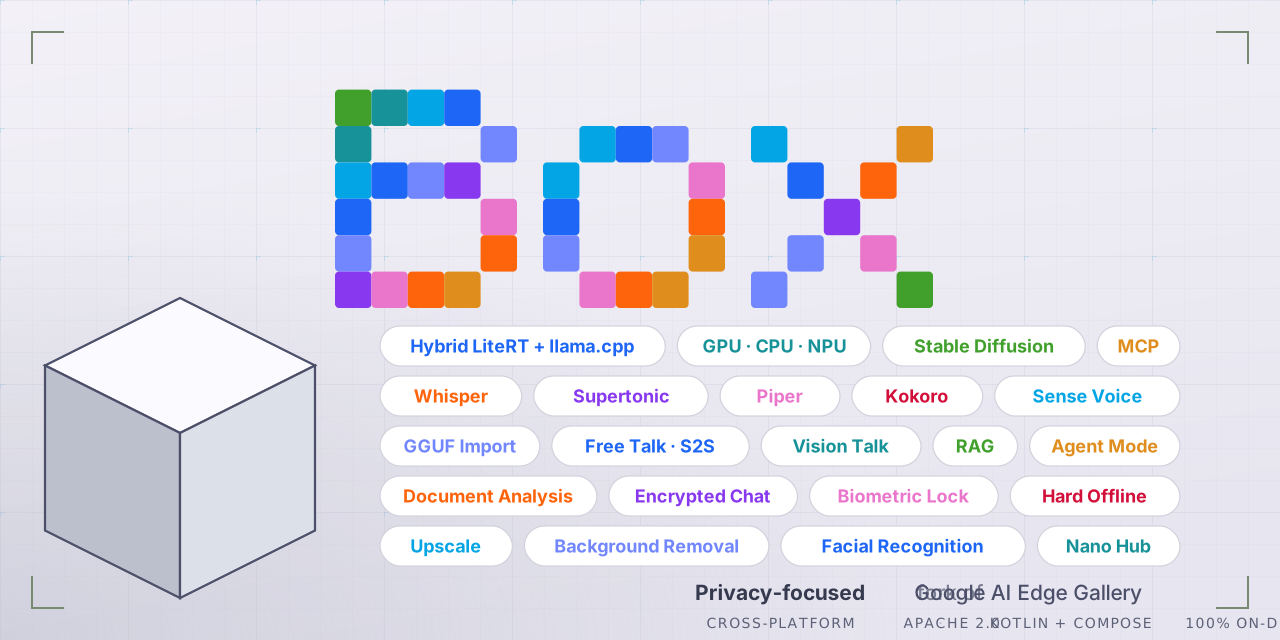
Box is a security-hardened, feature rich fork of Google AI Edge Gallery — with on-device image generation (Bonsai Image 4B, FLUX.2 klein & Z-Image Turbo diffusion), Box Assist (spoken camera assistance for blind and low-vision users), AI image upscaling, face recognition, photo erase/inpainting, music & sound generation, voice mode (speech-to-speech AI chat), voice input, multilingual text-to-speech, document analysis and Q&A, vision AI, full GPU and Snapdragon/Tensor/MediaTek NPU acceleration, a hardened security posture (biometric lock, encrypted chat history, tap-jacking protection), llama.cpp support, and GGUF model import — and more
[!IMPORTANT]
Disclaimer
Box began as a fork of Google AI Edge Gallery and is not affiliated with or endorsed by Google LLC. Google branding has been replaced throughout. Box has since diverged substantially from upstream — active merging with upstream stopped some time ago, and upstream has itself since adopted features that originated in Box. Box now carries roughly 50+ features not present in upstream Google AI Edge Gallery. Credit for the original underlying platform goes to Google and the original contributors.
Changelog v1.0.7 – v3.3.4
| Version | Feature | Details |
|---|---|---|
| v3.3.4 | Restore — deblur and denoise your photos | A new tile under Image. Deblur sharpens shots ruined by camera shake or a moving subject; Denoise cleans the speckled grain phones produce in dim light without smearing detail away. Both run on the GPU via LiteRT and are bundled in the app, so there is nothing to download and it works with no connection. Large photos are processed in overlapping tiles and stitched, so the result comes back at the size you put in. |
| v3.3.4 | Flatten — straighten a photo of a page | Photograph a receipt, a book page or a form at an angle and Box will flatten the curl out so the text sits straight. Downloaded on first use (180 MB) rather than bundled, since it is a specialist tool. |
| v3.3.4 | Portrait Sketch | Turn a portrait photo into a pencil line drawing. Works best on a single, well-lit face looking at the camera. Downloaded on first use (168 MB). |
| v3.3.4 | App language — Deutsch & 简体中文 | German and Simplified Chinese join French, Portuguese and Português (Brasil) in Settings → Language. Both were translated properly rather than merged from upstream, so every screen that can follow your language setting now does. A good deal of Box's text is still written directly into the app rather than being translatable, though, so English still shows in places — in every language. |
| v3.3.4 | Five light terminal themes | The Ptyxis theme picker was dark-only. It now also offers Belafonte Day, Everforest Light, GitHub Light, Solarized Light and Xterm Light, taken from the same upstream palettes as the existing 33. Every existing theme is unchanged. |
| v3.3.4 | Model list fixes | The model switcher inside a chat could not be scrolled, so with 41 models everything past the fold was unreachable — fixed. Models you have already downloaded now sort to the top of the list, in the switcher and in the Models browser, so you are no longer scrolling to the same place every time. |
| v3.3.4 | Gemma 4 12B output fix | Gemma 4 12B spliced stray <image|> markers into ordinary replies. Its bundle carries a multimodal checkpoint whose image support the runtime has not enabled yet, and the runtime rendered those unused media tokens as visible text. They are now filtered out. Applies only to the two models that can produce them; every other model's output is untouched. |
| v3.3.4 | Advanced Protection Mode support | If you have Android's device-wide Advanced Protection switched on, Box tightens up to match: the biometric lock is forced on and cannot be switched off, MCP is forced off and cannot be switched on, and the tamper check terminates outright instead of showing a dismissible screen. Nothing changes if you do not use Advanced Protection. Network access is deliberately left alone so model downloads still work. |
| v3.3.4 | Two models removed | Qwen 3.5 0.8B and Polaris 4B Preview are gone — neither could actually run in Box. Qwen 3.5 needs a newer LiteRT-LM than Box ships (its architecture is not supported by the current runtime), and Polaris asks for roughly 12 GB of GPU memory. Both were failing rather than merely slow. |
| v3.3.4 | Under the hood | Declares android.hardware.npu, which Android 17 requires of apps that use the NPU. |
| v3.3.3 | 🎨 Bonsai Image 4B — the new recommended image generator | A ternary-weight build of FLUX.2 [klein] running fully on-device via LiteRT. 512×512 output — double klein's tile — from a smaller download: ~4.3 GB against klein's 7.4 GB and Z-Image's 10.6 GB. Four steps, guidance-free, no internet at any point. It runs on the CPU (its 2.27 GB diffusion graph is too large for the GPU delegate), so allow a couple of minutes per image and around 8 GB of RAM. Send the result through Upscale → EDSR ×4 for a 2048×2048 image. |
| v3.3.3 | ⚡ Faster GGUF chat and faster image generation | llama.cpp, whisper.cpp, stable-diffusion.cpp and ggml all updated to current builds — months of upstream work in one go. GGUF chat and Stable Diffusion image generation are both noticeably quicker on the same phone with the same model, and there is nothing to configure. Whisper transcription and Gemma/LiteRT chat behave exactly as before. |
| v3.3.3 | 🌍 App language — French & Portuguese | New Settings → Language picker: System, English, Français, Português and Português (Brasil). Box uses Android's per-app language support, so your choice is remembered by the system. Coverage is partial for now (following upstream) — translated screens follow your selection, the rest stays in English. |
| v3.3.3 | 15 new models | Four new vision models for Ask Image: SmolVLM2-2.2B (1.5 GB), SmolVLM2-500M (just 0.36 GB), InternVL3.5-2B and InternVL3-2B — the InternVL pair are strong at reading text in photos. New chat and reasoning models: Qwen3.5-0.8B (hybrid attention, so memory stays flat as the conversation grows), Phi-4-mini-reasoning, Polaris-4B Preview, Nanbeige 4.2 3B, SmolLM3-3B, Jan-nano, Ministral 3 3B in both Instruct and Reasoning builds, OLMo-2-1B Instruct (fully open weights, data and training code), Granite-4.0-H-1B and LFM2.5-1.2B-JP for Japanese. Gemma 4 12B is now a 560 MB smaller download for exactly the same capability. |
| v3.3.3 | ✍️ Model descriptions rewritten in plain English | Around 70 cards on the download page rewritten. Each now opens with what the model actually does and when to pick it, with the technical specifications kept at the end for those who want them. Chip-specific builds say "For Pixel 10 only" or "For Snapdragon 8 Elite phones only" up front, so it is obvious which download suits your phone. Licences, RAM warnings and Gemma Terms of Use notices are all preserved. |
| v3.3.3 | Fixes | Chat now works properly on de-Googled Android (custom-rom-support build): on GrapheneOS, AOSP, crDroid, LineageOS and similar, AI Chat silently fell back to the CPU whichever accelerator you picked, and the Tensor G5 model would not load at all — failing with "Input tensor not found" — even though the Benchmark screen ran the very same model on the TPU. Both are fixed. Large downloads now resume by themselves instead of staying stuck until you closed and reopened Box. |
| v3.3.3 | Under the hood | AGP 9.3.1, Gradle 9.6.1, Kotlin 2.3.10 and 28 library updates. Debug logging is stripped from release builds and native debug symbols are no longer packaged. LiteRT and LiteRT-LM are deliberately held at their current versions. |
| v3.3.2 | Downloads fixed | Model downloads are reliable again after 3.3.1 — no more failing mid-download or stalling at 100%. A previously stuck model downloads normally on the first try. |
| v3.3.2 | GGUF GPU crash fix (really this time) | The Snapdragon GPU crash fix from 3.3.1 now actually ships in the build. |
| v3.3.2 | Biometric lock + database encryption | The biometric app lock works alongside database encryption again — the two are independent, and the app re-locks when reopened. |
| v3.3.1 | Live Translator (NEW, Sound tab) | Two people, two languages — tap your button, speak, and the other person reads and hears it in their language. Runs on your installed Gemma audio model (E2B/E4B), each phrase translated on its own for flat latency. 24 languages, fully offline. |
| v3.3.1 | 4 new models | Granite 4.0 350M (IBM's tiny fast tier, 468 MB), MiniCPM5-1B in int8 and int4 builds, and experimental Gemma 4 26B (A4B) — Google's mixture-of-experts Gemma for 16 GB+ RAM devices. |
| v3.3.1 | Fixes | GGUF models no longer crash on GPU on some Snapdragon devices (Adreno driver quirk). Rotating or folding the phone no longer unloads the model. Custom-ROM: TPU/GPU chat works again on de-Googled devices (GrapheneOS). |
| v3.3.0 | 🦯 Box Assist — a camera that talks (NEW) | Spoken camera assistance for blind and low-vision users, under the Core tab. Live mode calls out people, obstacles and objects with how close they are; Reading mode reads mail, labels and menus aloud; Describe mode describes the scene, spoken as it thinks; voice questions — double-tap, ask out loud, and Box answers against what the camera sees. One download bundles everything (vision models + the Describe brain + speech recognition). Continuous autofocus with pre-capture focus sweeps, automatic flashlight in the dark, a blur check on Reading, physical volume-button controls, hold-to-repeat, TalkBack coexistence, screen never times out, and a launcher long-press shortcut straight into it. Fully offline. |
| v3.3.0 | ⚡ GGUF engine rebuilt — real GPU acceleration | The llama.cpp engine got a ground-up overhaul: full Vulkan GPU offload via the CPU/GPU chip in any GGUF chat, a massively faster CPU mode (a flaw routed CPU prompt processing through the GPU — 0.7 → 21 tok/s on a Pixel 6a), instant replies (weights read up front, reopened chats replay their history during the loading screen), a tokens/sec stat under every GGUF reply, a new Settings → GGUF Models panel (context size, CPU threads, GPU layers, mmap, mlock, Q8 KV cache), sturdier imports with byte-verification, and automatic GPU→CPU retry. llama.cpp updated to a current build. |
| v3.3.0 | 🎨 On-device image generation — FLUX.2 klein & Z-Image Turbo | Two full text-to-image diffusion models running 100% on-device via LiteRT: FLUX.2 klein (4B) — photorealistic images in 4 steps (~7.4 GB download) — and Z-Image Turbo (9 steps), which shares nearly a gigabyte of files with klein so Box doesn't download them twice. Multi-gigabyte downloads now resume without refetching finished files, progress bars show honest totals, and a model only shows "downloaded" when every file is actually present. |
| v3.3.0 | 🔍 Five new vision models — bundled, work instantly | Identify now hosts four model families in one picker: MobileNet V2, MobileNet V3 Large (with a Pixel Tensor G5 NPU variant), PlantNet (identify 1,081 plant species from a photo) and DM-Count crowd counting. New Erase tile — paint over anything in a photo and MI-GAN inpainting removes it (brush size, iterative erase, save to gallery). Upscale gains EDSR ×4. All bundled in the APK — no download, fully offline. |
| v3.3.0 | 📱 Android 14 support | Minimum Android version lowered from 15 to Android 14 — Box now installs on a whole generation more of phones. |
| v3.3.0 | Fixes & polish | Box Assist: fixed a first-open black screen (camera and mic permission requests raced each other) and made repeat scene descriptions as fast as the first. Fixed a case where an already-loaded model would never signal "ready", leaving features waiting forever. Download cards show accurate total sizes before you tap. |
| v3.2.0 | 🎵 On-device music & sound generation | Make music and sound effects from a text description — completely offline, nothing leaves your phone. Three tiers under the new Sound tab: SoundGen (quick clips & sound effects in seconds), SoundGen HD (higher-quality audio up to ~24s), and SoundGen HD Long (full pieces up to ~3 minutes). Set the length, then play, save, or share the result. The generator for each tier downloads on first use, then runs entirely on-device. |
| v3.2.0 | Identify — on-device image recognition | Point Box at a photo and it tells you what's in it — 1000+ everyday objects, animals and scenes. Pick from your gallery or take a new shot. Fully offline, hardware-accelerated on supported devices. |
| v3.2.0 | Tabs reorganised — Sound & Core | Clearer home tabs: Sound groups the audio features, Core groups chat & assistant. |
| v3.2.0 | Chat remembers on reopen | Reopening a conversation now replays recent context to the model, so it picks up where you left off — new chats still start fresh. |
| v3.1.0 | NPU now works on Snapdragon & MediaTek — for the first time | This is the first Box build where on-device NPU acceleration actually runs on Snapdragon and MediaTek phones. Previous builds shipped the NPU models but crashed on load. Box now ships the Qualcomm and MediaTek NPU dispatch libraries rebuilt to match the LiteRT runtime plus an updated Qualcomm AI stack (QNN 2.47), with per-vendor builds so each phone loads the correct driver — NPU chat and benchmarking now run on those devices. The Pixel / Tensor G5 path is unchanged. (#81, #83, #88) |
| v3.1.0 | Smoother NPU chat on small models | Long conversations on the Gemma 3 1B NPU model no longer abruptly stop or error when the context fills — Box slides the context window so the chat keeps going. Added safeguards so the small NPU model doesn't get stuck repeating itself or return empty replies. (Snapdragon / MediaTek NPU only — Tensor G5 and GPU/CPU are untouched.) |
| v3.1.0 | Fix — NPU benchmark crash (#81) | Benchmarking an NPU model no longer crashes. |
| v3.1.0 | Polish | New animated "Initializing model" loading screen; removed the "Experimental" tag from Mobile Actions; tidied up model descriptions. |
| v3.0.0 | Major UI overhaul — Material 3 Expressive | A top-to-bottom interface refresh. The app now moves with spring-physics motion: home cards bounce in and respond to taps, chat messages rise and fade in as they arrive, and screen transitions use Material 3 slide-and-fade. The jump to 3.0.0 reflects how much of the UI changed — the models and engines are unchanged. |
| v3.0.0 | 11 new themes | A set of terminal-inspired palettes — Fairy Floss, Nord, Bim, Borland, C64, Cobalt Neon, Grass, Homebrew Ocean, Mono Amber, Mono Red, and Synthwave — selectable from a new dropdown in Settings, alongside the existing System, Light, Catppuccin, and Dracula themes. |
| v3.0.0 | Custom app & chat fonts | Choose from 13 bundled font families (Nunito plus Cormorant Garamond, DotGothic16, IBM Plex Mono / Serif, Instrument Serif, Playfair Display, Press Start 2P, Quicksand, Space Grotesk, Turret Road, Viaoda Libre, and more), each previewed in its own typeface — with an optional separate font just for chat messages. |
| v3.0.0 | Text-size slider | Scale text across the whole app and chat from 0.8× to 1.4×, on top of your system font size. |
| v3.0.0 | Themed app icon | With "Themed icons" enabled in your launcher, the Box icon now tints to your system Material You colours. |
| v3.0.0 | Settings, reorganised | The long settings list is now grouped into smooth, collapsible categories — Appearance, Privacy & Security, Network & Tools, Chat & Voice, and About. |
| v3.0.0 | Theme-aware task screens | Open any task (Chat, Diffusion, Voice…) and the background now follows your selected theme with the same accent tint as the home screen — no more flat black behind a colourful theme. Cleaner, icon-free task headers, a tidy box-shaped menu button, and a new Material 3 wavy download-progress indicator. |
| v3.0.0 | Fix — NPU crash on Snapdragon & MediaTek (#82, #83) | NPU models could hard-crash on load on non-Pixel devices (e.g. Galaxy S26 Ultra, Xiaomi 14T Pro) because the wrong hardware dispatch library was being loaded. Box now selects the correct Qualcomm / MediaTek runtime per device. The Pixel 10 / Tensor G5 path is unchanged and re-verified. |
| v3.0.0 | Fix — Settings flash & jank | Changing the text-size slider no longer flashes the home screen behind Settings, and opening Settings or expanding a category no longer jumps — the dialog is now fixed-size and animates its contents internally. |
| v2.0.2 | New model tier — Gemma 3 270M | Brand-new ultra-lightweight model (~460–555 MB) — fast and low-RAM, ideal for quick tasks on modest devices. Ships dedicated NPU builds for Snapdragon (SM8550 / 8650 / 8750 / 8750-AB / 8850) and MediaTek Dimensity (MT6991 / MT6993). |
| v2.0.2 | New models — Gemma 3 1B-IT with broad NPU coverage | Gemma 3 1B now ships dedicated on-device NPU builds across Snapdragon (SM8550 → SM8850, incl. the Samsung SM8750-AB) and MediaTek Dimensity (MT6989 / 6991 / 6993), plus a universal GPU/CPU build. Each device automatically downloads the build that matches its chip. |
| v2.0.2 | New models — Gemma 3n E2B & E4B (multimodal) | Text, image and audio input, up to 32K context, with Gemma 3n's selective-parameter architecture. Run on GPU/CPU on every device; NPU-accelerated on MediaTek (MT6993). |
| v2.0.2 | Samsung Galaxy S26 Ultra (SM8850) NPU models | Added SM8850 ("Snapdragon 8 Elite Gen 5") allowlist keys across the new Gemma 3 1B and 270M entries, so dedicated NPU models now appear and run on the S26 Ultra. |
| v2.0.1 | Fix — Snapdragon 8 Elite NPU crash (SM8750 / SM8750-AB) | The audio sub-graph was incorrectly routed to the NPU on all SM8750 devices, causing an instant hard crash (SIGABRT) when loading the Snapdragon NPU model — no error popup, just an immediate exit. Audio always uses CPU regardless of the primary backend, matching upstream behaviour. Fixes Red Magic NX799J, iQOO 13, and any other SM8750 or SM8750-AB device. |
| v2.0.1 | Fix — Samsung Galaxy S25 / S26 Ultra NPU models not listed | Samsung's "Snapdragon 8 Elite for Galaxy" variant reports SM8750-AB as its SoC identifier, not SM8750. The model allowlist only matched sm8750, so dedicated NPU models were invisible to all S25 and S26 Ultra users. |
| v2.0.1 | New model — Gemma 4 E2B (Qualcomm QCS8275 / Dragonwing IQ8) | Added an NPU model entry for the Qualcomm QCS8275 SoC. Appears automatically on matching hardware. |
| v2.0.0 | Google Tensor G5 (Pixel 10) acceleration | Gemma now runs on the Pixel 10's Tensor G5 TPU, not just the GPU. Supported models route to the TPU automatically and expose a dedicated TPU option in the accelerator picker. |
| v2.0.0 | MediaTek NPU support | Bundled the MediaTek dispatch runtime and added the first models that run on MediaTek Dimensity neural engines. |
| v2.0.0 | New models | Gemma 4 E2B (Tensor G5) and Gemma 4 12B (GPU); Gemma 3 1B-IT (Tensor G5), Gemma 3n E2B (MediaTek, multimodal) and Qwen3 0.6B (MediaTek) |
| v2.0.0 | Face Recognition — on-device & encrypted | New tool in the image section: detect, enroll and name people, then recognise them in photos or live from the camera, fully offline. Multi-sample enrollment with face alignment, capture-to-add, an on-screen face mesh, and a settings panel (match strictness, front camera, show %, clear all). All face data is encrypted on-device (SQLCipher) and never leaves the phone — opt-in and user-enrolled only. |
| v2.0.0 | New Light theme + theme-aware home | A crisp, wallpaper-independent Light theme, and the home background now follows your selected theme (System / Light / Catppuccin / Dracula) instead of always being black. |
| v2.0.0 | Gemini Nano Hub on custom-ROM | The full Gemini Nano hub (Summarize / Proofread / Rewrite / Describe / Chat / Speech) is now included in the custom-rom-support build too, degrading gracefully on devices without AICore (ML-Kit vision tools still work). |
| v2.0.0 | Nano document-attach crash + leak fixes | Fixed a crash when attaching a document in Summarize/Proofread/Rewrite (the file picker could be hijacked by the photo picker on Android 14+) — now uses the proper document picker with a clean fallback. Also fixed GenAI service/memory leaks when switching between Nano features. |
| v2.0.0 | Copy button on code blocks | Fenced code blocks in chat now render with a language label and a one-tap Copy code button. |
| v2.0.0 | SenseVoice in Chat | The chat mic now works with a loaded SenseVoice model (priority Whisper → SenseVoice → system) instead of dead-ending when no Whisper model is present. |
| v2.0.0 | Speculative decoding in chat | Speculative / Multi-Token-Prediction decoding is available for Gemma 4 in chat (off by default). |
| v2.0.0 | Fix #69 — agent mode with text-only models | Agent mode no longer force-loads vision on models that don't support it, which previously blocked text-only imported models entirely. |
| v2.0.0 | Fix #67 — correct installed version | Aligned versionName with the public version, so Obtainium / Android's "App version" report the right number (no more false "update available"). This is why the release jumps to 2.0.0. |
| v2.0.0 | Smaller download | Native libraries are now compressed inside the APK — the main build drops from 400 MB+ to ~278 MB (they're extracted on install). |
| v1.0.12 | SenseVoice — multilingual speech-to-text | New card in the Voice tab. Transcribes Chinese, English, Japanese, Korean and Cantonese fully offline, roughly 5× faster than Whisper on CPU. Live "listening" preview while you talk, a multi-message transcript log (copy / delete / clear), language picker, punctuation & number formatting, and optional emotion / audio-event tags. (#68) |
| v1.0.12 | Supertonic — multilingual text-to-speech | New card in the Voice tab. Lightweight (~66M param) on-device speech synthesis in English, Korean, Spanish, Portuguese and French, with multiple built-in voices and adjustable speed. Fully offline — text never leaves the device. |
| v1.0.12 | AI Image Upscaling (super-resolution) | New Upscale tool in the image tab. Enhance and enlarge any photo 4× on-device and save it to your gallery. Three models bundled in the app — XLSR (fast), Real-ESRGAN General (balanced), Real-ESRGAN x4plus (quality) — run via LiteRT, no download required. Photos are auto-rotated (EXIF-aware) before upscaling. |
| v1.0.12 | Gemini Nano Vision — visual overlays (main) | Pose detection now draws a skeleton overlay and Face Mesh a 468-point mesh directly on the camera preview and still images (previously text-only). Added copy buttons on every vision result, an adjustable live refresh rate (Fast / Balanced / Slow / Power-saver) with a Freeze/Resume toggle, front/rear camera switching on all modes, and image upload from your gallery. |
| v1.0.12 | Models browser organised by type | The model list is now grouped into Language models / Speech-to-Text / Text-to-Speech / Image generation / Other instead of one flat alphabetical list. |
| v1.0.12 | New language models | Added TinyLlama 1.1B, Phi-4-mini, TinySwallow 1.5B, VibeThinker 1.5B, and Qwen3 8B to the download list. |
| v1.0.12 | Markdown & LaTeX rendering overhaul (#42) | Headers, bullet/numbered lists and bold text now render correctly even when mixed with inline math on the same line; bold that spans a math expression no longer shows literal **; wide display equations scroll instead of being clipped. |
| v1.0.12 | Clearer model guidance + UI cleanup | Gemma 4 E2B labelled "Recommended", E4B "Best overall for flagship devices," with cleaned-up model descriptions. Removed promotional banners/links from the MCP and Agent screens (sample-prompt chips kept). |
| v1.0.12 | Fix #59 — Snapdragon NPU crash | Vision/audio sub-backends now follow the primary backend on the NPU path, fixing hard crashes on some Snapdragon devices. |
| v1.0.12 | Fix #61 — leftover model files | Orphaned model-version directories are cleaned up after app updates. |
| v1.0.12 | Fix #65 — GrapheneOS speech hang | Restored the SpeechRecognizer availability gate (custom-rom-support build). |
| v1.0.12 | Fix — config dialog crash | Opening the model settings dialog on small-context-window (<2000) models no longer crashes. |
| v1.0.12 | Android SDK 37 + deeplink fix | Updated compile/target SDK to 37 and fixed the notification tap deep link. |
| v1.0.11 | MCP server support | The Agent tab can now connect to external Model Context Protocol servers (e.g. gitmcp.io/<owner>/<repo>) and give the model access to remote tools. Off by default — enable in Settings, add a server URL, accept the disclaimer. Every tool call fires a per-call permission dialog (Allow once / Always allow / Deny). Hard Offline Mode disables MCP. |
| v1.0.11 | "Agent Skills" renamed to "Agent" | Reflects the addition of MCP tools alongside the existing 20 built-in skills. Internal IDs unchanged. |
| v1.0.11 | Broader NPU init crash recovery (main) | Snapdragon 8 Elite / Vivo OriginOS users (e.g. iQOO 13) reporting hard crashes on NPU model open now fall back silently to GPU instead. Any catchable NPU init exception is recovered, not just TF_LITE_AUX. |
| v1.0.11 | Pixel 8/9 TPU label | Tensor G3 / G4 devices now show the TPU accelerator label alongside Pixel 10 (isPixelDevice() broadened from isPixel10()). |
| v1.0.11 | Smoother streaming render | BufferedFadingMarkdownText two-layer crossfade reduces markdown re-render jank during token streaming. |
| v1.0.11 | Chat scroll performance | snapshotFlow + derivedStateOf translated to Box's LazyColumn. Significantly fewer Compose recompositions per generated token. |
| v1.0.11 | ChatGPT-style chat layout | User and assistant messages both left-aligned, restoring Box's original look. |
| v1.0.11 | Downloaded-model tick icon | Once a model is on device, the model picker chip and Model Manager show a filled-circle tick instead of the download-arrow icon. |
| v1.0.11 | Gemma 4 model hashes refreshed | Gemma 4 E2B / E4B / E2B-Snapdragon entries updated to upstream's latest commits (6e5c4f1e… / 28299f30…). |
| v1.0.11 | R8 keep rule for tool calls | Release builds preserve @Tool method names on every ToolSet subclass — MCP and Agent skills now work in release APKs (was silently broken). |
| v1.0.11 | Upstream merged to 1.0.15 | Internal versionName bumped to match upstream gallery 1.0.15 (cherry-picked over multiple sessions; chat history, model schema, and other heavily-customised Box paths preserved). |
| v1.0.10 | Gemini Nano hub | 6 on-device ML Kit features powered by Gemini Nano on Pixel 9+ (via AICore, NPU/TPU-accelerated): Summarize, Proofread, Rewrite, Chat, Describe Image, and Speech-to-Text. First use triggers an automatic background download of Gemini Nano (~1–2 GB via AICore). |
| v1.0.10 | Nano Chat — multi-session | Persistent multi-turn chat with Gemini Nano. Sessions are stored in the existing encrypted SQLCipher database, auto-titled from the first message, and fully resumable. Sessions can be renamed or deleted. Long-press any bubble to copy. |
| v1.0.10 | Document attachment in Nano | Proofread and Rewrite now accept attached documents (PDF, TXT, MD) — content is read and passed to Gemini Nano as context. |
| v1.0.10 | Live camera in Describe Image | Gallery tab + Live Camera tab. Camera tab binds an ImageCapture use case — tap Capture to send the current frame to Nano for description. |
| v1.0.10 | Background Removal | New tool powered by ML Kit Subject Segmentation (main branch). One tap removes the background from any photo with a transparency-preserving PNG output. Includes a "Trim transparent edges" toggle. Save or share the result. |
| v1.0.10 | Catppuccin + Dracula themes | Three-way theme picker in Settings: System (Material You) / Catppuccin (14 accents) / Dracula (7 accents). Accent colour persists across restarts with no first-frame flicker. |
| v1.0.10 | Tap jacking protection toggle | New toggle in Settings (on by default) — filterTouchesWhenObscured blocks touch events when an overlay is detected, preventing tap-jacking attacks. |
| v1.0.10 | Accessibility data sensitivity toggle | New Settings toggle hides app content from untrusted accessibility services. Off by default (note: incompatible with TalkBack). |
| v1.0.10 | LaTeX in table cells | Inline math inside markdown table cells no longer wraps across multiple lines. Uses Compose InlineTextContent to embed math as a single placeholder inside Text(). |
| v1.0.10 | Import button simplified | Home screen import button label shortened to just "Import" (removed "GGUF · LiteRT" subtitle). |
| v1.0.10 | NPE crash fix | Fixed a null-pointer crash on startup and on Retry caused by a broken fallback comparator in groupTasksByCategory. |
| v1.0.9 | Document Q&A | New RAG pipeline: import PDFs and ask questions grounded in the document. Uses MiniLM embeddings (on-device, LiteRT) for chunk retrieval — model only sees the relevant passages. Every answer cites the source chunks it used. |
| v1.0.9 | Model picker in Document Q&A | Choose which downloaded LLM handles answering — defaults to first available, switchable mid-session. |
| v1.0.9 | Kokoro TTS (English) | Single Kokoro model (csukuangfj/kokoro-en-v0_19, ~346 MB) replaces broken individual-voice entries. Correct tensor shapes and metadata — works first time. |
| v1.0.9 | 13 Piper voices | 8 new voices: LibriTTS-R, HFC Female, HFC Male, Arctic (US English); Thorsten (German); UPMC (French); MLS 10246 (Spanish); Huayan (Chinese Mandarin). 13 total across both branches. |
| v1.0.9 | 10 Whisper models | Expanded from 3 hardcoded to 10: Tiny, Base, Small, Medium, Large-v3-Turbo, and Large-v3 — each in multilingual and English-only variants. Shared across Audio Scribe and Voice Input. |
| v1.0.9 | Gemma-4-E2B-it (Snapdragon 8 Elite) | NPU-optimised variant added to the model allowlist — visible only on SM8750 devices. |
| v1.0.9 | Fix #46 — Audio Scribe OOM crash | Replaced boxed List<Float> (~16 bytes/sample) with a primitive growing FloatArray (4 bytes/sample). 30-min audio at 16 kHz no longer causes ~460 MB excess allocation. |
| v1.0.9 | Fix #47 — TTS silent with non-Amy voice | Auto-init and GrapheneOS TTS fallback now filter by download status before selecting a voice model (custom-rom-support only). |
| v1.0.8 | Saved System Prompts | Save, name, and reuse system prompts from the model settings dialog. Tap to apply, swipe to delete. |
| v1.0.8 | Restore Defaults | New button in model settings resets all sliders (temperature, top-K, top-P, max tokens) back to defaults in one tap. |
| v1.0.8 | System prompt actually applied | Changing the system prompt mid-session now correctly resets the conversation with the new instruction — previously saved in UI but not passed to the model. |
| v1.0.8 | Markdown fix in math responses | Plain-text segments in chat bubbles now render through the Markdown pipeline, fixing broken formatting in responses that mix text and LaTeX math. |
| v1.0.8 | Randomised inference seed | Each conversation now uses a unique random seed for more varied outputs on CPU backend. |
| v1.0.8 | GPU determinism root cause found | LiteRT LM v0.11.0 hard-caps max_top_k: 1 on devices without a GPU sampler, forcing greedy decoding. Switch to CPU for varied outputs. Reported upstream as issue #817. |
| v1.0.7 | Gemma 4 E2B & E4B updated | Model files refreshed on HuggingFace — new commit hashes, smaller sizes, same multimodal capabilities. |
| v1.0.7 | Speculative decoding / MTP | Multi-Token Prediction reads capability from the model file itself. Gemma 4 E2B reaches 66–91 tok/s on Galaxy S26 Ultra (GPU + spec) vs 52 tok/s plain GPU. |
| v1.0.7 | Sustained Performance Mode | setSustainedPerformanceMode(true) locks clocks during inference — no mid-conversation thermal throttling on long generations. |
| v1.0.7 | Benchmark spec decoding toggle | Benchmark screen shows a speculative decoding toggle for supported models. |
| v1.0.7 | AI Chat app shortcut | Long-press the Box icon → AI Chat jumps straight into chat, even from a cold start. |
| v1.0.7 | In-app update checker | Settings → Check for updates — fetches the latest GitHub release and offers a direct download link for your variant. |
| v1.0.7 | Model import from list | Whisper and TTS models can now be imported directly from the model list. |
Related
Built OfflineLLM first — a privacy-first Android chat app with a pure llama.cpp backend.
What is Box?

Box is an Android app for running AI entirely on-device — chat, voice mode, image generation, image upscaling, speech-to-text, text-to-speech, document analysis, and vision, all without a network connection. It inherits the full feature set of the upstream Google AI Edge Gallery and layers on top: encrypted conversations, biometric lock, hard offline mode, and three additional native inference engines (llama.cpp, stable-diffusion.cpp, whisper.cpp) alongside LiteRT.
Box: On-Device AI. No Cloud. No Compromise.
What makes Box unique? You can sit at your desk, tap two buttons, and have a real flowing voice conversation with an AI — no wake word, no account, no server, no subscription. It listens, thinks, and speaks back sentence by sentence before it's even finished generating. Point the camera at something and ask about it out loud. The AI sees it and answers. All of it runs on the phone in your hand, completely offline, faster than you'd expect.
Screenshots
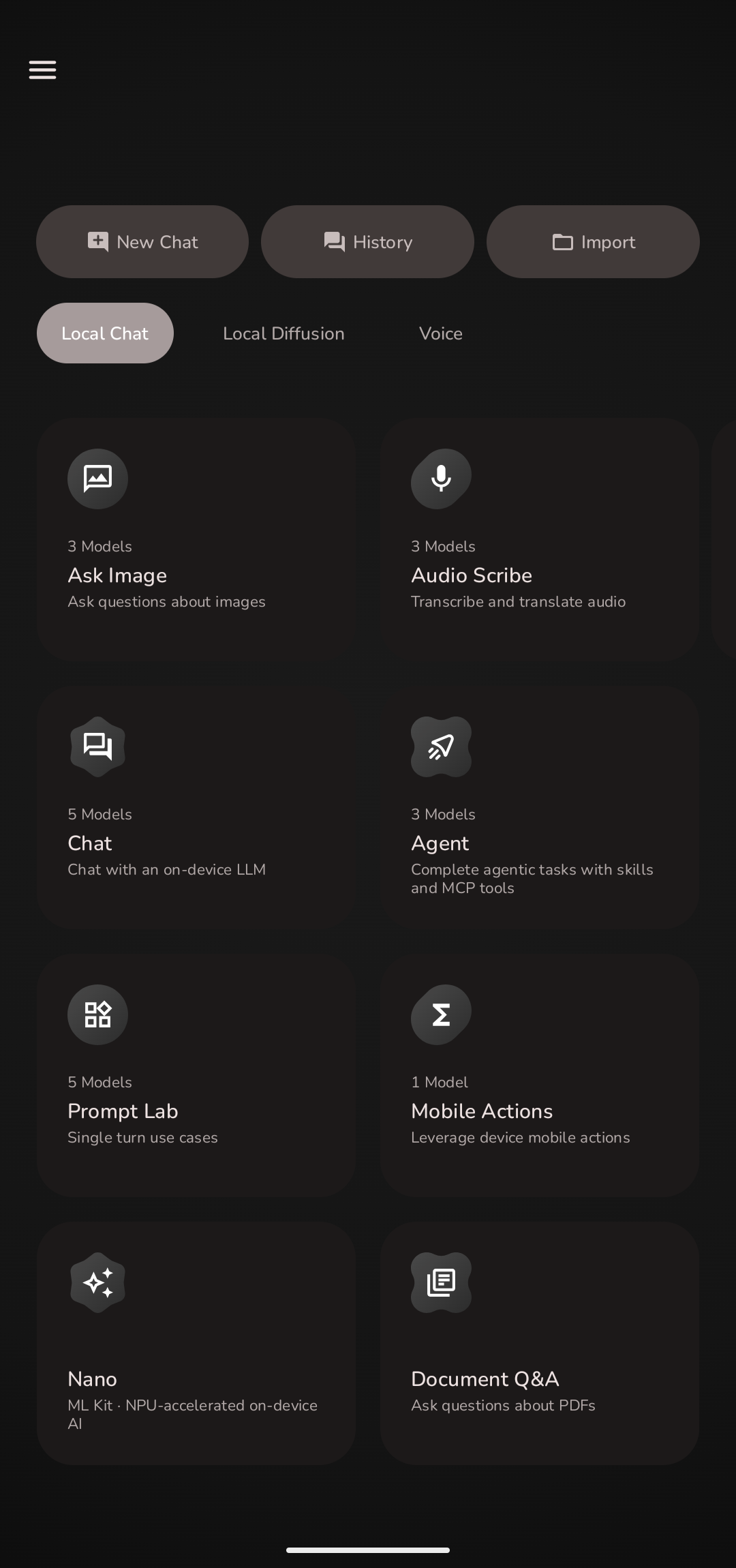 Home — Chat | 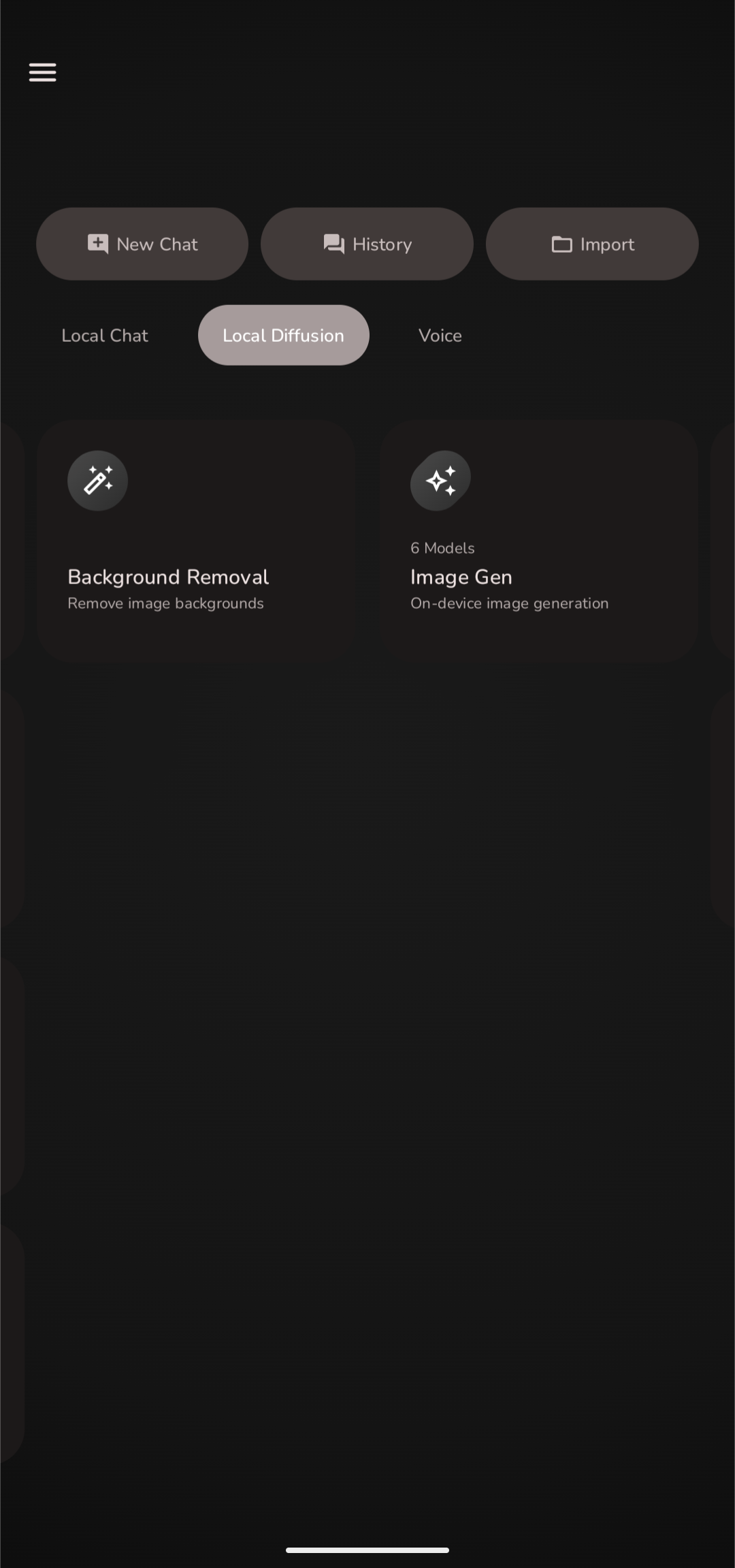 Home — Diffusion | 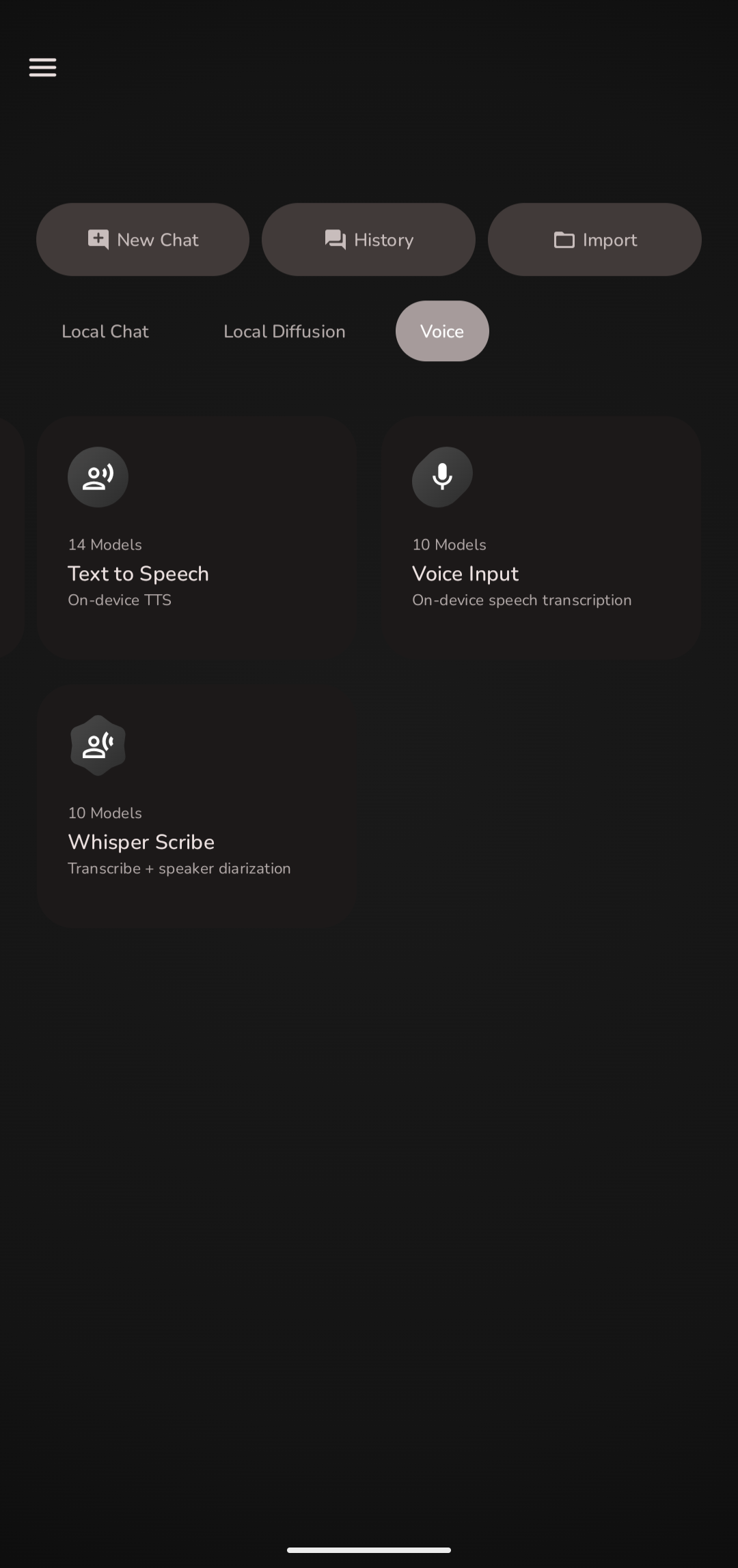 Home — Voice |
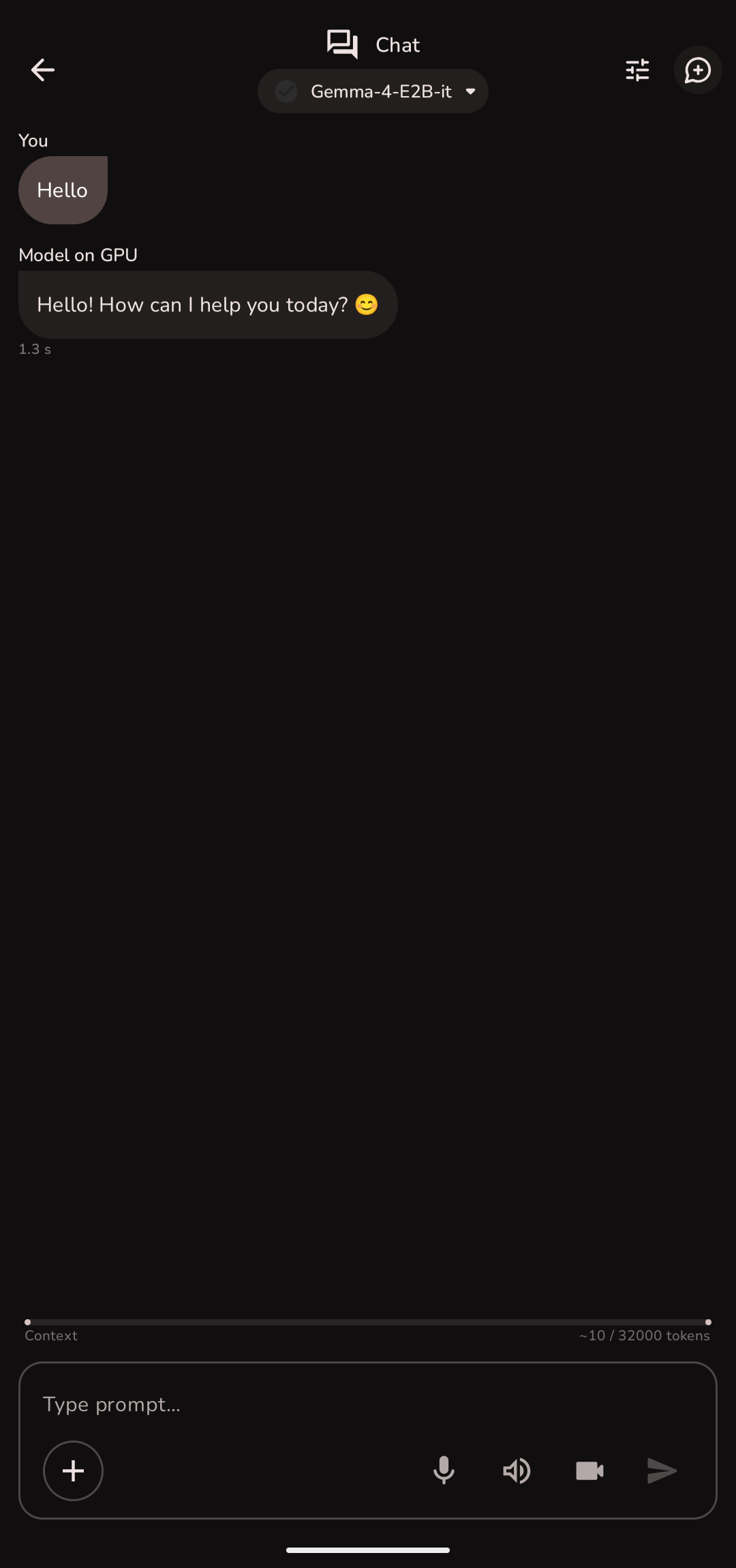 AI Chat | 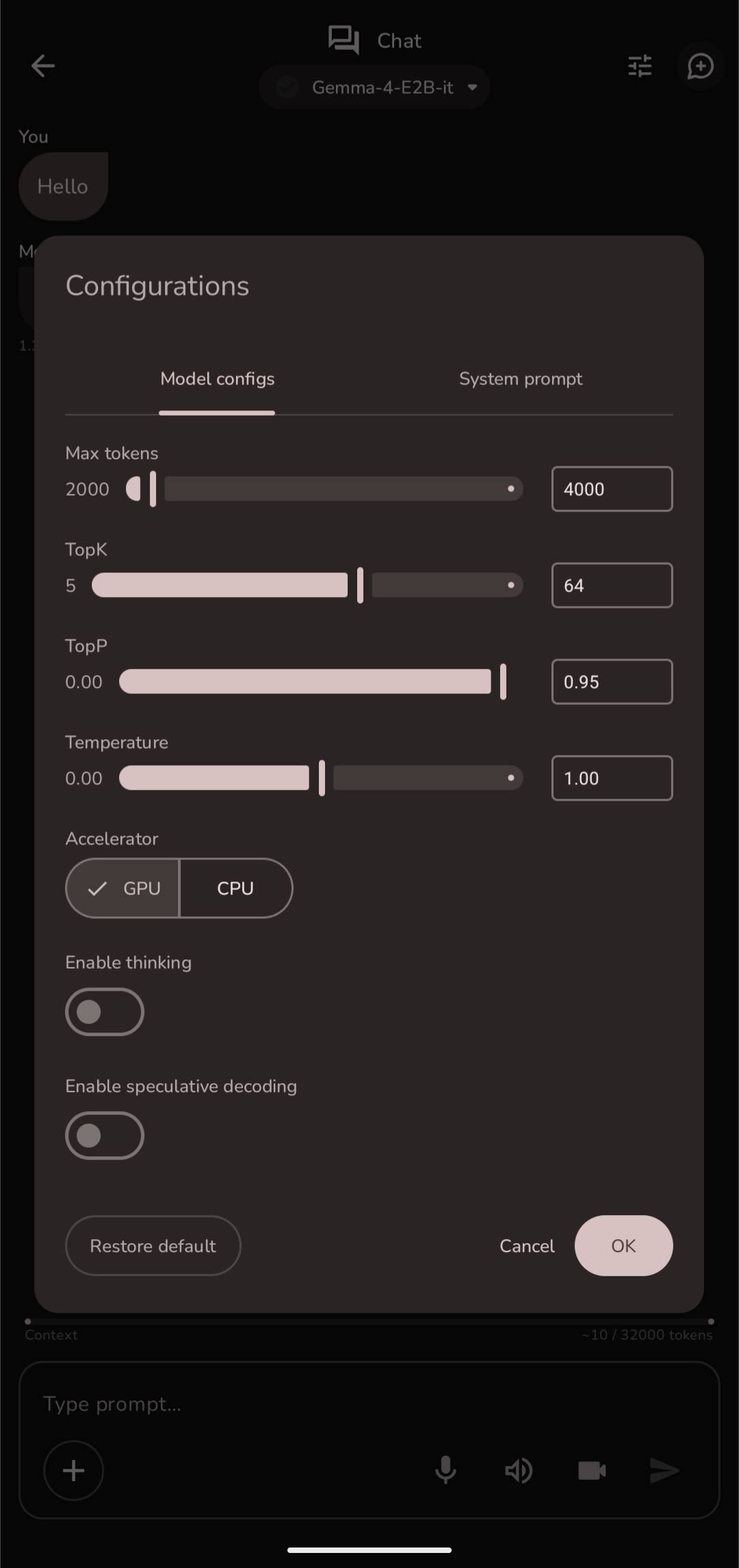 Model Config | 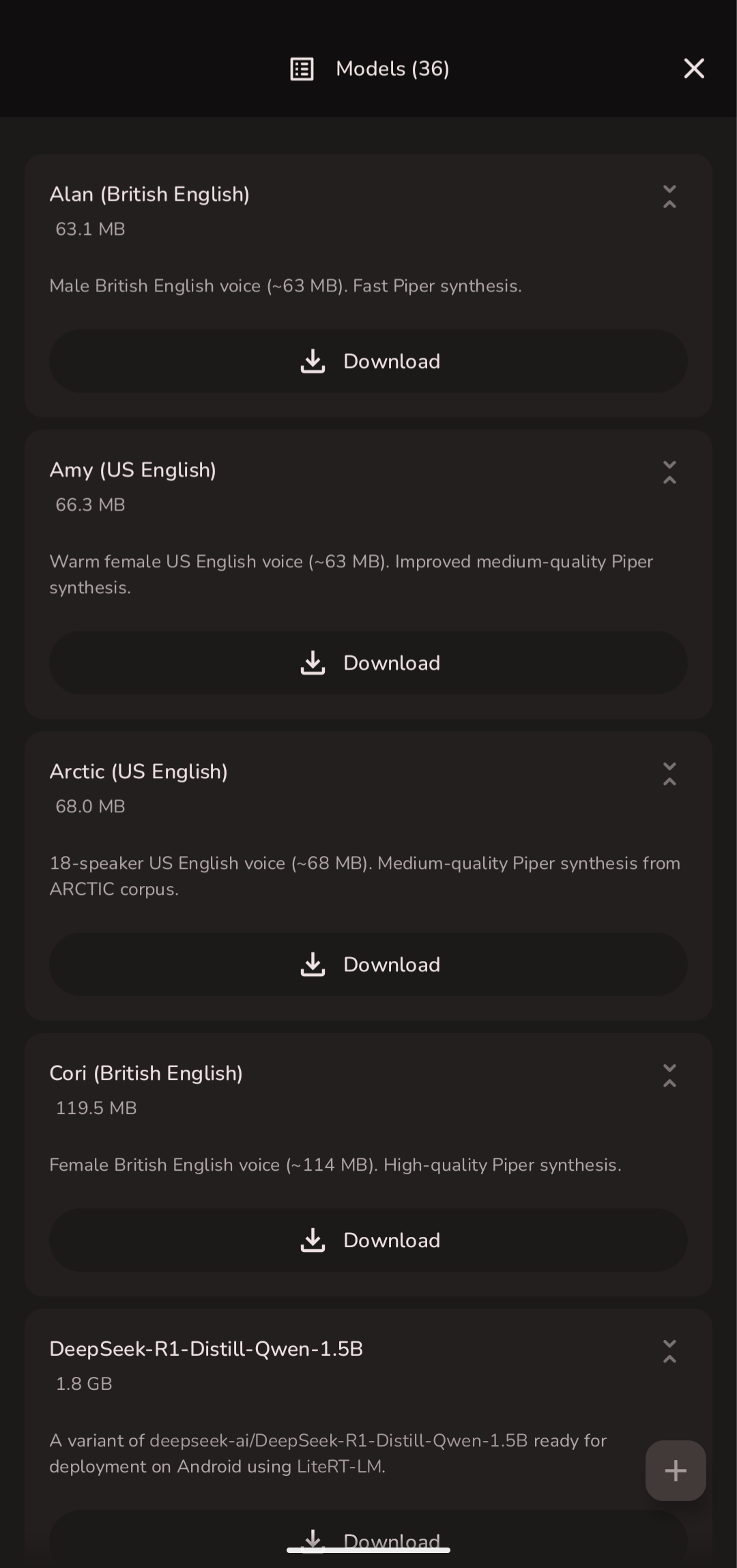 Model Manager |
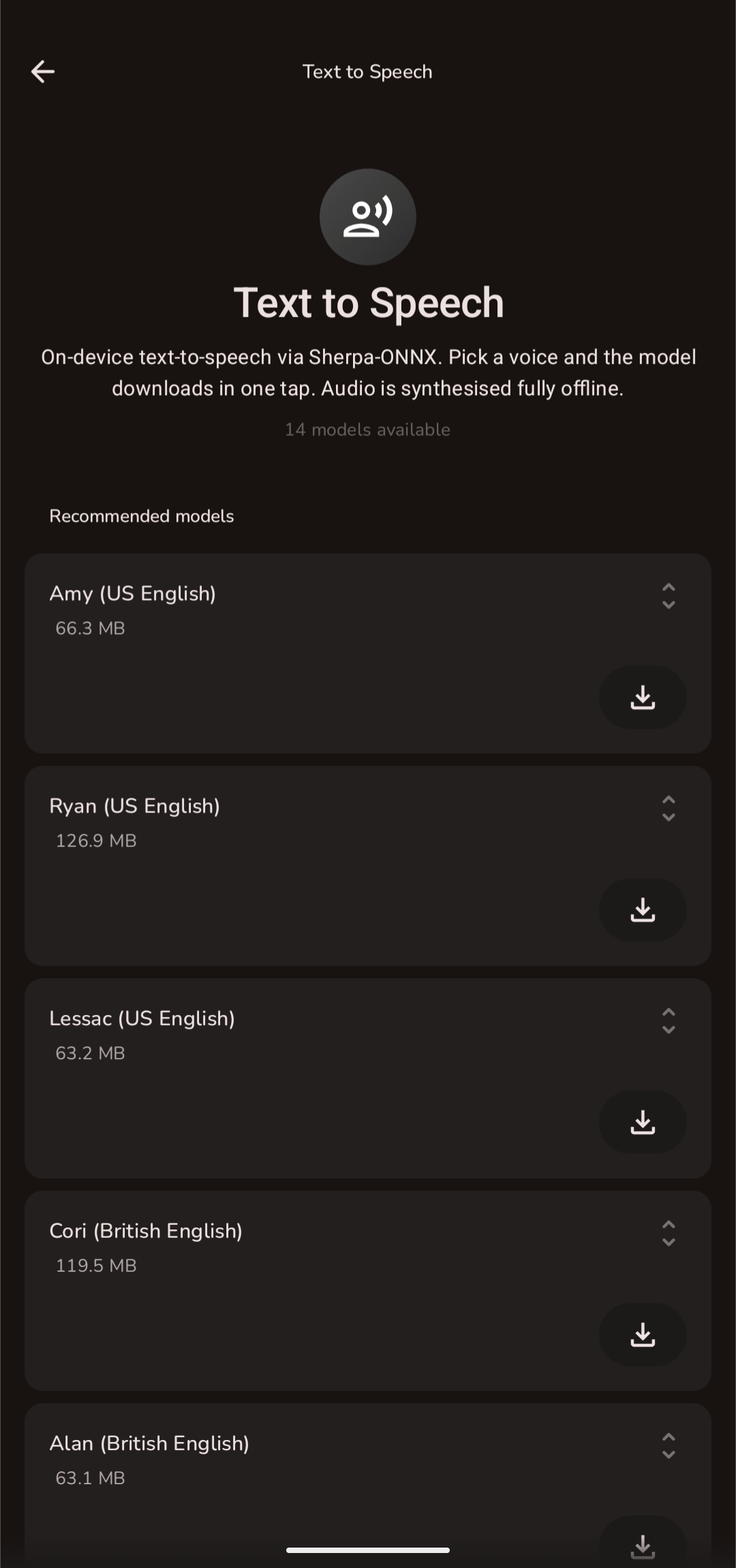 Text to Speech | 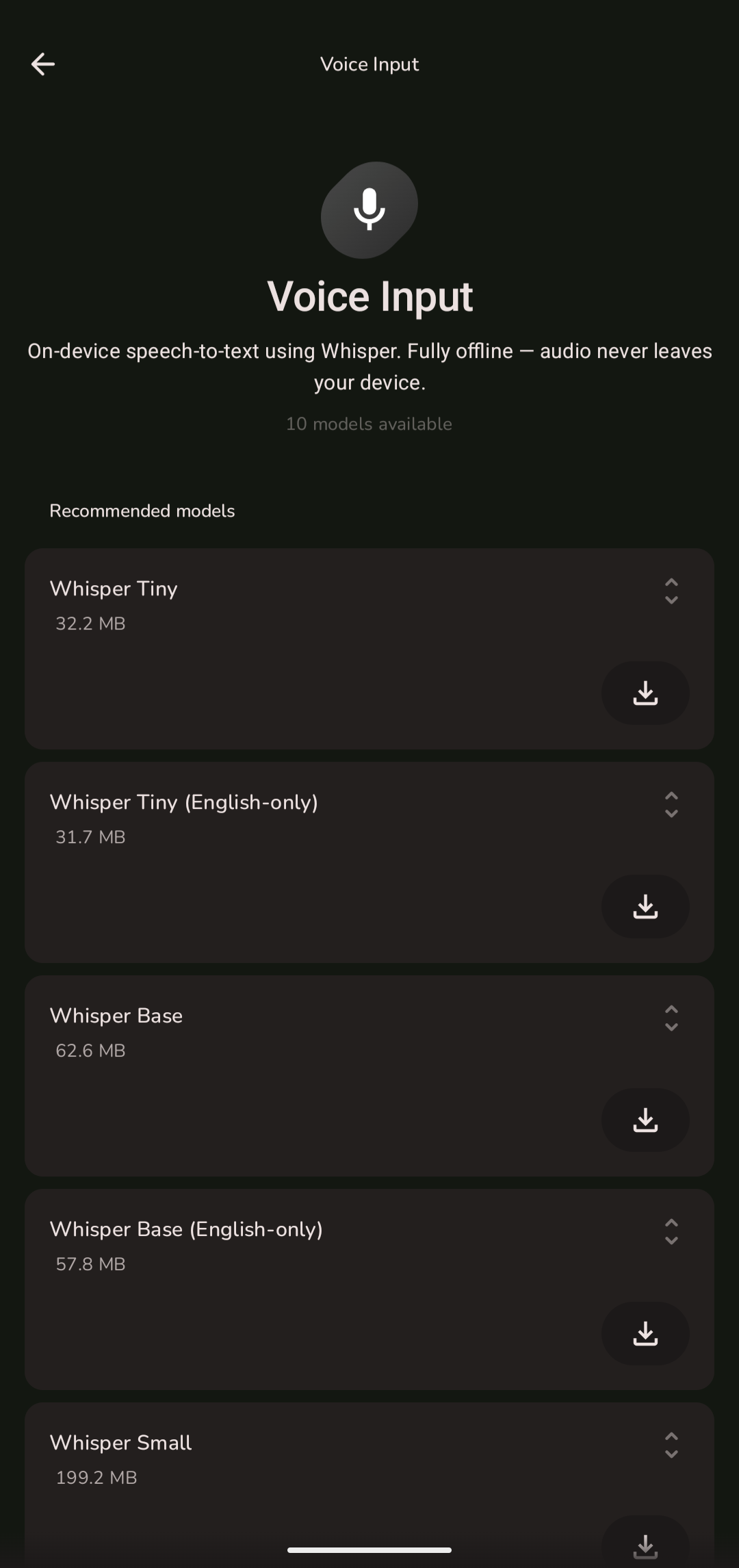 Voice Input | 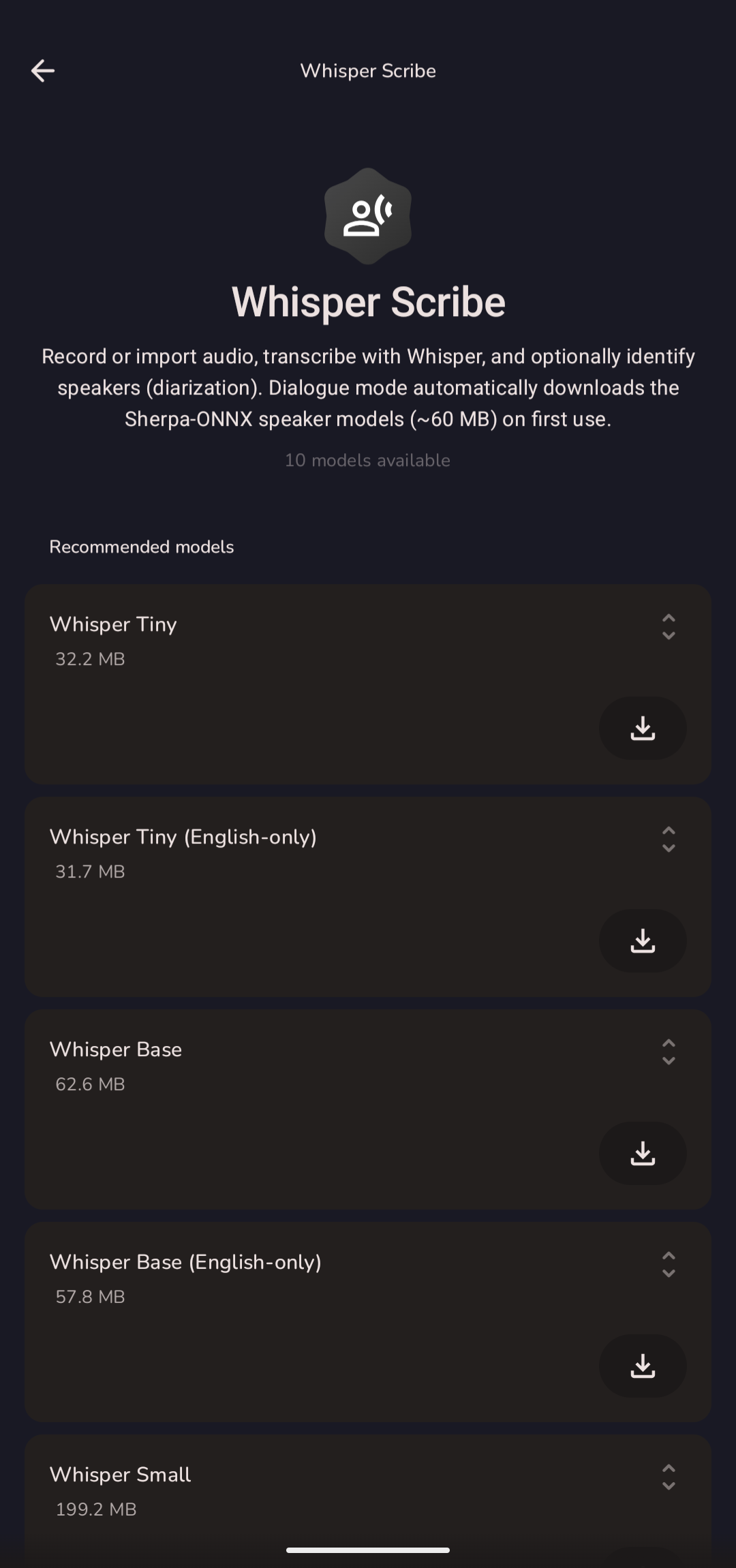 Whisper Scribe |
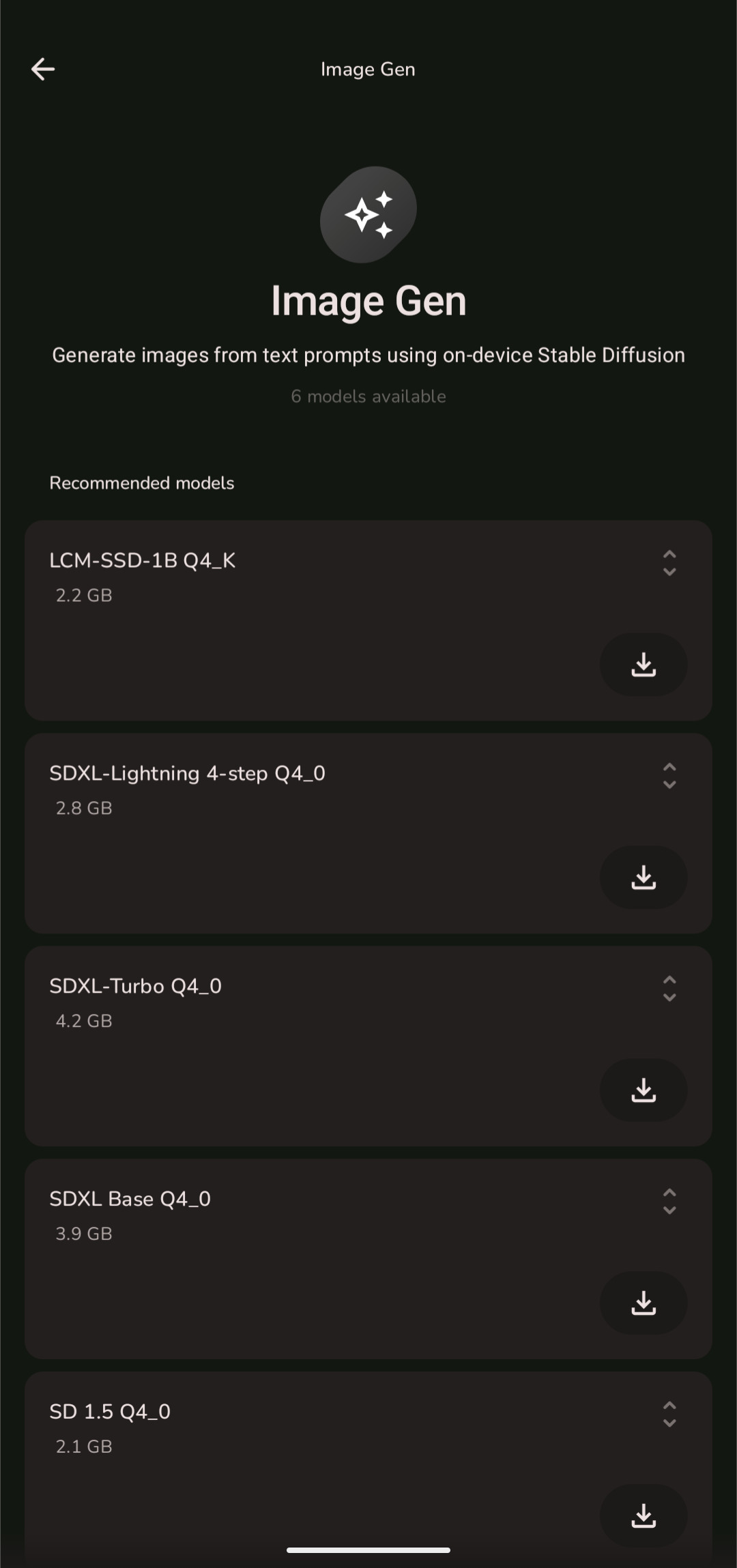 Image Generation | 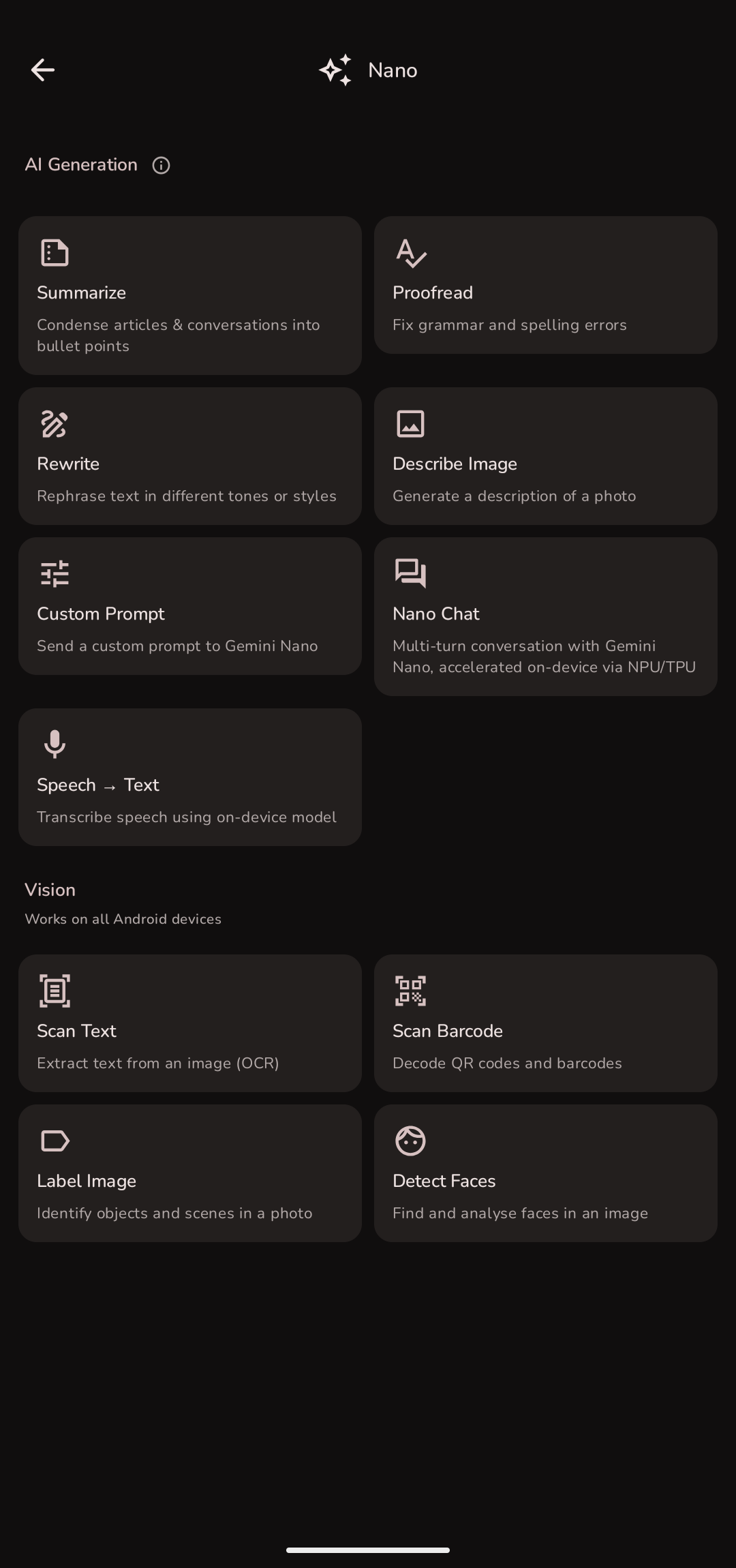 Gemini Nano Hub | 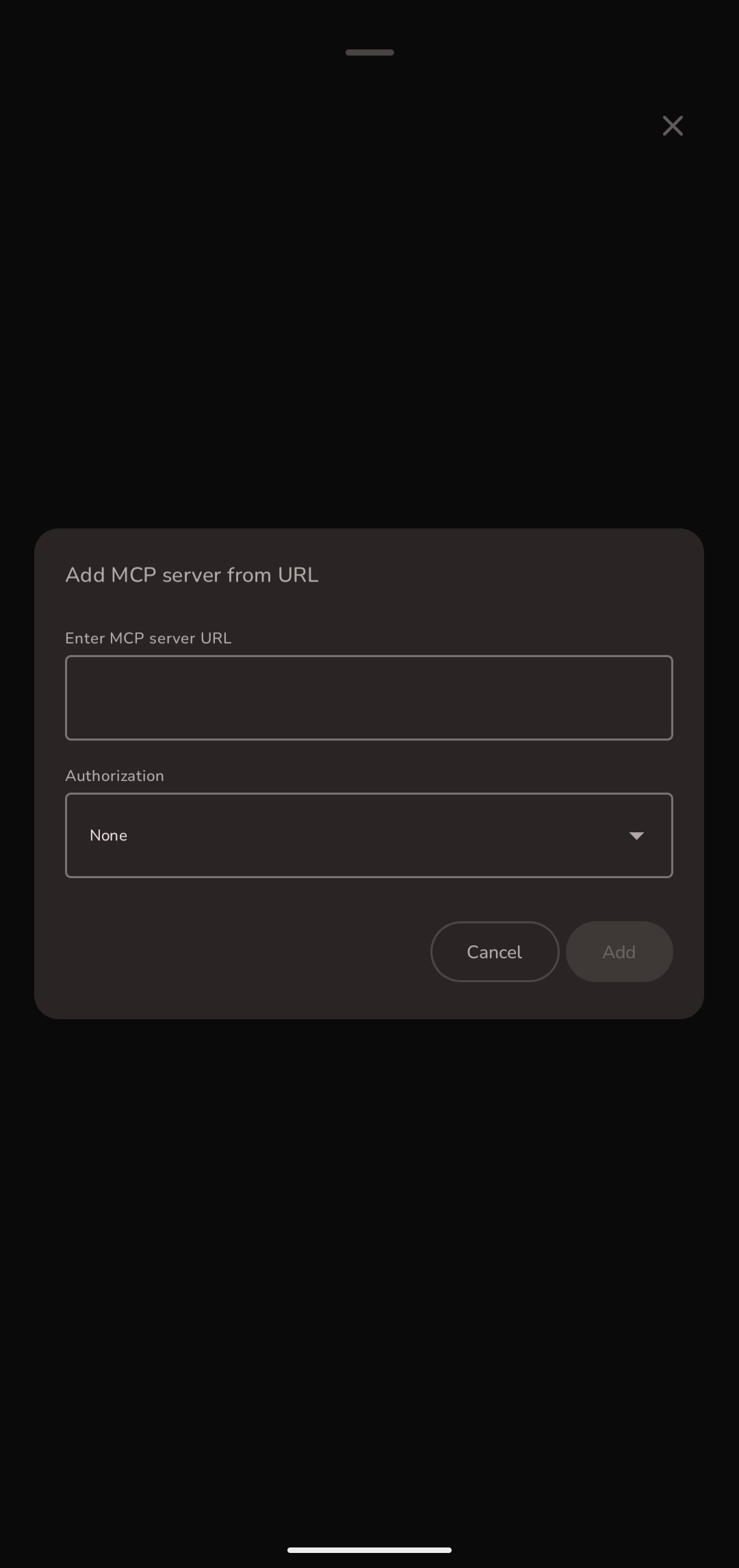 MCP — Add Server |
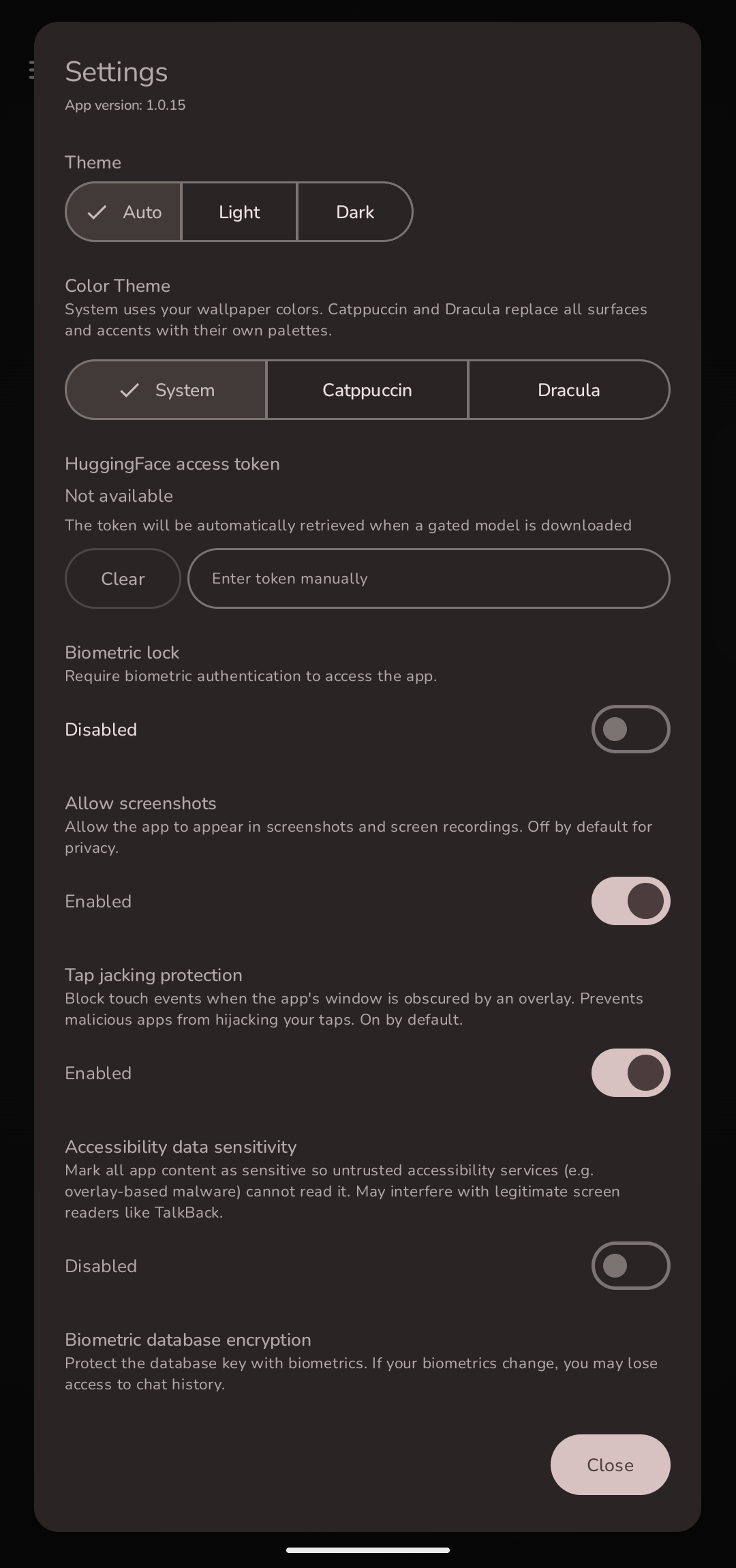 Settings — Theme & Security | 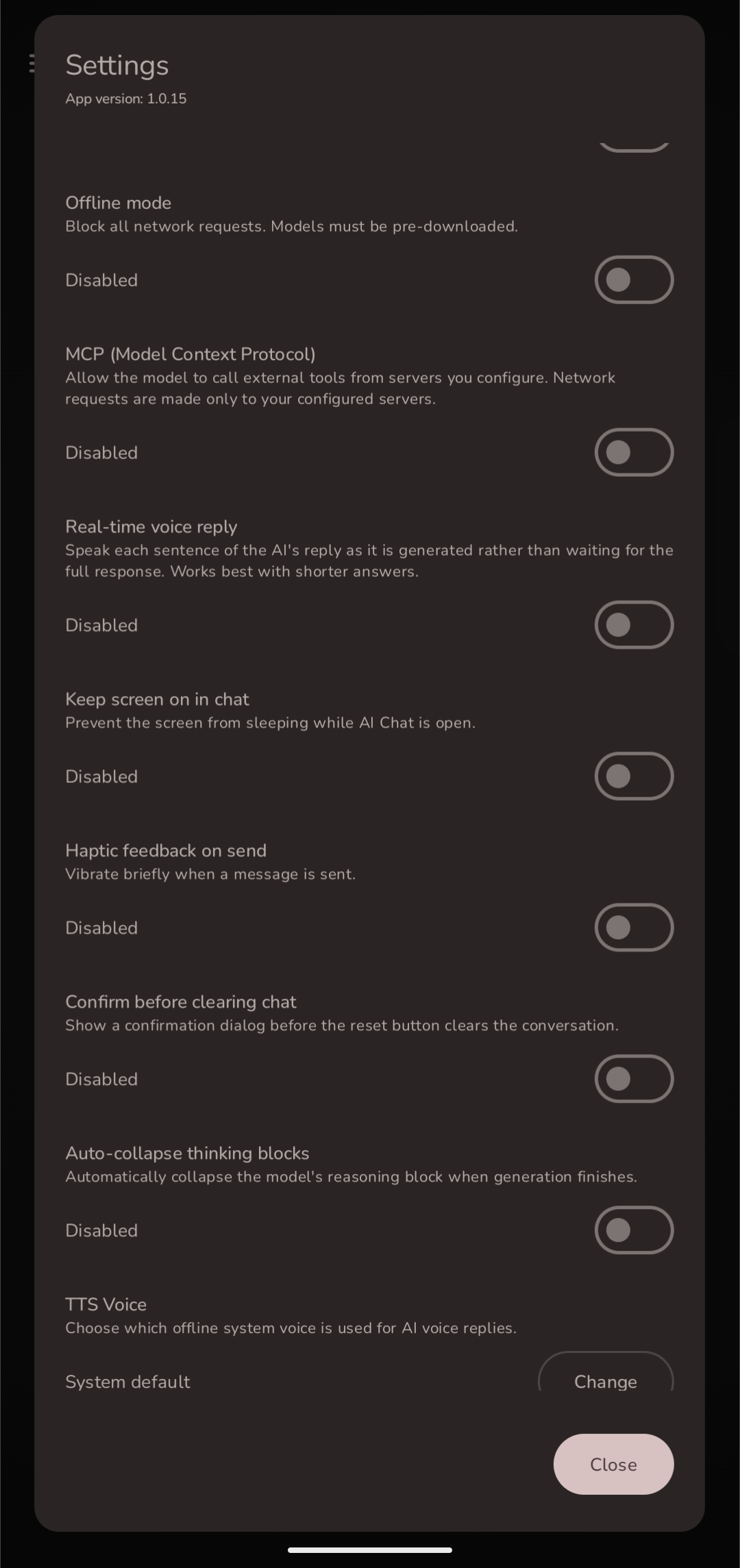 Settings — Behaviour & MCP | 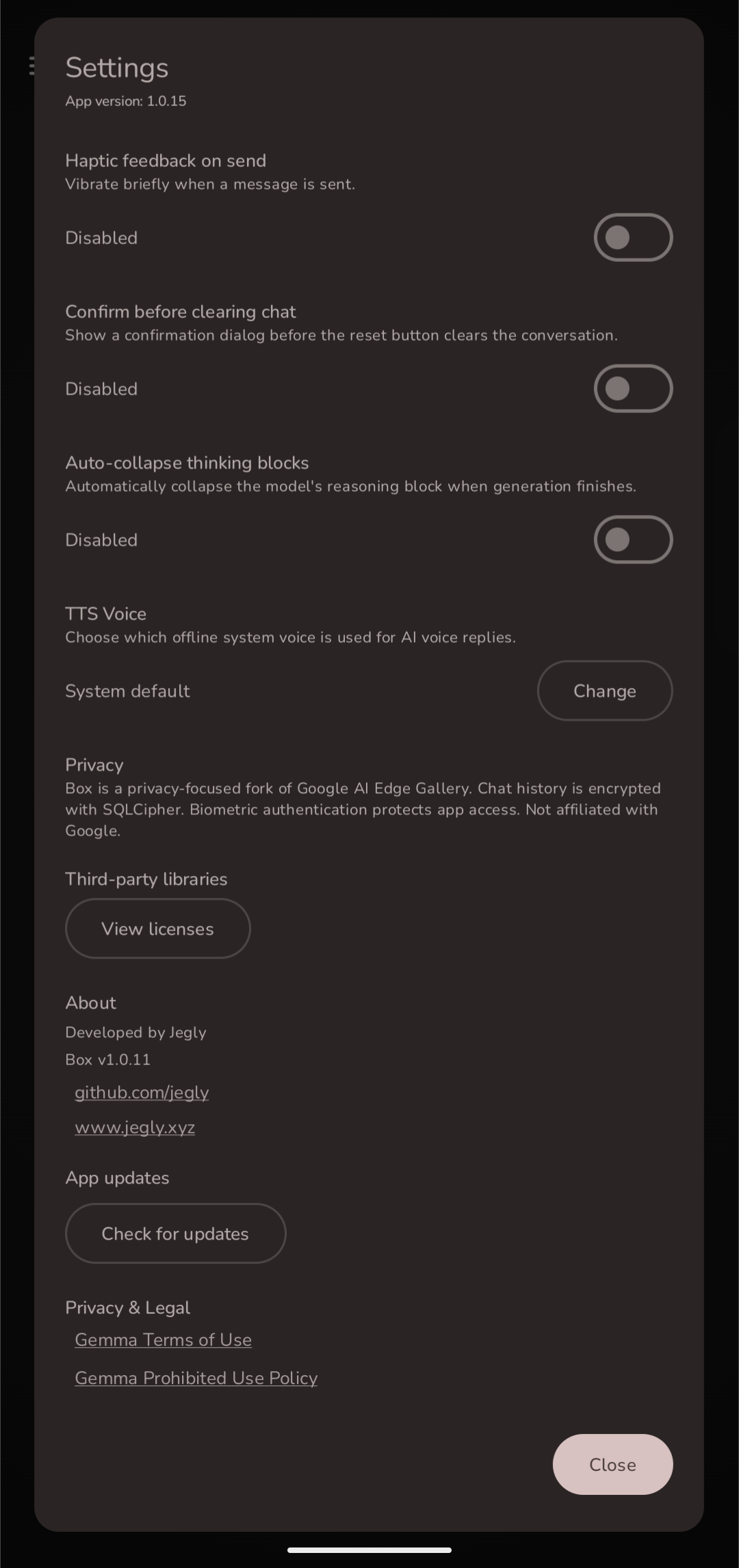 Settings — About |
[!NOTE]
What Box adds on top of upstream
Box started off as a fork of Google AI Edge Gallery. The upstream project is excellent — Box layers on additional capabilities and features not present in upstream.
| Area | What Box adds |
|---|---|
| Inference engines | llama.cpp (GGUF LLMs, full Vulkan GPU offload), stable-diffusion.cpp (image gen), whisper.cpp (STT) alongside LiteRT |
| Model import | Import any local GGUF file — not limited to the curated download list |
| NPU / TPU | All Snapdragon / Tensor / MediaTek variants bundled in one APK (upstream ships per-SoC) |
| Box Assist | Spoken camera assistance for blind and low-vision users — Live object/proximity callouts, Reading (OCR aloud), Describe (scene answers, spoken as generated), voice questions. One bundled download, autofocus + auto-flashlight, volume-button controls, TalkBack-friendly, fully offline |
| Voice mode / Vision mode | Free talk (continuous hands-free loop) and Vision talk (live camera + voice) |
| Image generation | On-device Stable Diffusion via GGUF, plus Bonsai Image 4B (512×512, recommended), FLUX.2 klein (4B) and Z-Image Turbo diffusion via LiteRT |
| Image recognition | Identify: MobileNet V2 / V3 Large (+ Tensor G5 NPU variant), PlantNet (1,081 plant species), DM-Count crowd counting — bundled, offline |
| Erase (inpainting) | Paint over anything in a photo and MI-GAN removes it — brush size, iterative erase, save to gallery (bundled, offline) |
| Music & sound generation | Generate music and sound effects from a text prompt, fully offline — quick clips, higher-quality audio, or long-form pieces up to ~3 minutes (Sound tab) |
| Image upscaling | AI super-resolution — enlarge any photo 4× on-device (XLSR / Real-ESRGAN / EDSR via LiteRT), models bundled, fully offline |
| Speech-to-text | On-device Whisper STT, plus SenseVoice for fast multilingual transcription (Chinese / English / Japanese / Korean / Cantonese, ~5× faster than Whisper) |
| Text-to-speech | Supertonic multilingual on-device TTS (5 languages, multiple voices) alongside Piper / Kokoro |
| Document analysis | Attach text files (.txt, .md, .csv, .kt, etc.) directly in chat |
| Document Q&A | RAG pipeline: import PDFs, embed with MiniLM on-device, ask questions grounded in document content — answers cite their source passages |
| Gemini Nano | 6 on-device ML Kit features (Summarize, Proofread, Rewrite, Chat, Describe, Speech) — entirely on-device via AICore on Pixel 9+/10 and recent Samsung / Xiaomi / OnePlus / OPPO / vivo flagships (both branches as of v2.0.0). Vision modes add live camera + still-image analysis with visual overlays (pose skeleton, 468-point face mesh) |
| Face Recognition | On-device, encrypted face recognition (both branches) — enroll and name people, then recognise them in photos or live from the camera. Multi-sample enrollment with alignment, capture-to-add, face-mesh overlay, SQLCipher-encrypted storage, fully offline and opt-in |
| Background Removal | ML Kit Subject Segmentation — remove backgrounds from photos, output a transparency-preserving PNG (main branch) |
| Chat history | Persisted to a SQLCipher-encrypted Room database, resumable across sessions |
| Security | Biometric app lock, hard offline mode, prompt sanitisation, audit log, tap jacking protection, accessibility data sensitivity |
| Themes | Catppuccin (14 accents), Dracula (7 accents), a bright Light theme, and Material You — picker in Settings, with the home screen tinted to match the active theme |
| Agent (skills + MCP) | 20 built-in skills (upstream has 9) plus Model Context Protocol — connect to remote MCP servers and give the model real tools, with per-call permission prompts |
| Math rendering | LaTeX expressions rendered as Unicode in chat, including inside markdown table cells |
| App shortcuts | Long-press icon → AI Chat or Box Assist for instant cold-start navigation |
| In-app updates | Settings → Check for updates — compares against latest GitHub release, downloads correct variant |
Core Features
Local Chat
Multi-turn conversations with on-device LLMs. Import any GGUF model or download LiteRT models from the built-in list. Supports Thinking Mode on compatible models. Full markdown rendering with LaTeX math support — Greek letters, operators, fractions, and notation are rendered as Unicode symbols. Conversations are persisted and resumable.
Recommended models: We highly recommend Gemma 4 E2B or Gemma 4 E4B (LiteRT) as your primary models — best-tested, support vision, voice, and documents, and run efficiently with GPU/NPU acceleration. Available to download directly in the app.
With Gemma 4 E2B / E4B selected, the chat input expands to a full multimodal interface:
- 📎 Attach documents (
.txt,.md,.csv,.json,.py,.kt, and more) — content is injected into context automatically - 🎙 Record an audio clip or pick a WAV file to speak your question
- 📷 Take a photo or pick from album for visual Q&A
Box Assist — Spoken Camera Assistance
Built for blind and low-vision users, and useful to anyone who wants a talking camera. Live mode calls out people, obstacles and objects around you with how close they are; Reading mode reads mail, labels, menus and signs aloud; Describe mode answers "what's in front of me?" in a couple of spoken sentences — streamed aloud as the model generates; double-tap and ask anything out loud and Box answers against what the camera sees. One download includes everything (vision models, the Describe brain, and speech recognition). Continuous autofocus with a focus sweep before every capture, automatic flashlight when it's dark (Box tells you), a blur check so Reading waits for a sharp frame, physical volume-button controls, hold-to-repeat, TalkBack coexistence, and a launcher shortcut straight into it. Everything runs on-device.
Local Diffusion
On-device image generation powered by stable-diffusion.cpp. Runs Stable Diffusion 1.5 in GGUF format fully offline — no API key, no cloud. Configurable steps, CFG scale, seed, and image size presets. Save generated images directly to your gallery. Import your own GGUF diffusion models.
Image Generation — Bonsai, FLUX.2 klein & Z-Image Turbo
Three full text-to-image diffusion models running 100% on-device via LiteRT.
Bonsai Image 4B — recommended. A ternary-weight build of FLUX.2 [klein] that produces 512×512 images in 4 steps from a ~4.3 GB download, guidance-free. It runs on the CPU rather than the GPU — its 2.27 GB diffusion graph is too large for the GPU delegate — so allow a couple of minutes per image and around 8 GB of RAM. Send the output through Upscale → EDSR ×4 for a 2048×2048 image.
FLUX.2 klein (4B) generates photorealistic images in just 4 steps (~7.4 GB download); Z-Image Turbo runs in 9 steps (~10.6 GB) and shares nearly a gigabyte of its files with klein, so Box is smart enough not to download those twice. Interrupted multi-gigabyte downloads resume without refetching finished files.
All three produce noticeably better output than the bundled Stable Diffusion GGUF models.
Music & Sound Generation
Generate music and sound effects from a text description — completely on-device, no internet, nothing leaves your phone. Under the Sound tab, pick a tier: SoundGen for quick clips and sound effects in seconds, SoundGen HD for higher-quality audio up to ~24 seconds, and SoundGen HD Long for full-length pieces up to ~3 minutes. Describe what you want, set the length, and hit Generate — then play it, save it to your device, or share it. The generator downloads on first use, then runs entirely offline.
Image Upscaling (Super-Resolution)
Enhance and enlarge any photo 4× on-device with AI super-resolution. Pick an image, upscale it, and save the result to your gallery — fully offline, nothing leaves the device. Choose between XLSR (fastest, tiny), Real-ESRGAN General (balanced), Real-ESRGAN x4plus (highest quality), and EDSR ×4. All four models are bundled in the app and run via LiteRT, so there's nothing to download. Photos are auto-rotated (EXIF-aware) before upscaling.
Photo Restoration (Deblur & Denoise)
Repair a photo on-device. Deblur targets motion blur from camera shake or a moving subject; Denoise removes the grain phones produce in low light without smearing away detail. Both use NAFNet via LiteRT, run on the GPU, and are bundled in the app — no download, works offline. Arbitrary-size photos are processed in overlapping 256×256 tiles and stitched seamlessly, and the result keeps the original dimensions. EXIF-aware, so portrait shots are not rotated.
Document Flatten
Straighten a photograph of a curved or crumpled page so the text lies flat — useful for receipts, book pages and forms shot at an angle. Uses DewarpNet via LiteRT; the model predicts a correction grid which Box applies to the full-resolution original. Downloaded on first use.
Portrait Sketch
Redraw a portrait photo as a pencil line drawing, using U²-Net via LiteRT. Works best on a single, well-lit, centred face. Downloaded on first use.
Voice Input
On-device speech-to-text using whisper.cpp or SenseVoice (Sherpa-ONNX). Tap to record, tap to transcribe. Copy or clear results. Whisper supports Tiny through Large-v3 in multiple languages; SenseVoice adds fast multilingual transcription (Chinese / English / Japanese / Korean / Cantonese, ~5× faster than Whisper) with a live preview, a multi-message log, and optional emotion/event tags. Audio never leaves the device.
Text-to-Speech
On-device speech synthesis straight from text. Supertonic offers lightweight multilingual TTS (English / Korean / Spanish / Portuguese / French) with multiple built-in voices and adjustable speed, alongside Piper and Kokoro voices. Fully offline — text never leaves the device.
Free Talk — Real-Time Voice Conversation
Tap the mic and the speaker. That's it. Box listens to you, sends your words to the AI, and speaks the reply back — then immediately starts listening again. No tapping between turns. No waiting for a full response before it starts speaking. Just sit there and talk to it like a person.
On Gemma 4 E2B it keeps up in real time. The first sentence of the reply is already being spoken while the model is still generating the rest.
- "Explain quantum entanglement like I'm five" → speaks the answer, listens for your follow-up
- "Actually, go deeper on that last point" → multi-turn, completely hands-free
- "Help me think through a problem I'm having at work" → back and forth, no typing ever
- "What should I cook for dinner tonight? I've got chicken and not much else" → practical daily use
It feels like having an AI sitting across from you. Entirely offline. Nothing leaves the device.
Three toggles in AI Chat control it:
- 🎤 Mic — tap once to enter free talk mode, tap again to stop
- 🔊 Speaker — AI replies spoken aloud, sentence by sentence as they generate
- 📹 Camera — live vision mode (see below)
Enable Real-time voice reply in Settings for sentence-by-sentence speech as the model generates. Works out of the box with Android's built-in speech and TTS — load a Whisper or Piper model for higher quality.
De-Googled ROMs (GrapheneOS, CalyxOS, LineageOS without GApps): Use the custom-rom-support APK — it includes Piper TTS (Amy) as a built-in download in the Voice tab, so no third-party TTS app is needed. If you're on the Main build, install a TTS engine from F-Droid (e.g. RHVoice or eSpeak NG) and set it as default in Android Settings → Accessibility → Text-to-speech.
Vision Talk — Live Camera + Voice AI
Tap the camera toggle to stream your back camera directly to the AI. Point it at anything and ask — the AI sees the current frame alongside your question and speaks its answer back. All offline, no cloud.
Things you can do:
- Point at a plant → "What species is this and how do I care for it?"
- Point at food in your fridge → "What can I cook with what's here?"
- Point at a label or sign in another language → "What does this say?"
- Point at a circuit board → "What component is this and what does it do?"
- Point at your code on a laptop screen → "What's wrong with this function?"
- Point at a meal → "Roughly how many calories is this?"
- Point at a maths problem → "Walk me through how to solve this"
Combine with mic + speaker for a fully hands-free vision conversation — speak your question, AI sees the scene, speaks the answer, listens for the next question. Requires a vision-capable model (Gemma 4 E2B or E4B).
When mic is off, camera mode sends a frame every 3 seconds automatically with "What do you see?" — useful for passive scene description.
Vision AI
Ask questions about images using on-device vision models. Powered by LiteRT with Gemma 4 E2B / E4B — GPU-accelerated, up to 32K context.
App Language
Switch Box's own interface language from Settings → Language — System, English, Français, Português, Português (Brasil), Deutsch or 简体中文. Box uses Android's per-app language support, so your choice is stored by the system and survives app updates. Coverage is partial in every language: around two thirds of Box's text is written directly into the app rather than into its translatable resources, so it stays English whatever you pick. German and Simplified Chinese cover everything that currently can be translated; French and Portuguese cover a subset of that.
Biometric App Lock
Enable an optional biometric lock from Settings. The app re-locks automatically every time it is backgrounded. Unlock via fingerprint or face authentication before any content is shown.
Encrypted Chat History
All conversations are stored in a SQLCipher-encrypted Room database. History persists across sessions and is resumable from the Chat History screen. Swipe to delete individual conversations, or wipe all at once.
NPU / TPU Acceleration
All Qualcomm Hexagon NPU variants (Snapdragon 8 Gen 2 / 8 Gen 3 / 8 Elite / newer), Google Tensor TPU (Pixel 10), and MediaTek NPU are bundled in a single APK — no separate builds per device. Select NPU/TPU in the model's accelerator dropdown; Box auto-detects the chip and loads the right runtime.
Note: As of v3.1.0, dedicated NPU/TPU model builds run on the neural engine — Gemma 4 E2B / Gemma 3 1B on the Google Tensor G5 (Pixel 10); Gemma 3 1B & Gemma 3 270M on Snapdragon (SM8550 → SM8850) and MediaTek Dimensity (MT6989–MT6993); and Gemma 3n E2B / Qwen3 0.6B on MediaTek Dimensity. These are SoC-specific compiled
.litertlmfiles that download automatically on matching hardware. The universal Gemma 3n E2B / E4B builds (multimodal) run on GPU/CPU everywhere — NPU acceleration for 3n is currently MediaTek-only. Generic litert-community GPU models still run on GPU (they don't ship the per-SoC NPU build). GPU remains an excellent default on all supported chips.
Supported npu accelerated hardware:
- Snapdragon 8 Gen 2 (SM8550, Hexagon V73)
- Snapdragon 8 Gen 3 (SM8650, Hexagon V75)
- Snapdragon 8 Elite (SM8750, Hexagon V79)
- Snapdragon next-gen (SM8850, Hexagon V81)
- Google Tensor G5
- MediaTek Dimensity (MT6989, MT6991, MT6993)
GGUF Model Import
Import any GGUF model file from local storage. At import time set the display name and choose the accelerator (CPU, GPU via OpenCL/Vulkan, or NPU via QNN delegate). Stable Diffusion GGUF models can also be imported for image generation.
As of v3.3.0 the GGUF engine runs with full Vulkan GPU offload (flip the CPU/GPU chip in any GGUF chat), a much faster pure-CPU mode, instant replies (loading does the waiting — weights read up front, reopened chats replay history during the loading screen), a tokens/sec stat under every reply, and a Settings → GGUF Models panel for context size, CPU threads, GPU layers, mmap, mlock and Q8 KV cache.
Hard Offline Mode
A toggle in Settings forces the app into a fully airgapped state — all download attempts throw an exception and no network calls are made.
Getting Started
Requirements
- Android 14+
- ~4 GB of free storage for a typical quantised LLM
- 6 GB of RAM (8 GB for Bonsai image generation)
Build from source
git clone --recurse-submodules https://github.com/jegly/box
cd box/Android
./gradlew :app:assembleDebug
The --recurse-submodules flag is required to pull llama.cpp, stable-diffusion.cpp, and whisper.cpp submodules. The first build compiles all three native libraries from source — expect 15–25 minutes.
Open Android/ in Android Studio and run on a physical device for best performance.
Loading a LiteRT/GGUF model
- Copy a
.litertlm/GGUFfile to your device (Downloads, USB, etc.) - Open the app → Model Manager in the drawer
- Tap Import and pick your file
- Set a display name and choose CPU / GPU / NPU
- The model appears in AI Chat
Security Architecture
| Mechanism | Details |
|---|---|
| Database encryption | SQLCipher via androidx.room — AES-256 at rest |
| Biometric gate | BiometricPrompt API, re-prompts on each foreground |
| Offline mode | OfflineMode singleton blocks DownloadWorker and network calls |
| Prompt sanitisation | SecurityUtils.sanitizePrompt() strips control characters before inference and persistence |
| Tap jacking protection | filterTouchesWhenObscured on the window — user-configurable in Settings (on by default) |
| Accessibility data sensitivity | ViewCompat.setAccessibilityDataSensitive() hides content from untrusted accessibility services — user-configurable in Settings |
| Screenshot protection | FLAG_SECURE blocks screen capture and Recent Apps thumbnails — user-configurable in Settings |
| Audit log | SecurityAuditLog writes security events to a local append-only log |
Technology Stack
- Kotlin + Jetpack Compose — UI
- Hilt — dependency injection
- Room + SQLCipher — encrypted persistence
- LiteRT-LM — LiteRT inference runtime for LLMs (GPU + NPU/TPU)
- LiteRT (CompiledModel) — runs the bundled
.tflitevision models (image upscaling, Identify/PlantNet/DM-Count, MI-GAN erase, Box Assist Live) and the Bonsai / FLUX.2 klein / Z-Image diffusion pipelines - Qualcomm QNN / QAIRT 2.47 — Hexagon NPU runtime (V69–V81, bundled)
- LiteRT NPU dispatch — auto-selects Qualcomm / Google Tensor / MediaTek at runtime
- llama.cpp — GGUF LLM inference (git submodule)
- stable-diffusion.cpp — GGUF image generation (git submodule)
- whisper.cpp — on-device speech-to-text (git submodule)
- Sherpa-ONNX (k2-fsa) — on-device speech engine: SenseVoice STT and Supertonic / Piper / Kokoro TTS (both branches)
Acknowledgements
Box would not exist without the work of the teams and individuals behind the projects it builds on.
Google AI Edge Gallery — the upstream project this fork is based on. The Google AI Edge team built an exceptionally well-structured, open-source Android app and made it available under the Apache 2.0 licence. Everything in Box starts from their foundation. Upstream changes are periodically merged and any improvements we make that are appropriate to contribute back will be.
llama.cpp — Georgi Gerganov and the llama.cpp contributors for making high-performance on-device LLM inference accessible to everyone.
stable-diffusion.cpp — leejet and contributors for the C++ Stable Diffusion implementation that powers on-device image generation.
whisper.cpp — Georgi Gerganov and contributors for the Whisper speech-to-text port.
LiteRT / TensorFlow Lite — the Google teams behind LiteRT (formerly TFLite) and the NPU/GPU delegate infrastructure.
Sherpa-ONNX / k2-fsa — the k2-fsa team for Sherpa-ONNX, which powers the Piper TTS engine (Amy and other voices) in the custom-rom-support branch.
SenseVoice (FunAudioLLM) — the FunAudioLLM / Alibaba Speech Lab team for the SenseVoice multilingual speech-to-text models that power Box's fast STT feature (run on-device via Sherpa-ONNX).
Supertonic — Supertone Inc. for the Supertonic on-device text-to-speech models that power Box's multilingual TTS feature (run on-device via Sherpa-ONNX).
off-grid-mobile-ai — Mohammed Ali Chherawalla for the on-device Stable Diffusion Android implementation, which was instrumental in getting efficient on-device image generation working and influenced parts of Box’s ImgGen pipeline.
PocketSage — Umer Arif for the clean, fully offline RAG-on-Android reference implementation that the Document Q&A feature in Box is based on.
Thanks to aryoda and all the contributors for consistently reporting valid bugs. Appreciate the reports !
Thank you to everyone who has opened issues, tested builds, or contributed to any of these projects. On-device AI is a community effort.
License
 Licensed under the Apache License, Version 2.0
Links
- Box repository
- Upstream: google-ai-edge/gallery
- llama.cpp
- stable-diffusion.cpp
- whisper.cpp
- LiteRT-LM
- LiteRT NPU docs
- Qualcomm QAIRT SDK
- Hugging Face LiteRT Community
Checksums
| Variant | SHA-256 |
|---|---|
| main | sha256:636fc64c28ce5fa719eb58ea0802c715305c49fb8e59ae543772d13757f0ac06 |
| custom-rom-support | sha256:acd2026a8506df9902adabb820bccf236a0f56e63a36ac772917ccfed6e8fe49 |
⚠️ Regenerate for every release — run
sha256sum Box_*.apkon the signed APKs and paste the bare hashes here. The values above are placeholders until v3.3.4 is signed; shipping v3.3.3's hashes against a v3.3.4 APK is worse than shipping none, because a reader who checks will be told the download is bad.
Signing certificate
Both variants are signed with the same key. Use this fingerprint with Obtainium AppVerifier to verify the APK was signed by the correct key before installing:
Certificate SHA-256: 8346b1a70d09ff5c9f7d7febc874cf694b6e267032a4eb38e261d538bce7b09c
apksigner verify --print-certs Box_*.apk | grep SHA-256
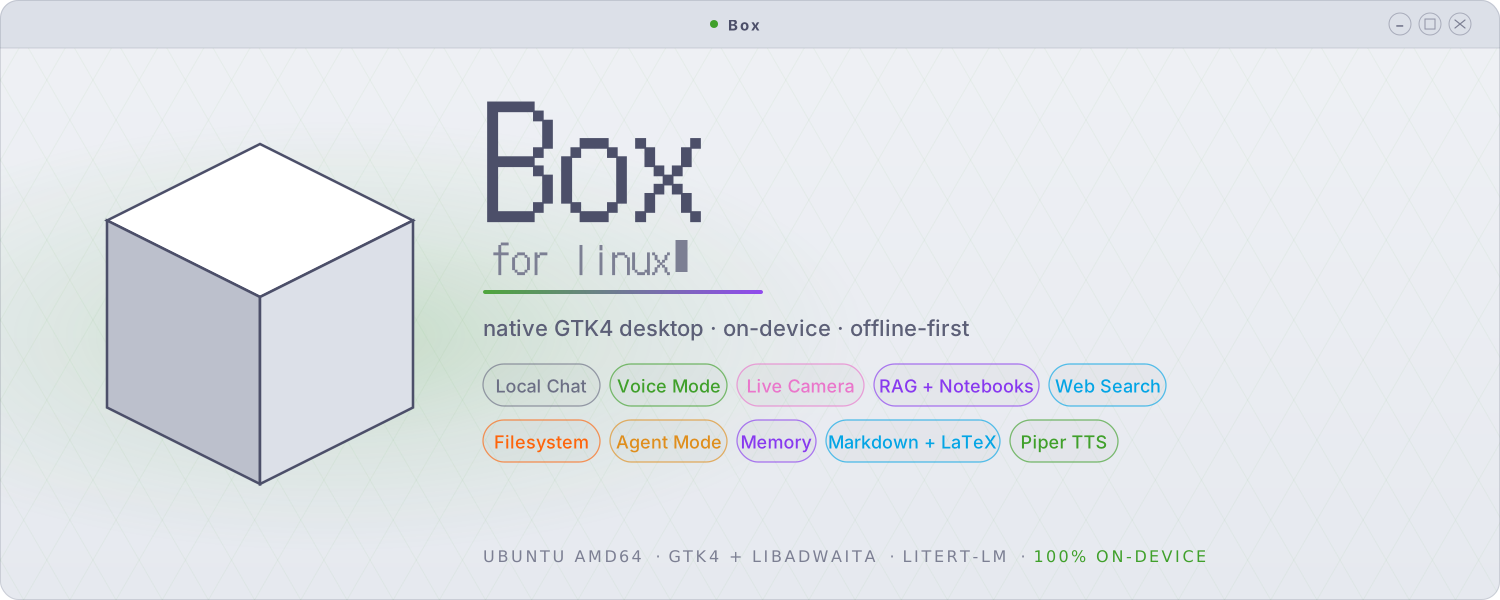














Box for Linux (Desktop)
Box for Linux is a private, on-device AI workbench for the Linux
desktop. It chats with text, images, and audio; codes autonomously in its own
agent workspace; generates, inpaints, and upscales images; searches the web;
reads, audits, and edits your files; and answers from your documents — all on
your own machine, with no account and no telemetry. Built on Google's
LiteRT-LM runtime as a native GTK4 / libadwaita app, with a bundled
llama.cpp engine so GGUF models run side by side with .litertlm ones.
[!IMPORTANT] Box for Linux is a separate application, written from scratch as its own codebase. It is not a port or fork of the Android app. The two share a name and a design philosophy and have many of the same features, but they are independent projects. The Android app is open source (Apache-2.0). Box for Linux is open source (GPL-3.0): the source lives in the B0x repository alongside the
.debreleases.
What is Box for Linux?
Everything runs on your own hardware: the language models, the coding agent, the diffusion pipelines, the retrieval embedder, the image captioner, and the text-to-speech. The interface is native GTK, so it starts in under a second, uses modest memory, and fits your desktop. A nav rail puts every mode one click away — Chats, Notebooks, Image Studio, and Box Code — and your work stays on your machine.
Core Features
Two Inference Engines
Box is LiteRT-first: Gemma .litertlm / .task models run in-process on
Google's LiteRT-LM runtime with vision, audio, and native tool calling. A
bundled llama.cpp engine (CPU and Vulkan builds) runs GGUF models
alongside — Gemma QAT, Qwen coders, and anything else in the format — served
by a sandboxed local llama-server with tool calling, prefix caching, and
some forty tuning knobs in Preferences. A built-in model hub downloads
checksum-verified chat, image, and coder models in one click, and Box even
self-heals official GGUFs that ship with broken vocabularies (the gemma-4 QAT
duplicate-token assert) at load time.
Box Code — a Local Coding Agent
A standalone agent workspace in the spirit of Claude Code, running entirely on
your machine with either engine — LiteRT or GGUF. Point it at a project
folder and give it tasks: it explores with glob/grep/read, edits with
exact-match patches, runs tests and commands in a kernel-sandboxed shell
(writes confined to the project, no network), keeps a todo list, and asks you
when genuinely blocked. Sessions persist and resume; transcripts show every
tool call with syntax-highlighted code. Two permission modes: Ask (approve
each risky action, with previews of the exact edit or command) or Auto
(walk away — the sandbox still confines it). Type ahead while it works, press
Esc to interrupt, and watch it think ("Herding electrons… 42s · 3 tools").
Optional, off by default: web research through two vetted tools while the
shell stays offline. Project AGENTS.md files are honoured automatically.
Image Studio — Generate, Inpaint, Erase, Upscale
On-device image generation with two engines. Google's LiteRT diffusion
pipelines run Z-Image Turbo and FLUX.2-klein as chunked .tflite graphs.
The bundled stable-diffusion.cpp engine runs SD 1.5 / 2.1 checkpoints and
component bundles — Z-Image Turbo and FLUX.2-klein as GGUFs at any
resolution, downloaded resumably in one click. The studio does img2img,
inpainting with a paintable mask, A1111-style hires fix, LoRA with
webui prompt syntax, step caching for real CPU speedups, live previews as the
image resolves, seed reuse, and webui-compatible metadata embedded in every
PNG. An Erase tab removes objects with MI-GAN, and Upscale does exact
4× with EDSR. GPU users get Vulkan builds with low-VRAM offload switches.
Tools & Agent Mode (Chat)
Chat-side agent mode chains web search (DuckDuckGo over HTTPS, no API key), file reading, and grep across a workspace folder to handle multi-step requests, with a per-message cap and a live progress pill. Every tool call appears as a collapsible card with its arguments and result. Out-of-workspace file access is opt-in and prompts per path.
Local File & Log Audit
Give Box a file — a system log, a config — and ask for an audit. It map-reduces files larger than the context window into a single report with live progress, on either engine.
Knowledge Base: Document Q&A
Attach PDFs, Markdown, source files, or plain text and Box indexes them for retrieval; answers cite the passages used. Notebooks are reusable document collections that attach to any chat, with optional auto-attach.
Local Chat
Multi-turn conversations with streaming tokens, Markdown and LaTeX rendering, syntax-highlighted code blocks, and attachments (text, PDF, image, audio). Gemma 4 E2B/E4B are the recommended daily drivers with up to 128K context. Conversations save and resume; the sidebar is searchable; a bar tracks context usage.
Voice, Vision & Memory
Hands-free voice conversation mode with sentence-by-sentence TTS (Piper, six voices), push-to-talk, and audio-aware models. Live camera vision through GStreamer/PipeWire captures a frame per turn. Persistent memory recalls facts you explicitly save, with an inspector to review and delete.
Themes & Glass
52 themes — Catppuccin, Dracula, 44 Ptyxis terminal palettes, and two built for translucency: Glass and Liquid Glass. Flip on Glass mode for a see-through window with luminous hairline edges, or Liquid Glass for pill controls, specular highlights, and an accent light-wash — each works with any theme, with an opacity dial. Fourteen accent colours, bubble palettes and opacity, custom chat and header fonts (80 bundled, DotGothic16 included), pastel traffic-light window controls, and a repositionable nav rail (left/right/top/bottom, labels optional).
Security & Privacy by Architecture
Model servers and image generators run kernel-sandboxed (Landlock LSM where available, systemd hardening otherwise, honestly reported in-app): read-only on their own files, one localhost port, no outbound network. The Box Code shell gets the same treatment. App Lock gates the whole app — every window — behind an Argon2id passphrase, with close-to-tray locking. HTTPS-only networking, checksum-verified downloads, no account, no telemetry.
[!NOTE]
You decide what runs
Each capability in Box for Linux is its own switch, and they all start off. Vision, audio, TTS, the knowledge base, web search, the filesystem, agent mode, Box Code's web research, and memory are opt-in.
| Control | What it means |
|---|---|
| Granular toggles | Each capability is its own switch. It runs only after you turn it on |
| Permission prompts | Any tool that touches your machine asks first: Allow once, for this chat, always, or deny |
| Writes always ask | File writes and deletes prompt every time; you cannot set them to trust-always |
| Workspace by default | File access stays inside a folder you choose; Box Code is hard-scoped to its project folder |
| Kernel sandboxing | Inference servers and the agent shell run confined — no network, no stray writes — and the app reports what's actually enforced |
| Per-chat overrides | Turn any tool on or off for a single conversation, apart from the global setting |
| HTTPS-only | Every network request must use HTTPS; Box rejects plain HTTP for model downloads and search results |
| Fully on-device | No account and no telemetry. Models download once, then run offline |
Install
Download the latest .deb (currently box_0.4.0_amd64.deb) from the
Releases page:
sudo apt install ./box_0.4.0_amd64.deb
The package pulls its system dependencies automatically. Launch Box from
your application menu, or run box in a terminal. On first run, Box offers to
download a model (Gemma 4 E2B, ~2.59 GB). After that, it runs offline.
Requirements
- Ubuntu (amd64) with a GTK4 / libadwaita desktop session
- 3–4 GB of free storage for a chat model; 5–10 GB more if you want the image-generation bundles
- A webcam is optional, for live vision mode
- CPU-only works fine; GPU acceleration (Vulkan) is faster but not required. NPU and GPU paths are included, though not all hardware is tested.
Source & License
The Android app is open source (Apache-2.0). Box for Linux is open source under the GNU General Public License v3.0 (or later) — Copyright © 2026 Jegly.
Downloads
| Platform | Download | Source |
|---|---|---|
| Android | APK (Releases) / Obtainium | Open (Apache-2.0) |
| Linux (Ubuntu, amd64) | .deb (B0x Releases) | Open (GPL-3.0) |